

A small adhesive patch sounds easier than injections, appointments, and pharmacy rules. Lmipki wraps that convenience around one of today’s most recognizable medicine names.
What appears to be a simple weight-loss purchase quickly becomes a test of drug approval, product identity, medical evidence, and online seller accountability.
Overview
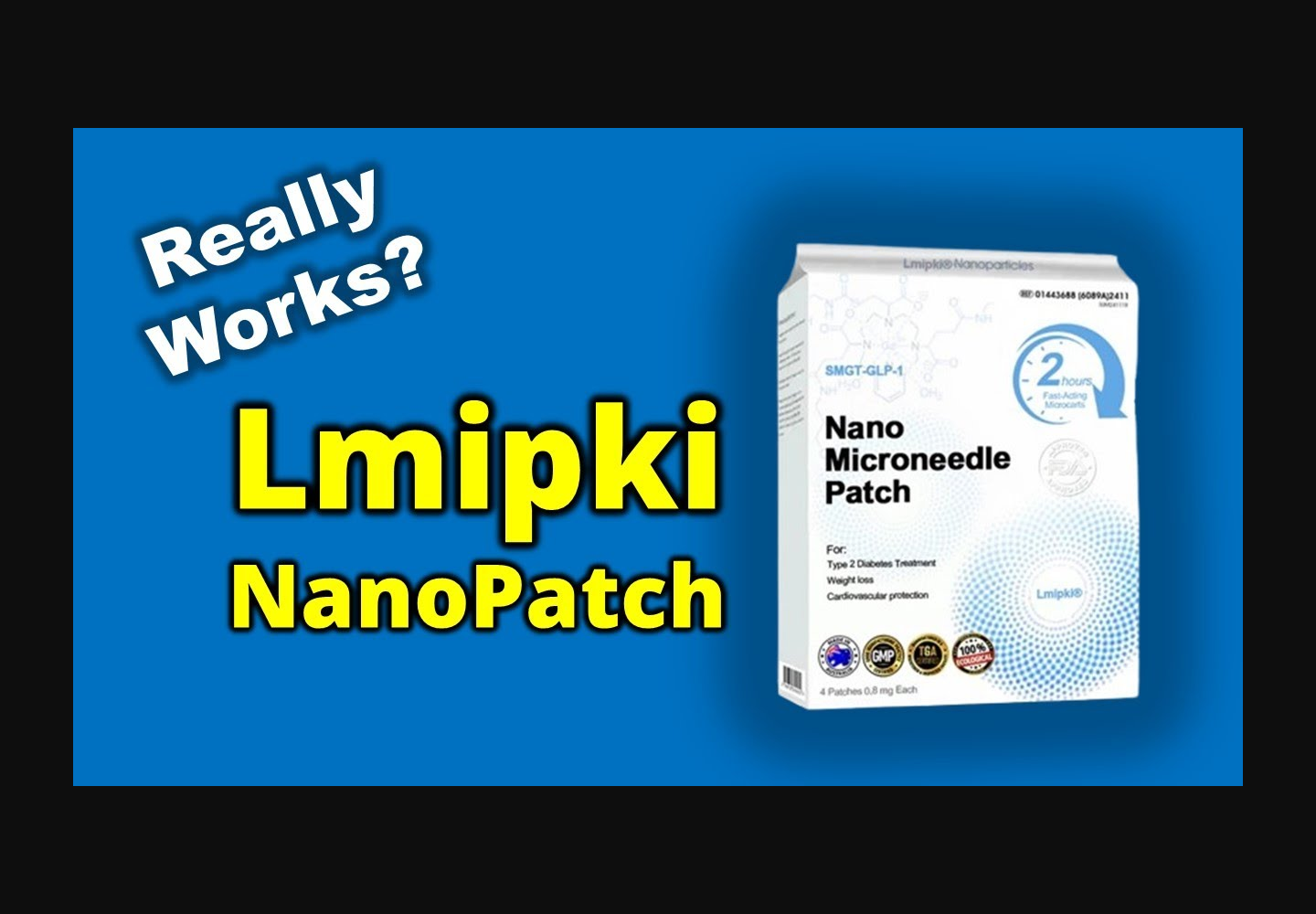
Lmipki markets an inexpensive patch as if it were tirzepatide treatment
The product page uses phrases including “tirzepatide,” “GLP-1,” “nano microneedle patch,” diabetes treatment, weight loss, and cardiovascular protection.
Prices observed during our review ranged roughly from $18.90 to $40.90, far below the normal cost and controls surrounding prescription tirzepatide.
The packaging imagery presents clinical-looking symbols, chemical graphics, dosage-style text, and quality seals that resemble pharmaceutical labeling.
Those visual choices encourage shoppers to interpret the patch as medicine, not merely a general wellness sticker.
Authorized tirzepatide is not an over-the-counter skin patch
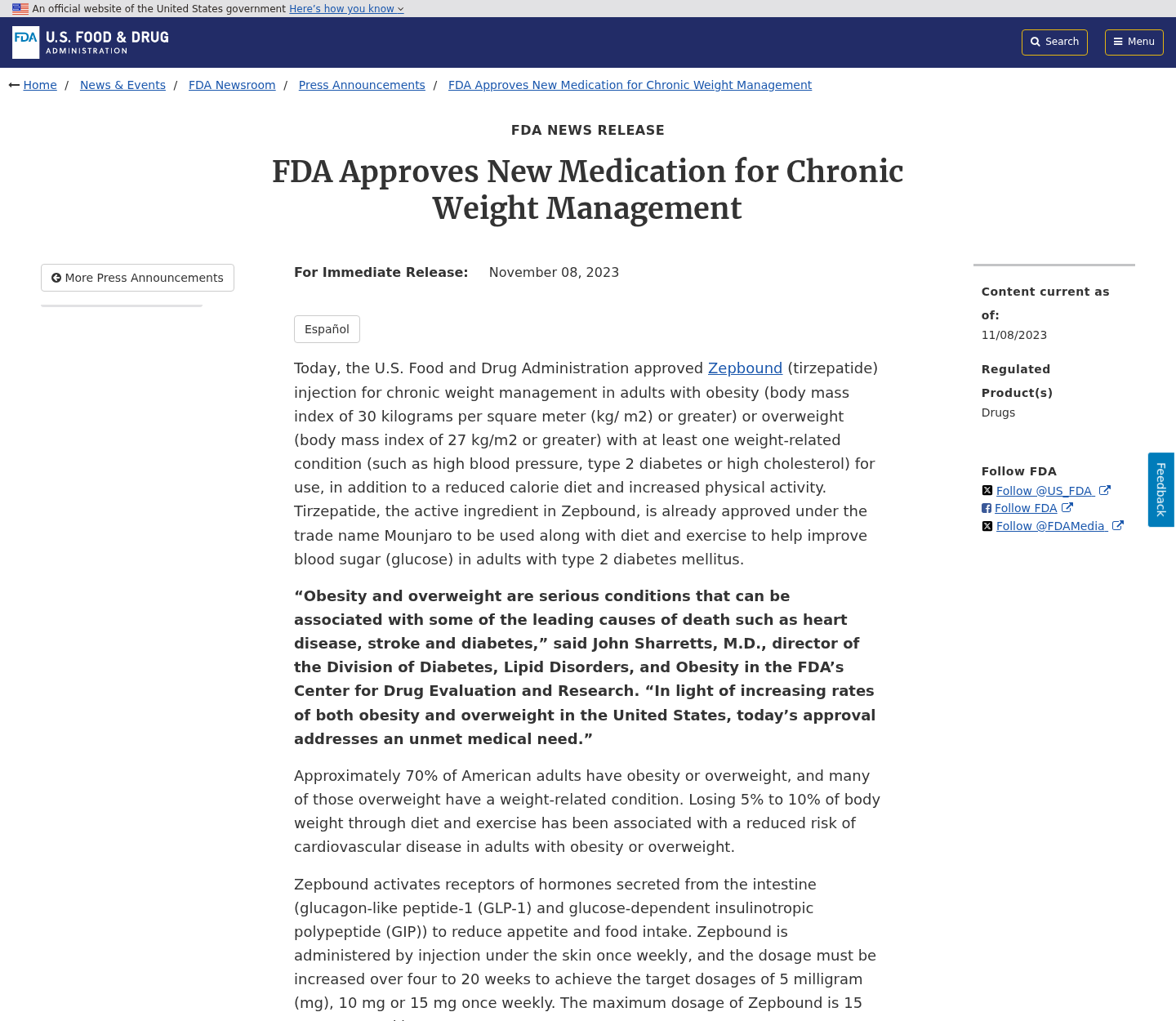
In the United States, tirzepatide is a prescription drug supplied in approved injectable products for specific medical uses.
Official labeling describes subcutaneous administration. It does not authorize an anonymous retail website to sell tirzepatide through a cheap adhesive patch.
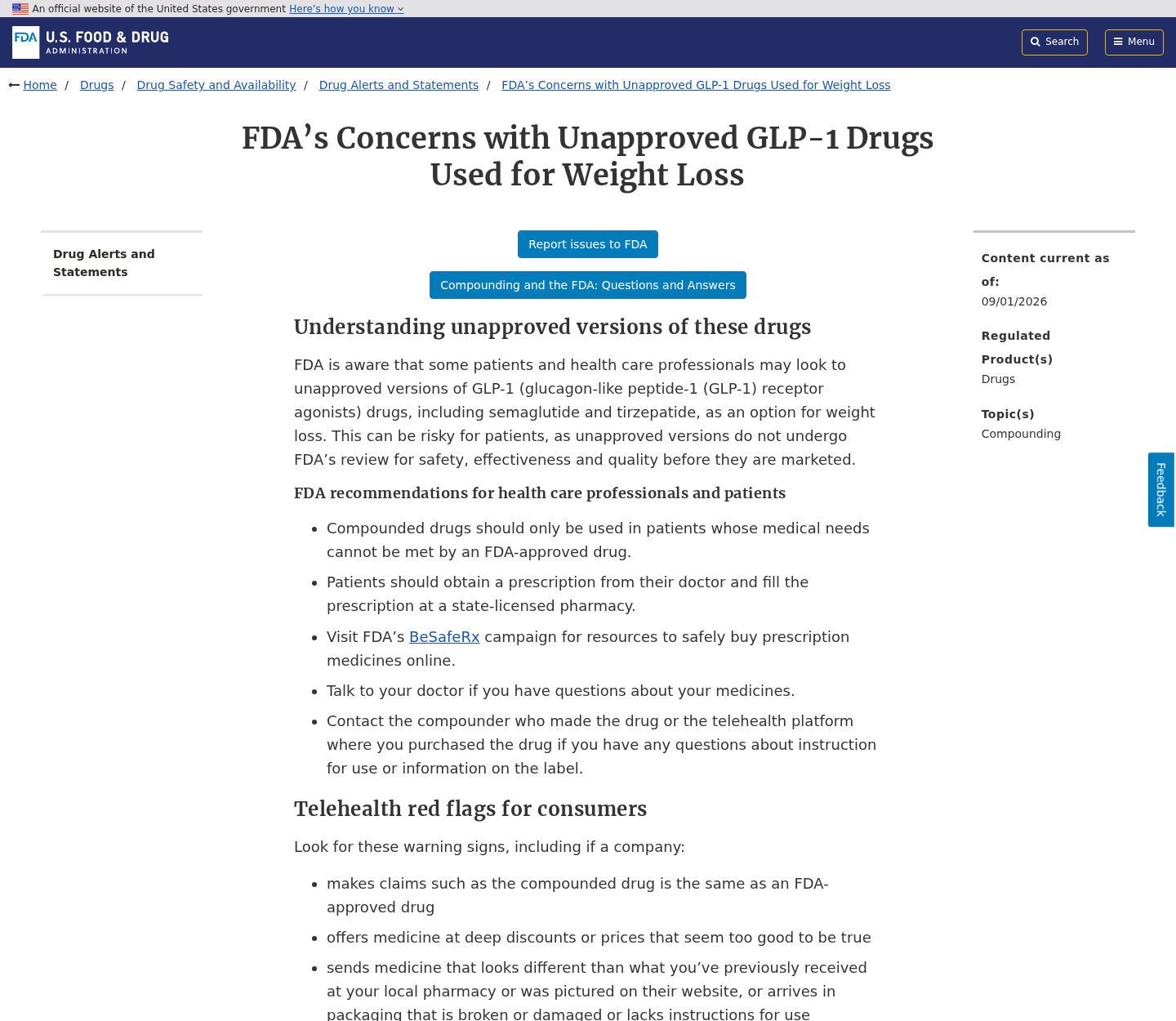
The FDA warns that unapproved GLP-1 products have not undergone its review for safety, effectiveness, or quality before marketing.
A box displaying scientific vocabulary does not establish that it contains tirzepatide, delivers a therapeutic dose, or was manufactured under proper drug controls.
- No prescription was required on the Lmipki checkout.
- No licensed prescriber evaluated the prospective customer.
- No FDA-approved patch product was identified.
- No verifiable clinical trial supported the advertised delivery method.
- No dependable ingredient testing certificate was presented.
- No clear pharmacy relationship was disclosed.
The claims create direct health danger, not just buyer disappointment
A disappointing household purchase may only waste money. A fake medicine claim can delay diagnosis, disrupt treatment, and expose someone to unknown substances.
People with diabetes may be especially vulnerable because the page suggests blood-sugar benefits and uses established treatment language.
A consumer might reduce prescribed medication, avoid medical follow-up, or trust the patch during worsening symptoms.
Even an inert adhesive can cause skin irritation. An unidentified active ingredient introduces much more serious possibilities, including interactions and unpredictable dosing.
For those reasons, we consider the Lmipki tirzepatide patch offer unsafe and fundamentally misleading.
How the Lmipki Patch Scam Works
Step 1: The promotion borrows trust from a prescription medicine
Tirzepatide has become widely recognized because approved injectable versions can produce meaningful results for eligible patients under medical supervision.
Scam marketers exploit that recognition. They place the drug name beside a different format and rely on shoppers to assume the same science applies.
The word “GLP-1” adds another layer of legitimacy. It sounds familiar from news coverage, physician discussions, and established pharmaceutical advertising.
Nothing about that vocabulary proves the patch contains a regulated drug or works through a comparable biological mechanism.
Step 2: A painless patch solves the hardest parts of treatment
Legitimate care can involve appointments, eligibility decisions, prescriptions, injection training, monitoring, side effects, insurance questions, and pharmacy availability.
The Lmipki offer appears to remove every obstacle. A shopper can order quickly, apply a patch, and expect weight or blood-sugar benefits.
That convenience is the emotional hook. It appeals to people who dislike needles, cannot afford treatment, or feel frustrated by medical access.
When an offer eliminates every safeguard surrounding a powerful prescription drug, convenience becomes a warning sign rather than an advantage.
Step 3: Pharmaceutical-looking packaging substitutes for evidence
The box uses molecule artwork, clinical terminology, microscopic-delivery language, treatment references, and badge-like graphics.
These design elements resemble proof at a glance. They are cheaper to print than conducting a controlled trial or obtaining regulatory authorization.
Quality symbols can be meaningless when the issuing organization, audit scope, certificate number, and manufacturing facility cannot be verified.
A genuine medicine label should identify the active ingredient, strength, route, manufacturer, lot, expiration, warnings, and regulatory status coherently.
Step 4: Miracle testimonials make verification feel unnecessary
The sales material claimed enormous user numbers and described striking improvements in weight, appetite, energy, or blood sugar.
Testimonials cannot establish a medicine’s effectiveness. The people may be unverified, the language edited, or the results unrelated to the advertised product.
Health improvements also require context. Diet, activity, prescribed treatment, measurement error, and natural fluctuation can change outcomes.
Anonymous stories should never outweigh approved labeling, published clinical research, and advice from a clinician who knows the patient’s history.
Step 5: A low price turns skepticism into an impulse purchase
Prescription GLP-1 treatment can be expensive. A patch costing less than an ordinary restaurant meal therefore feels like an opportunity.
The shopper may reason that losing $20 is harmless. That calculation ignores the medical cost of relying on an unverified treatment.
Cheap pricing also discourages formal complaints. Some buyers abandon recovery because postage, time, or embarrassment exceeds the purchase amount.
Operators can profit from many small transactions while avoiding the scrutiny triggered by a single large loss.
Step 6: Missing seller details make accountability difficult
During the investigation, the store did not present a dependable legal entity, licensed pharmacy, responsible manufacturer, or medical contact comparable to regulated drug sellers.
The domain registration record was privacy-protected, and the website later returned a Cloudflare origin timeout during repeated capture attempts.
A temporary outage alone proves nothing. Combined with medical claims and weak corporate identification, it increases the difficulty of obtaining answers or refunds.
Customers may receive a parcel from a logistics address that has no authority to discuss ingredients, safety, or payment disputes.
Step 7: The buyer receives an unknown product with no reliable medical chain
If a package arrives, physical delivery does not validate what is inside. Counterfeit and unapproved products can look polished.
There may be no trustworthy chain connecting raw ingredients, manufacturing, quality testing, storage, shipping conditions, and the final label.
Microneedles are intended to cross the skin barrier. That makes sterility, material quality, dose uniformity, and contamination control especially important.
Applying an unidentified product cannot reproduce the protections of a prescription filled through a state-licensed pharmacy.
Why the Medical Claims Do Not Hold Up
The route of administration is not a cosmetic detail
Medicines must reach the body in a controlled amount. Swallowing, injecting, inhaling, and applying through skin are not interchangeable delivery methods.
A molecule that works by injection may be too large, unstable, or poorly absorbed for passive movement across skin.
Microneedles can deliver some substances, but each product still requires formulation research, dose validation, manufacturing controls, and regulatory review.
Printing “nano” on packaging does not solve those scientific problems or establish that the advertised patch underwent appropriate testing.
The product name appears designed to create institutional association
Some Lmipki wording combined “NIDDK” with tirzepatide. NIDDK is the acronym for a United States health research institute within the National Institutes of Health.
Using that acronym near a commercial patch can create an impression of government research, sponsorship, or medical approval.
We found no basis to conclude that NIDDK endorses, manufactures, or authorizes this retail product.
Consumers should treat unexplained government-style acronyms as claims requiring direct confirmation from the named institution.
“Recommended by endocrinologists” requires real names and evidence
A professional endorsement should identify the clinicians, their credentials, the exact statement made, and any payment or commercial relationship.
A generic claim about endocrinologists provides none of that information. It cannot be checked against licensing records or medical publications.
Endocrinologists prescribe treatments after evaluating diagnoses, laboratory results, other medicines, pregnancy considerations, and contraindications.
An anonymous web checkout bypassing those steps should not borrow the authority of specialists who never assessed the buyer.
What Could Be Inside the Patch?
The honest answer is that consumers cannot know from advertising
A product might contain only adhesive and ordinary botanical material. It could also contain undeclared substances, variable ingredients, or contaminants.
Without authenticated laboratory testing tied to a specific lot, packaging statements remain claims made by the seller.
A photograph of a certificate is insufficient if the laboratory cannot confirm it, the sample source is unknown, or results cover another formulation.
Never attempt home chemical identification by tasting, burning, dissolving, or opening microneedle material. Those experiments create additional exposure.
“Natural” would not make an unknown patch safe
Plant extracts can cause allergies, interact with medication, irritate skin, or affect blood pressure and glucose.
Natural ingredients also require accurate dosing and contamination controls. Poison ivy is natural, yet nobody would call it harmless.
If the product truly contained tirzepatide, unsupervised exposure would raise separate concerns about dosing, side effects, and contraindications.
Either possibility demands caution. An inert fake wastes money and delays care, while an active unknown product can directly harm the user.
Company, Address, and Fulfillment Checks
No accountable drug seller was clearly identified
A medicine vendor should clearly name the legal company, licensed pharmacy, responsible manufacturer, physical location, pharmacist contact, and applicable jurisdiction.
The Lmipki presentation did not provide a transparent medical supply chain matching the seriousness of its treatment claims.
A brand printed on a box is not the same as a legally identifiable manufacturer accepting responsibility for composition and safety.
The domain record offers little reassurance
Public registration data showed lmipki.net was created on April 13, 2025, with key identity details shielded from ordinary viewers.
A young, privacy-protected domain is not automatically malicious. Many honest small businesses use privacy services.
For an alleged prescription-drug patch, however, anonymity removes information that patients need when evaluating accountability and regulatory compliance.
A fulfillment center cannot answer medical questions
Packages from questionable health stores often originate at export warehouses, forwarding companies, or domestic reshipment centers.
That address may only scan labels and move parcels. It may know nothing about formulation, manufacturing, adverse events, or refunds.
Do not mistake a return warehouse for a headquarters, pharmacy, laboratory, or manufacturer simply because its address appears on the package.
Phone and email support must be medically meaningful
A working mailbox is not enough for a product claiming diabetes treatment. Staff should answer who made it, what it contains, and where approval is documented.
Failure to provide those basics is a decisive warning. Do not accept scripted praise or another discount as a substitute.
Report adverse effects through appropriate medical and regulatory channels, not only through the seller’s customer-service form.
What to Do if You Bought or Used the Lmipki Patch
- Stop using the patch. Do not apply another one while its ingredients, sterility, dose, manufacturer, and regulatory status remain unverified.
- Contact a medical professional. Explain what the package claims, when you used it, where it was applied, and any symptoms you noticed.
- Do not change prescribed treatment independently. Continue or adjust diabetes and weight-management medicine only according to your clinician’s instructions.
- Preserve the evidence. Keep the box, patches, lot markings, shipping label, receipt, webpage captures, emails, and card statement in a sealed container.
- Request a refund in writing. State that the product was marketed with tirzepatide and treatment claims, then retain every reply or delivery failure.
- Dispute deceptive or unauthorized charges. Give the payment provider the advertisement, product photographs, seller correspondence, and evidence that approved tirzepatide is prescription-only.
- Report the product. Notify the FDA through MedWatch or the appropriate regulator in your country, especially after any adverse reaction.
- Check the device used for ordering. Run Malwarebytes after suspicious redirects and use AdGuard to reduce malicious health advertisements and tracking.
Is Your Device Infected? Run a Free Malware Scan
Slow performance, constant pop-ups, or strange behavior? These are classic signs of a malware infection. The fastest way to find out is to scan your device with Malwarebytes Free — one of the most trusted malware removal tools available.
The free version detects and removes the most common threats, including:
- Adware — the cause of those annoying pop-ups
- Browser hijackers — unwanted redirects and changed homepages
- Trojans and spyware — hidden programs stealing your data
- Potentially unwanted programs (PUPs) — software you never asked for
👉 Select your device below — Windows, Mac, or Android — then follow the simple steps to download Malwarebytes, scan your system, and remove any threats it finds. The scan usually takes 5 to 20 minutes.
Run a Malware Scan with Malwarebytes for Windows
Malwarebytes is one of the most popular and trusted anti-malware tools for Windows — and it’s completely free for removing infections. It catches threats that many antivirus programs miss, including adware, browser hijackers, and trojans. Follow the steps below to scan and clean your PC in just a few minutes.
Download Malwarebytes
Click the button below to download the latest version of Malwarebytes for Windows from the official source. The free version is all you need — it will scan your computer and remove adware, browser hijackers, and other malicious software at no cost.
Download MalwarebytesOfficial installer for Windows 11 and 10. Your download starts right away.Want real-time protection? See Malwarebytes Premium Malwarebytes Free for WindowsScans and removes malware at no cost
-
Install Malwarebytes
When the download finishes, open your Downloads folder and double-click the MBSetup file. If Windows shows a User Account Control pop-up, click “Yes” to allow the installation.

Follow the On-Screen Prompts to Install Malwarebytes
The setup wizard will walk you through a few quick screens:
-
Choose where you’re installing the program — “Personal Computer” or “Work Computer” — then click Next.

-
Malwarebytes will now install on your device. This usually takes under a minute.

-
When installation is complete, the “Welcome to Malwarebytes” screen will open automatically.

-
On the final screen, click Open Malwarebytes to launch the program.

-
Enable “Scan for Rootkits”
Before scanning, turn on rootkit detection so Malwarebytes can find even the most hidden threats. Click the Settings gear icon on the left side of the screen.

In the settings menu, find “Scan for rootkits” and click the toggle so it turns blue.

Done? Click “Dashboard” in the left pane to return to the main screen.
Start the Scan
Click the blue Scan button. Malwarebytes will automatically update its virus database and start checking your computer for malware.

-
Wait for the Scan to Finish
The scan checks your entire system for browser hijackers and other malicious programs, so it can take 5 to 20 minutes depending on your computer. Feel free to do something else — just check back occasionally to see the progress.

-
Quarantine the Detected Threats
When the scan is done, you’ll see a list of everything Malwarebytes found — malware, adware, and potentially unwanted programs. Click the “Quarantine” button to remove all of them at once.

Malwarebytes will now remove the malicious files and registry entries and move them safely into quarantine.

-
Restart Your Computer
Some threats can only be fully removed after a reboot. If Malwarebytes asks you to restart, click Yes. Once you’re logged back in, Malwarebytes has finished removing the threats it found.

That’s it — your Windows PC is now clean of trojans, adware, and other malware, and should be back to running smoothly.
If you are still having problems with your computer after completing these instructions, then please follow one of the steps:
- Run a computer scan with ESET Online Scanner
- Ask for help in our Windows Malware Removal Help & Support forum.
Run a Malware Scan with Malwarebytes for Mac
Malwarebytes for Mac is a free on-demand scanner that removes the malware other security software tends to miss — adware, browser hijackers, and unwanted programs included. Cleaning an infected Mac with Malwarebytes has always been completely free, and it’s our go-to recommendation. Follow the steps below to scan and clean your Mac in just a few minutes.
-
Download Malwarebytes for Mac
Click the button below to download the latest version of Malwarebytes for Mac.
Download MalwarebytesOfficial installer for macOS. Your download starts right away.Want real-time protection? See Malwarebytes PremiumMalwarebytes Free for MacScans and removes malware at no cost -
Open the Malwarebytes setup file
When the download finishes, open your Downloads folder and double-click the setup file to begin the installation.

-
Follow the On-Screen Prompts to Install Malwarebytes
The Malwarebytes for Mac Installer will guide you through a few quick screens. Click “Continue” and keep following the prompts until the installation completes.



When the installation is complete, Malwarebytes opens to the Welcome to Malwarebytes screen. Click “Get started“.
-
Select “Personal Computer” or “Work Computer”
Malwarebytes will ask what type of computer you’re installing it on. Click either Personal Computer or Work Computer, whichever applies.

-
Start the Scan
Click the “Scan” button. Malwarebytes will automatically update its detection database and begin checking your Mac for malware.

-
Wait for the Scan to Finish
Malwarebytes will scan your Mac for adware, browser hijackers, and other malicious programs. This can take a few minutes, so feel free to do something else — just check back occasionally to see the progress.

-
Quarantine the Detected Threats
When the scan is done, you’ll see a list of everything Malwarebytes found. Click the “Quarantine” button to remove all the threats at once.

-
Restart Your Mac
Malwarebytes will now remove all the malicious files it found. Some threats can only be fully removed after a reboot — if Malwarebytes asks you to restart, allow it. Once you’re logged back in, your Mac is clean.

That’s it — your Mac is now free of adware, rogue browser extensions, and other potentially harmful software.
If you are still experiencing problems while trying to remove a malicious program from your computer, please ask for help in our Mac Malware Removal Help & Support forum.
Run a Malware Scan with Malwarebytes for Android
Malwarebytes for Android automatically detects and removes dangerous threats like malware and ransomware so you don’t have to worry about your most-used device being compromised. Aggressive detection of adware and potentially unwanted programs keeps your Android phone or tablet running smooth.
-
Download Malwarebytes for Android.
You can download Malwarebytes for Android by clicking the link below.
Get Malwarebytes for AndroidOpens Google Play in a new tab.Want real-time protection? See Malwarebytes Premium for AndroidMalwarebytes for AndroidScans your phone and removes malware at no cost -
Install Malwarebytes for Android on your phone.
In the Google Play Store, tap “Install” to install Malwarebytes for Android on your device.

When the installation process has finished, tap “Open” to begin using Malwarebytes for Android. You can also open Malwarebytes by tapping on its icon in your phone menu or home screen.

-
Follow the on-screen prompts to complete the setup process
When Malwarebytes will open, you will see the Malwarebytes Setup Wizard which will guide you through a series of permissions and other setup options.
This is the first of two screens that explain the difference between the Premium and Free versions. Swipe this screen to continue.
Tap on “Got it” to proceed to the next step.
Malwarebytes for Android will now ask for a set of permissions that are required to scan your device and protect it from malware. Tap on “Give permission” to continue.
Tap on “Allow” to permit Malwarebytes to access the files on your phone.
-
Update database and run a scan with Malwarebytes for Android
You will now be prompted to update the Malwarebytes database and run a full system scan.

Click on “Update database” to update the Malwarebytes for Android definitions to the latest version, then click on “Run full scan” to perform a system scan.

-
Wait for the Malwarebytes scan to complete.
Malwarebytes will now start scanning your phone for adware and other malicious apps. This process can take a few minutes, so we suggest you do something else and periodically check on the status of the scan to see when it is finished.

-
Click on “Remove Selected”.
When the scan has been completed, you will be presented with a screen showing the malware infections that Malwarebytes for Android has detected. To remove the malicious apps that Malwarebytes has found, tap on the “Remove Selected” button.

-
Restart your phone.
Malwarebytes for Android will now remove all the malicious apps that it has found. To complete the malware removal process, Malwarebytes may ask you to restart your device.
That’s it — your Android phone is now clean — no more malicious apps, adware, or browser redirects.
If you are still having problems with your phone after completing these instructions, then please follow one of the steps:
- Restore your phone to factory settings by going to Settings > General management > Reset > Factory data reset.
- Ask for help in our Mobile Malware Removal Help & Support forum.
Stay Protected: Block Ads and Malicious Sites
Now that your device is clean, keep it that way. Most infections start with a malicious ad or a fake download button — so blocking them at the source is your best defense.
We recommend AdGuard, which blocks malicious ads, phishing pages, and dangerous redirects before they can reach you.
👉 Download AdGuard and browse safely
Seek urgent care for severe abdominal pain, breathing difficulty, facial swelling, fainting, confusion, persistent vomiting, or signs of dangerously low blood sugar.
Do not mail a used medical patch unless a regulator or clinician provides safe packaging instructions. Accidental exposure can affect postal and laboratory workers.
Frequently Asked Questions
Is there an FDA-approved tirzepatide patch?
We found no FDA-approved over-the-counter tirzepatide microneedle patch matching the Lmipki product.
Authorized tirzepatide products use prescription subcutaneous injection and carry detailed official labeling.
Could Lmipki contain real tirzepatide anyway?
Advertising and box artwork cannot establish composition. Only authenticated testing of the exact lot could identify what it contains.
Even confirmed tirzepatide would not make an unauthorized, unsupervised patch safe or lawful.
Do quality badges prove the patch was tested?
No. A seal is meaningful only when the issuer, certificate, facility, scope, sample, and current validity can be independently confirmed.
Decorative badges are easy to copy and may have no connection with the packaged item.
Why is the low price suspicious?
The price is dramatically inconsistent with the regulated manufacturing, prescription, pharmacy, and medical monitoring surrounding legitimate tirzepatide treatment.
It also makes impulse buying more likely and may discourage victims from pursuing a small financial loss.
What if I used one patch and feel normal?
Lack of immediate symptoms does not reveal the ingredients or guarantee that delayed irritation and interactions cannot occur.
Stop further use, retain the package, and discuss exposure with a clinician or poison-control service.
Should I send the product to a laboratory myself?
Do not handle or ship an unknown microneedle product casually. Contact the FDA, local regulator, poison center, or clinician for guidance.
They can explain whether evidence collection or formal testing is appropriate and how to package material safely.
The Bottom Line
Lmipki’s patch uses the language and appearance of prescription treatment without demonstrating an approved tirzepatide medicine, dependable manufacturer, or validated delivery system.
This is not merely enthusiastic supplement marketing. Diabetes claims, microneedles, and an unidentified formulation create a credible risk of physical harm.
Do not use it. Preserve the package, speak with a medical professional, pursue payment recovery, and report the offer to health regulators.

Reviews & discussion
0 commentsShare a firsthand experience, or ask a question.
Community reviews
Lmipki Tirzepatide Patch
Moderated reader experiences, not an editorial verdict.
Start the conversation
Have a question or something useful to share? Add the first comment.