

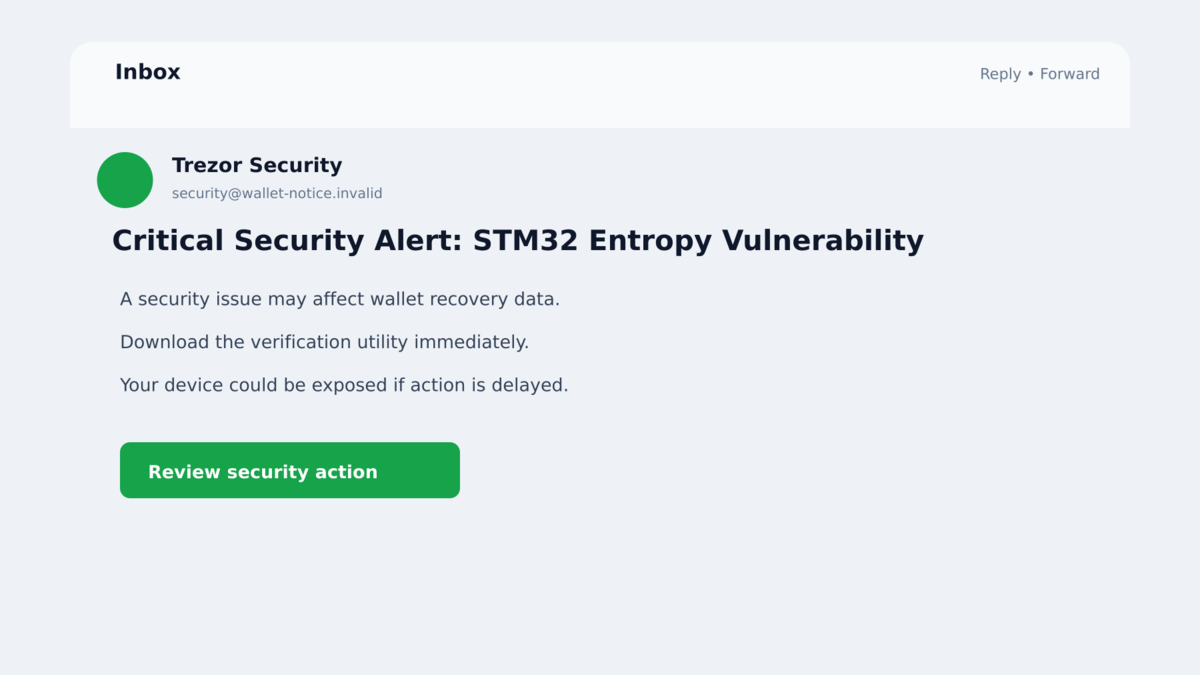
An email arrives from an address a Trezor customer has seen before. Its subject warns about a critical STM32 vulnerability that could supposedly weaken the wallet’s security.
The message is polished, technical, and urgent. It says an application must be downloaded to protect the device before criminals can exploit the flaw.
The alarming detail is invented, but the fake Trezor security alerts did not come through an ordinary spoofed campaign. Attackers had gained access to a real marketing channel.
Overview
The phishing email was sent through a compromised provider
On September 9, 2026, attackers abused access to Brevo, a third-party email marketing provider used by Trezor and other organizations. Trezor said the unauthorized actor used the provider’s systems to send phishing messages from customer accounts.
The campaign reached roughly 347,000 Trezor newsletter contacts. This was not a random warning copied from one person’s inbox. Trezor publicly confirmed the incident, suspended its Brevo account, and warned customers through its website, Trezor Suite, email, community, and support channels.
The message invented a critical hardware-wallet flaw
The phishing subject read “Critical Security Alert: STM32 Entropy Vulnerability.” It claimed that a weakness involving the hardware wallet’s microcontroller could expose recovery information to brute-force attacks.
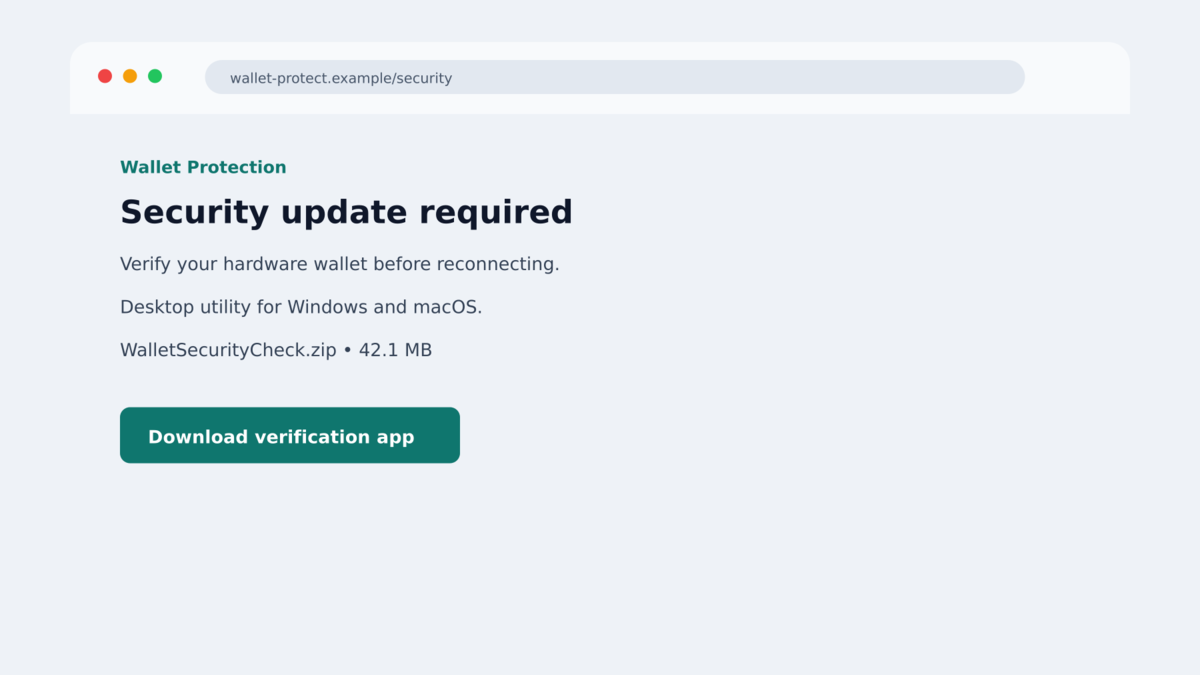
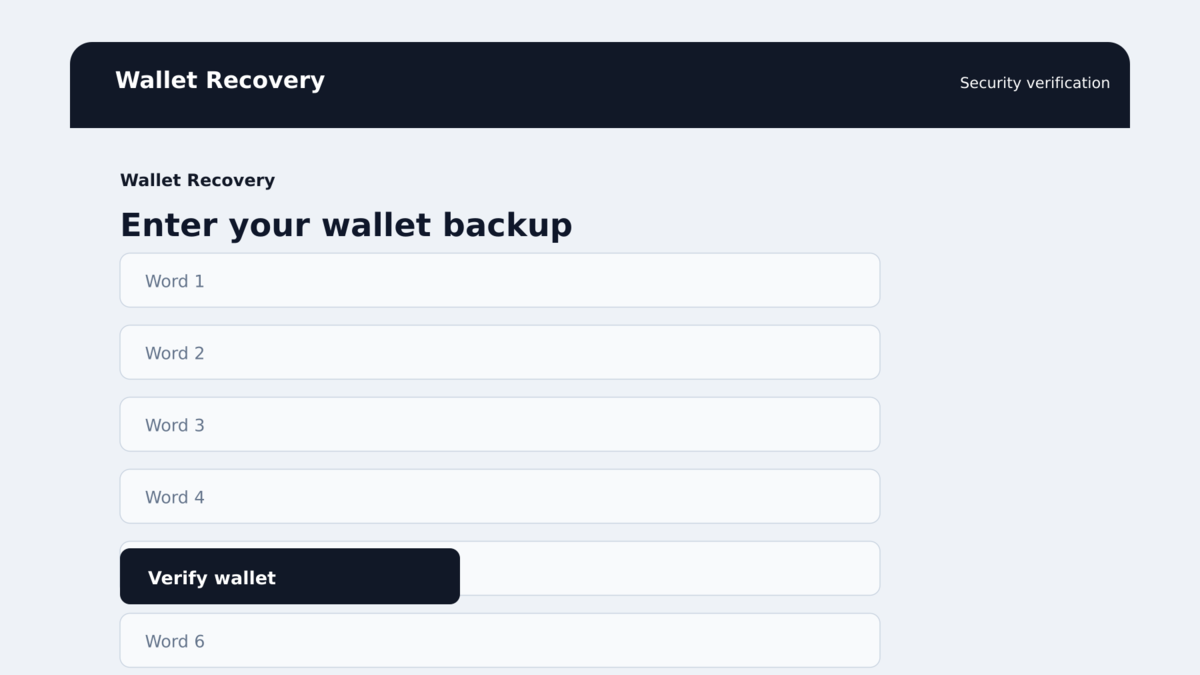
The technical theme was chosen to frighten people who bought a hardware wallet specifically to protect cryptocurrency. The email directed recipients to a malicious application that asked them to enter their wallet backup.
The wallet backup was the real target
A Trezor wallet backup, often called a recovery seed or recovery phrase, can recreate control of the wallet. Anyone who obtains it can restore the wallet elsewhere and transfer the assets without needing the physical Trezor device.
Trezor stated that its hardware and other systems remained secure. The danger came from social engineering: the phishing app tried to convince owners to reveal the one secret Trezor says it will never request.
- The email was sent after an unauthorized actor accessed Brevo customer accounts.
- Trezor reported that approximately 347,000 newsletter contacts were targeted.
- Brevo later confirmed that 347,149 marketing contacts were exported through the API.
- The lure claimed there was an “STM32 Entropy Vulnerability.”
- The malicious link prompted visitors to download an application.
- The application requested the user’s wallet backup phrase.
- Trezor took the malicious domain down at the DNS level within about 20 minutes.
- Approximately 2,500 people clicked before the link was disabled.
- Trezor said its device, firmware, and core systems were not compromised.
The speed of Trezor’s response limited the first malicious link, but it did not erase the exported contact list. An email address connected with the newsletter can remain valuable to criminals long after the original domain stops working.
Future lures may abandon the STM32 story and claim a firmware migration, compensation payment, account verification, or support case. The protective rule remains unchanged across every version: no legitimate Trezor communication requires a customer to reveal the wallet backup.
A recipient should also separate ownership of the email address from ownership of the wallet. The marketing list shows interest in Trezor, not the balance, device model, or recovery words. The phishing app tries to obtain that missing control by asking the customer directly.
That gap is why the message must manufacture urgency. Without the victim’s cooperation, possession of a newsletter address alone cannot recreate the hardware wallet or authorize a transfer.
Why This Email Was More Convincing Than Ordinary Crypto Phishing
Many phishing emails fail because the sender address, formatting, or delivery path does not match the company being impersonated. This campaign had an advantage: the attackers used a legitimate third-party platform connected to Trezor’s marketing communications.
Recipients may have seen the message pass authentication checks or arrive from an expected sender. Those technical signals can help identify common spoofing, but they cannot guarantee safety when an authorized service account has been compromised.
The subject also sounded specific enough to be credible. “STM32” refers to a real family of microcontrollers, and “entropy” is a real concept in cryptographic security. Combining accurate vocabulary with a fabricated emergency creates a warning that looks informed rather than generic.
Hardware-wallet owners understand that a weak recovery secret would be serious. The email exploits that knowledge by making the protective action itself dangerous. Instead of keeping the wallet backup offline, the victim is led to type it into attacker-controlled software.
The use of a downloaded application adds another false signal of legitimacy. A user may believe that software can perform a deeper security check than a web page, even though no legitimate emergency requires entering the wallet backup into an app supplied by an email link.
The message reached a relevant audience rather than a random list. Even without knowing who held cryptocurrency or which device they owned, access to a Trezor newsletter list made the lure far more likely to land in front of people who recognized the brand.
Company, Address, and Fulfillment Checks
The sender channel was real, but the message was unauthorized
The campaign demonstrates the difference between an authenticated email and an approved email. A message can travel through legitimate infrastructure while the account behind it is being abused.
Recipients still need to evaluate the requested action. Security notices involving cryptocurrency should be verified inside Trezor Suite or by manually visiting Trezor’s website, never through the email link itself.
The STM32 warning was a fabricated emergency
Trezor did not direct customers to enter a recovery phrase because of an entropy flaw. The alarming subject was the lure used by the attacker, not a disclosure of a defect requiring that response.
Technical language does not make an instruction legitimate. A real vulnerability notice should be visible on the vendor’s independently reached security pages and should never require disclosing the wallet backup.
The downloaded app asked for the one secret that controls the wallet
The malicious application was not merely collecting an email password. It requested the wallet backup, which can provide complete control over the associated cryptocurrency.
There is no safe way to “cancel” or change a recovery phrase after someone else has seen it. The assets must be moved to a new wallet created from a new backup on a trusted device.
Trezor’s official notice confirms the campaign
Trezor published a detailed incident notice covering the Brevo compromise, the phishing subject, the 347,000 recipients, and the malicious wallet-backup request. The company emphasized that it will never ask customers to share their wallet backup.
The notice also separates the phishing incident from the security of the Trezor device. The hardware wallet was not remotely emptied by an STM32 flaw. Loss required a victim to follow the malicious link and reveal the backup to the attacker-controlled app.
This distinction prevents two dangerous reactions. Owners should not panic and move funds through an emailed tool, but they also should not dismiss the campaign merely because their hardware device still works. The phishing application targets the backup that exists beyond the device itself.
How the Fake Trezor Security Alert Scam Works
Step 1: Attackers compromise a trusted email provider account
The criminals gain access to a marketing platform used by legitimate companies. In this incident, Brevo said 120 customer accounts were affected, and Trezor was one of the brands abused.
Using the connected account gives the phishing email a more believable sender history and a highly relevant recipient list.
Step 2: Customers receive a technical security warning
The subject claims there is a critical STM32 entropy vulnerability. The body warns that wallet secrets may be at risk and pressures the recipient to act before an attacker can exploit the problem.
The urgency reverses the normal security rule. Instead of keeping the wallet backup private and offline, the message makes sharing it seem like the path to safety.
Step 3: The link sends the victim to a malicious download
The destination is not part of the normal Trezor update process. It promotes an attacker-controlled application presented as a security tool, firmware utility, or verification step.
Trezor took down the reported domain quickly, but exported addresses can be reused in future campaigns with new domains and different security stories.
Step 4: The app asks for the wallet backup phrase
The downloaded program displays a form requesting the recovery words. It may claim the phrase is needed to scan the wallet, migrate it, confirm ownership, or protect it from the supposed flaw.
A wallet backup should never be entered into software obtained from an email. Trezor support does not need the words and cannot safely verify them for a customer.
Step 5: The recovery phrase is sent to the attackers
Once submitted, the words can be used on another wallet application or device. The physical Trezor and its PIN do not prevent someone with the complete backup from restoring control elsewhere.
The victim may see a fake completion screen while the criminals prepare transactions from a separate device.
Step 6: Stolen cryptocurrency is moved to attacker wallets
Cryptocurrency transfers are normally irreversible. Attackers can split funds across several addresses, exchange assets, or move them through services that make tracing and recovery difficult.
The exposed email address can also be targeted again with fake support, recovery services, wallet updates, or messages claiming that stolen funds have been located.
Warning Signs in a Hardware-Wallet Security Email
- An unexpected message claims a critical flaw requires immediate action.
- The email asks you to download wallet software through its own link.
- A page or application requests your wallet backup or recovery phrase.
- The warning is not visible after independently opening Trezor Suite or trezor.io.
- The message threatens imminent loss if you pause to verify it.
- The destination domain is not an official Trezor domain.
- The download has an unfamiliar publisher or signature.
- The instructions say the recovery phrase is needed to scan, repair, or migrate the wallet.
- A supposed support agent asks for screenshots of the recovery words.
- Someone offers guaranteed recovery after the phrase has already been exposed.
The safest rule for a hardware wallet is absolute: the backup belongs only in a legitimate wallet-recovery process that you deliberately started on a trusted device. It should never be shared with support or entered because an email told you to act.
What to Do if You Have Fallen Victim to This Scam
- Assume the wallet backup is permanently compromised. Do not wait for an unauthorized transfer to prove it. Anyone with the words can restore the wallet elsewhere.
- Create a completely new wallet on a trusted device. Generate a new backup through official Trezor software obtained independently. Never reuse any word sequence from the exposed wallet.
- Move remaining assets immediately. Send cryptocurrency from the compromised wallet to addresses controlled by the new backup. Verify addresses on the hardware-wallet screen before confirming.
- Do not send extra cryptocurrency to “unlock” or recover funds. Legitimate investigators do not require a tax, gas fee, validation payment, or recovery deposit sent to a stranger.
- Remove the downloaded application. Disconnect the affected computer, preserve the file name and link for reporting, and run a full security review before using the machine for financial activity again.
- Change exposed account passwords from another device. If the fake app also requested email, exchange, or Trezor-related credentials, replace them and revoke active sessions.
- Run trusted security tools. Malwarebytes can help detect the malicious download and other payloads. AdGuard can block known phishing pages and deceptive ads, although it cannot protect a recovery phrase that was already submitted.
- Report the phishing message. Notify Trezor, your email provider, relevant cryptocurrency exchanges, and the appropriate cybercrime authority. Include transaction hashes if assets moved.
- Watch for targeted follow-ups. The recipient list was exported, so future messages may mention Trezor or the incident. Treat every wallet alert as untrusted until verified independently.
Frequently Asked Questions
Was Trezor itself hacked?
Trezor said the incident affected its third-party marketing provider, Brevo. It stated that its hardware, Trezor Suite, firmware, and other core systems remained secure.
How many people received the fake security alert?
Trezor said the initial phishing email went to roughly 347,000 customers. Brevo later confirmed that 347,149 marketing contacts were exported through the API.
Was there really an STM32 entropy vulnerability?
The phrase was used as the phishing lure. Trezor did not instruct customers to enter their wallet backup because of such an emergency.
What if I clicked but did not enter my wallet backup?
Close the page, remove any downloaded app, scan the device, and verify account activity. The most serious wallet-theft risk begins when the recovery phrase is exposed, but downloaded malware can create additional risk.
Can Trezor support check whether my recovery phrase was stolen?
No one can make an exposed phrase private again. The safe response is to create a new wallet with a new backup and move the assets.
Can stolen cryptocurrency be reversed?
Blockchain transfers are generally irreversible. Report quickly to exchanges and law enforcement, but avoid private recovery services that promise guaranteed results for an upfront payment.
The Bottom Line
The fake Trezor security alert was a confirmed phishing campaign delivered through a compromised marketing channel. Its technical warning was designed to make wallet owners surrender the secret that controls their funds.
Trezor will never ask for a wallet backup. No email sender, security alert, downloadable scanner, or support agent needs those words.
If you entered the phrase, move any remaining assets to a brand-new wallet immediately. The old backup must be treated as unsafe forever.








