

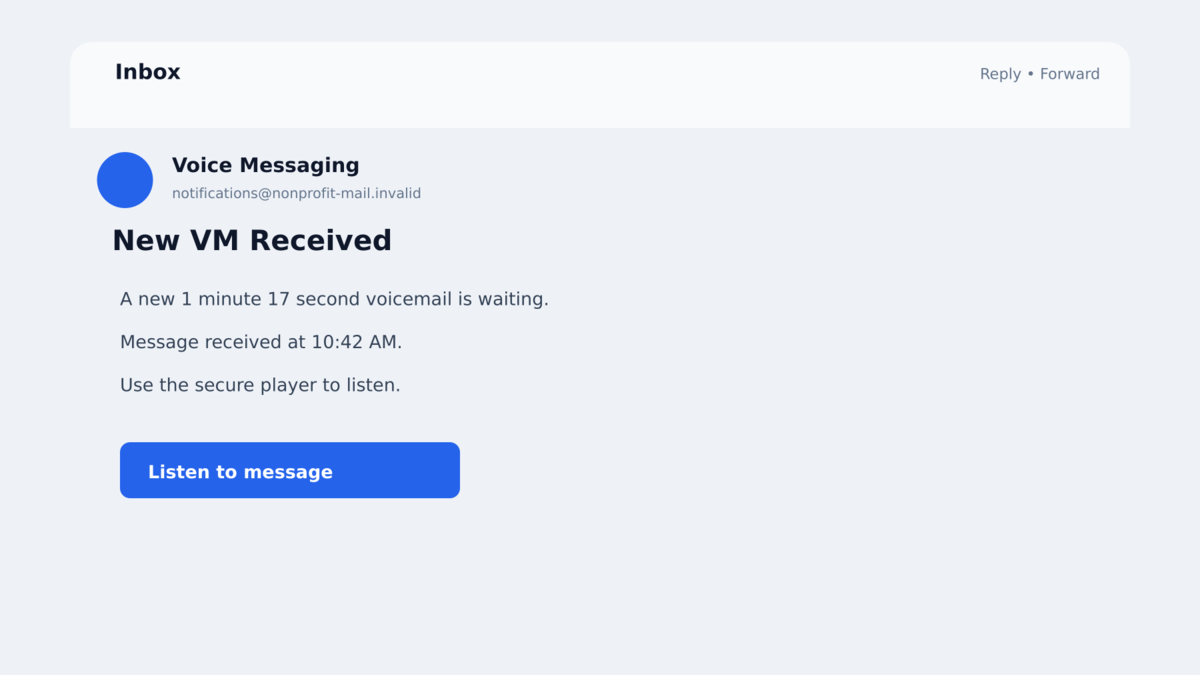
An email says a new voicemail is waiting. It comes from a legitimate account, passes through familiar marketing services, and offers a simple “Listen To Message” button.
After a human-check page, the recipient reaches a Google sign-in screen. The password works, the multi-factor prompt arrives, and the sequence appears to behave like a real login.
The page is coordinating with an attacker in real time. Completing MFA can hand over a reusable Google Workspace session, even though the victim never intentionally approved a new device.
Overview
A voicemail lure reached hundreds of organizations
ORAX is a phishing-as-a-service platform documented by Abnormal Intelligence. One observed campaign sent about 12,846 fake voicemail messages from a compromised nonprofit bulk-mail account to employee mailboxes at 675 US organizations.
The targeting crossed software, education, finance, media, retail, manufacturing, technology, and business services. The broad distribution shows a mass campaign rather than one person complaining about an isolated email.
Multiple trusted services lead to a fake Google login
The “New VM Received” email sends the victim through a Mailchimp click tracker to a Brevo-hosted landing page. An emoji CAPTCHA or anti-analysis gate tries to separate real people from automated security scanners.
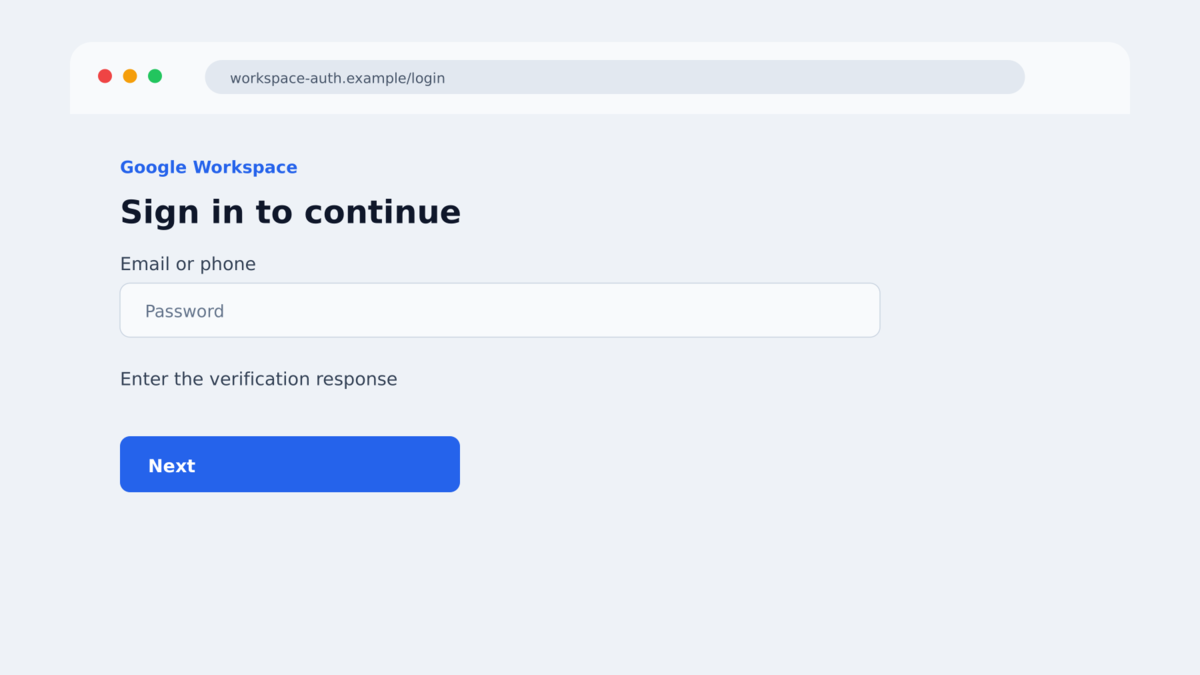
After another challenge, ORAX displays its own copy of a Google sign-in page. Google does not host or control that page, even though the prompts are synchronized with a real authentication attempt behind the scenes.
The target is the authenticated session, not only the password
ORAX keeps the phishing page connected to its backend through WebSockets. When the victim enters a password or responds to an MFA challenge, the platform advances the real login and updates the copied page in real time.
If authentication succeeds, the attacker can capture the resulting Google Workspace session. That access may support business email compromise, mailbox-rule abuse, internal phishing, and financial fraud.
- The campaign begins with a fake voicemail notification.
- A compromised legitimate bulk-mail account helps the message look familiar.
- Mailchimp and Brevo infrastructure are abused during delivery.
- An emoji CAPTCHA or encrypted gate blocks automated analysis.
- The final Google sign-in page is built and controlled by ORAX.
- A persistent WebSocket synchronizes prompts with the attacker’s backend.
- Password and MFA responses are relayed through a real authentication attempt.
- The attacker’s objective is a reusable authenticated session.
Why Successful MFA Does Not Prove the Page Is Real
Many people have learned that an unexpected sign-in without MFA is dangerous. ORAX exploits the next assumption: if the correct password is accepted and the phone shows a real verification prompt, the browser page must be legitimate.
The prompt can be real because the attacker is initiating a real Google authentication session at the same moment. The victim supplies each answer through the copied page, while ORAX passes the process forward and mirrors the next challenge.
This is an adversary-in-the-middle outcome, but ORAX does not rely on the traditional reverse-proxy design used by many phishing kits. Its page stays connected to the platform and receives instructions about what field or challenge to show next.
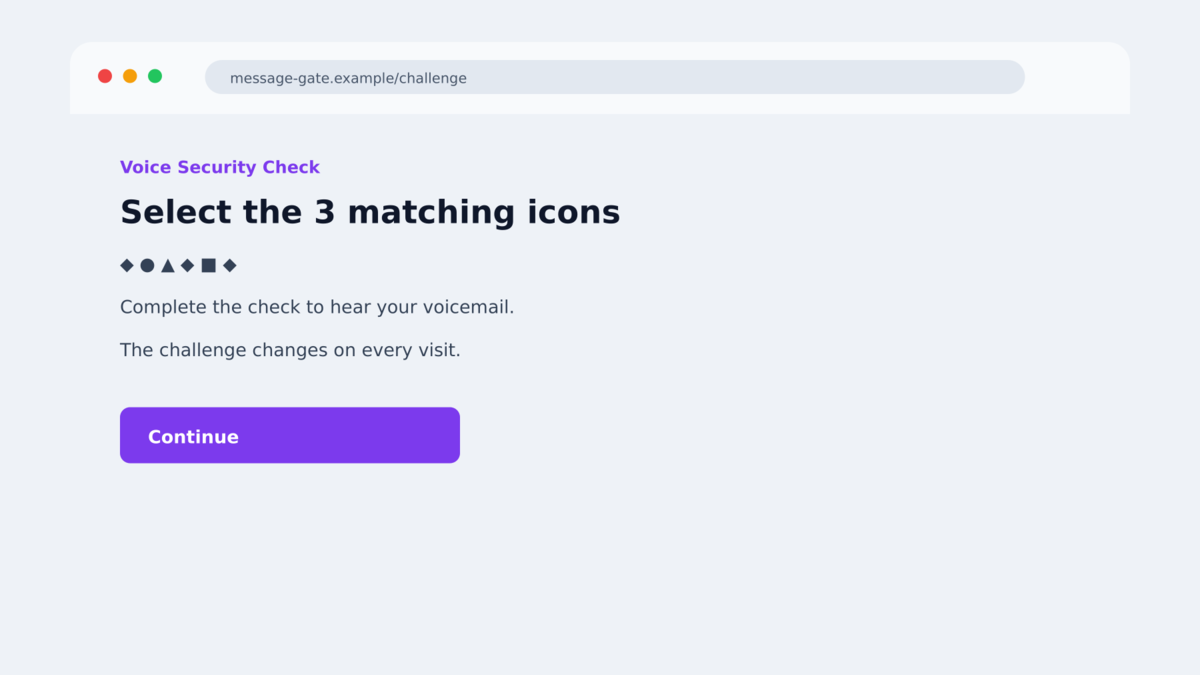
The first CAPTCHA strengthens the illusion. A rotating emoji puzzle feels like a security measure protecting a private voicemail, yet its real purpose is to keep automated URL scanners and headless browsers away from the credential harvester.
One alternate gate decrypts itself in the browser and checks for automation, proxies, or developer tools. Target-facing domains can disappear quickly; Abnormal found one harvester domain that expired a day after its lure was sent.
The safest clue remains the final address bar. A Google sign-in must be on a genuine Google-controlled domain. A correct-looking page, working password, or authentic phone prompt cannot substitute for that domain check.
Company, Address, and Fulfillment Checks
A legitimate sender account can still be compromised
The observed campaign used a hijacked nonprofit bulk-mail account and followed its contact list. Authentication checks may therefore show a message traveling through real mailing infrastructure.
That proves which account sent the email, not that the account owner intended it. An unexpected voicemail should be verified through the organization’s known phone or messaging system.
Mailchimp, Brevo, and Cloudflare are delivery layers
ORAX abuses trusted services for click tracking, landing pages, and challenges. Their presence can help the chain evade simple domain blocks, but none of them validates the voicemail claim.
Follow every redirect mentally to the final destination. If the login page is not on Google’s real domain, close it regardless of the services used earlier.
MFA codes and approvals can be relayed
One-time codes, phone prompts, and some push approvals confirm that someone is completing a login. They do not automatically bind that login to the browser page the victim is viewing.
FIDO2 security keys and properly deployed passkeys are stronger because they are cryptographically tied to the legitimate site. They should not authenticate an unrelated phishing domain.
Independent research confirms the ORAX campaign
Abnormal Intelligence documented the campaign volume, compromised sender, filtering gates, WebSocket architecture, live challenge synchronization, and session-theft objective. Researchers observed ORAX infrastructure from about February through mid-August 2026.
Abnormal assessed with moderate confidence that an Iran-nexus developer operates the platform. That attribution is an assessment about the developer, not proof that every campaign customer or victim has the same location.
How the ORAX Voicemail Phishing Scam Works
Step 1: A compromised account sends the voicemail lure
The recipient gets an email with a subject such as “New VM Received.” The message claims a recording is available and includes a button to listen.
Because the sender account is legitimate but compromised, the message may pass checks that would expose a newly created spoofing domain. The campaign can also inherit a real contact list.
Step 2: Marketing links lead to a voicemail landing page
The button passes through a Mailchimp tracker and reaches a Brevo or Convrrt page on a sibpages.com subdomain. The page repeats the voicemail story and invites another click.
These services are legitimate. The attacker is using their free or existing infrastructure as stepping stones.
Step 3: A gate tries to exclude scanners
The next page may ask the visitor to select three matching emoji icons. The set changes on each request, making simple automated replay less useful.
Another version checks for headless browsing, WebDriver, a proxy, or developer tools. A real user is passed through a one-time token and another managed challenge.
Step 4: ORAX displays its own Google sign-in copy
The harvester is not Google’s live page passed through a proxy. It is an attacker-built interface connected to the ORAX backend.
The victim enters an email address and password. ORAX sends commands such as Input and Submit while the operator’s process advances a real authentication flow.
Step 5: The phishing page mirrors the MFA challenge
If Google requests another factor, ORAX uses its Challenge and MirrorChallenge logic to update the victim’s page. SignalR and WebSockets keep the correct target matched to the correct live session.
The victim may receive a genuine push, code, or phone prompt and approve it. That response is being used to finish the attacker-controlled login.
Step 6: The authenticated session is captured and reused
Once MFA succeeds, the operator obtains reusable session access. The password and factor have done their job, but the resulting session belongs to the attacker’s workflow.
The attacker can read mail, create forwarding or inbox rules, register persistence, send internal phishing, change payment instructions, or use trusted conversations for business email compromise.
Why Session Theft Can Outlast the Phishing Page
A password is one secret used during authentication. A session token is proof that authentication already succeeded. Services use tokens so people do not need to enter a password and MFA response every time they open another message or browser tab.
ORAX aims to capture that authenticated state. The phishing domain may disappear the next day, but a stolen session can remain useful until it expires or an administrator revokes it.
Changing the password is still essential because the attacker saw it. However, some existing sessions and refresh tokens may continue until the provider’s account controls invalidate them. A complete response explicitly signs out sessions and forces fresh authentication.
Mailbox rules are a common persistence method. An attacker can forward selected mail, hide security alerts, move invoices to another folder, or delete replies that might warn the victim. Review rules and delegates even when the inbox looks normal.
OAuth grants create another path. A malicious or attacker-approved application may retain access through its own authorization. Remove unfamiliar connected applications and consent grants rather than focusing only on devices.
Finally, check sent and deleted mail. ORAX access is valuable because the compromised account can contact coworkers from a trusted identity. Fast warnings can stop a second employee from approving a payment or entering credentials into the same campaign.
Workspace administrators should correlate the reported login time with IP addresses, devices, token issuance, and application consent. The unusual domain may be gone, but identity logs can still show where the captured session was used.
Preserve those logs before routine retention removes them. They help distinguish a blocked attempt from a completed takeover and define which messages, files, or business processes require review.
Warning Signs in a Voicemail Login Email
- The voicemail notice was not generated by your normal phone system.
- The subject is generic, such as “New VM Received.”
- The button passes through several unrelated services and domains.
- A voicemail requires a CAPTCHA before playback.
- The page asks for a Google Workspace password to hear a recording.
- The final sign-in is not on a Google-controlled domain.
- Your password manager refuses to autofill the credentials.
- A sign-in prompt appears for a location or device you do not recognize.
- The page blocks developer tools or behaves differently through a security scanner.
- The message arrives from an unusual bulk-mail account or nonprofit contact.
Do not approve an MFA prompt just because you started some form of sign-in. Read the service, device, location, and request details, and stop when they do not match what you intended.
What to Do if You Have Fallen Victim to This Scam
- If you did not enter credentials, close the pages. Report the email as phishing and tell your organization’s security team. Do not return to test the emoji gate.
- Use a clean device to secure the account. Navigate directly to the official Google account or Workspace portal. Do not use links from the voicemail message.
- Revoke all active sessions and refresh tokens. ORAX targets the authenticated session, so a password change by itself is not sufficient. Force reauthentication across devices.
- Change the password. Create a unique replacement and update any other account that reused the exposed password. Check whether the attacker changed recovery details.
- Audit multi-factor authentication. Remove unknown devices, security keys, phone numbers, app passwords, and backup methods. Replace recovery codes if they may have been exposed.
- Inspect mailbox persistence. Look for forwarding addresses, inbox rules, delegates, OAuth grants, filters, sent messages, deleted alerts, and unfamiliar third-party applications.
- Warn finance and close contacts. Attackers may send believable payment requests from the compromised mailbox. Verify recent changes to invoices, bank accounts, gift-card requests, and wire instructions by phone.
- Scan endpoints and reduce repeat exposure. Malwarebytes can check for additional threats if files were downloaded. AdGuard can block known phishing destinations, but neither can revoke a stolen cloud session; that must be done in the account or by an administrator.
- Preserve and report evidence. Save the original email, headers, redirect chain, final domain, login time, MFA prompt, and account logs. Report the incident to IT, the mail provider, and the relevant fraud authority.
Frequently Asked Questions
What is ORAX?
ORAX is a phishing-as-a-service platform that synchronizes a fake sign-in page with a real authentication attempt to capture MFA-authenticated Google Workspace sessions.
Was Google Workspace breached?
The research describes phishing and authentication abuse, not a breach of Google’s systems. Victims are sent to an attacker-controlled page on unrelated infrastructure.
Why did my real MFA prompt appear?
The attacker was advancing a real login using the information entered on the phishing page. The genuine prompt authorized that attacker-controlled session.
Is changing my password enough?
No. Revoke all active sessions and refresh tokens, force reauthentication, change the password, and inspect the account for persistence such as forwarding rules and OAuth grants.
Can passkeys stop this type of attack?
Properly deployed FIDO2 security keys and passkeys are phishing-resistant because authentication is bound to the legitimate site. One-time codes and push approvals can still be relayed.
Does a Mailchimp or Brevo link make the email safe?
No. Both are legitimate services that can be abused through compromised accounts or attacker-created pages. Check the final destination and verify the voicemail independently.
The Bottom Line
ORAX voicemail phishing is a confirmed mass campaign built to steal more than a Google password. It coordinates a live login so the attacker can take the authenticated session after MFA succeeds.
A working password and a genuine phone prompt do not validate the page in front of you. The final domain must belong to Google, and an unexpected voicemail should never dictate where you sign in.
If you completed the flow, revoke sessions and tokens before assuming a password change solved it. Then audit the mailbox for rules, grants, and messages the attacker may have created.








