

A video promises a small stream of crypto rewards from a node you can set up at home. The instructions look manageable, even if you have never run one.
Before you follow the guide, there is one question worth asking: who benefits when you perform its final step?

Overview
The offer that draws people in
The crypto node tutorial scam packages a risky instruction as a friendly route to passive income.
A video or guide claims ordinary users can start earning by following a few steps, often without explaining the costs.
That story borrows from a real idea. Blockchain networks do use nodes, but running one does not automatically create a paycheck. Requirements and rewards vary enormously by network.
Google’s Trust & Safety advisory described deceptive bot-building and crypto-node tutorials where code presented as setup material drained wallets when users ran it.
What the evidence does and does not show
Google also described QR codes and video-description links leading to phishing forms or malicious downloads.
Those are observed tactics, not proof that every node guide uses all of them.
There is no single named video, token, or website to avoid forever. The account and project names can change faster than a warning page can be updated.
- The lure is a tutorial that promises easy earnings from technical setup.
- The risky turn is an unverified command, link, download, or wallet request.
- The possible loss is account access, wallet control, or funds, depending on what the reader actually did.
Why this is a scam, not a warning about every node
A legitimate technical guide explains what software does, where its code comes from, and what permissions it needs. It does not hide those questions behind a reward countdown.
The deceptive mechanism begins when an earnings claim pushes viewers to run unknown code or hand over wallet access. That is the conduct this article addresses.
Someone may watch a suspicious video and suffer no harm. The urgency increases if they copied a command, installed a package, connected a wallet, or entered a recovery phrase.
Why the Node Story Sounds Plausible
Nodes are real computers that help a blockchain network communicate, verify information, or store data. Some networks have reward systems, but their rules are not interchangeable.
There may be hardware costs, uptime requirements, deposits, technical maintenance, or no direct compensation at all. A claim of guaranteed passive returns skips these inconvenient details.
Real operators publish these requirements openly because participants must understand the economics before committing their machines or funds.
That gap gives a dishonest guide room to improvise. It can say the user must install a special helper, enable a bot, or complete a wallet check before earnings begin.
Each step sounds like ordinary setup when presented inside a calm tutorial. The danger is that the user is asked to trust the creator’s instructions more than the software’s origin.
A view count, polished graphics, and encouraging comments are not code reviews. They show that a page attracted attention, not that its installer is safe.
Even a genuinely useful explanation can be copied into a malicious channel. Judge the download and command independently from the surrounding educational material.
How the Crypto Node Tutorial Scam Works
Step 1: The video sells an uncomplicated income idea
The opening usually makes the task feel smaller than it is. A creator shows a few screens and suggests that anyone can earn without trading or deep technical knowledge.
The pitch may avoid a precise income figure. Instead, it emphasizes consistency, early access, or an opportunity others supposedly have not noticed yet.
That framing matters because it changes the viewer’s goal. They stop evaluating a technical system and start looking for the quickest route to the promised reward.
Google specifically reported fake token giveaways, fraudulent passive-income mining software, and deceptive bot-building tutorials alongside the node examples. These are related tactics, not identical products.
If the video presents earnings as certain while leaving the network, token economics, operating costs, and payout rules vague, treat the claim as an invitation to investigate.
Step 2: The creator moves instructions away from the video
The description might contain a setup link, or the video may display a QR code. A comment can send viewers to a guide, chat group, or download page.
That move has a practical effect. The creator can change the destination without replacing the video, and the landing page can ask for details the video never mentioned.
The destination may use a project name, a support-style layout, or language about compatibility. None of those details prove the page belongs to a legitimate network.
Check the actual destination before opening it. A domain that merely includes a familiar token name is still a separate website controlled by whoever registered it.
If a guide insists that a shortened link is the only route, pause. A transparent project should have documentation reachable from its own verified channels.
Step 3: Setup language introduces a dangerous action
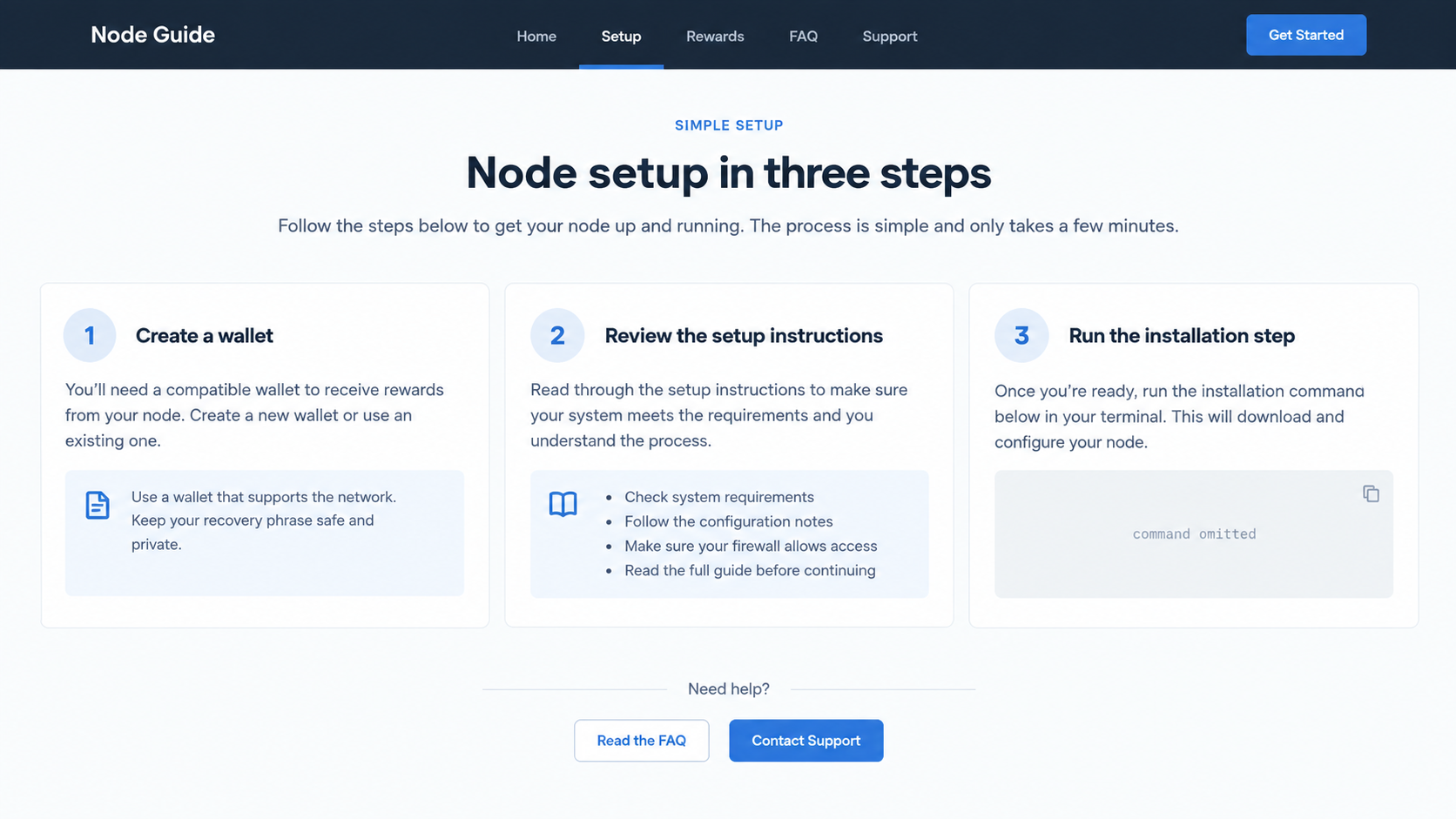
The guide may ask viewers to paste a command into a terminal, download a helper, or run an installer. That is the point where passive viewing becomes active risk.
A command can fetch and execute more code than the visible line suggests. A friendly label such as “node setup” tells you nothing about the downloaded program.
Google’s advisory says code offered in some node tutorials drained users’ wallets. It does not publish a universal command that every reader should search for.
Do not test a suspicious command on your main computer simply to see what happens. The safest investigation starts with its source, documentation, and independent review.
A legitimate project should explain installation steps, required privileges, security implications, and removal. Missing detail is especially troubling when money is already in a connected wallet.
Step 4: Wallet and account requests extend the exposure
Some deceptive destinations ask users to connect a wallet or enter information to “activate” rewards. Others direct them toward a form that asks for account credentials.
Google reported phishing forms in this wider campaign category. A particular guide might skip the form and rely entirely on malicious code, so follow the evidence in front of you.
Never type a recovery phrase into a tutorial page. A phrase grants control of the wallet and is not needed to verify participation in a node program.
Read wallet prompts slowly. A request to sign a transaction or approve token spending is different from merely viewing a public address.
If you cannot explain the permission in plain language, cancel. The reward can wait while you verify the project through its independent documentation.
Step 5: The promised earnings distract from the loss
The tutorial may show a dashboard, estimated rewards, or a message saying setup is still processing. Those displays can keep someone from checking their actual wallet.
Real balances and transactions are visible through the wallet and relevant blockchain records. A private web dashboard cannot substitute for them.
Not every suspicious instruction causes immediate theft. Some malware waits, some permissions remain usable later, and some phishing attempts fail because the user stops in time.
That uncertainty is not a reason to wait. If you ran untrusted code, treat the device as potentially compromised until you can investigate it safely.
If you approved wallet spending, inspect permissions separately from your browser connection. Disconnecting a website does not necessarily cancel an on-chain token allowance.
Step 6: Follow-up messages try to keep control
After setup, the operator might blame a failed payout on a missing activation payment, incomplete verification, or an outdated wallet. These requests can deepen the loss.
Google’s advisory does not establish that every node tutorial includes this follow-up. It is a risk to watch for whenever a stranger controls the support channel.
A second danger appears after someone reports a loss. “Recovery experts” may promise to retrieve the coins if the victim first pays a tracing or release fee.
The FBI’s guidance for cryptocurrency scam victims warns that recovery offers can be another scam. Preserve evidence and use official reporting channels instead.
Do not send more money to test whether a payout is real.
A legitimate network does not need a surprise personal transfer to unlock a balance shown only on its website.
Checks That Separate a Real Guide From a Trap
Begin with the project’s official documentation, reached independently. Compare the video’s installer name, repository, network requirements, and reward claims against that source.
Look for published code and a maintenance history, but do not mistake an active repository for a security guarantee. Attackers can maintain convincing public projects too.
Search for discussion from people who understand that network. Useful criticism addresses permissions, costs, and technical behavior, not only whether payouts looked impressive.
Ask what the command does before running it. If the guide discourages inspection or says security warnings are “normal,” that is a reason to stop.
Be cautious with one-click installers distributed through video descriptions. The official project may offer a different download location or no such installer at all.
Use a separate, low-value test environment only if you have the skills to inspect software safely. For most readers, skipping an unverified setup is the better choice.
Never connect the wallet holding your savings to a tutorial you have not independently verified. The possibility of small rewards does not justify broad access to existing funds.
What to Do if You Have Fallen Victim to This Scam
- Stop using the guide and preserve the trail. Save the video URL, description, destination pages, downloads, messages, and transaction details before anything disappears. Do not revisit a malicious page unnecessarily.
- If you ran code, isolate and examine the device. Disconnect it from the internet if practical, then seek professional help or scan from a trusted environment. Malwarebytes can help identify malware, but a clean scan alone cannot prove a system is safe.
- Protect wallets from a clean device. Move remaining assets to a newly created wallet if the old wallet’s keys or recovery phrase may be exposed. Never import the old phrase into an unfamiliar “recovery” tool.
- Review token permissions separately. If you approved a contract, use your wallet provider’s guidance to inspect and revoke suspicious allowances. Ethereum’s scam-help page explains why disconnecting a site may not revoke spending rights.
- Secure connected accounts. Change exchange and email passwords from a trusted device, sign out of unfamiliar sessions, and enable strong multi-factor authentication. Contact the exchange if funds passed through its platform.
- Report the loss with usable evidence. File a report at IC3 if you are in the United States. Include wallet addresses, transaction hashes, dates, amounts, links, and the creator’s account identifiers.
- Block further exposure. Remove browser notification permissions for suspicious sites and avoid their ads. AdGuard can reduce encounters with known malicious advertising, but it cannot undo a wallet approval or a completed transfer.
What a Wallet Loss Does and Does Not Tell You
A missing token balance may reflect a transaction, a malicious approval, a stolen key, or a display problem. Review the on-chain history before deciding which happened.
If the issue is an approval, revocation may prevent further spending but cannot reverse earlier transfers. If a recovery phrase leaked, a new wallet is usually the safer destination.
A compromised computer creates a wider problem than one wallet. Passwords, saved sessions, exchange logins, and personal files may need attention even if the first visible loss was crypto.
Do not rely on anyone who messages you privately after a public complaint. Real investigators do not need your recovery phrase, remote access, or a prepaid “unlock” transfer.
The first hour is best spent securing what remains, not arguing with the video’s creator. Evidence can be saved while you take defensive steps.
Frequently Asked Questions
Are all crypto node tutorials scams?
No. Nodes are genuine network tools. The danger is an unverified guide that promises easy rewards and pushes unknown code, downloads, or wallet access.
Can watching the video alone empty my wallet?
Simply watching is not the same as running code or approving a transaction. Risk rises when you follow a malicious link, install software, or authorize wallet activity.
Is a command safe because it appears in a popular video?
No. Popularity is not a software audit. Confirm the command’s origin and behavior through the project’s verified documentation before using it.
Will changing my exchange password fix a compromised wallet?
It protects the exchange account, not a wallet whose recovery phrase or private key was exposed. Treat those as separate security problems.
Does disconnecting a site revoke token spending approval?
Not necessarily. A site connection and an on-chain allowance are different. Check approvals through your wallet’s trusted tools and revoke suspicious permissions.
Can someone guarantee recovery of stolen cryptocurrency?
No legitimate helper can guarantee reversal of a blockchain transfer. Be wary of recovery offers demanding fees, wallet access, or private keys.
The Bottom Line
The crypto node tutorial scam turns a technical lesson into an instruction to trust unknown code or a misleading destination. The reward story is the hook, not proof of safety.
Verify the project independently, never run unexplained commands, and keep valuable wallets away from untrusted guides. If you already acted, secure funds and accounts promptly.








