

A staking dashboard can look exactly as you remember it. Familiar network names and navigation make it easy to overlook a small change in the address.
The fake Chainbase Staking scam makes that tiny detail matter. Before putting a wallet into the journey, check which site is actually asking you to proceed.
Overview
A near-identical address leads to a counterfeit staking page
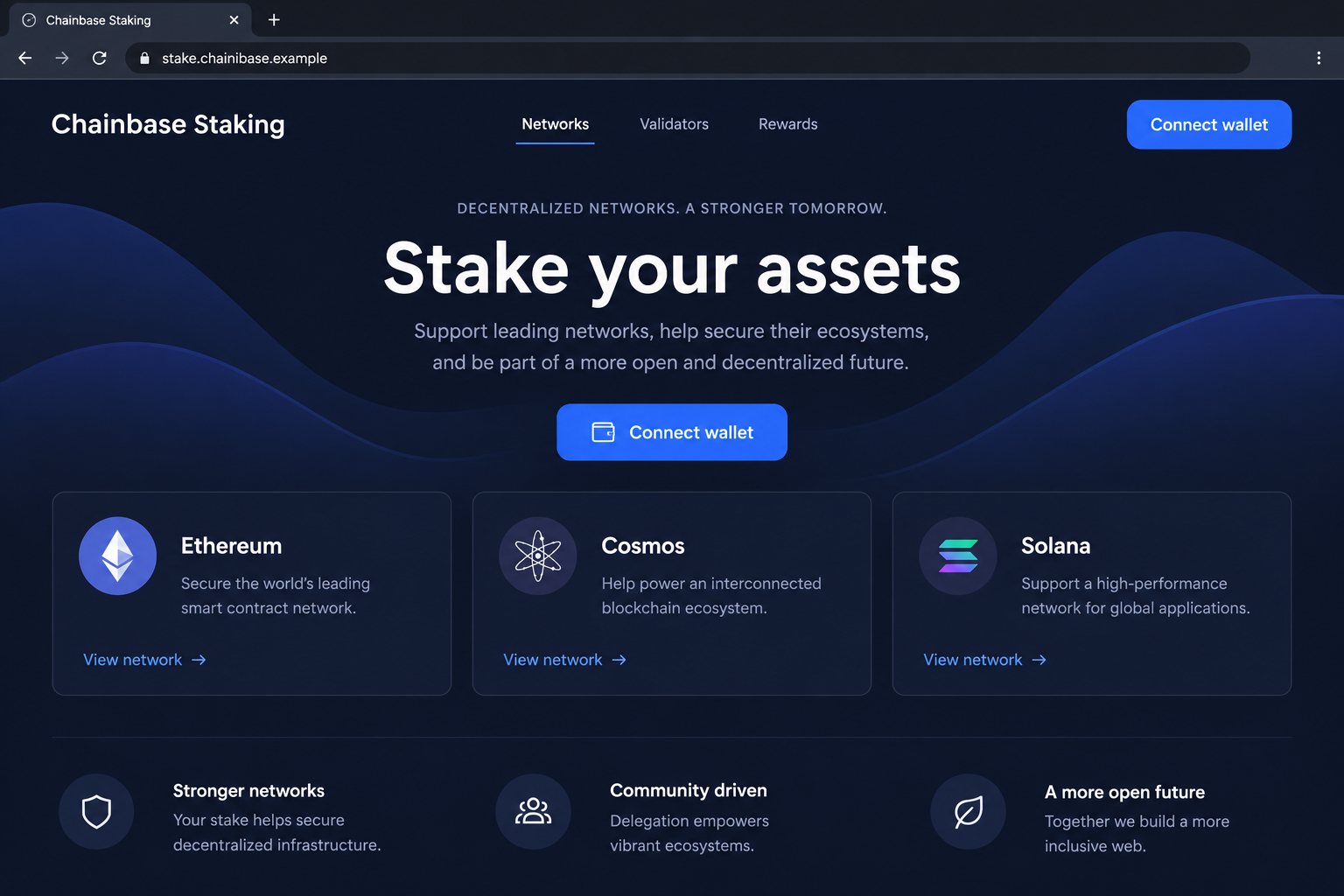
The fake Chainbase Staking scam imitates a legitimate staking interface and uses a lookalike domain to make the impersonation harder to notice.
The reported fake address is stake.chainibase[.]com. Compare it with stake.chainbase.com: the imitation adds an “i” inside the company name.
That difference is small visually but important technically. The two hostnames belong to different domain names; a similar spelling does not create an official relationship.
Chainbase and its genuine staking service are not the fraudulent operation. The warning concerns the page pretending to be that service and its wallet requests.
The close resemblance supplies trust before any wallet interaction
The documented impersonation was reported as a crypto-draining site. It uses the familiar staking context to encourage a visitor to continue toward wallet authorization.
A recognizable dashboard can shorten the checks someone would apply to a completely unknown offer. The site appears to answer the question of identity through design alone.
That is not enough. A convincing menu, network list, or staking button can be copied without authorization from the service whose identity it borrows.
- The hostname differs from the genuine service by an easily missed character.
- The website borrows the staking platform’s appearance and purpose.
- The visitor is encouraged to start a wallet-based interaction.
- Any consequential authorization must be checked independently of the copied interface.
The actual wallet action determines the exposure
We have not independently recovered the malicious contract, traced a particular victim’s transfers, or confirmed the historical fake site’s present operating status.
A basic wallet connection is not automatically a transfer permission. The dangerous action can involve a transaction, spending authority, another consequential signature, or disclosed wallet secrets.
The visuals show an illustrative dashboard and hypothetical request with fictional domains. They explain the origin check without pretending to document a recovered attack transaction.
Why One Extra Letter Can Change the Entire Journey
Your browser distinguishes names that your eyes may group together
People recognize words by overall appearance, especially when reading quickly. An extra letter inside a familiar name can escape attention while the page loads.
The browser does not make that assumption. It connects to the hostname requested, which can be a different operator even when the words look nearly identical.
This tactic is often called typosquatting. It can target an accidental spelling error or a deliberately supplied link that looks correct at a glance.
Finding a resemblance therefore does not prove how you arrived. The useful response is to verify the destination before the page asks for anything consequential.
The staking subdomain adds familiarity without fixing the mismatch
In this case, both addresses begin with “stake.” That familiar prefix can make the rest of the hostname feel like something you already checked.
However, the parent name still differs. The staking label cannot make chainibase[.]com part of chainbase.com.
The same principle applies to a path containing a trusted company’s name. An unrelated website does not become official because familiar words appear elsewhere in its URL.
The design can be copied more closely than the relationship
An impersonator can reproduce colors, buttons, and information layouts. Those elements explain why the interface feels familiar, not who authorized its use.
A copied list of networks may also describe genuine technology. Listing real networks is not evidence that their teams endorse the page or its contract requests.
Keep the ownership question separate from the appearance question. A page can look convincing while asking your wallet to interact with an entirely different destination.
How the Fake Chainbase Staking Scam Works
Step 1: The visitor reaches an address that appears familiar
The journey starts at a lookalike staking hostname. A person might reach it through an external link, search result, or typing mistake.
These are possible entry routes, not evidence that every route was used in the reported case. We cannot reconstruct each visitor’s browsing history.
The common issue is that the address resembles the expected service closely enough for the person to continue without checking its spelling.
At this point, stopping is easy. No staking opportunity needs you to ignore a hostname mismatch just because the rest of the page appears familiar.
Step 2: The cloned dashboard makes the destination seem settled
The page presents a staking interface rather than an obvious demand for secrets. Familiar navigation and network options can make the visitor think identity verification is already complete.
That assumption reverses the correct order. Before evaluating any staking terms, confirm that the site belongs to the service you meant to visit.
For example, selecting a familiar network may feel like routine account use. Yet that selection says nothing about whether the page’s operator is authorized.
The example illustrates the decision, not a recorded loss. The cloned interface creates momentum before the visitor has established the origin.
Step 3: The site invites a wallet connection
A connection request moves the visitor from browsing into an account-related interaction. The wallet may show a requesting hostname and ask which account can be shared.
Read that hostname carefully. If it contains the lookalike spelling, reject the request instead of treating the wallet window as approval of the website.
Ordinarily, connecting reveals selected public-account information and lets a site propose further requests. It does not independently authorize arbitrary withdrawals from a standard wallet.
This distinction is important if you already interacted. A connection alone and an accepted transaction require different assessments, so check the wallet history before assuming either outcome.
Step 4: A staking action becomes an unverified authorization
The consequential risk comes when the page asks the wallet to sign or approve something. Its label may say staking while the request authorizes another action.
For a transfer, examine the asset, amount, recipient, and network. For a contract interaction, understand the contract and the authority it seeks.
Different networks use different permission models. An Ethereum token allowance is not a universal explanation for every type of staking or every blockchain listed on a page.
The exact malicious function in this reported clone has not been independently established here. Do not substitute a guessed function for checking what your own wallet recorded.
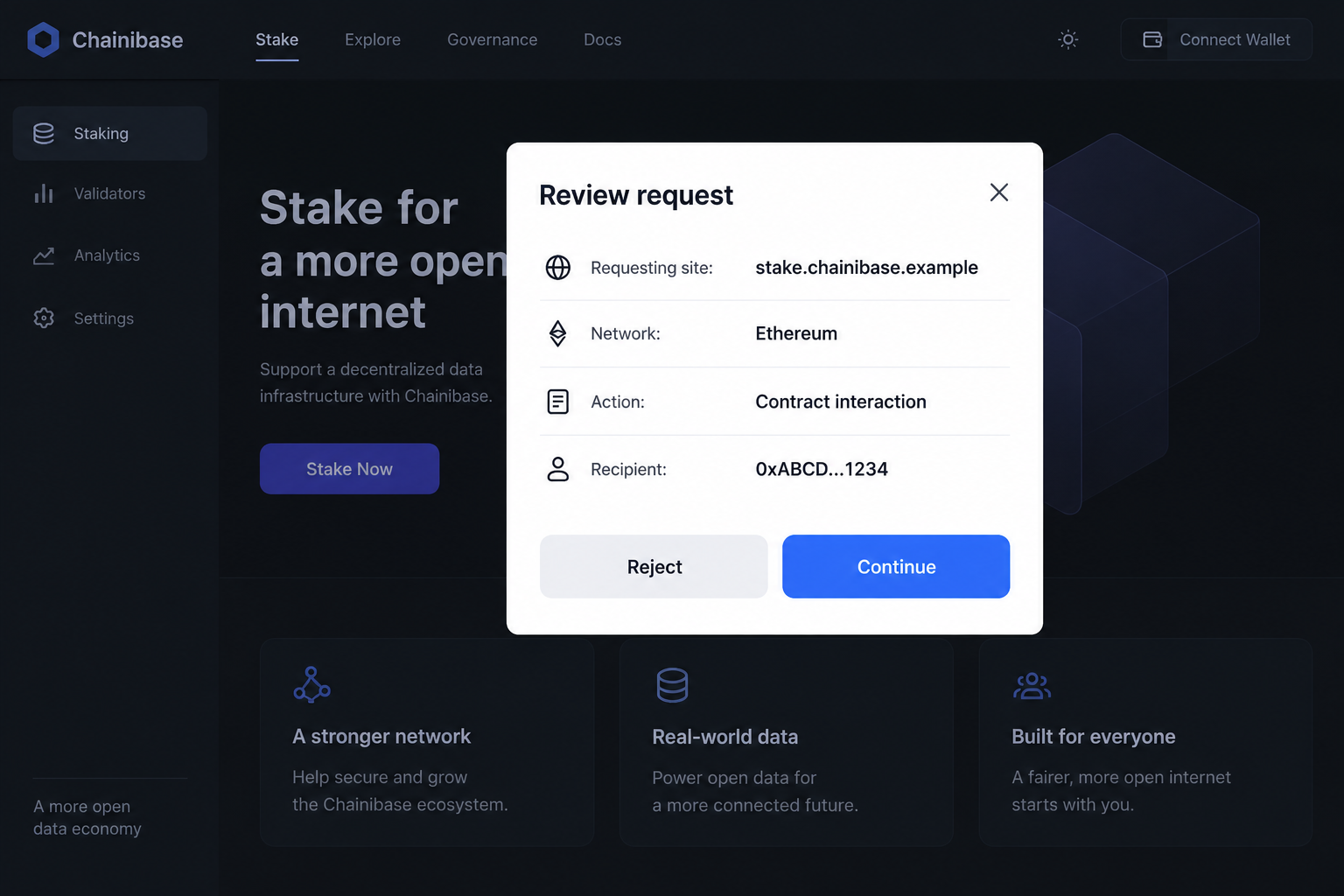
Step 5: The authorization can be used to move assets
An accepted harmful transaction can send assets away. A usable spending permission can allow a designated spender to move covered tokens within that permission’s scope.
The website does not need to call the action theft. A misleading label can persuade the owner to approve a cryptographic instruction with real effects.
The scope may be limited to certain assets or accounts, or wider if multiple permissions were granted. Inspect the evidence rather than assuming every balance is affected equally.
If a recovery phrase was disclosed, that creates a different and potentially broader problem. The owner must treat that secret as compromised even if the device remains intact.
Step 6: Further prompts can deepen the mistake
A failed staking attempt can tempt someone to retry. A deceptive page may introduce another request, supposedly to finish setup or fix a transaction.
We do not claim every copy used that follow-up. If it happens, do not let the same unverified site define which additional authorization will repair the situation.
Stop the interaction and inspect activity from trusted wallet controls. Contact the real service through its own website if you need help understanding an intended action.
Sending more funds to unlock a reward or repair a balance is not an appropriate response to an unexplained request from a lookalike page.
How to Check the Genuine Staking Route
Begin with Chainbase’s verified parent site
Open Chainbase’s website independently instead of trusting the suspicious page’s navigation. The reported genuine staking address is stake.chainbase.com.
Compare the hostname character by character when investigating a notice or external link. A trusted bookmark can reduce mistakes, provided the bookmark was verified when created.
Do not visit the reported lookalike just to compare its appearance. You can check spelling and preserve the original link without initiating another interaction.
Treat correct identity as the beginning of due diligence
An authentic domain does not guarantee investment returns or remove the risks of a particular staking arrangement. Understand the service, terms, and transaction before committing funds.
This article identifies an impersonation risk, not an endorsement of every validator or integration. Legitimacy and suitability are separate questions.
Ask what you are authorizing, how assets are handled, and what restrictions apply. The answer should make sense without a stranger telling you to bypass warnings.
Distinguish site access from token authority
MetaMask’s connection guidance explains that disconnecting a site does not cancel approvals already granted. That distinction matters after a suspicious interaction.
A browser tab is not the source of every ongoing permission. Closing it can stop further prompts while leaving an existing on-chain authorization unchanged.
Where supported, review permissions through trusted wallet tools. The right response depends on the chain, action, and exposure, not simply whether the webpage is still open.
What to Do if You Have Fallen Victim to This Scam
- End contact with the lookalike site.
Close the page and reject outstanding wallet prompts. Do not accept a fresh request described as necessary to cancel the previous one.
Record the suspicious hostname and how you reached it. Keep existing screenshots rather than revisiting the site to recreate each step.
- Identify precisely what the wallet accepted.
Check transactions, signatures, connections, and permissions for the affected account. Note the networks involved and any transaction hashes available.
If you only connected, remove that connection and monitor relevant activity. If you signed or approved something, investigate its actual effects rather than relying on the page’s description.
- Revoke risky permissions where applicable.
Use official wallet guidance to review the relevant chain. Do not search blindly for a revocation service and connect to the first advertisement you find.
MetaMask documents token-approval revocation for supported situations. Other types of authority may require different controls, so avoid treating that process as universal.
Revocation can limit future use of a permission. It does not automatically refund assets transferred before the permission was removed.
- Use a new secret if the old one was exposed.
A leaked recovery phrase cannot be repaired by choosing a new app password. Create a wallet with a genuinely new phrase through official software in a trusted environment.
If assets remain, obtain verified guidance about moving them safely. Repeatedly adding fees to an address being swept can create additional losses.
- Preserve transfer evidence and contact relevant services.
Save public addresses, transaction hashes, timestamps, the original promotion, and the visible request details. Exclude private keys and recovery phrases from correspondence.
Notify the legitimate platform through independently located support. Contact an involved exchange promptly if its account or services relate to the incident.
Neither a wallet provider nor the real platform can promise to reverse a confirmed blockchain payment. Preserve records because they may still support further investigation.
- Check the device if software or persistent redirects were involved.
Use an updated Malwarebytes scan after installing a supposed staking extension or opening a suspicious download. Remove unwanted extensions and notification permissions.
AdGuard may help reduce malicious advertisements and access to some known scam pages. It does not undo an approved contract action or make an exposed phrase secure.
- Report the impersonation and ignore paid recovery pressure.
Report the promotional account and destination to their platforms. US users can report financial deception at ReportFraud.ftc.gov; other locations have their own fraud-reporting channels.
Do not pay a helper to validate, unlock, or recover your wallet through another signature. A familiar company name in a profile is not verified support.
Frequently Asked Questions
What spelling difference identifies the reported fake site?
The reported imitation uses chainibase with an additional “i,” rather than chainbase. The small visual change directs the browser to a different domain.
Is Chainbase Staking itself the scam?
No. The case concerns an impersonating website. Evaluate real staking arrangements separately, but do not attribute the clone’s wallet requests to the genuine service.
Can a copied dashboard prove that a site is official?
No. Navigation, colors, and network names can be reproduced. Confirm ownership and the authorized route independently before evaluating any wallet interaction.
Do I need to move everything if I only connected?
Not automatically. Check whether you also signed, approved, transferred, or revealed a secret. The completed action determines which account-protection measures are necessary.
Will closing the page stop a token spender?
Closing a tab does not necessarily revoke an existing allowance. Review the relevant permission through verified wallet tools and follow the appropriate chain-specific process.
Can I recover a confirmed transfer by paying another fee?
Do not send a fee to an unsolicited recovery helper. Report the incident and seek verified assistance without assuming that any additional payment guarantees recovery.
The Bottom Line
The fake Chainbase Staking scam turns a tiny hostname difference into a misleading wallet journey. A cloned dashboard does not establish an authorized relationship.
Verify the destination before interacting and inspect what you authorize. After a suspicious request, use trusted tools to assess the actual permission or transfer, not the page’s promises.








