


Two Afterpay entries in your banking app do not always mean two payments went through. Open each one and check whether it’s pending or posted before drawing a conclusion.
Then compare them with the installment history in your Afterpay account. If you don’t recognize the order itself, contact your card issuer rather than waiting for a hold to disappear.
Overview
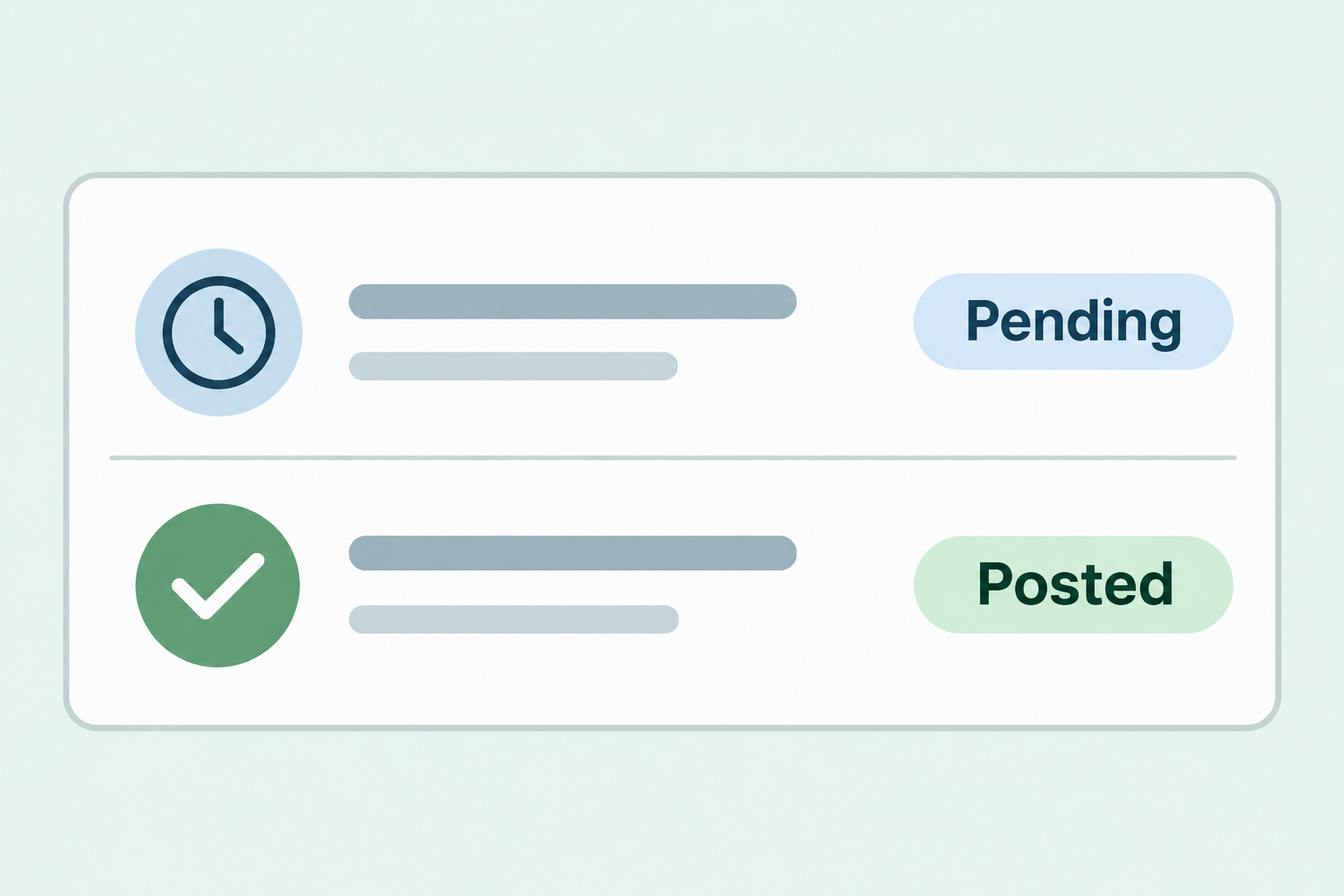
A pending authorization and a settled payment are different
A pending authorization temporarily sets aside funds or reduces your available credit. A posted entry is a payment that has already settled on the account.
Both can appear against a purchase at the same time. For a familiar order, one pending entry and one posted installment are not enough to establish that you paid twice.
Do not dismiss two posted payments as an ordinary authorization, either. If both settled and Afterpay shows only one corresponding payment, you have a billing discrepancy to investigate.
The U.S. Afterpay help pages distinguish the two cases
Afterpay’s guidance on duplicate entries says a first installment and a temporary authorization can show at the same time. This guide uses its U.S. instructions.
If you’re using a different Afterpay market or local brand, check the support pages for your market. Do not count on the same banking process or time estimates everywhere.
Even in the United States, the label your bank uses may differ. Look for the full status in the transaction details rather than deciding based on appearance alone.
Sort the situation by order and status
- One pending plus one posted for a recognized order can be an authorization and an installment.
- Two posted entries but just one matching installment warrant a billing review.
- Two real orders can produce two real payments even if the merchant and amount match.
- A pending entry with no completed order might be tied to an interrupted checkout, but verify whether you attempted it.
- A payment or authorization you never made is a security issue, even if it is still pending.
Match the Bank Entries to the Actual Order
Start with the dates and statuses
Open your bank or card issuer’s app directly. For each entry, note the amount, transaction date, merchant descriptor, and status without copying the full card number.
Write down whether an entry affected the available balance or is listed among posted transactions. A debit hold can reduce spending money even when it has not settled.
The date the entry was authorized may differ from the date a payment posts. Keep both dates if the app displays both so you can match the actual event.
If the status is unclear, ask the issuer whether each entry has settled. The visible listing order, text color, or a notification timestamp is not a reliable substitute.
Compare the installment, not just the entire order price
Open Afterpay yourself and locate the order you’re expecting. Compare the merchant, order reference, and payment record with what your bank shows.
An installment may be only part of the order total. Use the amount shown for the relevant installment, not the full invoice price, to compare two transactions.
You might also have two purchases from the same shop. If there are two separate order references, examine both payment schedules before calling one of the debits a duplicate.
If the shop account shows one order while Afterpay shows two, save the records from both. That mismatch is more useful to support than two screenshots of the same statement.
Check for a retry, but do not assume a second order exists
Think back to whether your first checkout timed out or whether you tapped through again after an error. The order list is a better record than your memory.
Look for a confirmation from the merchant and the corresponding Afterpay order without following payment links in unsolicited messages. An abandoned checkout and a completed transaction require different follow-up.
If an authorization is still pending and you are unsure whether the purchase exists, ask the merchant and Afterpay about the order. Don’t retry again simply to test the balance.
If you ordered the item twice, talk to the merchant about canceling or returning the extra order. That differs from asking the issuer to resolve a duplicate payment.
How to Handle a Hold, a Posted Charge, or an Unknown Order
One entry is pending and one is posted
For a purchase you recognize, compare the posted debit with the real installment first. If it matches, the other entry may be the preauthorization described by Afterpay.
Afterpay also explains why a preauthorization can show separately. Ask your card issuer for the status of the specific hold and what it expects to happen to it.
A released authorization may simply disappear rather than showing up as a separate refund. If you need the funds soon, ask the issuer about the available balance rather than guessing.
Do not rely on a fixed number of days for every hold. If it remains open beyond the issuer’s expectation or posts, contact the parties again with the updated status.
Both entries posted but only one payment matches
Save the order reference, the installment line, and the two posted entries. Mask account numbers and unrelated transactions before sharing screenshots through official channels.
Use Afterpay’s U.S. billing error instructions and explain the mismatch: two payments settled, but your order history shows only one corresponding installment.
If Afterpay or the issuer gives you a case number, keep it with the date you reported the problem.
Ask whether they need a specific format or another piece of evidence.
Don’t assume that opening a support chat preserves any separate rights or deadlines with the card issuer.
If you need to dispute an entry, ask the issuer promptly about its process.
The merchant says it canceled your order
A cancellation confirmation is useful, but it is not proof the bank has released a pending amount or posted a refund. Check both Afterpay and the issuer.
Afterpay’s canceled-order guidance explains what to do when a cancellation and the payment schedule haven’t caught up. Keep the order reference and the merchant’s confirmation.
Distinguish an authorization that never settled from a settled installment that needs to be refunded. They may look different in your account history.
Don’t assume you can ignore remaining installments just because the merchant emailed you. Check the updated Afterpay schedule and ask support which payments remain due if it still looks wrong.
You did not place the order
If neither the purchase nor the attempted checkout was yours, contact the card issuer promptly through a known number or the app. Also report it to Afterpay through official support.
An unfamiliar pending authorization is not made safe by its status. Do not wait for it to post if you have reason to believe someone used your payment details.
Verify the transactions independently if a text or caller asks for a code to cancel them. A code is not proof of who you’re talking to.
Review your orders if you have an Afterpay account. Tell the issuer about unidentified payments; don’t create an account just to search for them.
What to Do When Afterpay Appears to Charge You Twice
- Check each bank entry for its actual status. Ask the issuer to identify whether both have settled if the app does not give you a clear answer.
- Find the merchant’s order reference and Afterpay’s installment record. Compare amounts and dates, and check whether there was another real order.
- Ask the issuer about a pending hold for a purchase you recognize. If both entries posted for the same installment, report a billing discrepancy instead.
- If you never authorized the purchase or attempt, contact the issuer promptly and notify Afterpay through its official channel. Do not use the link in an unexpected text.
- Keep a private note of reference numbers and dates. Verify the final bank status and payment schedule so you know whether the issue was actually resolved.
Make a useful, narrow record of the problem
Keep only the relevant order and transaction lines in anything you send. Redact other purchases, balances, and full account details if they appear in the same view.
A clear explanation could identify the order date, a single scheduled installment, and the dates two equal amounts posted. Leave passwords and verification codes out of it.
If the issuer resolves the matter, check the transaction details again rather than copying the same original summary into another claim. The issue may have changed while you were waiting.
Know when not to wait
If funds are unavailable and you need to pay for something essential, ask the issuer directly about the hold instead of relying on a merchant estimate.
For a recognized purchase, monitoring may make sense while the pending line is still an authorization. That’s different from waiting on an unfamiliar debit or two settled charges.
If one party closes the case while the problem remains on your card, ask for written clarification.
Keep it short and preserve the dates so the next person can follow the sequence.
Check for a combined Pay in 4 debit
A posted amount can also be larger than the installment you remember without being a duplicate. Afterpay says some installments due on the same day can be combined.
Look for installments with the same due date and eligible payment method. Compare their combined amount with the posted entry before assuming the extra amount came from a new payment.
If you find a payment confirmation with a breakdown, check the related orders. Don’t follow an unexpected link to see the breakdown; use the account you opened yourself.
If the sum does not match, record which installments you checked and tell support the difference. That makes it easier to investigate than saying the amount seems too high.
Three different outcomes for two lines in the bank app
A recognized order with one pending entry and a matching settled installment is a hold question. The issuer can confirm whether the temporary amount is still affecting funds or credit.
Two posted entries that line up with different order references are an order question. Check whether the merchant recorded both purchases and if you actually meant to make both.
Two settled entries that point to the same installment and cannot be explained are a billing question. Preserve the details before either institution asks you to repeat them.
None of those examples covers a purchase you didn’t make. If the underlying activity is unfamiliar, do not use a duplicate-charge explanation to delay telling your card issuer.
When you compare amounts, include the currency shown and whether the transaction is pending or final. Similar rounded values alone do not make two records one payment.
Frequently Asked Questions
Why does Afterpay show the same amount twice?
A current installment and a temporary hold can look similar in a bank app. Compare their statuses and the relevant installment before calling them two actual payments.
If neither entry is recognizable, don’t explain it away as a normal checkout artifact. Ask the issuer to review the activity.
Will a temporary hold show as a refund?
Not necessarily, because the pending amount may never have been a settled payment. A released authorization can disappear or stop affecting your available balance without a separate refund entry.
If an entry already posted, ask whether a separate refund is expected. Use the issuer’s record instead of relying on what a notification says.
What if Afterpay has no order for the charge?
Check whether you attempted checkout and whether the merchant has an order confirmation. Ask the issuer about any pending entry associated with that attempt.
If you did not make the purchase or the attempt, report it promptly as unfamiliar activity. You do not need to produce an Afterpay order number you do not have.
Are two posted charges definitely a duplicate?
Not necessarily, because two orders or separate installments can have matching amounts. Go through the order references and payment schedule before assigning a cause.
If only one real payment fits and both charges posted, use official billing support and ask the issuer about dispute options. Do not treat one as a hold without confirmation.
Does a canceled order erase the original entry immediately?
The merchant’s cancellation and the bank’s final status can be separate events. Keep the cancellation confirmation and check whether you’re seeing a pending amount or a settled installment.
Check that the Afterpay payment schedule reflects the cancellation as well. If it still shows payments due, contact support instead of assuming an email from the merchant changed the schedule.
Should I reply to a message that offers to reverse the second charge?
Do not send credentials or one-time codes to a person who contacts you about a charge. Open Afterpay and the issuer independently to check the actual entries.
If you already shared details, tell the issuer what was disclosed and follow its instructions. Treat that as separate from sorting out whether the original entries were duplicates.
The Bottom Line
Read the transaction status and match it to a real order before deciding what happened. One pending hold and one posted installment do not establish that Afterpay took two payments.
Escalate two settled entries you can’t reconcile, and report unfamiliar activity promptly even if it’s pending. The bank’s status and the order record matter more than a text about either.

Join the discussion
0 commentsShare your experience or ask a question about this article.
Community experiences
Did this happen to you?
Your experience could help someone recognize the same scam. Submit a private report for our team to review.
I experienced this tooReports are reviewed before publication. Sharing publicly is always your choice.
Discussion
Start the conversation
Have a question or something useful to share? Add the first comment.