


Apple lets you stop an app’s hidden email from forwarding without necessarily deleting the connection you use to sign in. The two controls solve different problems.
Before you switch either off, check how that app sends receipts and recovery links. A hidden address can be the only one the service has for your existing account.
Overview
Find out how the address was created
Apple offers Hide My Email in more than one place. You can choose it during Sign in with Apple or create a separate address with iCloud+.
A relay address ending in @privaterelay.appleid.com is a clue that it’s tied to Sign in with Apple.
Apple’s description of its relay addresses explains that forwarding is between designated senders and your inbox.
An address ending in @private.icloud.com is different from that sign-in relay. Check the entries under Hide My Email and the app’s Apple sign-in connection rather than relying on appearance alone.
Stop forwarding when only the mail needs to stop
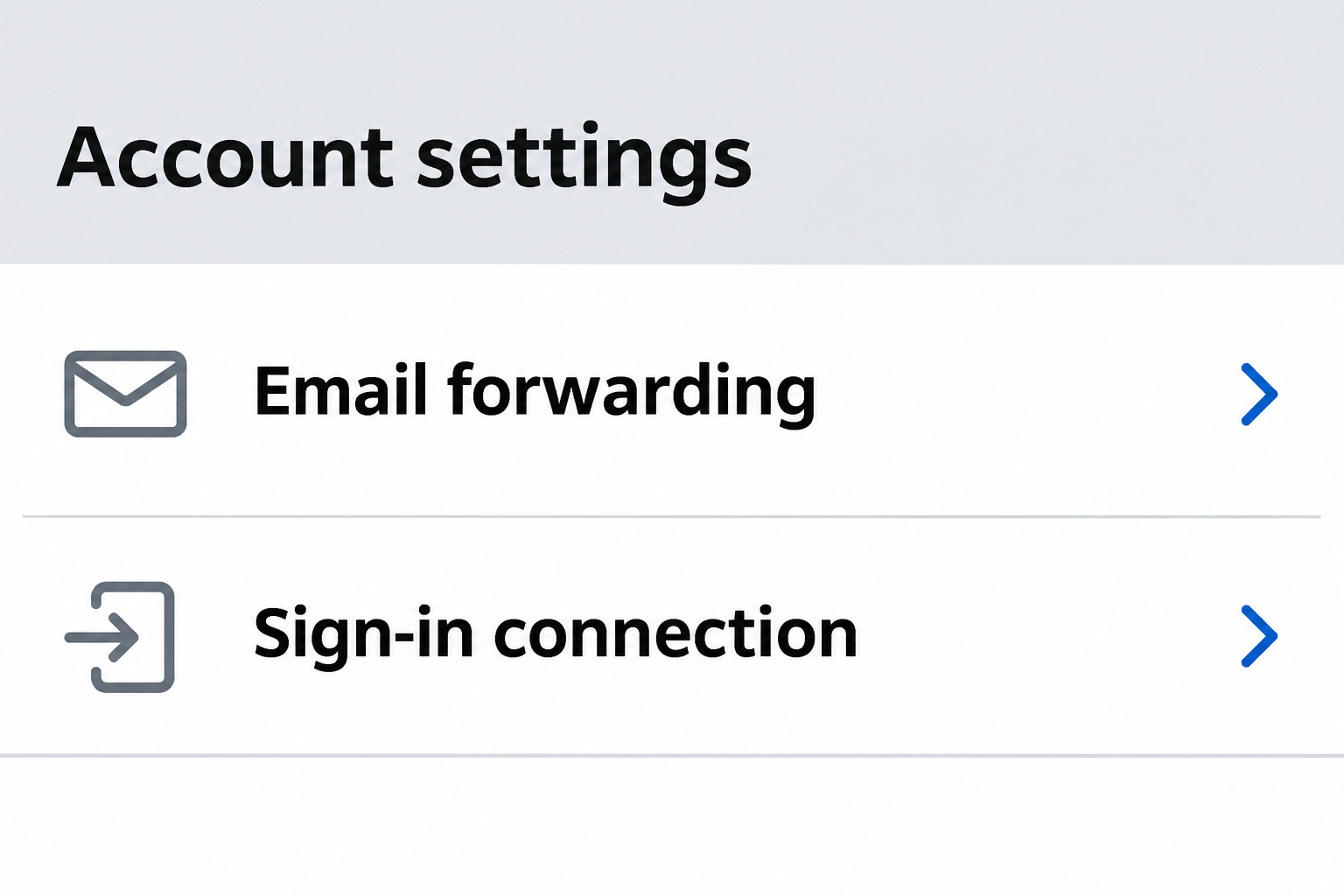
The Sign in with Apple management instructions describe turning off forwarding for an app’s hidden address, separately from removing that app’s Sign in with Apple connection.
Apple places the forwarding control in the Hide My Email settings accessed through iCloud on an iPhone. It says the change can affect multiple apps from one developer.
Before changing it, use the app’s own notification and billing settings if you only want fewer promotions. Blocking forwarding can also stop emails you intended to receive.
Remove a sign-in connection only when you mean to
Removing the app under Sign in with Apple stops that connection and signs you out of the app, according to Apple.
It isn’t an instruction to erase the account at the app.
Apple says choosing Sign in with Apple again can take you back to the same third-party account if it hasn’t been deleted.
Confirm your own recovery options before relying on that path.
An active paid plan, the app’s customer account and the Apple sign-in link are separate.
Don’t remove the sign-in link as a substitute for a cancellation confirmed by the actual biller.
- Turn off forwarding to stop delivery from a specific app.
- Deactivate a manually created alias if you want to stop using that address without deleting it yet.
- Remove the app’s connection only if you mean to stop using Apple for its sign-in.
What to Do Before Changing Apple Hide My Email
- While you still have access, open the app or website and check which email it shows. Note any active plan, pending delivery, or account recovery method you still need.
- On an iPhone, open Settings, tap your name and check Sign in with Apple to see whether the developer manages the address through that connection.
- If you only want forwarding to stop, use iCloud, iCloud+ Features, then Hide My Email. Select the relevant app or developer and check the Forward To setting.
- For an address you created yourself in iCloud+, check the address entry for the deactivation option. Don’t permanently delete an alias until you’re sure you won’t need its mail again.
- Before removing a sign-in connection, confirm a usable alternative with the service. After any change, check both the app’s account and the Apple setting for the outcome you intended.
Check the saved account before you change Apple settings
The name in the Apple list may be the name of the developer, not the exact display name of the app.
Open the entry to compare it with the service you use.
In the third-party account, look at the email on the profile, the recovery method and the billing section. It can help to note which services still send transactional messages there.
If there is no alternate recovery route, contact the service while you are still signed in. Ask whether the existing account supports a verified replacement address, password or passkey.
Don’t sign up a second time simply because the app offers a standard email button. A new registration may open a new account instead of bringing back purchases or history.
If the app lets you add a new email, verify and check that it can actually receive mail before removing your old forwarding path.
Don’t infer success from a saved text field.
A service might not allow an account identifier to change in its own settings.
Ask its verified support how to preserve access instead of assuming the Apple setting controls both sides.
Choose the change that fits the problem
You only want to stop advertising or notifications
Look for notification preferences inside the service first. Some apps can turn off marketing email without affecting sign-in alerts, receipts, or messages about a pending order.
If you switch off relay forwarding entirely, those useful messages may stop too. The app could still believe your relay address is the right contact after the setting changes.
When you use the forwarding control for a developer, pay attention to its other apps. Apple says some developers link more than one app to the same arrangement.
If a second app handles delivery, travel, billing or work, check its contact details before you make the change. The convenience of one switch may have consequences beyond one newsletter.
If you just want the mail to reach a different inbox, look up the destination rather than disabling the alias.
Apple says changing the forwarding destination can apply across apps using the feature.
Don’t change the destination to an inbox you share or rarely open if you still use it for private recovery.
Confirm it is one your Apple Account actually lists and you control.
You want to retire a manually created iCloud+ alias
Apple’s iCloud guide for deactivating or reactivating an address distinguishes the active and deactivated states. Deactivation stops forwarding but leaves a way to reactivate the same address.
On iCloud.com, open iCloud+ Features, then Hide My Email. Select the address and choose Deactivate email address. Follow the confirmation on Apple’s site.
To restore it, choose the address from the inactive entries and select Reactivate address. Apple says mail sent to an inactive address is returned to the sender.
Open the individual alias entry and check its label or notes. Compare it with account emails and important receipts before touching the control; labels can be out of date.
A relay you used once for a trial may now be the sign-in identifier for years of purchases.
A name like “Shopping” in Apple settings is not an inventory of its uses.
Deactivate rather than permanently delete if you’re still confirming where it was used. Apple warns that deleting an already inactive address is permanent and it can’t be reactivated.
If you did turn it off and then find a service still needs it, check the inactive addresses for the reactivation option.
Request any new verification message only after reopening forwarding.
Don’t promise yourself that messages sent while it was inactive will be replayed. Once the account is identified, ask the sender to resend anything important through its normal process.
You want the app to stop using Apple to sign you in
Review the official Apple instructions and the app entry in Sign in with Apple. Apple may label the control Delete within that screen; read the confirmation before tapping it.
The service can still maintain a separate account after this action.
Ask the provider what account deletion does to the profile, purchases, plans, history and any data you want to save.
If the app’s login keeps looping, don’t switch off forwarding or delete an alias as a troubleshooting shortcut.
Check the login method originally used and whether the Apple Account is the right one.
If you switch to a different sign-in method with the app, make sure it leads to the existing account. Compare familiar history or account details before you cancel one route.
When a developer groups apps together, check Apple’s notice about scope. If you’re unsure which connections would be affected, leave them in place until you’ve confirmed it.
When relay mail doesn’t arrive
Check delivery before blaming the forwarding switch
Make sure the forwarding destination is an inbox you can open. Search for the service name in spam and inbox rules, and check it is sending to the expected alias.
If the address is a Sign in with Apple relay, Apple’s help says the developer’s designated senders can use it.
A test message from your own unrelated inbox isn’t a definitive diagnosis.
Ask the app to resend the expected mail and verify it has the correct account address.
Avoid forwarding your live reset link to strangers who offer to test it for you.
If the message you’re waiting for is a receipt or security notice, use the service’s verified support channel instead of links in an unexpected warning about the relay.
Don’t post screenshots showing a complete hidden address or your Apple Account email. The names of settings are usually sufficient to explain where you’re stuck.
Separate subscriptions from account access
Open the app’s billing page or the store page where you originally bought the subscription. The charge receipt is more useful for locating the biller than the relay domain.
Removing a login connection or deactivating an address isn’t the same as obtaining a cancellation. Verify that the plan won’t renew and save written confirmation through the billing channel.
If you aren’t sure which account owns the plan, don’t delete both accounts to make it stop.
Keep the old access route until support can match the charge to the account.
If payment confirmation normally arrives at the alias, update the contact first or keep forwarding active through the resolution. That can matter for returns and disputes.
Read the switch in context rather than by its label alone
In the app-level screen, Apple describes turning off Forward To for a selected app or developer. In broader Hide My Email settings, a similarly named control can change the destination.
Check whether you’re looking at one address, one developer, or the destination across the feature. A change at the wrong level can interrupt messages you weren’t trying to stop.
If you use more than one Apple Account on different devices, confirm which account created the alias.
Seeing no entry under one account doesn’t establish that the service has stopped using it.
When a work or school account is involved, check with the administrator about management and ownership. Don’t delete accounts or change organization settings to make a missing control appear.
Two Examples of Picking the Less Disruptive Option
Your delivery app still has an open order
The same alias might receive promotional mail and a message from the carrier. If you’re waiting on a refund or delivery, keep the account reachable until the transaction is complete.
Mute promotional messages through the seller when that option exists. Then check whether a receipt for the order lists the hidden address or an alternate email.
If necessary, ask the seller to confirm a replacement contact for that order. A profile update isn’t proof that the address on a pending shipment also changed.
Once the order is closed, decide whether it is safe to turn off forwarding. Check the developer’s other apps first if Apple groups them under the same setting.
You’re moving from Apple login to a password
Confirm that the service supports adding credentials to the account you already use.
A password reset for an alias and a signup with a new email might lead to different outcomes.
If support says you can add a password, do it from the signed-in account. Test the alternate route while the original session is still available for comparison.
Use a familiar order, saved item or billing record to tell whether both methods reach the same account.
If the new entry is blank, contact support before making it your only route.
Keep the Apple connection until you know how to recover the account with the replacement method. Sending one successful notification is not the same as proving you can sign in.
Frequently Asked Questions
Will switching off forwarding delete my account at the app?
No, forwarding controls mail delivery rather than deletion of the third-party account. The service may still keep your login history, subscription or orders according to its own policies.
If you want to delete that account, use its deletion process separately. Review what you need to export or cancel before submitting the request.
Is stopping Sign in with Apple the same as stopping mail?
No, Apple treats the sign-in connection and its mail forwarding as separate settings. The first changes a login method; the second changes whether messages reach your inbox.
If you just want fewer promotional emails, the service’s notification options may be less disruptive than changing either Apple control.
Can I turn a deactivated iCloud+ alias back on?
Apple documents reactivation for inactive addresses. That’s different from permanently deleting an address, which removes the option to bring back that same alias.
If an account still uses the alias, reactivate it before requesting a replacement recovery email. Don’t assume old failed deliveries will appear once you turn it back on.
Why can’t I test a Sign in with Apple relay from my own mailbox?
Apple describes these addresses as forwarding messages from designated senders associated with the app. An email from an unrelated address doesn’t test the developer’s setup.
Use a genuine resend function or contact the service to check the address it has. Don’t use a third party’s test page to share a reset link.
Can one forwarding switch affect two apps?
Yes, Apple cautions that changes for a developer can be reflected across its apps in some cases. Check the developer name and any warning Apple shows before confirming.
If other apps from the same developer send important messages to the relay, check their contact details first. Treat each app’s billing and recovery separately.
Does Hide My Email change what appears in an internet bill?
No, this feature changes the email address a service sees and where certain mail is delivered. It isn’t the network routing feature Apple calls iCloud Private Relay.
Choose the email control for problems involving aliases, recovery messages and forwarding. Don’t expect it to change browser history or household internet usage records.
The Bottom Line
If you just want mail to stop, check forwarding without removing Sign in with Apple. Keep a working recovery route until the service confirms another one.
If you need to retire a manually created iCloud+ address, use the reversible option first. Confirm what still depends on it before choosing anything permanent.

Join the discussion
0 commentsShare your experience or ask a question about this article.
Community experiences
Did this happen to you?
Your experience could help someone recognize the same scam. Submit a private report for our team to review.
I experienced this tooReports are reviewed before publication. Sharing publicly is always your choice.
Discussion
Start the conversation
Have a question or something useful to share? Add the first comment.