

An unknown lawyer says a deceased client left $21 million and you can collect a large share by posing as the next of kin. It sounds extraordinary because it is entirely fabricated.
The “Assistance In Claiming The Money” email is a classic advance-fee scam. Replying opens the door to identity theft, forged paperwork, and an endless series of fees for money that does not exist.
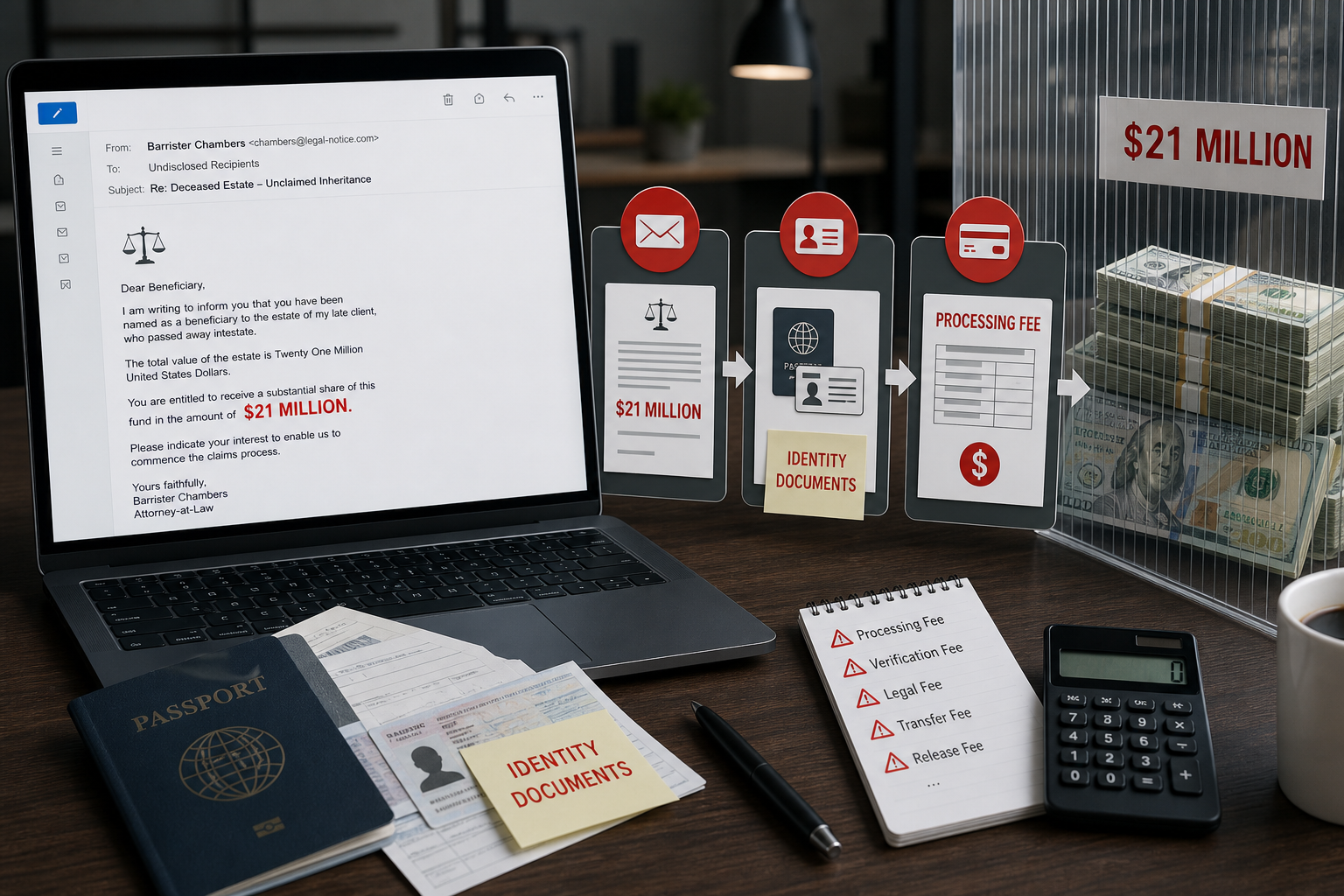
Assistance In Claiming The Money Email Scam Overview
The message presents itself as a confidential proposal from a London attorney using the name “Barr Cliford Jose.” He claims that a former client, Robert Fitzpatrick, died in the 1999 EgyptAir Flight 990 crash and left $21 million in an account without a named beneficiary. The recipient is invited to become the supposed next of kin so the money can be released.
The sender offers an attractive split: 40% for the recipient, 50% for the “lawyer,” and 10% for expenses. That precise breakdown is designed to make a criminal arrangement sound organized and realistic. It also flatters the recipient by presenting the scheme as a rare private opportunity rather than a mass email sent to thousands of addresses.
There is no estate, no waiting finance company, and no legal process that can turn a stranger into a beneficiary through email. The story gives the scammer a reason to request a passport, national ID, address, phone number, signature, bank details, and other personal records. Those documents can be reused in identity fraud or placed into fake certificates and transfer forms shown to the victim later.
The money demands usually begin only after the victim is emotionally committed. A supposed bank officer, court clerk, security company, or tax agent may introduce a processing fee, probate charge, anti-money-laundering certificate, transfer tax, or courier bill. Paying one fee never unlocks the inheritance. It proves that the victim will pay, so another obstacle and another invoice appear.
The real danger is not limited to the first payment. Victims may lose thousands of dollars over weeks or months, share enough information for account takeover, and unknowingly participate in forged paperwork. Any unsolicited inheritance proposal that asks you to misrepresent yourself, keep the deal secret, or pay before receiving funds should be treated as confirmed fraud.
How the $21 Million Inheritance Scam Works
Step 1: A fake lawyer sends a confidential proposal
The email arrives unexpectedly and uses formal language, a London address, legal titles, telephone numbers, and a file reference. These details create the appearance of a real law office even though they do not prove who sent the message.
The sender claims to have exhausted every effort to find the deceased person’s relatives. In reality, the same story can be sent to any address because the scam does not depend on the recipient’s identity.
Step 2: A real tragedy and a huge estate make the story feel concrete
Naming an actual historical plane crash makes the narrative easier to believe and harder for an uncertain recipient to dismiss. The dead client, employment history, and $21 million account are inventions layered around that real event.
Scammers frequently mix verifiable public facts with fabricated private claims. Confirming that a flight crashed does not confirm that the alleged client, estate, lawyer, or account exists.
Step 3: The recipient is asked to become the “next of kin”
The proposal asks the recipient to participate in a dishonest legal claim while promising that the lawyer will make it safe. This creates secrecy and discourages the victim from showing the email to a bank, attorney, family member, or police officer.
No legitimate professional can lawfully appoint an unrelated stranger as an heir because the person shares a surname or is willing to cooperate by email.
Step 4: Personal and financial documents are collected
Once the victim replies, the scammer may request identification, proof of address, a signature, occupation details, bank information, or a “beneficiary form.” The forms can look polished and may carry fabricated stamps or letterheads.
This information gives criminals material for identity theft, targeted follow-up scams, account recovery abuse, and forged documents. A passport image remains valuable even if the victim never sends money.
Step 5: Invented fees block the nonexistent transfer
A new character may appear, supposedly from a bank, court, government agency, or security company. The victim is told that the transfer is approved but cannot proceed until a fee is paid for tax clearance, insurance, legal authentication, or currency conversion.
The requested amount may start small and grow. Payment is often demanded through wire transfer, cryptocurrency, gift cards, or a money-transfer service because these methods are difficult to reverse.
Step 6: The demands continue until the victim stops paying
Every payment produces another official-looking document and another final obstacle. The scammers may claim that the funds are already in transit, frozen by a regulator, or waiting at a diplomatic courier warehouse.
There is no final release. The operation ends only when the victim refuses to pay, the criminals decide there is nothing left to take, or law enforcement and the bank intervene.
Red Flags That Prove the Proposal Is Fraudulent
- An unknown attorney contacts you about a deceased person you never knew.
- You are asked to pose as an heir or hide the arrangement from authorities.
- A multimillion-dollar estate is discussed through a generic unsolicited email.
- The sender promises an unusually large percentage for almost no work.
- Passport copies, bank details, signatures, or proof of address are requested early.
- Fees must be paid before the alleged funds can be released.
- Payment is requested by wire, crypto, gift card, or another hard-to-reverse method.
What to Do If You Replied or Sent Money
- Stop all contact and do not announce a final payment. Block the addresses and numbers. Do not pay a “refund,” “cancellation,” or “recovery” fee.
- Call your bank or payment provider immediately. Explain that the transaction resulted from fraud and ask whether a recall, freeze, or recipient-bank alert is still possible.
- Protect the identity documents you shared. Report an exposed passport or national ID to the issuing authority and follow its replacement or fraud-monitoring guidance.
- Secure email and financial accounts. Change reused passwords, enable multi-factor authentication, sign out unfamiliar sessions, and verify recovery addresses and phone numbers.
- Preserve the evidence. Save emails, full headers, forms, receipts, chat logs, phone numbers, wallet addresses, and bank details before deleting anything.
- Report the fraud. Notify your national fraud-reporting service and local police, especially if money or identity documents were sent.
- Expect recovery scammers. Criminals may return claiming they can retrieve the inheritance or lost payment for another upfront fee. That is a second scam.
How to Verify an Unexpected Inheritance Claim Safely
Do not use the telephone number, address, link, or law-firm website supplied in the message as your only verification route. Search an official legal registry for the attorney and firm, then contact the verified office through details published independently. Ask whether the named lawyer works there and whether the firm sent the specific communication.
A genuine estate has a court, probate file, executor, jurisdiction, and documents that can be checked with the issuing authority. Contact the court or probate registry directly. Do not accept a scanned certificate or a link to an unfamiliar “case portal” as a substitute for independent confirmation.
Speak with your own licensed attorney before sending identification or signing anything. A legitimate representative will not object to independent advice. Pressure to keep the proposal confidential, communicate only through one person, or act before an arbitrary deadline is evidence of manipulation.
- Never pay a stranger to prove that an inheritance exists.
- Never agree to misrepresent your relationship to a deceased person.
- Do not send identity documents until the professional and case are independently verified.
- Treat requests for crypto, gift cards, or personal wire transfers as decisive fraud warnings.
- Show the message to a trusted relative or adviser; secrecy protects the scammer, not the recipient.
Frequently Asked Questions
Could a real lawyer ever contact an heir by email?
A legitimate estate representative may use email after establishing the person’s identity, but will provide independently verifiable case details and will never ask a stranger to pretend to be an heir. Contact the law firm through a number obtained independently, not the details inside the message.
Is it safe if the sender provides legal certificates?
No. Certificates, seals, bank letters, and identity cards are easy to forge. A document sent by the person asking for money is not independent proof.
The Bottom Line
The “Assistance In Claiming The Money” email is not an unusual investment or inheritance opportunity. It is a confirmed advance-fee fraud built around a nonexistent $21 million estate.
Delete it without replying. If you already engaged, stop contact, call the payment provider, protect any identity documents you shared, and assume that follow-up “recovery” offers are another attempt to take money.
Here are signs that this email is a scam, even though it looks like it comes from a company you know — and even uses the company’s logo in the header:- A generic greeting is used in place of a name (eg. “customer,” “account holder,” or “dear”).
- The sender’s email address is not associated with a legitimate domain name
- The email invites you to click on a link to resolve an issue. Most reputable organizations will not ask users to disclose sensitive information (e.g. credit card numbers) by clicking on a link.
- There is a time limit or uncharacteristic sense of urgency
- Poor grammar, spelling, and sentence structure may hint that an email is not from a reputable source.

Join the discussion
0 commentsShare your experience or ask a question about this article.
Discussion
Start the conversation
Have a question or something useful to share? Add the first comment.