

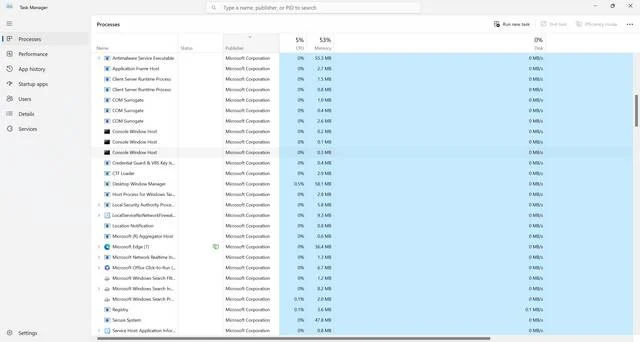
When you open the Windows Task Manager, you may come across a process called avgsvc.exe running in the background. This executable file is associated with AVG Antivirus, a popular antivirus software used by millions of users worldwide. In this article, we will explore what avgsvc.exe is, its purpose, and whether you should remove it from your system.
What is avgsvc.exe?
Avgsvc.exe is an essential component of AVG Antivirus. It is an executable file that runs in the background to provide various functionalities and services related to the antivirus program. AVG Antivirus is designed to protect your computer from malware, viruses, and other online threats. Avgsvc.exe plays a crucial role in ensuring the smooth operation of AVG Antivirus and its associated features.
What does avgsvc.exe do?
Avgsvc.exe primarily functions as a service host for AVG Antivirus. It runs in the background and manages different tasks related to the antivirus program, such as:
- Real-time scanning: Avgsvc.exe continuously monitors your system for any suspicious activities or files that may indicate the presence of malware or viruses.
- Virus definition updates: It ensures that your antivirus program stays up to date by downloading and installing the latest virus definitions from AVG’s servers.
- System optimization: Avgsvc.exe also performs system optimization tasks, such as disk cleanup, registry cleaning, and performance monitoring, to enhance your computer’s overall performance.
- Quarantine management: If AVG Antivirus detects a potentially harmful file, avgsvc.exe handles the quarantine process, isolating the file to prevent it from causing any harm to your system.
These are just a few examples of the tasks avgsvc.exe performs as part of AVG Antivirus. It works silently in the background, ensuring that your computer remains protected from various online threats.
Should I remove avgsvc.exe?
No, you should not remove avgsvc.exe from your system. It is a legitimate and essential component of AVG Antivirus. Removing avgsvc.exe can lead to the malfunctioning of AVG Antivirus and leave your computer vulnerable to malware and viruses.
However, it is important to note that if you do not have AVG Antivirus installed on your system and still find avgsvc.exe running, it could be a sign of malware or a potentially unwanted program (PUP). In such cases, it is recommended to scan your system with a reliable antivirus software like Malwarebytes Free to detect and remove any threats.
Is avgsvc.exe safe?
Yes, avgsvc.exe is safe as long as it is associated with AVG Antivirus. It is a digitally signed file from AVG Technologies, a reputable company known for its antivirus solutions. However, it is essential to ensure that you have obtained AVG Antivirus from a trusted source to avoid any potential risks.
If you suspect that avgsvc.exe on your system is not legitimate or is causing issues, you can verify its authenticity by checking its file location. The legitimate avgsvc.exe file is usually located in the “C:\Program Files\AVG\Antivirus” or “C:\Program Files (x86)\AVG\Antivirus” directory. If you find avgsvc.exe in any other location, it could be a sign of malware or a fake file.
Conclusion
Avgsvc.exe is an essential component of AVG Antivirus, responsible for managing various tasks related to the antivirus program’s functionality. It ensures real-time scanning, virus definition updates, system optimization, and quarantine management. Removing avgsvc.exe can lead to the malfunctioning of AVG Antivirus and leave your computer vulnerable to online threats.
However, if you do not have AVG Antivirus installed and still find avgsvc.exe running, it could be a sign of malware or a potentially unwanted program. In such cases, it is recommended to scan your system with a reliable antivirus software like Malwarebytes Free to detect and remove any threats.
Remember to always obtain AVG Antivirus from a trusted source and regularly update it to ensure the highest level of protection for your computer. Stay vigilant and keep your antivirus software up to date to safeguard your system from the ever-evolving threats in the digital landscape.

Join the discussion
0 commentsShare your experience or ask a question about this article.
Discussion
Start the conversation
Have a question or something useful to share? Add the first comment.