


An email about a banking restriction can change the mood of a perfectly ordinary morning. Even if your card worked yesterday, you might wonder what’s about to stop working today.
Before trying to clear the warning, find out what the bank actually says. Your next move shouldn’t depend on a button in your inbox.
Overview
The notice that threatens to limit online banking
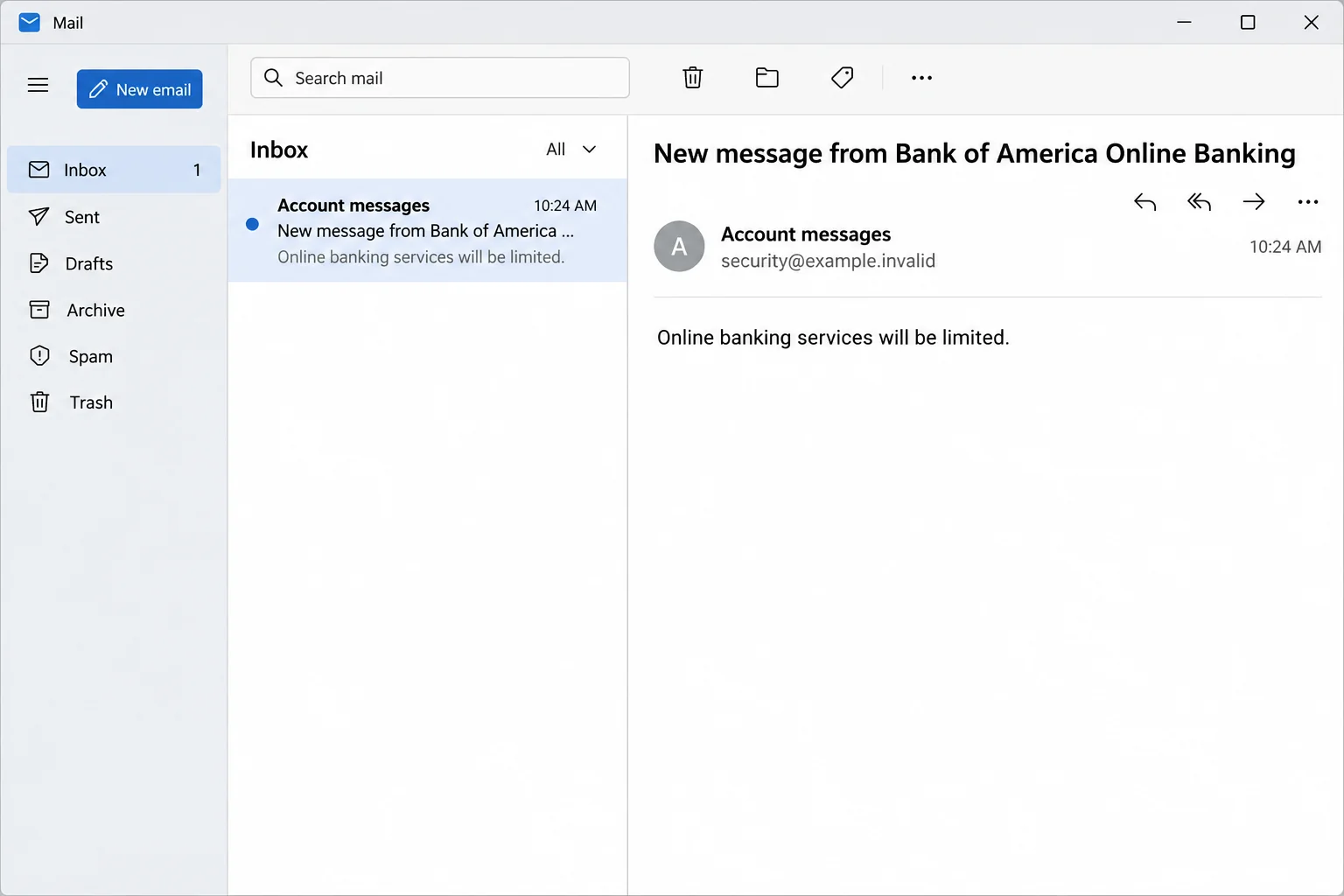
The Bank of America online banking services limited email scam impersonates the bank and says an account problem will restrict access. The request is framed as an identity check.
The sample tells the recipient to update billing information. Its action is labeled “Review,” a low-key word for a link that leads to a counterfeit banking screen.
That screen asks for the Online ID and passcode. These are sign-in details, not evidence that a billing correction is due.
The picture above reconstructs the message’s opening warning. It does not show an authentic note from the bank or establish when a particular customer received one.
The reported email also uses bank-style footer language, including security advice and a reference to FDIC membership. Those features say nothing about who controls the destination.
Why the threat is more persuasive than a generic password request
Banking access matters long before fraud enters the picture. People use it to confirm that a paycheck arrived, resolve a bill or check a charge before making another payment.
A vague notice can feel specific because the reader supplies the missing details. Maybe you moved recently, changed a card or spoke with the bank about a name correction.
The combination of a threatened restriction and an identity check also borrows from real practice. Banks do sometimes need customers to confirm or update information.
Bank of America describes circumstances for genuine requests for customer information. The impersonation in this case doesn’t make those real requests invalid.
Even if a correction is actually due, the bank can tell you what to do through an independently verified channel. That is safer than guessing whether the message looks legitimate.
What is confirmed, and what remains unknown
The documented page asked for the credentials used to access online banking.
We do not have evidence of a withdrawal, card payment or additional demand for a security code in this sample.
The practical risk is unauthorized account access or a later attempt to gain it. Whether that happened depends on the information provided and the account’s security controls.
Before you decide what to change, identify which problem you actually have:
- A restriction mentioned in an email is still an unverified claim.
- An unfamiliar sign-in or change of contact information can indicate an access problem.
- A charge or transfer you don’t recognize needs a separate fraud review.
- A prompt or security code you acted on is important to report even if the balance looks ordinary.
How the Bank of America Online Banking Services Limited Scam Works
Step 1: The warning names something you rely on
The email anchors its story to online banking rather than announcing a particular purchase. That makes it broadly relevant to recipients who expect to use their accounts soon.
A notice about card theft might invite you to look for an exact transaction.
A notice about access can leave you wondering what will happen the next time you sign in.
That uncertainty is useful to the sender. It can make readers pay more attention to the threat than to the mismatch between an outside email and a sensitive banking request.
The notice doesn’t establish which device, account or action caused an actual restriction. Verify the status with the bank rather than filling in those blanks yourself.
Step 2: The message mixes identity and billing language
The requested update sounds administrative. It says a billing detail needs attention so your identity can be verified before services are limited.
If you read quickly, the overlap between those terms can feel normal. They belong to different questions, however, and the message never independently establishes the answer to either.
You can verify a legitimate change of address or another account detail without giving an unfamiliar webpage your Online ID and passcode.
If you recently asked the bank to update something, call back through your existing contact route. Don’t assume an unrelated message is the promised follow-up.
Step 3: The footer tries to settle the questions the body raises
The copy includes lines that appear protective. It references sensitive information a bank should not request through insecure channels and borrows the look of a regulated institution’s footer.
That is not authentication. Anyone who can send an email can place a security reminder at the end and still link to an untrusted site.
Genuine wording can do more to reassure people than a copied logo alone.
Readers might see the warning about private data and lower their guard when the next page asks for credentials.
Read the footer as content, not a certificate. It doesn’t establish who sent the notice or where the review action goes.
Step 4: The “Review” action changes the nature of the request
The apparent task in the email is updating billing information. The documented destination starts with a login screen imitating Bank of America.
That is the point at which the scam can collect the details someone uses to enter their account. A copy of the normal sign-in design makes the request feel familiar.
The safest response isn’t to enter fake details to see what happens next. Close the page and start fresh with the app, a known bookmark or a verified phone contact.
A browser’s lock icon only describes the connection to the displayed site. It doesn’t say that site is authorized to handle your banking credentials.
Step 5: A second event may matter more than the email
If somebody has your banking credentials, they may not gain access immediately. Routine safeguards can still block access or require further verification.
That is why an unexpected call, verification prompt or contact change matters if it happens later. This sample doesn’t establish that such a follow-up occurred.
If someone claims to be investigating the warning, don’t read out a code or authorize a transfer. Contact the bank independently and explain both incidents.
Even if nothing moves in the account, report a credential disclosure promptly. The bank can investigate access events you may not be able to see in the app.
How to Check for a Real Banking Restriction
Separate card access, sign-in access and payments
A working card does not prove online banking isn’t restricted. A normal sign-in also doesn’t explain a declined card, a missing deposit or a pending payment.
Open the official mobile app or use a trusted banking bookmark. Look for a matching alert and check whether any profile details or activity changed unexpectedly.
If you cannot sign in, use the contact printed on your card or bank statement.
Don’t rely on a phone number in the email or one supplied by an unsolicited caller.
Explain the precise problem. “The email said my services were limited” gives the bank a different starting point from “I see a transfer I did not authorize.”
Ask what the bank needs before sending information
Bank of America may contact customers for routine verification. If you were expecting a request, ask the bank to locate it and explain how to answer it safely.
A small business account can have different users and approval controls. If a work address received the notice, check with the actual account owner or your company’s finance contact.
Let the bank know if multiple accounts could be affected. Someone who only replaces a card may miss a security issue involving a separate login or account.
Get the name of the process or a case number, not a promise from a new number that tells you to move funds.
Use the bank’s instructions from your verified conversation.
What to Do If You Fell Victim
-
If all you did was open the email, don’t use its review link.
Compare the warning with the bank’s own account screen or call using information you already trust. Report the suspicious email instead of replying.
If you opened the webpage but stopped without entering anything, leave it closed. Don’t revisit it to copy information you do not already have.
Record the subject, sender and time if you need to give the bank context. Do not include an Online ID, passcode or one-time code in a forwarded explanation.
-
Tell the bank immediately if you entered an Online ID and passcode.
Start with the number on your card, a statement or the bank’s official fraud reporting guidance.
Explain what you typed and whether a security prompt appeared. If the same passcode is used elsewhere, replace it there too, starting with accounts that can reset your banking access.
Use the official recovery process to change credentials. Ask the bank whether contact details, devices or other access controls need checking.
-
Report a security code, approved prompt or phone call separately.
Tell the bank which action you took and when. An access attempt can be important even if the caller said it was only verifying your identity.
If a caller is still on the line, hang up and call the bank yourself. Never move money to an account described as temporary, protected or controlled by fraud staff.
Ask the bank to distinguish an access incident from an unauthorized transaction. Get a case reference before you finish the verified call.
-
Check your actual accounts and identify unfamiliar transactions.
Look for transfers, added recipients, card payments and changes to the contact information the bank holds. Share your observations through its secure process.
If card information was separately exposed, ask what a card lock does and does not cover. A lock is not a substitute for an account takeover report.
Note dates, amounts and any reference the bank requests. Do not assume the same dispute process applies to a card payment and a transfer.
-
Close out reporting and keep monitoring through the bank.
Forward the impersonation using the address listed in the bank’s official reporting instructions. Don’t trust reply addresses or phone numbers supplied by the original sender.
If an unexpected file or program was actually run, get device help from a trusted system. A credential theft page by itself does not establish a device infection.
Save the case references and follow up on the timeline the bank gave you. Ignore new messages claiming the issue can be fixed for a fee.
Keep Your Incident Notes Useful
Write a short timeline. Put the first email, any site visit, any banking prompt and anything you saw in the real account on separate lines.
Distinguish what the sender claimed from what the bank confirmed. “The email said restricted” is a different observation from “the verified app showed a restriction.”
If you cannot tell whether you approved a sign-in or a payment, give the bank the approximate time and what the screen showed. You don’t have to diagnose it yourself.
Use a secure route for statement images or supporting documents if the bank asks for them. Do not share private information in a public fraud discussion.
Tell any other authorized account user that you contacted the bank. Ask whether they recognize transactions or changes without sharing a password or asking them to revisit the message.
If someone calls later quoting the same details, check the case number with the bank on a call you place yourself. Familiar details can come from the earlier interaction.
Save the bank’s real contact information in a place you can find again. When a second warning arrives, you won’t have to search for help while under pressure.
Frequently Asked Questions
Does Bank of America ever ask customers to verify their information?
Yes. The bank may ask for updates in real situations. Independently verify the request before supplying anything, particularly if the message threatens restrictions.
Is a bank-style footer a reliable sign that the email is real?
No. Security reminders and references to FDIC membership can be copied. What matters is whether the actual bank confirms the request through a channel you trust.
What does the fake sign-in ask for?
The documented page prompted for an Online ID and passcode. There is no confirmed charge or evidence in this sample that a code was collected.
Should I lock my card immediately?
Ask the bank what fits the exposure. Locking a card may address some card risk, but it doesn’t resolve a leaked banking password or every kind of transaction.
Can I trust a follow-up caller who knows the warning’s subject?
No. Knowledge of the notice doesn’t prove bank employment. End the call and contact Bank of America through your card, statement or established account channel.
What if the real app also shows a problem?
Use the app or a verified bank contact to resolve it. A genuine account issue does not retroactively make the link in a suspicious message safe.
The Bottom Line
The fake Bank of America notice borrows a real administrative concern and turns it into a demand for online banking credentials. A security footer doesn’t make that route trustworthy.
Open the verified bank app or call the number you already trust. If you supplied credentials, tell the bank before waiting to see whether funds move.

Join the discussion
0 commentsShare your experience or ask a question about this article.
Discussion
Start the conversation
Have a question or something useful to share? Add the first comment.