


A DocuSign-style email appears to contain a routine business request. It includes a calendar file, follows a path through Microsoft services, and eventually presents a familiar Microsoft sign-in page.
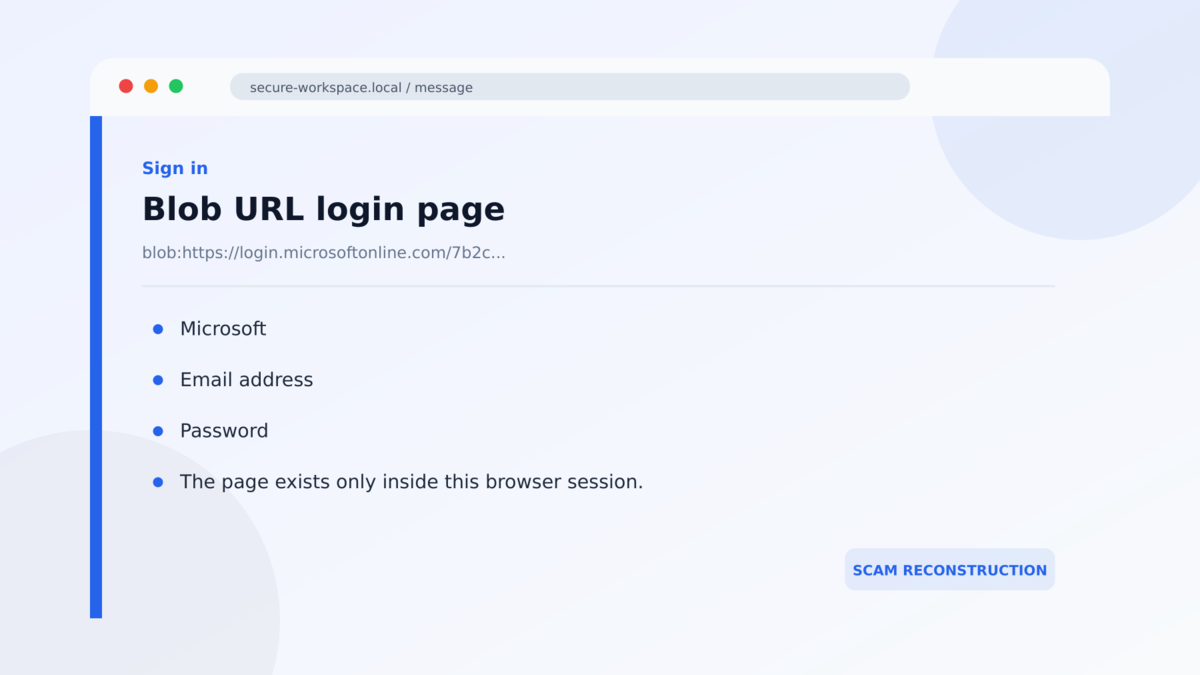
The address bar may show a strange `blob:` address rather than an obvious fake domain. That can look technical but harmless, especially after several legitimate Microsoft pages have already appeared.
In this campaign, the missing phishing website is the trick.
Overview
The attack begins with a DocuSign-themed business email
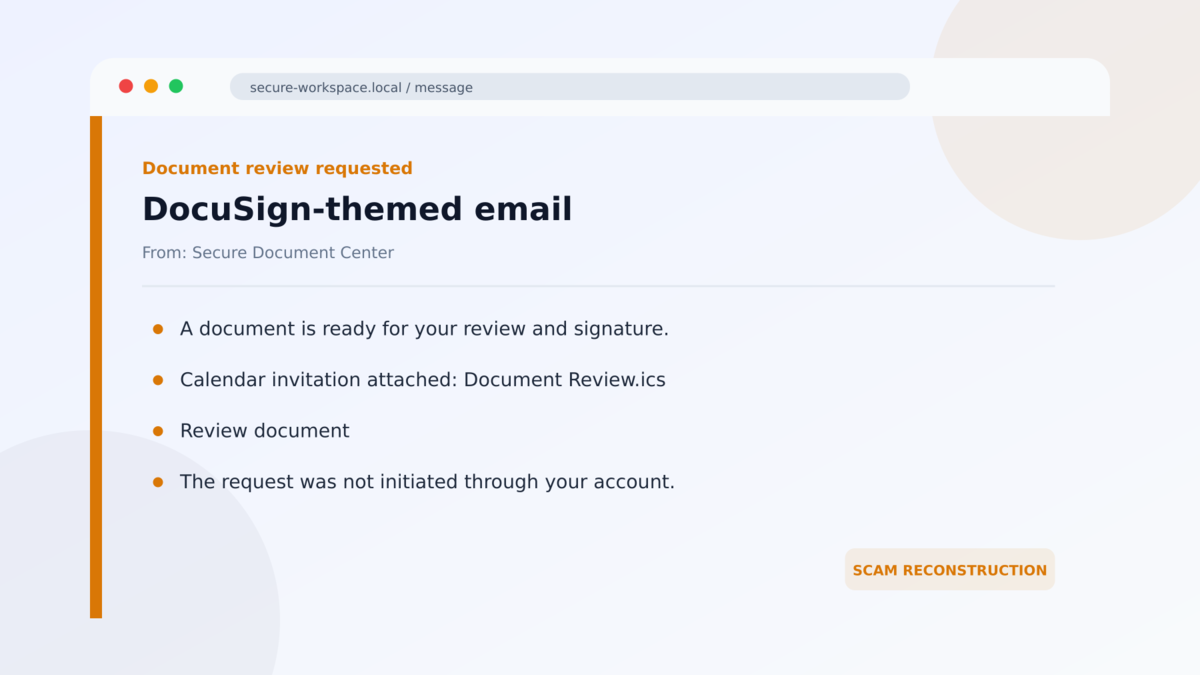
The blob URL phishing campaign starts with an email styled as a DocuSign document notification. A calendar invitation is attached to make the message resemble a normal meeting or document-signing workflow.
The invite is not necessarily an executable malware file. Its role is to add credibility and move the victim toward a legitimate Microsoft OAuth endpoint. Each stage is designed to feel like a small, familiar part of cloud-based office work.
Legitimate Microsoft redirects lead into attacker-controlled content
The navigation passes through Microsoft services, including OAuth and Teams. Recognizing a trusted domain can lower suspicion, but a legitimate redirect service can still be given an external destination or parameter chosen by an attacker.
Microsoft is not running the scam. The campaign abuses ordinary platform features to borrow trust and make the transition to outside content harder to notice.
The final phishing page is assembled inside the browser
Instead of hosting the fake login as a conventional public webpage, the attack loads instructions and creates a `blob:` URL in the victim’s browser. A blob URL points to data held locally for that browser session.
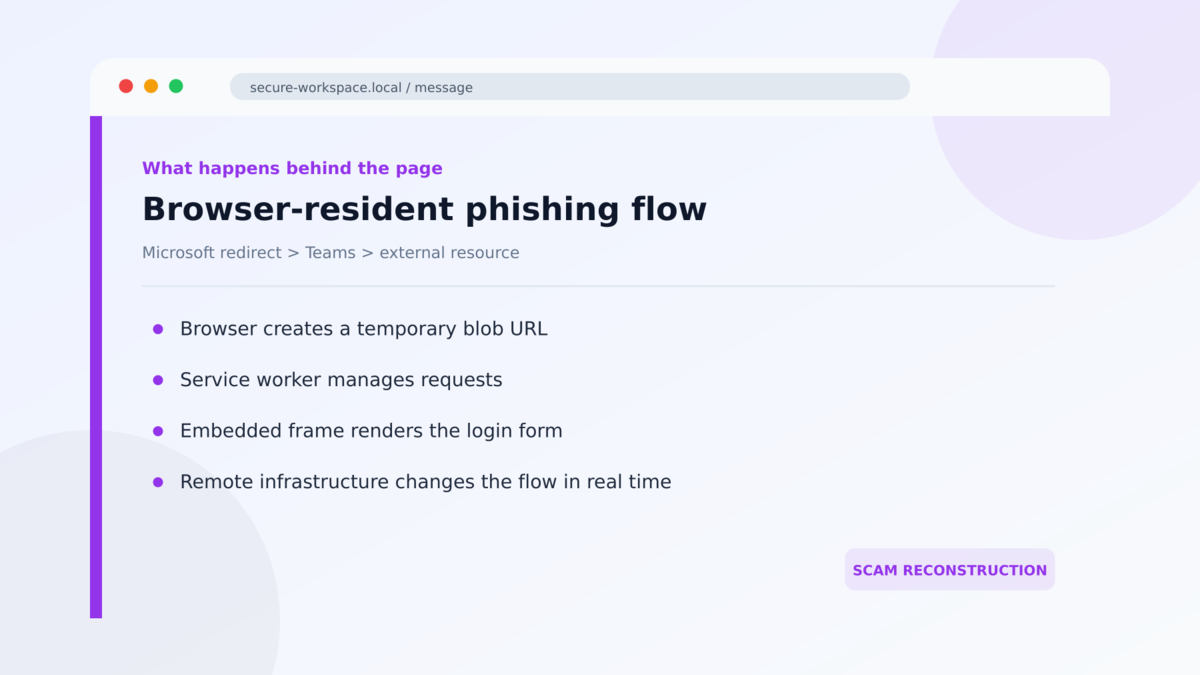
The resulting page can display a Microsoft-style sign-in form even though there is no stable phishing-page address for defenders to visit and block in the usual way. Service workers, sandboxed frames, and remote commands help manage the experience.
- A DocuSign-style email creates the original document-signing story.
- A calendar invitation adds the appearance of a normal business workflow.
- The chain uses legitimate Microsoft OAuth and Teams services.
- An external resource supplies content that the browser converts into a blob URL.
- The fake login is rendered from data held inside the local browser session.
- Remote infrastructure can change the phishing flow while it is running.
- Credentials entered into the final form can be sent to the attackers.
Why a `blob:` Address Can Be Misleading
Web browsers use blob URLs for legitimate reasons. A site can create a temporary address for a file, image, video, or page data already loaded into memory. The address often begins with `blob:` followed by an origin and an identifier.
That address is not a certificate of safety. It tells you how the browser is referencing the data, not who deserves to receive your password. Malicious code loaded during an earlier step can create a polished page from inside the browser just as legitimate code can.
Traditional phishing defenses often expect a final webpage that can be crawled. A scanner retrieves the URL, analyzes the page, records the indicators, and adds the address to a blocklist. A short-lived page assembled locally can weaken that process because the exact final experience may exist only in one browser session.
The technique does not make the attack invisible to every security product. Email context, redirect behavior, scripts, network requests, service-worker registration, and credential submission still create signals. It does make simplistic advice such as “trust the page if you passed through Microsoft” dangerously incomplete.
When a sign-in appears after a document email, the safer action is to stop and open the relevant service independently. A real DocuSign request should be visible in the user’s established DocuSign account or verifiable through the known sender.
What the Email, Redirect Chain, Login Page, and Research Tell Us
The calendar attachment is scenery, not proof
Calendar files are common in business email, so they can make a message seem operational rather than promotional. A meeting title, organizer name, and date are still attacker-controlled text.
Open the calendar application directly and inspect invitations there. If an attachment or event unexpectedly sends you to a document-signing flow, confirm the request with the supposed sender through a known address or telephone number.
A trusted redirect can point toward untrusted content
OAuth and collaboration platforms need redirects to move users between applications. Attackers look for ways to place their own destination or resource inside those workflows.
The presence of `login.microsoftonline.com` or a Teams domain earlier in the chain does not approve everything loaded afterward. Pay attention to the entire sequence, especially when the story shifts from a document to an unexpected login.
The blob page has no independent business identity
A conventional login page can at least be compared with the service’s known domain. A blob URL is session-local and should not be treated as the verified home of Microsoft, DocuSign, or an employer.
Close the tab and sign in through a saved bookmark or official app. If the document request is genuine, it should still exist after the suspicious page disappears.
Barracuda documented the complete campaign chain
Barracuda researchers analyzed the campaign, including the DocuSign-themed email, calendar attachment, Microsoft OAuth and Teams redirects, external resource, blob URL, service worker, iframe, and remote control infrastructure.
That evidence confirms a real phishing operation. It does not mean all blob URLs, calendar invitations, DocuSign emails, or Microsoft redirects are malicious. The danger comes from the specific sequence and the attempt to collect credentials through a page whose identity cannot be independently verified.
How the Blob URL Phishing Scam Works
Step 1: A DocuSign-themed email creates a normal work task
The recipient is told that a document needs attention. The email uses familiar signing language and may include names, dates, or document references to encourage a quick response.
A calendar file is attached. That extra object makes the request feel connected to ordinary scheduling and business coordination.
Step 2: The victim follows a legitimate Microsoft endpoint
The first visible link points into Microsoft OAuth infrastructure. Email tools and users may be less suspicious because the hostname belongs to a recognized provider.
The endpoint is being used as a stepping stone. A domain can be legitimate while a redirect parameter or linked external resource serves the attacker’s goal.
Step 3: Microsoft Teams loads an outside resource
The chain reaches Teams, which then loads content from external infrastructure identified by Barracuda. This is where control begins to move away from the trusted service.
The page can still preserve Microsoft visual context, making the transition easy to miss if the user is focused on reaching the promised document.
Step 4: The browser creates the phishing page locally
Scripts convert the loaded content into a blob URL. The browser then renders the fake page from its own memory instead of requesting a normal phishing page at a stable public address.
The blob address may contain a trusted-looking origin, but it does not establish who wrote the page or where submitted credentials will be sent.
Step 5: Service workers and frames manage the interaction
A service worker can handle requests and behavior in the background. A sandboxed iframe can isolate part of the workflow while messages from remote infrastructure change what the victim sees.
These components are normal web technologies. Their use becomes malicious when they are combined to conceal a credential-harvesting flow.
Step 6: The victim submits credentials to the attack
The final page requests a Microsoft email address, password, or other authentication information. The form can look indistinguishable from a familiar sign-in screen at a glance.
After submission, the campaign may display an error, request the password again, or redirect to a real service. That ending reduces immediate suspicion while the attacker tests the stolen information.
Warning Signs in This Multi-Step Attack
- An unexpected DocuSign message includes a calendar file.
- The document request passes through several unrelated services.
- A calendar event unexpectedly leads to a sign-in page.
- The story changes from signing a document to authenticating through Teams.
- The final address begins with `blob:` instead of the normal service domain.
- The page cannot be reopened from the official DocuSign or Microsoft account.
- A Microsoft sign-in appears inside an unusual embedded frame.
- The supposed sender cannot confirm the document through a known channel.
- The page asks for credentials even though you are already signed in.
- Closing the tab removes the entire document workflow.
No one indicator must carry the whole decision. The safest test is to leave the chain. Open DocuSign, Microsoft 365, or the company’s document system independently and look for the same request there.
Move the fake window if the page allows it. A genuine browser popup is controlled by the browser and can usually be moved beyond the boundaries of the underlying webpage. A simulated window drawn inside a page may remain trapped within that tab. This is a useful clue, though it should not replace independent verification.
Pay attention to password managers as well. A trusted password manager normally associates saved credentials with a verified domain. If it refuses to fill a familiar Microsoft login, stop rather than copying the password manually. The refusal may mean the page does not have the identity it claims.
For organizations, the defense needs to follow the complete route. Inspect calendar invitations, restrict unsafe external redirects, monitor unusual Teams resource loading, and record service-worker registration where practical. Blocking only the last visible URL is less effective when the last page is created locally and disappears with the session.
Users do not need to understand every browser component to make a safe decision. They only need permission to abandon an unexpected workflow and restart from the official application. That simple habit breaks the trust chain the campaign worked so hard to build.
It also produces a clear result without debating whether one unusual address is technically harmless.
What to Do if You Have Fallen Victim to This Scam
- Close the page and disconnect from the conversation. Do not reload the blob URL, resubmit the form, or continue through another prompt.
- Report the email and calendar event. Send the original message, headers, attachment, and approximate click time to the security team. Do not forward it casually to coworkers.
- Change the submitted password from a clean device. Start with the affected Microsoft account and replace reused passwords on other services.
- Revoke sessions and refresh tokens. Ask an administrator to sign the account out everywhere and invalidate tokens that could remain useful after a password change.
- Review MFA and recovery settings. Remove unknown devices, telephone numbers, passkeys, authentication apps, email addresses, and newly added methods.
- Inspect account activity. Check sign-ins, mailbox rules, forwarding, delegates, sent mail, OAuth grants, Teams activity, and file access for unfamiliar changes.
- Remove the malicious calendar item. After preserving evidence, delete it from the mailbox and shared calendars so another user does not follow the same route.
- Check the browser and device. Remove unexpected site permissions, downloads, extensions, and service-worker data associated with the incident. Run an updated security scan if any file was downloaded or opened.
- Warn the real sender if impersonated. Use a known contact method. Their name or project may be used against additional recipients even if their account was not compromised.
Frequently Asked Questions
What is a blob URL?
It is a temporary browser-generated address for data held locally in memory. Blob URLs are widely used by legitimate websites, but malicious scripts can also use them to render a phishing page.
Does `blob:https://login.microsoftonline.com` mean Microsoft created the page?
No. The string can reflect the context in which the blob was created, but it is not a normal verified Microsoft webpage address and should not be trusted as an identity guarantee.
Was Microsoft Teams hacked?
Barracuda’s report describes abuse of legitimate redirects and platform behavior, not proof that Microsoft Teams itself was breached. Attackers used trusted services as parts of their navigation chain.
Is the attached calendar file malware?
In the documented chain, the calendar invite mainly added legitimacy and pointed into the redirect flow. Treat it as malicious campaign content even if it is not a conventional executable file.
What if I opened the page but entered no password?
Report the event, close the tab, and preserve the message. Check for downloads, unexpected permissions, and account prompts. Credential theft is less likely if nothing was submitted, but the organization still needs the indicators.
How can I verify a real DocuSign request?
Open DocuSign through its official app or a saved address, inspect the document inside your account, and confirm the request with the sender using contact information you already trust.
The Bottom Line
Blob URL phishing replaces the obvious fake website with a page assembled inside the victim’s own browser. A DocuSign story, calendar attachment, and legitimate Microsoft redirects create trust before the final sign-in appears.
Do not judge the last page only by the brands seen along the way. Leave the email chain and open the real service independently. A genuine document will survive that check.
If credentials were entered, respond as an account-compromise incident. Change the password, revoke sessions, review authentication and mailbox changes, and preserve the campaign evidence for the security team.

Join the discussion
0 commentsShare your experience or ask a question about this article.
Discussion
Start the conversation
Have a question or something useful to share? Add the first comment.