


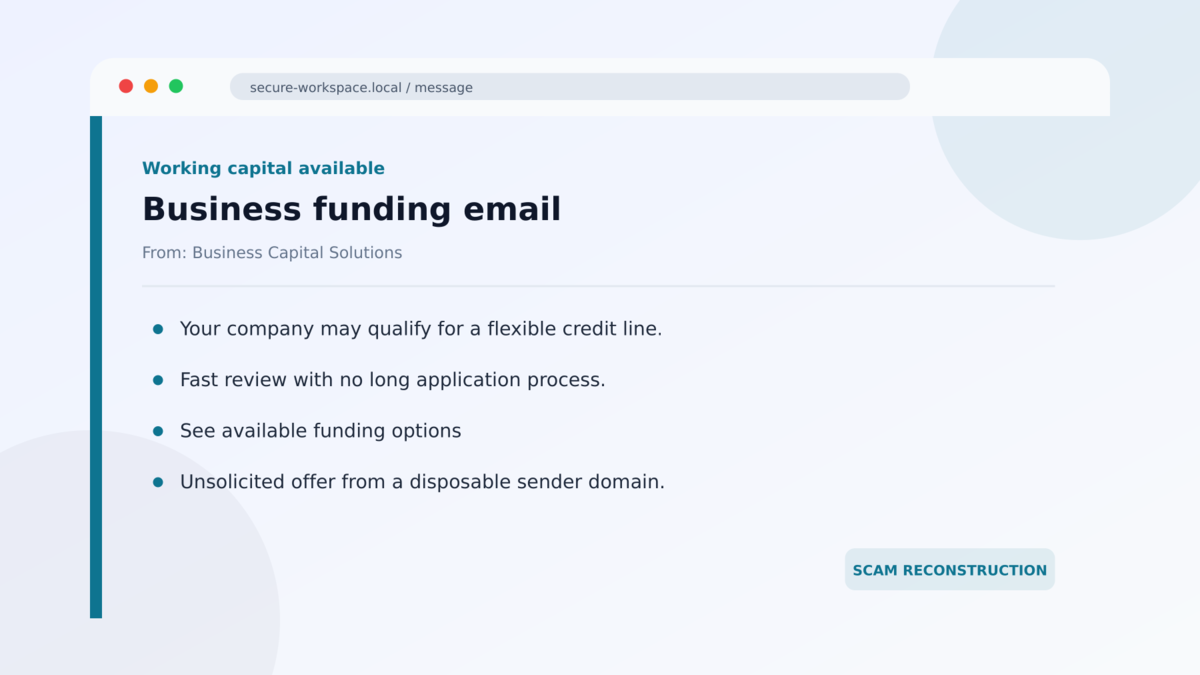
A business-funding email arrives with a familiar promise: working capital, a credit line, or fast approval for a company that may need cash. The wording looks ordinary, and the dangerous words are right there on the screen.
To a person, nothing appears hidden. To a simple email filter, however, several of those words may not exist in the form they seem to.
The difference is a layer of invisible text that helped one campaign reach millions of inboxes in a single day.
Overview
The email promotes business funding from a disposable sender
The invisible Unicode phishing campaign sends finance-themed messages that advertise business loans, lines of credit, cash advances, or funding offers. The sender domains are assembled from reassuring words such as capital, funding, growth, loan, direct, express, and business.
These domains can look relevant without representing an established lender. Microsoft connected the activity to roughly 150 finance-themed sender domains when the campaign surged in February 2026, with hundreds of disposable domains observed over its wider run.
Hidden Unicode characters split words without changing their appearance
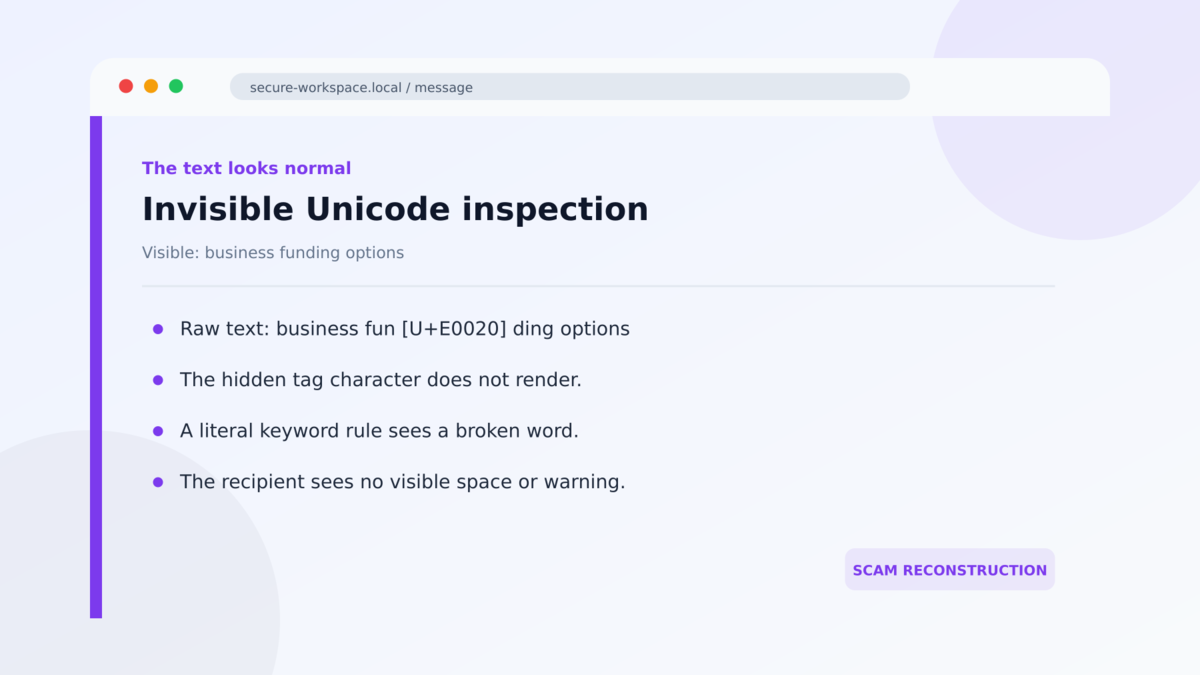
The attackers insert non-rendering characters from the Unicode Tags block inside visible words. A person still sees a word such as funding, but software that compares the raw text may see two fragments separated by an unusual code point.
This technique is known as ASCII smuggling in recent security research. It became widely discussed as a way to hide instructions from people while exposing them to AI systems. In this campaign, the idea was reversed: invisible characters were used to make risky words harder for basic email rules to recognize.
The volume turned a small evasion trick into a mass campaign
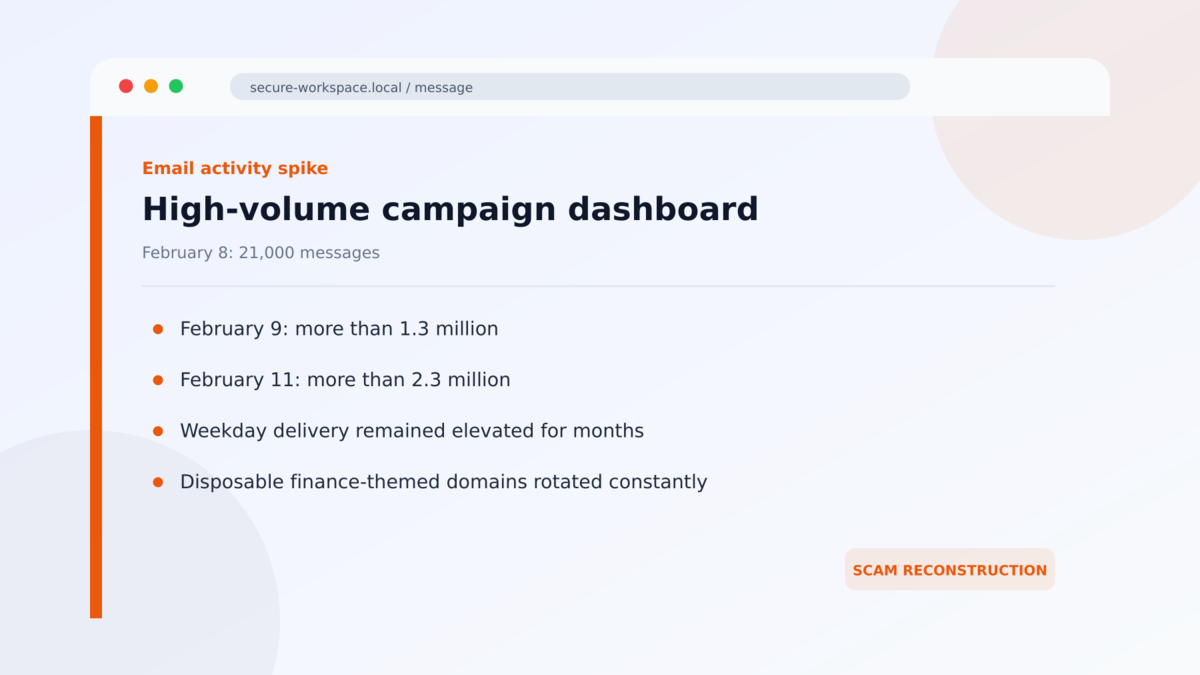
Microsoft telemetry showed the relevant detection signal rising from about 21,000 messages on February 8 to more than 1.3 million the next day. It peaked above 2.3 million messages on February 11 and remained elevated on weekdays for roughly three months.
Those numbers describe observed messages, not millions of confirmed victims. They do confirm that the activity was a large, organized phishing and spam campaign rather than an isolated funding complaint.
- The messages use business loans, credit lines, or advance funding as the lure.
- Visible words contain characters that ordinary fonts do not display.
- Simple keyword checks may fail because the raw word has been split.
- Sender domains are disposable and built from finance-related terms.
- The campaign reached multi-million-message daily volume at its peak.
- Legitimate email services and cloud infrastructure can be abused for delivery.
- The offer may lead into data collection, credential theft, a fraudulent finance funnel, or later targeting.
What Invisible Unicode Actually Changes
Email is more than the letters displayed in the reading pane. Underneath are encoded characters, HTML, links, headers, and routing information. Most of the time, software turns that structure into the same words the sender intended.
Unicode supports writing systems, symbols, and control functions from around the world. The Tags block includes code points that usually do not render as visible glyphs. Their legitimate historical purpose was not to help phishing, but their invisibility makes them attractive for abuse.
Imagine that the word funding contains a hidden U+E0020 tag character between fun and ding. The screen still presents one normal-looking word. A filter that searches for the exact six-letter sequence may instead process two separated pieces and miss a rule tied to the complete term.
Modern security products do not rely on one keyword, and Microsoft reported that layered protections flagged most of the observed messages through other signals. The technique is still important because it shows how attackers search for small differences between what a human sees and what software parses.
Invisible characters are not proof that every message is malicious. Some legitimate content, including certain regional flag emoji sequences, can use tag characters. Detection therefore needs context, normalization, sender reputation, link analysis, and campaign behavior rather than a blanket assumption.
What the Offer, Sender Domains, Links, and Research Tell Us
The offer is broad enough to fit almost any business
A mass funding email does not need to know whether the recipient applied for credit. Many business owners periodically consider working capital, equipment finance, or a line of credit. A vague statement about available funding can therefore create curiosity without personal knowledge.
Legitimate financing starts with a clearly identified legal company, licensing and disclosure information where required, written terms, and a traceable application process. An unsolicited message from a newly created finance-sounding domain has not established any of those facts.
The domain names are labels, not proof of a lender
Names such as Guardian Growth Funding or Digital Capital Boost can sound established even when the domain was created only for a campaign. Combining trusted financial words is cheap, and the sender can rotate to a new variation when the previous domain is blocked.
Search the legal company name, state registration, licensing record, physical address, and telephone number independently. Do not assume the domain’s wording identifies a real regulated lender.
The link can move the victim into a separate collection funnel
The visible email is only the opening. A button may lead to a form that asks about revenue, bank statements, tax ID, owners, credit history, telephone numbers, or online-account credentials. That data can be valuable even if no loan is ever offered.
A landing page may also hand the lead to other brokers or future scammers. Read the privacy policy and consent language before submitting business or personal information, and close the page if the operator cannot be identified.
Microsoft’s campaign data confirms the technique and scale
Microsoft Security Research described the invisible Unicode activity, its finance-themed domains, its weekday rhythm, and its peak above 2.3 million messages. The research also explains that the same tag-character range discussed in AI prompt-injection work was repurposed for conventional phishing evasion.
The finding does not establish that every funding email in the cluster produced the same final fraud. It does establish deliberate large-scale evasion around suspicious financial lures. Readers should avoid claiming a guaranteed loan, a confirmed lender relationship, or a harmless marketing message based only on what is visibly displayed.
How the Invisible Unicode Phishing Scam Works
Step 1: The operator creates disposable finance-themed domains
The campaign registers or uses many domains containing terms associated with business credit and growth. A new sender may look relevant while having little history for filters or recipients to evaluate.
Rotating domains also limits the value of blocking one address. The campaign can keep the same template and replace only the sending identity.
Step 2: A funding lure is prepared for mass delivery
The message promises access to capital, a credit line, or a fast business-financing conversation. It may use a brief, professional layout that resembles ordinary lead-generation email.
Specific terms are selected because filters may associate them with spam or fraudulent funding offers. Those are the words the attacker wants to disguise at the code level.
Step 3: Invisible tag characters are inserted inside visible words
Non-rendering Unicode characters are placed between letters. The recipient sees a normal phrase, but the underlying string is different from a straightforward text sequence.
The trick is not visual sophistication. Its value comes from the mismatch between human rendering and automated parsing.
Step 4: Bulk email infrastructure distributes the campaign
The messages are sent at enormous scale, with activity concentrated on weekdays. Cloud-hosted delivery infrastructure and large email platforms can make some traffic resemble ordinary marketing distribution.
A legitimate provider can be abused without being part of the fraud. The presence of a recognized sending platform does not verify the advertiser or the offer.
Step 5: The recipient follows the funding call to action
A button, reply request, or telephone number begins the next stage. The victim may be asked to complete a qualification form, send financial records, sign in, or speak with a supposed funding specialist.
The original sender can now collect richer data and determine which recipients are useful for identity theft, account compromise, an advance-fee pitch, or more targeted fraud.
Step 6: The domain and wording rotate
When a sender develops a poor reputation, the campaign moves to another finance-themed domain. Visible wording, links, and offers can change while the underlying delivery pattern remains recognizable.
This is why searching one sender name may return little useful history. Verification must focus on the legal operator, licensing, loan terms, destination domains, and actual requests made after contact.
Warning Signs Hidden in Plain Sight
- You receive a business-funding offer you did not request.
- The sender domain consists of generic finance and growth words.
- No legal company name or verifiable license is provided.
- The message promises fast approval without meaningful underwriting.
- The destination domain differs from the sender’s claimed company.
- A form requests tax IDs, bank statements, credentials, or owner information too early.
- Fine print permits broad sharing of your data with undefined partners.
- The operator cannot explain rates, fees, repayment terms, or the actual lender.
- The same template arrives from several similar domains.
- Copying the text into a technical viewer reveals unusual invisible Unicode code points.
You do not need a Unicode inspector to stay safe. An unsolicited offer still has to pass ordinary business checks. Confirm who is making it, which lender would fund it, what the complete cost is, and why the company is contacting you.
Mail administrators can reduce exposure by normalizing Unicode before content inspection and by treating rare tag characters as one signal among many. Sender age, domain history, message volume, link destinations, and repeated finance vocabulary provide useful context that a single keyword cannot.
Businesses should also separate the person who reviews funding offers from the person who can release sensitive financial records. A second check can catch a vague lender identity, hidden data-sharing consent, or a demand for documents that arrived far too early in the relationship.
If financing is genuinely needed, begin with a bank, credit union, established broker, or lender found independently. Starting the search yourself removes the scammer’s most valuable advantage: the ability to define the company, deadline, and verification process before you have checked any of them.
What to Do if You Have Fallen Victim to This Scam
- Stop responding and do not submit more documents. Save the message, headers, links, domains, forms, and telephone numbers before blocking the sender.
- Change any password entered on a linked page. Use a clean device, start with the affected email account, and do not reuse the replacement password elsewhere.
- Revoke sessions and review multifactor authentication. Remove unfamiliar devices, applications, forwarding rules, recovery details, and sign-in methods.
- Contact your bank if financial details were disclosed. Ask what monitoring, account replacement, or transaction controls are appropriate for the information exposed.
- Protect business identity data. If an EIN, tax return, owner Social Security number, or incorporation document was submitted, discuss identity-theft precautions with the relevant agencies and financial institutions.
- Review files before opening them again. If the site supplied a document or program, do not run it. Have the security team analyze it in an isolated environment.
- Scan the device if anything was downloaded or executed. Use updated reputable security software and investigate unexpected browser extensions, startup items, and remote-access tools.
- Tell employees who handle financing requests. A related message may reach another person at the company under a different sender domain.
- Report the campaign. Send the message to the organization’s security team and report suspected fraud to the FTC, IC3, or the appropriate authority in your country.
Frequently Asked Questions
What is invisible Unicode phishing?
It is phishing or spam that places non-rendering Unicode characters inside text. The message looks normal to a person, but the raw character sequence can confuse simple filters and keyword rules.
Is ASCII smuggling the same as ordinary zero-width text?
The ideas are related, but this campaign specifically used characters from the Unicode Tags block. Attackers have used other invisible characters and lookalikes for years.
Can I see the hidden characters on my screen?
Usually not in a normal email view. A source viewer, Unicode-aware editor, or security tool can reveal the code points. The safer response is to verify the sender and offer rather than inspecting suspicious mail yourself.
Does every email with tag characters contain a scam?
No. Some legitimate content can contain tag characters, including certain flag emoji sequences. Detection must consider the surrounding message, sender, links, and campaign behavior.
Did these emails infect computers automatically?
Microsoft’s report focused on filter evasion in finance-themed phishing messages, not an automatic infection caused by reading the text. Harm depends on what the recipient does with the offer, links, forms, replies, or later downloads.
How should a real funding offer be checked?
Identify the legal lender, confirm licensing and registration, read the complete cost and repayment terms, verify the address and telephone number independently, and never pay an upfront fee for a guaranteed loan.
The Bottom Line
Invisible Unicode phishing exploits a quiet gap between what people see and what software reads. In this campaign, hidden tag characters helped ordinary-looking funding messages evade some simple checks while disposable finance domains carried the offer to millions of inboxes.
The invisible code is clever, but the decision remains familiar. An unsolicited financing message should not receive passwords, tax records, bank documents, or money until the operator and loan can be independently verified.
Delete the message if that verification is missing. If you already provided information, protect the affected accounts and business identity immediately, because the first funding form may only be the beginning of the fraud.

Join the discussion
0 commentsShare your experience or ask a question about this article.
Discussion
Start the conversation
Have a question or something useful to share? Add the first comment.