Skip to content
MalwareTips
  • Blog
  • Forums

    Safer together.

    Ask questions, share what works and learn from the MalwareTips community.

    Explore all forums
    Explore the communityHelp, advice & discovery
    Malware Removal HelpGet help with Windows, Mac and mobile threats.Security DiscussionsAsk questions and share practical advice.Security AppsDiscuss protection and privacy software.Security SetupFine-tune your PC protection with the community.Security NewsKeep up with threats and security developments.Product ReviewsRead hands-on reviews from community members.Privacy DiscussionsExplore safer browsing and everyday privacy.Giveaways & OffersDiscover software promotions and giveaways.
  • Malware

    Get your device back.

    Clear, step-by-step help for a cleaner, safer device.

    All malware guides
    Find removal help6 categories
    AdwareRemove intrusive ads and unwanted software.Browser HijackersRestore your search and browser settings.RansomwareUnderstand file encryption and your next steps.ScarewareRecognize fake virus warnings and alerts.Potentially Unwanted ProgramsFind and remove software you did not want.TrojansIdentify threats hiding behind familiar files.
  • Scam Reports

    Recognize the scam.

    Know the warning signs before you click, pay or share.

    All editorial reports
    Explore scam types11 categories
    Community ReportsRead moderated experiences and share what happened.Crypto & Investment ScamsFake platforms, investments and crypto offers.Refund ScamsFake refunds and money recovery schemes.Delivery ScamsDelivery notices and package fee traps.Impersonation ScamsScammers posing as someone you trust.Email ScamsPhishing emails and suspicious messages.Text and Phone ScamsFraudulent texts, calls and urgent demands.Task and Reward ScamsFake jobs, tasks, prizes and reward offers.Product ScamsQuestionable products and misleading claims.Social Media ScamsDeceptive ads and social media schemes.Subscription ScamsHidden charges and subscription traps.Other ScamsMore schemes and warning signs to recognize.
  • Guides
Tools

Pause. Check. Proceed.

A second look at the links, files and messages you receive.

Explore all tools
Security toolsChoose what to check
URL ScannerCheck a website before you visit.File ScannerCheck a download for threats.Phishing Link AnalyzerInvestigate a suspicious link.Email ScannerInvestigate an email address.SMS ScannerCheck a suspicious text message.QR Code ScannerInspect where a QR code leads.Password GeneratorCreate a strong, unique password.Sender LookupLook up reports about a sender.
Report Scam

Search scam reports, removal guides and online safety advice.

  • Blog
  • Forums

    Safer together.

    Ask questions, share what works and learn from the MalwareTips community.

    Explore all forums
    Explore the communityHelp, advice & discovery
    Malware Removal HelpGet help with Windows, Mac and mobile threats.Security DiscussionsAsk questions and share practical advice.Security AppsDiscuss protection and privacy software.Security SetupFine-tune your PC protection with the community.Security NewsKeep up with threats and security developments.Product ReviewsRead hands-on reviews from community members.Privacy DiscussionsExplore safer browsing and everyday privacy.Giveaways & OffersDiscover software promotions and giveaways.
  • Malware

    Get your device back.

    Clear, step-by-step help for a cleaner, safer device.

    All malware guides
    Find removal help6 categories
    AdwareRemove intrusive ads and unwanted software.Browser HijackersRestore your search and browser settings.RansomwareUnderstand file encryption and your next steps.ScarewareRecognize fake virus warnings and alerts.Potentially Unwanted ProgramsFind and remove software you did not want.TrojansIdentify threats hiding behind familiar files.
  • Scam Reports

    Recognize the scam.

    Know the warning signs before you click, pay or share.

    All editorial reports
    Explore scam types11 categories
    Community ReportsRead moderated experiences and share what happened.Crypto & Investment ScamsFake platforms, investments and crypto offers.Refund ScamsFake refunds and money recovery schemes.Delivery ScamsDelivery notices and package fee traps.Impersonation ScamsScammers posing as someone you trust.Email ScamsPhishing emails and suspicious messages.Text and Phone ScamsFraudulent texts, calls and urgent demands.Task and Reward ScamsFake jobs, tasks, prizes and reward offers.Product ScamsQuestionable products and misleading claims.Social Media ScamsDeceptive ads and social media schemes.Subscription ScamsHidden charges and subscription traps.Other ScamsMore schemes and warning signs to recognize.
  • Guides
Tools

Pause. Check. Proceed.

A second look at the links, files and messages you receive.

Explore all tools
Security toolsChoose what to check
URL ScannerCheck a website before you visit.File ScannerCheck a download for threats.Phishing Link AnalyzerInvestigate a suspicious link.Email ScannerInvestigate an email address.SMS ScannerCheck a suspicious text message.QR Code ScannerInspect where a QR code leads.Password GeneratorCreate a strong, unique password.Sender LookupLook up reports about a sender.
Report Scam

Search scam reports, removal guides and online safety advice.

Blog/Guides

MalwareTips / The library

Guides

Step-by-step guides, checklists, and practical resources for scams, malware cleanup, account security, and safer browsing.

Find a website, threat or question.

All articlesGuidesMalwareNewsScam Alerts

More from the archive

101–115 of 115 articles

MALWARETIPS
Guides

How To Setup Kaspersky Internet Security 2011 for Maximum Protection

Mar 1, 2011
Guides

ESET Smart Security 4 – why not NOD32? [Review]
Feb 21, 2011
Guides

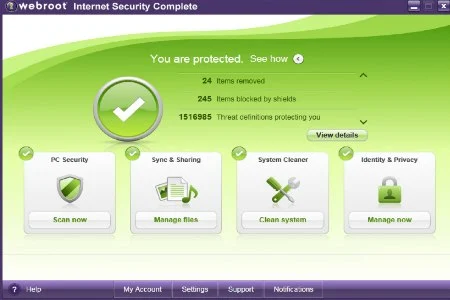
Webroot Internet Security Complete 2011 – an outdated suite [Review]

Feb 19, 2011
Guides

Security 101 : The first step to stay safe!
Feb 8, 2011
Guides

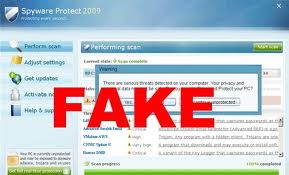
Beginner’s Guide: Is that a real anti-malware product?

Jan 31, 2011
MALWARETIPS
Guides

AVG Internet Security 2011 with SP1 BETA Detection And Removal Test

Jan 29, 2011
Guides

Secure Passwords Guide

Jan 25, 2011
MALWARETIPS
Guides

1 second Linux boot!

Jan 16, 2011
Guides

How to Prevent Social Engineering and Phishing Attacks
Jan 15, 2011
Guides

How to Safely Shop Online

Jan 15, 2011
Guides

Get the latest Service Pack for your Windows PC

Jan 13, 2011
Guides

Firefox 4 will arrive in February

Jan 12, 2011

Continue exploring

More from Guides
Guides

Anti Spam Test – Virus Bulletin [January 2011 edition]

Jan 12, 2011
Guides

How to turn off User Account Control prompts safely

Jan 11, 2011
Guides

Windows 7 User Account Control Guide

Jan 11, 2011
← Newer articles
Page 3 of 3
Know what to do nextGet help from the community
MalwareTips

MalwareTips helps people stay safer online with clear, practical guides and real-world scam investigations. We explain how threats work, what to watch for, and what to do next.

Blog

  • Scam reports
  • Malware removal guides
  • Fake online shops
  • Crypto scams
  • Security guides

Tools

  • URL Scanner
  • File Scanner
  • Password Generator
  • BreachRadar
  • All tools →

Community

  • Forum
  • Free malware removal help
  • Contact us

Legal

  • Terms and Conditions
  • Privacy Policy
  • Affiliate Disclosure
  • Content Removal
  • Ethics Statement
  • Legal Disclaimer

The views and opinions expressed in articles are those of their respective authors and do not necessarily reflect the official position of MalwareTips. All content is provided for informational and educational purposes only. While we strive for accuracy, we make no representations or warranties regarding the completeness, reliability, or accuracy of the content. Any action taken based on the information provided is strictly at your own risk. This site may identify products, websites, or services as potentially fraudulent based on research and user experiences, but all claims should be independently verified.

© 2026 MalwareTips. All rights reserved.Independent since 2009