

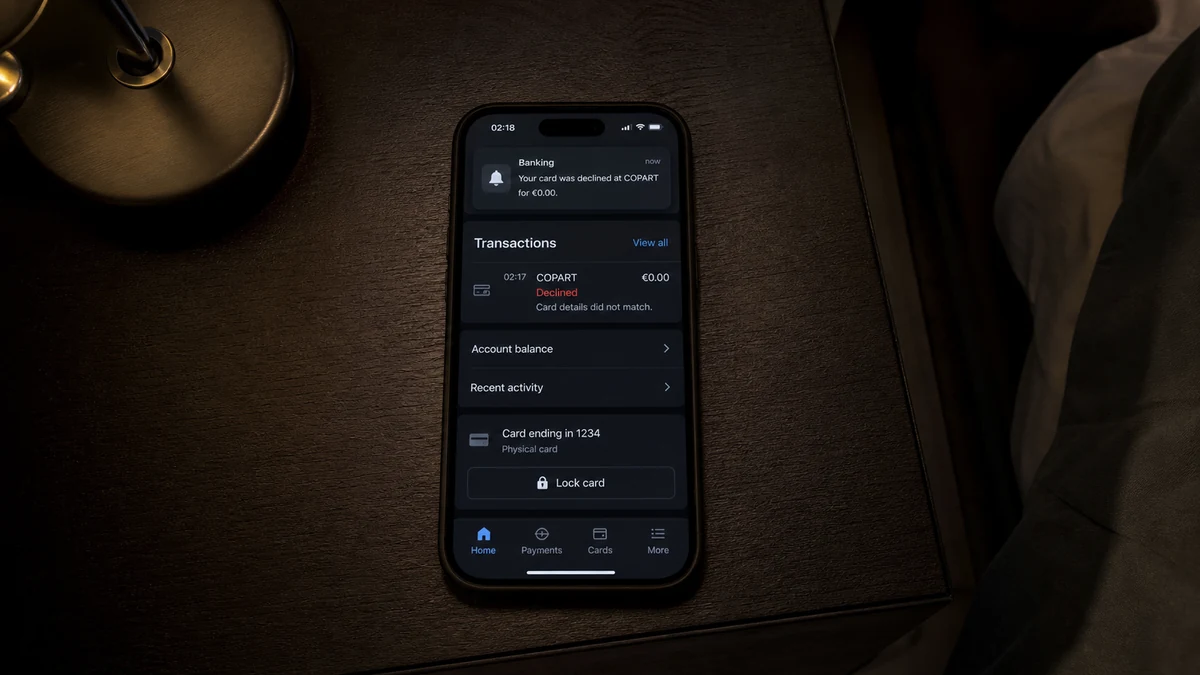
A card alert arrives overnight for a declined €0.00 transaction labelled COPART. No money appears to be missing, and the bank says the submitted information was incorrect.
The amount looks harmless. The important question is why someone tried to validate the card at all.
Overview
An unrecognized zero-value attempt appeared while the cardholder slept
A recent Italian consumer report describes an overnight transaction alert for €0.00 from COPART. The attempt was declined because some of the submitted card information was reportedly incorrect.
The cardholder did not recognize the activity and asked whether the account remained safe because the amount was zero.
No later charge, merchant receipt, account login, or confirmed data breach was included in the report. The event is therefore a warning signal, not proof of who submitted it.
A zero authorization can be legitimate or abusive
Merchants and payment processors can use a zero-value authorization to verify that a card account exists and to check details without capturing a purchase amount. Visa documentation describes this as account verification.
Criminals can abuse the same payment infrastructure to test card numbers. Stripe’s official card-testing guidance explains that attackers validate stolen or generated card details through setup requests or small payments before attempting larger fraud.
The amount alone cannot distinguish those cases. The decisive fact for the cardholder is authorization: if you did not create a Copart account, add the card, or begin a transaction, treat the attempt as unauthorized.
Copart is a real company, not evidence about the person using the card
Copart is an established online vehicle auction company. Its official site describes a global vehicle-auction business founded in 1982.
A COPART descriptor can indicate that someone used the merchant or its payment system. It does not establish that Copart stole the card, that the cardholder purchased a vehicle, or that the alert is a completed sale.
Warning signs that justify immediate bank contact include:
- The cardholder did not initiate any Copart activity.
- The attempt occurred at an unusual time.
- The bank reported incorrect card details.
- The authorization was declined rather than simply reversed.
- The card may have been stored at another compromised merchant.
- Similar small or zero-value attempts appear under other names.
- A later purchase follows after a successful test.
- The cardholder receives phishing calls claiming to fix the alert.
What a €0 Authorization Actually Means
A card authorization asks the issuer whether a transaction or account-verification request should be approved. A zero amount can test validity without placing a normal purchase hold.
Merchants may use such checks when a customer adds a card to an account, starts a subscription, reserves a service, or enters a checkout that will be charged later.
Payment networks support these messages because they can verify account status, address information, or the security code before a later transaction.
A legitimate check should still be connected to something the cardholder did. An unexpected descriptor means either the activity is unfamiliar, a household member used the card, a merchant routed through an unexpected name, or someone else submitted the details.
A decline for incorrect information is reassuring only in a limited sense. The attempted combination did not work at that moment. The actor may still know the card number and try different expiry dates, security codes, billing addresses, or merchants.
A successful zero authorization may not create a visible posted charge. That makes card testing quieter than an obvious purchase and allows criminals to identify usable details.
Do not wait for a nonzero transaction to decide that an unrecognized attempt matters. The bank can see authorization data that a consumer app shortens or hides.
Ask the issuer whether the event was an account verification, preauthorization, digital-wallet provisioning attempt, recurring-payment check, or ordinary purchase authorization.
How the Copart Card Testing Pattern Works
Step 1: Card data is stolen, leaked, or generated
The details may come from a breached merchant, phishing page, skimmer, infected device, exposed checkout, or automated number generation.
The person testing the card does not need access to the physical card.
Step 2: An online merchant becomes the testing surface
The operator enters the details into a checkout, account-registration flow, wallet, subscription, or payment form. A merchant with automated responses can reveal which fields pass.
The company shown on the alert may be an unwitting target of the testing activity.
Step 3: A zero or very small request reaches the bank
The amount is chosen to verify the account while attracting less attention. Some systems create a zero-value verification, while others use a small temporary authorization.
A notification may appear even when no money is captured.
Step 4: The issuer response provides feedback
An approval indicates that enough details matched. A decline may reveal that the card is closed, the expiry date is wrong, the security code failed, or the issuer blocked the merchant.
Automated attackers can use response patterns to refine later attempts.
Step 5: Valid cards are used or resold
A confirmed combination can be used for larger purchases, digital goods, travel, subscriptions, account funding, or resale to another criminal.
The next merchant may have no visible relationship to Copart.
Step 6: Follow-up phishing exploits the alert
A caller or text may claim to represent the bank or merchant and refer to the suspicious transaction. The goal is to collect a one-time code, password, or full card details.
Open the bank app or call the number printed on the card instead of using contact details from a message.
Step 7: Repeated attempts continue until the card changes
Locking the card stops many authorizations, but a replacement number may be necessary. Merchants with updater services can sometimes receive replacement credentials, so ask the issuer how recurring tokens will be handled.
Monitor the old and new accounts during the transition.
Why a Decline Does Not End the Risk
A decline is one decision about one request. It does not erase the submitted card number or explain how it was obtained.
If the security code was wrong, the operator may try another value. If the billing address failed, data from another breach may supply the missing field.
Different merchants enforce different checks. Details rejected by one payment flow may be sufficient at another.
Issuer fraud systems can also decline activity because of location, velocity, device fingerprint, merchant type, or previous alerts. That protection may not trigger identically next time.
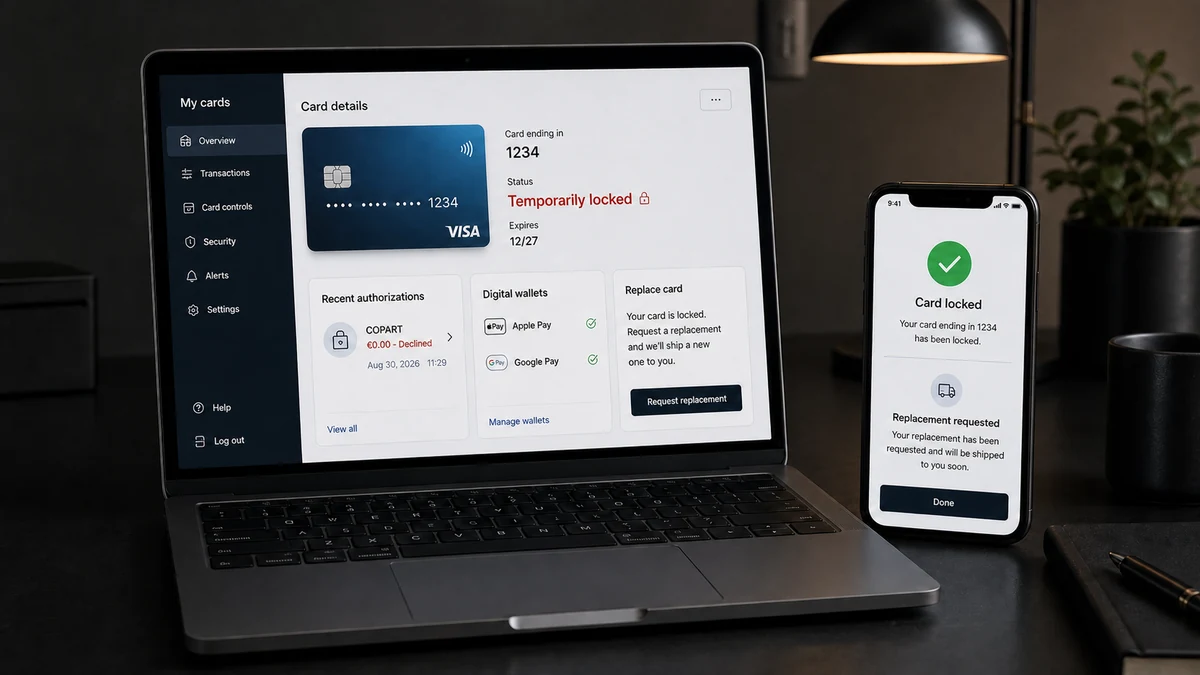
Locking a card inside an app is useful while speaking with the bank. It should not replace reporting the attempt and asking whether the number must be replaced.
Do not unlock the card merely to see whether a new charge appears. Use another payment method for necessary purchases until the issuer gives clear guidance.
A card replacement may affect legitimate subscriptions. Update them through each service’s official site after confirming the new card, not through links in interruption emails.
Review digital wallets and merchant tokens. A new physical card may not automatically remove a wallet token from an unknown device.
Also check whether the card was recently entered into a new website. A fake store or phishing checkout can collect details even when its visible order fails.
Small or failed authorizations are not unique to one merchant label. MalwareTips’ Cash App and Facebook card-testing report explains how recognizable descriptors can appear while criminals are checking whether stolen card details still work.
What the Bank Can See That the Alert Does Not Show
A consumer notification may contain only a merchant label, amount, and decline status. The issuer can often see more routing and risk information behind it.
Ask whether the request was card-not-present, tokenized, recurring, wallet-based, or an account-verification message. Those categories narrow the likely route without identifying the criminal.
The merchant category code can show whether the transaction reached a vehicle auction, payment facilitator, digital service, or another type of business. Descriptors are not always literal.
Address Verification Service results may show whether the submitted street number or postal code matched. Card-security-code results can reveal whether the tester had the value printed on the card.
Do not ask the bank employee to read sensitive submitted data aloud. The purpose is to understand the exposure and choose controls, not to reconstruct the failed transaction.
The issuer may see several attempts grouped by device, network, merchant, or card. A single alert on the phone may be only one item in a larger fraud rule.
Ask whether an account updater or network token could carry the replacement card into existing merchant relationships. Request that unknown tokens and suspicious recurring authorizations be closed.
A bank may recommend monitoring instead of replacement when it determines that the event was a legitimate verification. Ask for the case note and what action made the authorization expected.
If the representative cannot explain the event, request escalation to the card-fraud team. “No money was taken” is not a complete answer to an unrecognized validation attempt.
Keep the date, time, and bank case number. If later fraud appears, the earlier report shows when the issuer was notified and helps connect attempts across merchant names.
What to Check After the Card Is Replaced
Activate the replacement only through the bank’s official app, website, or printed instructions. Ignore messages that say a new card cannot ship until a fee or verification link is completed.
Update genuine merchants one at a time. Opening each service independently reduces the chance that a fake subscription email collects the new number during the transition.
Review Apple Pay, Google Pay, and other wallets for devices you do not recognize. Remove old tokens and ask the issuer whether they were automatically migrated.
Check recurring charges during the next statements. Some legitimate subscriptions may continue through updater services, while an unknown merchant token can also survive if it is not revoked.
Turn on alerts for online purchases, international activity, wallet provisioning, and low-value authorizations. Early visibility matters more than waiting for a large loss.
If several cards from the same wallet are tested, investigate the common exposure point. It may be an email account, device, merchant, browser extension, or phishing page rather than the cards individually.
Do not post the full alert publicly while seeking advice. Mask the card suffix, transaction reference, name, bank, and account balance. The merchant label and amount are normally enough to describe the pattern without creating a second privacy problem.
How to Tell a Merchant Verification From Card Testing
Begin with timing. Did you add the card to Copart, register for an auction, update a payment method, or allow a household member to do so shortly before the alert?
Open Copart through its official domain and check account activity. Do not create an account or enter the card merely to investigate an unauthorized attempt.
Contact Copart through details published on its official site and provide only the information needed to locate the authorization. Do not send a complete card number through email or chat.
Ask the bank for the merchant ID, country, time, authorization type, decline reason, and whether address or security-code checks were attempted.
A merchant descriptor can be shortened or include a payment facilitator. The bank’s back-end record may be more specific than the notification.
If the event matches a legitimate action, ask why a zero verification was used and whether any later charge is expected. Keep the confirmation.
If no action matches, treat the card details as exposed even if the amount was zero. The cost of replacing a card is usually lower than waiting for a successful fraudulent purchase.
Do not rely on internet searches for the phone number printed beside the transaction. Search results can contain fake support numbers. Use the bank app, card, or official merchant site.
A copied merchant name can also appear in a phishing alert that never reached the card network. Confirm that the authorization exists inside the bank account before discussing it with anyone.
Company, Address, and Fulfillment Checks
Copart is a legitimate vehicle-auction business
Copart’s official company page describes its vehicle-auction operations and corporate history. That legitimacy does not authorize an unknown person to test someone else’s card.
Keep the company separate from the unauthorized cardholder activity.
The descriptor may not show the full payment route
Banks can abbreviate merchant names, locations, and processors. Request the complete authorization record before assuming which Copart service or country was involved.
Do not call a number supplied in an unsolicited fraud alert.
The billing address and security checks matter
A decline caused by incorrect address or security-code data can show that the tester has only part of the card record. It does not make the known fields safe.
Ask the issuer which fields failed without requesting information that would help reproduce the transaction.
Fulfillment did not occur in a zero-value attempt
A €0 authorization does not establish that a vehicle, membership, deposit, or service was purchased. It may be only a validation request.
Look for an order number and account activity, but do not confuse a missing purchase with a harmless test.
What to Do if You Have Fallen Victim to This Scam
- Lock the card immediately. Use the official bank app while you contact the issuer. Do not rely only on the fact that the attempt was declined.
- Call the issuer through a trusted number. Use the number on the card or inside the bank app. Ask for the full authorization type, merchant details, time, and decline reason.
- Request a replacement when the attempt is unauthorized. Ask whether the card number, expiry date, digital-wallet tokens, and recurring-payment credentials will change.
- Review recent activity. Look for other zero-value checks, small authorizations, unfamiliar subscriptions, and reversed charges across all cards.
- Contact Copart independently. Use its official site to ask whether an account or transaction can be associated with the authorization. Share only masked card details.
- Save evidence. Keep the alert, bank message, merchant descriptor, authorization time, decline reason, and case numbers from the bank and merchant.
- Secure related accounts. Change reused passwords for email, banking, wallets, and shopping sites. Revoke unknown sessions and enable strong multi-factor authentication.
- Scan with Malwarebytes if exposure is possible. A full scan is appropriate if the card was entered on a suspicious site, an unknown extension was installed, or the device showed other compromise signs.
- Use AdGuard for preventive support. It can block many known phishing, fake-store, and malicious advertising domains, but it cannot stop someone who already has card data from testing it.
- Ignore follow-up support calls. Do not share one-time codes, passwords, or complete card details with anyone who calls about the COPART alert.
- Report confirmed fraud. Notify the issuer, merchant, and the appropriate national fraud-reporting service. In Italy, follow the bank’s process and report identity misuse to local authorities where appropriate.
- Monitor the replacement card. Watch for updater-based recurring charges and confirm that unknown wallet tokens were removed.
Frequently Asked Questions
Can a €0 card transaction be legitimate?
Yes. Merchants can use zero-value authorizations to verify a card. It should still correspond to an action you recognize, such as adding the card to an account.
Does a declined authorization mean the card is safe?
No. It means that request failed. The person may still know the card number and try different details, merchants, or amounts.
Did Copart steal the card information?
The report does not establish that. Copart may simply be the merchant where unknown details were submitted. The data could have come from many other sources.
Why would criminals test a card with zero?
A validation request can reveal whether the account exists without creating a normal purchase amount. Confirmed card details may then be used or sold.
Should I replace the card after one failed test?
If you did not authorize the activity, contact the issuer and follow its recommendation. Replacement is often the clearest way to retire exposed card details.
Can the bank tell what information was incorrect?
The issuer may see whether address, expiry, security code, or another control contributed to the decline. Ask for the explanation, but do not assume the remaining details are unknown.
The Bottom Line
The Copart Card Testing alert matters because an unrecognized person may have been checking whether card details work. The €0 amount does not make the attempt meaningless, and the decline does not remove the submitted data.
Lock the card, call the issuer through a trusted number, and determine whether the authorization matches anything you did. If it does not, replace the card and watch for attempts under other merchant names. Treat Copart as the descriptor to investigate, not as proof of who stole the information.








