


A remote-work invitation arrives when you could really use another income stream. Crossing Hurdles connects that familiar hope with opportunities in the growing AI industry.
Before an application becomes a commitment, follow what happens next. The project, the payment rules, and the information you share deserve separate attention.

Overview
An Application Is Not a Guaranteed Job Offer
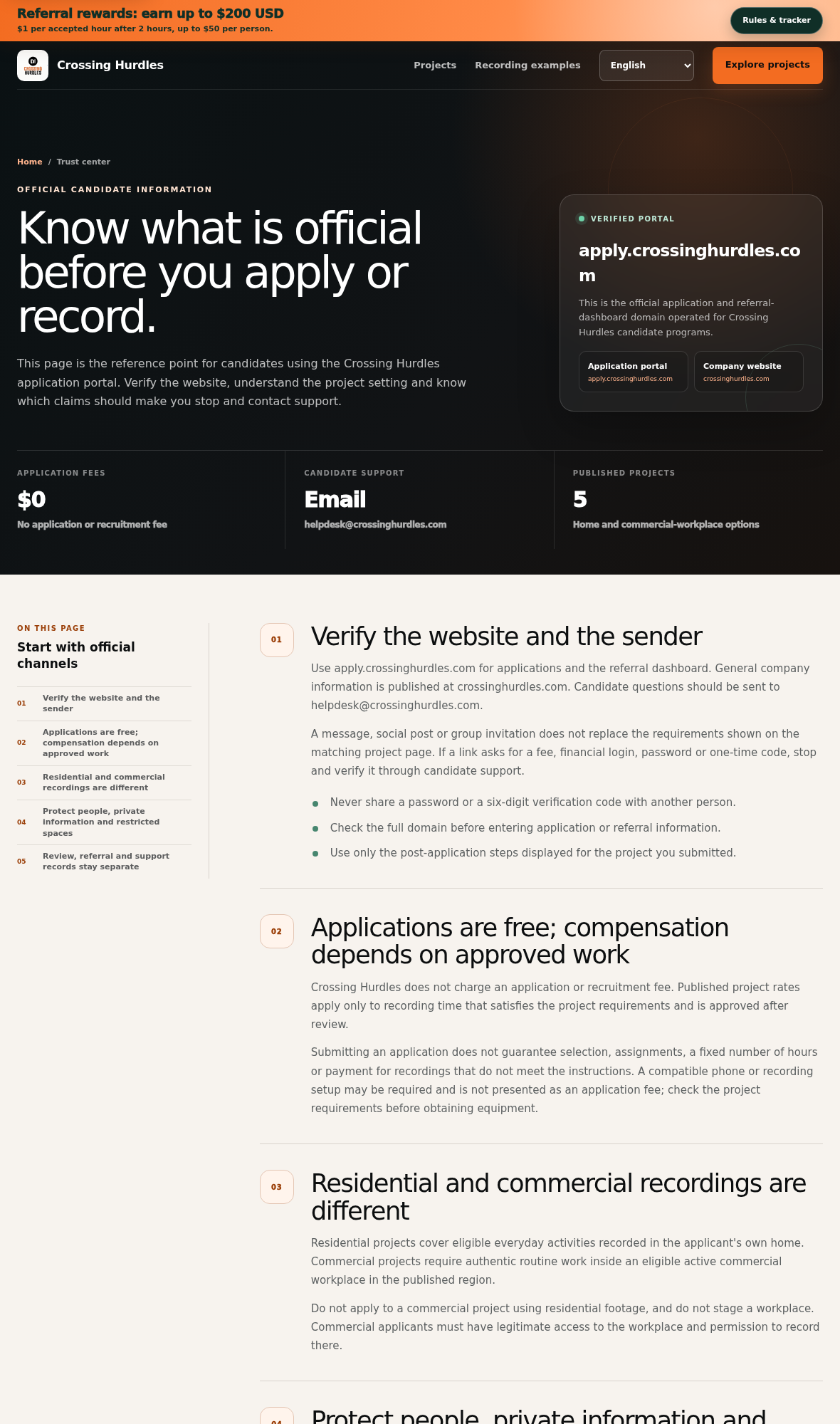
Crossing Hurdles operates a public website and an application portal. It describes both referrals to AI platforms and recruitment for paid recording projects.
The site explicitly says applications are free and selection is not guaranteed. An invitation, saved form, or completed assessment therefore should not be treated as employment.
Crossing Hurdles is not established here as a fraudulent service. The concrete questions are what gets paid, who receives recordings, and how records are retained.
A Recording Hour and an Hour of Your Time Are Different
Its current project directory lists rates for approved video or recording time. Applying, preparation, uploading, waiting, and rejected footage are not the same payable unit.
The directory displays different rates and availability from the broader company homepage. A generic headline cannot settle the terms of the project you select.
Before committing time, identify the review rules, paying party, payout timetable, and agreement covering your recordings. A published rate alone does not answer those questions.
The Privacy Notice Separates Applications From Recordings
The application notice says profiles may be retained for future recruitment without a fixed automatic expiry. Task videos are handled through separate client services and agreements.
Deleting an application record is consequently not described as erasing every spreadsheet copy, message, backup, or recording held elsewhere.
Start with these practical checks:
- Match the invitation with the exact project and official domain.
- Confirm which recorded time qualifies for payment.
- Read the separate recording license before filming.
- Obtain workplace and participant permission where needed.
- Keep recruitment fees, equipment costs, and referral rewards distinct.
- Understand how to stop future contact or request data deletion.
What the Published Rates Actually Mean
The project directory displays $12 per approved video hour for USA Residential, $8 for LATAM Commercial, and $16 for USA Commercial.
Its text says LATAM Residential applications are closed. The broader company homepage still presents a wider five-project list with different commercial rates.
That inconsistency is a reason to obtain the applicable written offer. It is not, by itself, evidence that a change in project availability is fraudulent.
Use the matching project page and onboarding agreement, not a remembered amount from another page, region, or forwarded message.
Some general participation terms describe a $6 Latin American project and Sunday processing. Those details should not be assumed to govern every current opportunity.
Calculate the Work Around the Recording
Suppose a project pays $12 per approved hour and accepts 45 minutes of your video. That would produce $9 in recording compensation.
If preparation, filming, checking, and uploading took two hours overall, the effective return on your total time would be $4.50 per hour before costs.
Even when accepted work is paid correctly, unpaid preparation can change whether a project is worthwhile for you. Calculate both, not just the advertised recording rate.
Ask whether preparation, training, revisions, or repeated submissions are paid separately. If the answer is no, include that time in your own decision.
Equipment and connectivity expenses can reduce the practical return further. Do not buy a setup solely because an invitation makes work sound immediately available.
A compatible device requirement is not automatically a recruitment fee. But it still represents money you may spend without guaranteed selection, assignments, or approved hours.
How the Crossing Hurdles Application and Project Process Works
Step 1: The Invitation Creates an Opportunity, Not a Contract
You may find the network through a role listing, recruitment message, or the company’s own website. The first question is which opportunity the contact actually concerns.
General AI-platform referrals and first-person recording projects are different routes. Do not assume one uses the same assessments, operator, or payment system as another.
Identify the role, location requirements, work description, and organization making the final selection. Ask for those details before providing more information.
A request to apply can be legitimate without guaranteeing a vacancy for you. Conversely, an official-looking logo does not authenticate an unrelated sender.
Check the address against the official application trust page. A familiar brand word inside a different domain does not make a recruitment link genuine.
The FTC’s job-scam guidance explains why demands to pay for a job deserve particular caution. Do not pay to unlock an invitation.
Step 2: You Choose a Project That Fits Your Real Situation
The official directory distinguishes home recordings from work performed in an active commercial workplace. The higher displayed rate does not make you eligible for that environment.
A residential application concerns eligible activities in your own home. Commercial recording requires legitimate workplace access and permission to film there.
Do not stage a workplace or submit household footage under a commercial category. The site’s instructions specifically separate those settings.
Read the selected region’s requirements, device setup, activities, and current availability. A closed project shown elsewhere should not be treated as open because its old description remains visible.
Ask for confirmation if the company homepage and application directory disagree. Preserve the answer with the project name so a later rate dispute has context.
You should be able to explain the actual work before applying. If the advertised title and proposed task are materially different, pause and resolve the mismatch.
Step 3: The Form Collects Recruitment Information
The application notice lists contact details, residence information, planned activities, device information, availability, and referral information where provided.
It says submitting the application does not upload task videos. Recruitment information and recording content are separate categories, even when they belong to the same overall journey.
Give only the information required for the genuine project. Do not post identity documents, account passwords, or payment details in a public group discussion.
If another service later requests identity verification, establish its operator, purpose, and privacy terms first. A verification request is not automatically fraudulent, but its destination matters.
Never send someone a login code so they can finish the process for you. Enter a code you requested only into the matching, verified service.
Applying is stated to be free. A person asking for an application, recruitment, or account-unlocking payment is contradicting the published official instructions.
Step 4: External Setup Introduces Another Operator and Agreement
The application notice refers to Minute Data and a service labeled CH Dashboard. It explicitly says the dashboard label does not mean Crossing Hurdles owns that service.
That distinction is important. A familiar button name does not make every receiving system subject to the recruitment website’s privacy notice.
Review the operator information and recording agreement at the actual destination. Know which party receives the videos and which party administers payment.
The general terms say applying does not transfer recording ownership or grant a recording license. A separate project-specific agreement governs those rights before filming.
Read the permitted uses, retention, deletion arrangements, and any continuing license. Do not assume leaving the project automatically retrieves material already supplied under an agreement.
Follow the instructions for your own project. Setup details from a different region or opportunity may not apply, even when someone forwards them in good faith.
Step 5: Your Footage Must Meet the Approval Requirements
The project material describes first-person recordings that show the relevant activity and, where required, both hands. Eligible time is reviewed before payment approval.
Ask what makes footage acceptable, how much can be submitted, and how a rejection is explained. A clear brief is essential before investing repeated hours.
Keep a record of submitted file identifiers, durations, acceptance status, and any requested correction. Pending work and approved work should not be confused in your calculations.
Do not compromise safety to produce a better camera angle. A phone mount must not interfere with equipment operation, visibility, or the task itself.
Workplace footage may expose customers, screens, documents, credentials, or coworkers. Employer permission and other people’s agreement must be addressed before recording, not afterward.
If the task cannot be recorded safely or privately, do not film it. A possible payment does not justify exposing someone else’s information.
Step 6: Approved Work, Payouts, and Referral Rewards Stay Separate
Review the payment timetable in the agreement for your project. An example schedule on a general page cannot establish every client’s actual processing rules.
Ask about minimum payouts, accepted payment methods, review timing, and the process for questioning an approval decision. Keep the answer tied to your project.
Referral rewards are another arrangement. The published program begins eligibility after a referred person reaches at least two accepted hours.
It describes $1 per accepted hour, capped at $50 per person and $200 overall per referrer email. That is not an automatic $200 joining bonus.
Inviting more people does not remove the overall cap. Nor does a referral estimate establish that the related recordings have been approved or a payout has been made.
Keep the application, accepted-hour record, payment record, and referral record distinguishable. They answer different questions when something appears missing.
Who Operates, Reviews, and Pays for Crossing Hurdles Projects
The Recruitment Website Names an Indian Operator
The application privacy notice identifies Samvedh Grow Private Limited as the operator and gives an address in Gurgaon, Haryana, India.
That is a published company disclosure, not an independent certification of every placement claim or client relationship. Match it with the agreement relevant to your participation.
The Partner Platform Can Control Selection
The main website says hiring and selection decisions belong to the partner platforms. It presents Crossing Hurdles as facilitating access rather than guaranteeing an outcome.
For a referred role, ask who conducts the assessment and whether the resulting position matches the original description. Do not budget around an invitation as confirmed income.
For a recording project, obtain its actual approval criteria and paying party. Public contributor testimonials cannot replace those terms.
The Recording Client Has Its Own Data Responsibilities
The privacy notice separates the recruitment portal from client-operated onboarding and recording services. Their agreements govern information entered directly into those services.
A deletion request sent only to Crossing Hurdles may therefore leave independently held recordings unresolved. Identify the actual recipient and its procedure.
The site’s transparency about separate operators is useful. Read that disclosure as a reason to check the next agreement, not as a promise that every service is identical.
Use the Published Support Route Without Paying a Recruiter
The application portal directs candidate and privacy questions to helpdesk@crossinghurdles.com. The main company site also publishes general support and partnership channels.
No support exchange or paid project was completed for this review. The existence of a mailbox does not verify its response time or resolve a specific unpaid-work complaint.
For a questionable message, send the project name and relevant request to the official channel. Do not include a password or verification code.
Your Application Data Does Not Automatically Expire With the Project
The privacy notice says application profiles and history can remain for future recruitment without a fixed automatic age-based deletion period.
Its 13-month cleanup threshold concerns traffic records, not a blanket deletion schedule for applicant profiles. Those two statements should not be mixed.
It also describes copies in recruitment spreadsheets, exports, backups, and messages. Removing the live database record does not automatically remove every separate copy.
Ask what information is retained and which recipients hold it. If you want to leave, request both deletion review and an end to future recruitment messages.
The notice discusses default-on optional session and advertising measurement, with privacy choices and browser signals available to turn it off.
It also explains that hashed contact information used for advertising matching can remain identifiable to the provider. Hashing is not the same as making a person anonymous.
Read those options before applying. If you cannot locate a promised control, ask support how to exercise it rather than assuming measurement is already disabled.
This is a review of published arrangements, not a legal finding that processing is unlawful. Individual privacy rights and obligations depend on the applicable circumstances.
What to Do If You Applied or Started a Project
-
Identify the exact route you joined. Save the original listing, project name, domain, invitation, and agreement.
Determine whether it is a platform referral or a recording project. That tells you which selection process and support route to use.
-
Pause before paying or recording. Confirm the rate, approval rules, paying party, and recording license in writing.
Do not pay an application or recruitment fee. Do not buy equipment until the actual requirements and lack of guaranteed work are understood.
-
Reconcile submitted and approved time. Keep file identifiers, durations, review results, corrections, and payout messages.
Ask for an itemized explanation of a discrepancy. Total time spent and accepted recording time are not interchangeable payment measures.
-
Address privacy exposure at the correct service. Contact the recipient if a recording includes information that should not have been shared.
Request removal or other appropriate action promptly. Do not assume deleting a recruitment profile also withdraws a client’s recording license.
-
Make a clear support or deletion request. Email helpdesk@crossinghurdles.com from the application address with the project and issue identified.
Ask about relevant copies and recipients, and specify if you want recruitment contact stopped. Keep the response without sending unnecessary identity documents.
-
Escalate the actual problem, not a guessed accusation. For unpaid approved work, retain the contract and approval record and seek the appropriate complaint route.
If an impersonator took money or account information, contact the payment provider or affected account service immediately. That exposure is different from an unsuccessful application.
Frequently Asked Questions
Does a Crossing Hurdles Invitation Guarantee Employment?
No. The site expressly says selection and assignments are not guaranteed. Establish the role, selecting platform, and agreement before treating an invitation as income.
Do the Rates Cover Every Hour I Spend?
The recording rates concern approved footage time. Preparation, uploading, waiting, and rejected work may produce a lower effective return on your total time.
Should I Pay to Apply or Unlock a Position?
No. Official instructions say applications and recruitment are free. An equipment requirement is separate and still does not guarantee assignments or compensation.
Who Receives My Task Videos?
The application site says it does not collect task videos. Separate client services and recording agreements govern their submission, use, retention, and deletion.
Is the $200 Referral Amount Guaranteed?
No. Rewards depend on accepted hours, an eligibility threshold, and per-person and overall caps. It is not an unconditional payment for joining or sharing a link.
Will My Application Disappear After 13 Months?
Not under the published automatic schedule. That threshold concerns traffic records; application profiles have separate retention and deletion arrangements.
The Bottom Line
Do not commit to recordings or budget around a Crossing Hurdles invitation until the matching project explains payment, approval, and data rights. Never pay recruitment fees.
If you have started, reconcile accepted hours and preserve the agreement. Direct payment and privacy questions to the responsible party, rather than assuming every platform is the same.

Join the discussion
0 commentsShare your experience or ask a question about this article.
Discussion
Start the conversation
Have a question or something useful to share? Add the first comment.