

A leaked document promises an unusually generous crypto swap. Its explanation sounds technical enough that the promised advantage might seem possible.
The surprise is where the document asks you to make the change. That detail deserves attention before a single coin moves.
Overview
The supposed secret behind the offer
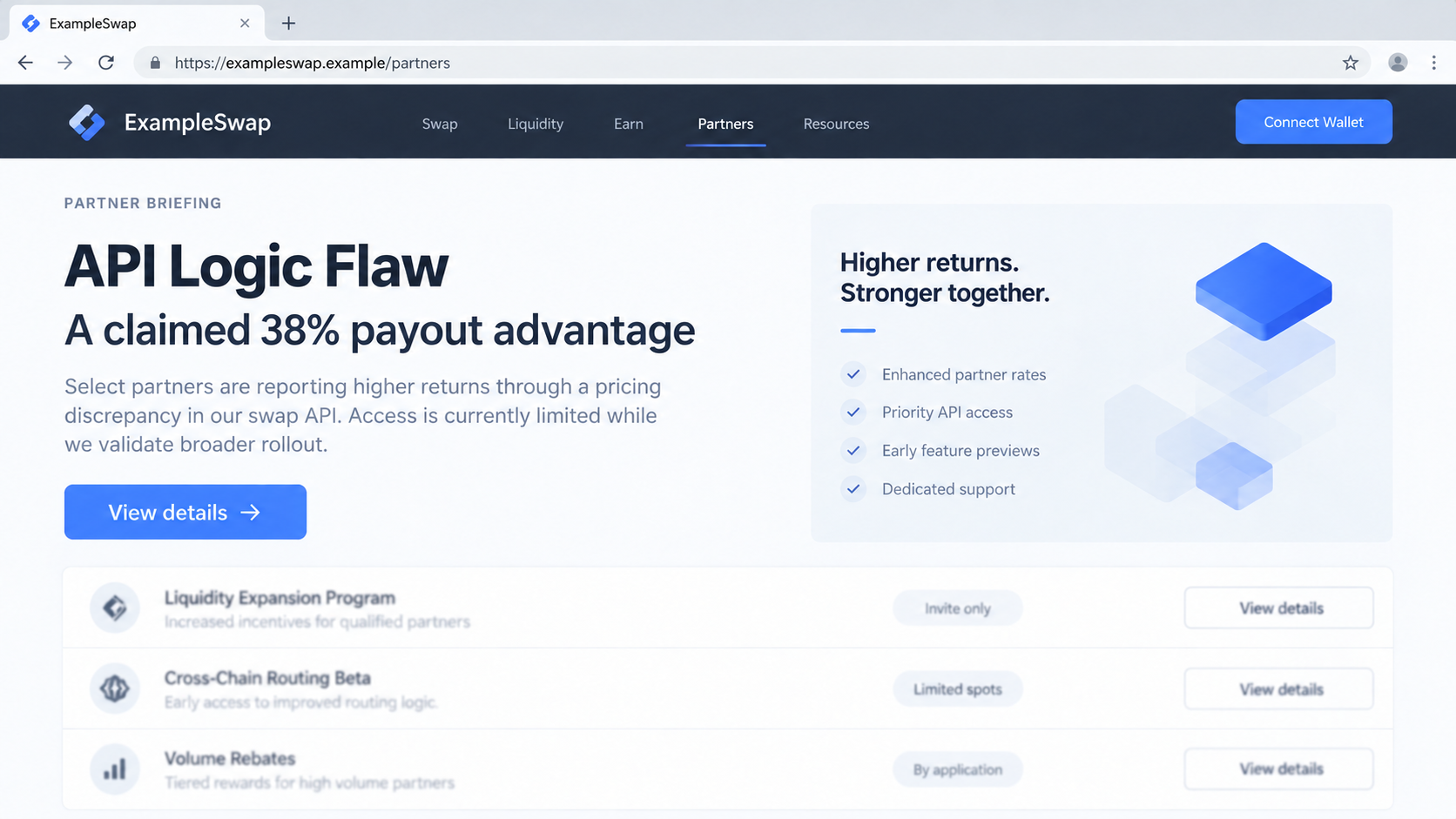
The lure called itself an “API Logic Flaw” report. It claimed a hidden exchange weakness could increase the value of a crypto swap.
One observed version promised roughly 38% more value. A later revision used a 25% loyalty-bonus story instead.
Cisco Talos investigated both versions and found no genuine bonus exploit. The material was a route to attacker-controlled browser code.
The report format was part of the persuasion. It offered enough technical detail to make the reader feel they had discovered an overlooked opportunity.
The real target is the deposit
Rather than compromise a crypto exchange directly, the attackers coaxed users into changing their own browser sessions.
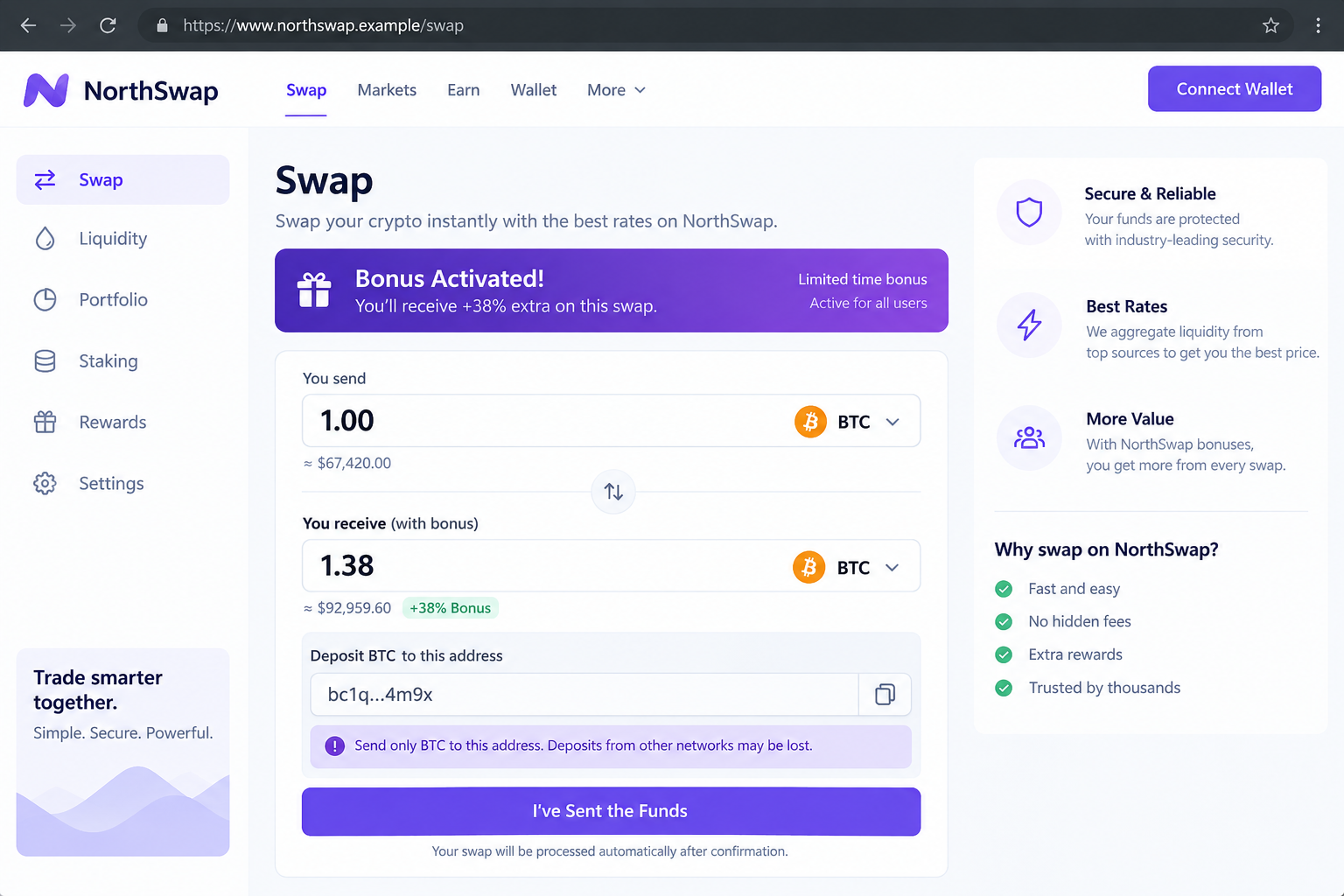
The injected script altered deposit addresses and displayed amounts. A person could see what looked like a favorable trade while their funds went elsewhere.
This matters because the genuine exchange website could still be open. The deception lived in the visitor’s browser, not necessarily on a fake exchange domain.
Talos found the script could also change a copied address. A user checking the clipboard might still see an attacker-selected destination.
What is confirmed and what remains unknown
Talos identified 49 Bitcoin addresses associated with the campaign. Twenty-four received a total of 0.159 BTC in the period its researchers examined.
That observed amount was around $10,000 at early August 2026 prices. It is not a complete estimate of the campaign’s losses.
Earlier versions and addresses could have escaped the sample. The research also does not show that every person who opened the document sent funds.
- The “bonus” was invented; no legitimate exchange vulnerability produced those payouts.
- The user was asked to run browser code, directly or through an extension.
- The malicious script changed what the swap interface displayed and copied.
- A transaction sent to an attacker-controlled address may be irreversible.
How the Crypto API Logic Flaw Scam Works
Step 1: A leaked-research story finds an interested trader
Messages appeared in Telegram, text-sharing comments, discussion forums, and email. Some pointed to a document presented as a private vulnerability report.
The audience mattered. The pitch sought people willing to exploit a supposed pricing flaw for a quick gain.
That framing helped the attacker explain why the process was unusual. A legitimate public feature would not need a hidden report and secret instructions.
Some posts suggested limiting the number of trades. That can make a false exploit sound fragile, while encouraging larger individual deposits.
The use of Google Docs made the document easy to open. It did not make the report accurate or the sender trustworthy.
A claim of guaranteed extra crypto should be checked against the exchange’s official announcements. Do not rely on an anonymous channel administrator.
Step 2: The document names a real service and a fictional flaw
The first version discussed SwapZone and ChangeNOW, claiming an older API route could deliver about 38% more value on some swaps.
The later document shifted to SimpleSwap and described a 25% loyalty bonus. The changed brand did not change the underlying tactic.
These are real services being used as props in a false story. Talos did not find evidence that they offered the alleged exploit.
The document was structured like security research, but its crucial conclusion was a call for the reader to run code.
That is a sharp departure from normal trading. An exchange’s official interface should calculate a quote without customer-supplied browser scripts.
When a “leak” makes you change how a website works locally, the opportunity is no longer a simple pricing error.
Step 3: The reader is persuaded to execute browser code
Early instructions pushed readers to paste a script into Chrome’s address bar. A later revision directed them to a browser extension that runs user scripts.
We are not reproducing those instructions or code. The safety point is simple: pasted browser code can act inside the page you are viewing.
A legitimate extension can be misused when a stranger supplies the script it should execute. Installation from a trusted store does not sanitize user-added code.
The extension version also made the change persistent. It could reactivate whenever the targeted exchange page loaded again.
People sometimes think a snippet is harmless because it appears in a Google document. The document is just a delivery surface.
If a promotion requires code pasted into a browser or extension, stop. Ordinary swaps do not work that way.
Step 4: A Google-hosted sheet supplies the hidden payload
The first script fetched additional material through Google’s Visualization API. That API is a legitimate way to read published spreadsheet data.
Here, attackers stored obfuscated JavaScript in a sheet and used the browser to retrieve it. Google’s infrastructure carried the data without endorsing it.
This gave the operators flexibility. They could revise the payload or replace the sheet while leaving the social-engineering story broadly unchanged.
Talos saw multiple payload versions during its investigation. Some were altered after disruption, which is another reason a past link cannot be declared safe.
A normal browser request to a Google domain may not look obviously hostile to a reader. The danger comes from what the retrieved content does afterward.
The mechanism is technical, but the user’s decision point is clear: do not run untrusted code to obtain an unexplained trading bonus.
Step 5: The swap page shows a convincing, false result
Once injected, the script watched the transaction page. It altered visible deposit addresses and presented bonus figures that made the trade seem profitable.
It also interfered with network responses carrying address data. That meant the displayed address could differ from the one the real service issued.
Copying an address was not necessarily a safe cross-check. The malicious code could replace the clipboard value during the copy action.
The page could still show legitimate branding and real navigation. A corrupted browser session is harder to spot than a crude fake website.
A trader seeing an unexpected 38% uplift might attribute odd behavior to the alleged exploit, precisely as the document intended.
Never send crypto based on a quote created by code you installed from a stranger. Close the session and verify the service independently.
Step 6: The deposit reaches an attacker-controlled wallet
If the user sends coins to the substituted address, the exchange may never receive the deposit. The blockchain records a real transfer to the wrong destination.
Scammers can then move funds through other addresses. Talos observed complex onward movement, but not a complete view of final beneficiaries.
Refreshing the page after payment will not reverse a confirmed transfer. Nor will removing the script retrieve coins already sent.
That does not mean reporting is pointless. Exchanges, wallet providers, and investigators may use transaction identifiers to trace or flag downstream activity.
Be wary of anyone promising guaranteed crypto recovery for an upfront fee. Victims are often approached again with another false promise.
The most useful immediate action is to stop new transfers, isolate the altered browser, and preserve evidence before changing anything else.
Why This Is Not a Normal Exchange Promotion
Real loyalty programs publish eligibility, rates, limits, and terms through official channels. They do not ask customers to modify a browser’s internal behavior.
A 25% or 38% extra payout on a routine swap would be extraordinary. Large exchange-rate anomalies deserve skepticism, not larger deposits.
The document’s “leaked” framing also creates a moral blind spot. A reader hoping to take advantage of a hidden flaw may overlook who supplied the instructions.
Scammers exploit that eagerness. They do not need to defeat the exchange if they can persuade a visitor to corrupt the session themselves.
The involved legitimate services were not exposed as secretly running this scheme. Their names provided credibility to an outside criminal operation.
Similarly, Google Docs and its API are normal services. The misuse lies in attacker-controlled content being turned into active browser code.
Do not assume a warning from a friend is unnecessary because the friend understands cryptocurrency. Technical confidence can increase exposure to this lure.
A developer may recognize the browser-code step faster, but the payload’s obfuscation makes casual inspection unreliable. Do not run it as an experiment.
To compare rates, use reputable aggregation pages opened independently. A quoted bonus must appear without installing scripts or accepting private instructions.
Check deposit addresses on an uncompromised device before sending substantial funds. A second screen can catch a mismatch created in one browser.
Even that extra check is not a cure if both devices use the same injected extension or copied address. Start from a clean environment.
For teams, managed browser extension policies and user education can limit this attack surface. The danger is not confined to crypto sites.
What to Do if You Ran the Browser Script
Do not continue trading in that browser session. Decide whether you only ran code, installed a persistent user script, or already sent funds.
- Stop using the affected page. Close it without making another deposit. Save the document link, message, and approximate execution time for your records.
- Remove the injected script. Check user-script extensions for unfamiliar entries, disable them, and review all browser extensions. Use a clean browser profile for further account access.
- Inspect recent transactions. Compare the destination addresses in your wallet history with the addresses the official exchange provided through a fresh session.
- Contact relevant providers quickly. Give the exchange and your wallet provider the transaction ID, destination address, amount, and date. They may help document or flag activity.
- Protect connected accounts. Change exchange passwords from a clean device, review sessions and API keys, and enable phishing-resistant authentication where available.
- Check the device. Malwarebytes can help look for associated threats, while AdGuard can block known malicious destinations. Neither can reverse a confirmed blockchain transfer.
- Report the incident. File with your national cybercrime agency and the platform where the lure appeared. Preserve records without publishing wallet secrets.
- Ignore recovery guarantees. Do not share a seed phrase, pay an “unlocking” fee, or install another script for anyone claiming they can retrieve the coins.
If you copied a deposit address while the script was active, treat that copied value as untrusted. Recheck every pending transfer before confirming it.
If an extension ran the script automatically, removing the document tab alone is insufficient. Check the extension’s configured scripts and affected browser profiles.
Do not uninstall everything before saving transaction evidence. A calm timeline helps providers understand what happened and which funds might be traceable.
A small test transfer does not prove a later transfer is safe. Scripts can change destinations between transactions or display misleading status information.
Questions to Ask Before Any Unusual Crypto Trade
Ask where the quoted rate comes from. A legitimate exchange should show the rate, fees, destination, and expected arrival amount without hidden browser changes.
Ask whether the promotion appears in official documentation. If it exists only in a forwarded document or channel post, the evidence is weak.
Ask who benefits from urgency. An anonymous poster urging a large transfer has no reason to protect you if the trade fails.
Ask whether a new extension is necessary. A browser tool can read or change page content, so its permissions deserve careful review.
Ask whether the proposed “fix” changes the site for everyone or only for your browser. Local-only changes can fabricate a benefit no server recognizes.
Ask if the deposit address survives independent verification. A clean session on another device should not show a different recipient for the same transaction.
Ask whether a small test is meaningful. An attacker may allow one reassuring result, then redirect a larger transfer or alter the interface afterward.
Ask what happens if the destination is wrong. Most on-chain transactions cannot simply be recalled by a support representative.
These questions slow the decision by minutes, not days. That pause can prevent a permanent loss.
It is also fair to step away from a trade that promises value you cannot explain. Missing a fictional bonus costs nothing.
Frequently Asked Questions
Is the “API Logic Flaw” a real exchange vulnerability?
Talos found it was a fabricated lure. The promised higher payout was used to make readers run code that manipulated their browser session.
Check official security notices if a vulnerability claim sounds plausible. Do not try a pasted script to verify it.
Were SwapZone and SimpleSwap themselves hacked?
The documented scam changed the user’s local view of legitimate sites. It did not require proof that those services’ servers were compromised.
Any affected customer should contact the service directly with transaction details.
Why did the lure use Google Docs and Sheets?
Those familiar services made the report easy to share and helped deliver attacker-controlled content through ordinary web traffic.
Google hosting does not validate a document’s claims or make JavaScript retrieved from it safe.
Can removing Tampermonkey undo a transfer?
No. Removing the user script can prevent further manipulation, but it cannot cancel a transaction already confirmed on a blockchain.
Preserve the transaction ID and contact the exchange and authorities promptly.
How much money did the attackers receive?
Talos saw 0.159 BTC reach 24 observed addresses, worth about $10,000 at early August 2026 prices.
That is a research observation, not a reliable total for every version of the scheme.
Is copying an address safer than reading it on screen?
Not in this case. The script could interfere with both displayed addresses and copied values inside the affected session.
Use a clean device and independently verified address before any new transfer.
The Bottom Line
The promised crypto bonus was bait for a browser modification that redirected deposits. The real exchange could remain open while the user’s view was corrupted.
Never run stranger-supplied code to unlock a trading advantage. If you already did, stop transfers, clean the browser, and preserve transaction evidence.

Join the discussion
0 commentsShare your experience or ask a question about this article.
Discussion
Start the conversation
Have a question or something useful to share? Add the first comment.