


An order from overseas can go quiet for days, then suddenly produce an email you weren’t expecting. A notice about import duty is easy to take seriously.
If your inbox says a DHL parcel cannot move until you pay, take a minute before opening your wallet. Start with the order you actually placed.
Overview
What the customs notice claims
The DHL import duty payment scam is an email that impersonates the carrier and makes an immediate payment sound like the last step before delivery.
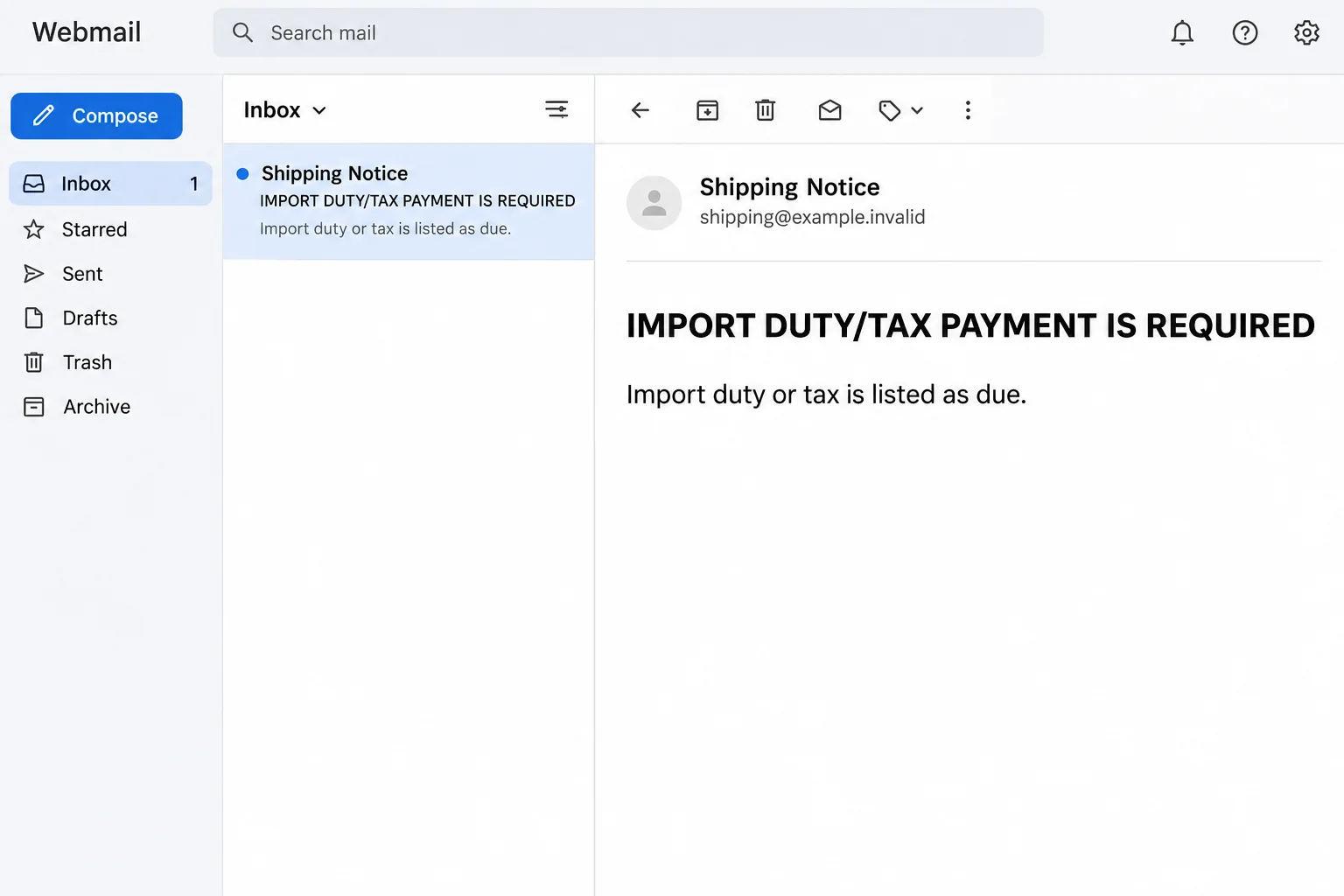
One documented version uses a subject about paying customs duties and taxes. Inside, a prominent heading announces that import duty or tax payment is required.
The explanation sounds reasonable at first. DHL supposedly will advance the customs money, but the recipient still needs to pay before the parcel can be delivered.
That story is more convincing than an unexplained invoice. It gives the reader a reason for an unfamiliar bill and explains why the request came from a carrier.
The email doesn’t establish that DHL handled an actual shipment for the recipient. It tells a plausible story, which isn’t the same as producing a verified customs balance.
Why a real order doesn’t make this email real
Customs charges are real. Depending on the transaction, a carrier can advance certain charges and recover them from the party responsible for payment.
The country, shipping service, seller’s terms and nature of the goods can all matter. One buyer’s experience with an overseas parcel doesn’t automatically apply to the next shipment.
That gives the fake notice something real to borrow.
Someone expecting an imported jacket, a replacement part or a gift might recognize the process and stop asking who sent the message.
It also matters who agreed to cover the fees. If the seller says it collected applicable import charges at checkout, compare the receipt with what the carrier independently confirms.
Here are four better clues than the formatting of an email:
- The order exists in a merchant’s dashboard or in a receipt you received when you made the purchase.
- The merchant confirms the carrier and supplies a waybill through a channel you already trust.
- The carrier’s independently opened tracking or customer service confirms that waybill and any balance.
- The party responsible for the balance matches the actual shipping arrangement, not simply the email’s demand.
What we know about the payment request
The documented link offered to settle the charge and show related documents. The reported destination posed as a DHL payment page.
The destination could not be independently inspected for this article. There is no verified amount, complete record of the form’s fields or confirmation that a specific card was charged.
That limits what can reasonably be said. The message directs readers toward a suspected card and personal information trap, not a verified customs collection.
The image above is a reconstruction of the email’s recognizable wording, not a capture of the payment page. It does not establish who operated the campaign.
This is also different from a DHL email asking you to sign in to view shipment documents. The request here is specifically to settle purported customs costs.
How the DHL Import Duty Payment Scam Works
Step 1: A real delivery process makes the message feel familiar
When something is sent internationally, a parcel can pause for reasons that are invisible to the buyer. The status might change slowly or appear without a helpful explanation.
An email arriving during that gap can feel like the missing piece. The subject mentions duties and taxes, two terms shoppers may already have seen in the seller’s shipping policy.
The timing doesn’t prove the sender can see your orders. You could happen to be waiting for a package, and the message could still have no connection to it.
Don’t count how many details seem imaginable. Ask whether an independent source ties this particular message and balance to an actual shipment addressed to you.
A parcel you ordered last week is one fact. The sender’s claim about what must happen before delivery is a separate claim that still needs checking.
Step 2: The supposed advance makes the bill sound settled
The notice doesn’t just say you owe money. It claims DHL will pay the authorities on your behalf so the goods can move through the import process.
That changes how the request feels. Instead of asking whether the amount is legitimate, you may start thinking about reimbursing a courier for a routine service.
It also blurs two different items: official duties or taxes and any carrier service fees. A real carrier can explain what is being collected and for which shipment.
A general explanation about customs does not identify your goods, establish the amount, or say why the receiver rather than the sender must pay.
Keep your purchase receipt nearby. It can settle useful questions, such as whether import charges were included, before anybody asks to see your card.
Step 3: Paying now is presented as the fastest route to delivery
The message turns a shipping question into a decision under pressure. Pay now, it implies, or keep waiting for a package you already bought.
That pressure may matter more than the amount. If the parcel is a gift or a part needed for work, an unexpected charge can seem like the easier problem.
A genuine delivery deadline is still something the real carrier can confirm. The answer won’t become less reliable because you checked it outside the email.
If a link is the only place that gives a payment instruction, don’t take that as proof of a balance.
Compare the notice with tracking and contact the right carrier division.
Get the tracking number from the seller. Starting with a number supplied only by a suspicious message leaves the rest of your verification tied to that message.
Step 4: The next page borrows DHL’s identity
The email uses the brand to make a new destination feel like a continuation of the delivery process. The reported site was not a verified carrier payment route.
A page can display familiar colors or mention customs clearance without being connected to the courier. An encrypted browser connection does not tell you who deserves the payment.
No one needs to revisit the suspicious page to try to identify every field. If you have already entered card or address details, act on what you remember sharing.
A charge seen later is worth reporting, but it isn’t the only signal. The issuer can advise on exposed card details before an unrecognized payment appears.
Step 5: Any misuse can happen apart from the parcel
If card details were collected, their value isn’t limited to the fee described in the email. The next activity might be unrelated to delivery or come from another merchant name.
If you also disclosed a contact number or address, be wary of later messages that quote it. Familiar information may sound convincing without establishing who is contacting you.
The legitimate parcel may arrive anyway, be held for another reason or never have been connected to DHL. None of those outcomes authenticates the email you received.
Likewise, paying the real carrier later doesn’t resolve an earlier card exposure. Handle shipment tracking and payment security as two separate tasks.
How to Verify a DHL Customs Fee
Go back to the original seller
Open the merchant’s app or type its normal address yourself. Pull up the purchase and confirm the date, items, destination country and shipping method.
If you don’t know who shipped a gift, use a contact method you already have for the sender.
Ask them to confirm the waybill rather than forwarding the demand for payment.
For marketplace orders, the shipment page may show a local delivery partner. If the seller’s information is unclear, use the marketplace’s regular support feature to ask who has the parcel.
A charge and a valid waybill can coexist without the message being authentic. You want the real balance and the real payment route, not just a matching set of digits.
Verify with the right carrier service
Use the carrier’s official tracking page or an established customer service route for your country. Match the shipment against the seller’s records.
If tracking doesn’t answer the billing question, ask which DHL business unit has the shipment. The obvious contact channel may not be the one handling that parcel.
Ask whether a balance is outstanding, what it covers, who is liable and how to settle it. Keep the carrier’s reference if someone opens a case.
DHL’s U.S. customs guidance explains why a courier might collect charges. It cannot verify the amount in your particular email.
Don’t assume the U.S. explanation applies to every shipment. Use local guidance for an import elsewhere and confirm who has the parcel before sending any money.
What to Do If You Fell Victim
-
Close the message and note exactly what you did.
If you read it or followed the link without entering anything, stop there. Check the order separately and report the email as phishing.
If you began filling in a form, note which fields you typed into. Don’t return to the page just to check what it showed.
Keep a safe record of the sender, subject, date and approximate time. Avoid sending images that expose complete card numbers or other sensitive details.
-
Call the card issuer if you disclosed payment details.
Use the number printed on your card or open your banking app independently. Explain that the details were entered on a suspected courier impersonation page.
Ask whether you should lock or replace the card and how digital wallets or saved payments may be affected. A blank transaction list is not a reason to delay.
If you gave someone a verification code or approved a banking prompt, say so immediately. Give the issuer the amount and time if you know them.
-
Report disputed charges with the evidence you have.
Check whether the charge is pending or posted and tell the bank what you recognize. A pending item can still warrant an immediate fraud report.
Keep receipts, statement details and any conversation with the bank. Use its secure channels for sensitive documents instead of replying to the email that started the problem.
The issuer can explain its process and deadlines. Neither the courier nor a person offering to recover the money can promise the outcome of a card dispute.
-
Deal separately with any password or device exposure.
A customs fee does not normally require handing an unfamiliar page your mailbox password. If you entered a password, change it through the affected service’s own site.
Change it on other accounts where you reused it. If you actually installed software or opened an unexpected file, get device help rather than assuming it was routine delivery paperwork.
This email’s documented risk was an external payment request. Device cleanup is a separate response to actual file or software activity, not a step everyone needs.
-
Verify your shipment and report the impersonation.
Contact the seller and carrier using the channels you normally use. If one of them says a charge is due, confirm where to pay without using the suspicious message.
Follow DHL’s fraud reporting guidance and use your email provider’s phishing option. Preserve the original if the carrier or your bank requests it.
Decline later offers to fix the charge by moving money or reading out a security code. Contact the institution yourself if someone claims a new payment is needed.
Frequently Asked Questions
Does DHL ever send legitimate customs payment emails?
Yes. An email asking about duties isn’t automatically fraudulent just because DHL may collect legitimate import charges. Confirm the specific balance and route independently before paying.
What if I am actually expecting a DHL parcel?
That makes the timing believable, not the sender trustworthy. Find your waybill in the actual order and contact the carrier without opening the email’s payment page.
Is a real tracking number enough to trust the message?
No. A number can be copied or can identify a different parcel. Confirm the shipment details and any payment request using a carrier channel you found yourself.
What if I typed my card number but the payment failed?
Treat the details as potentially exposed. A failure screen does not establish that the page discarded what you entered. Ask your issuer what to do next.
Does a DHL impersonation notice mean my order was hacked?
Not by itself. The notice could have reached you by coincidence. If it contains accurate private order details, tell the seller and carrier what appeared so they can investigate.
Should I pay the same fee again if the carrier confirms it?
First tell your issuer what happened to the suspicious payment. Separately confirm what the legitimate carrier requires and use only the verified carrier route for any genuine balance.
The Bottom Line
DHL can collect real import charges, which is exactly why this notice works as a disguise. It asks you to take a convincing explanation as proof of a debt.
Start with the merchant’s waybill and a carrier channel you found yourself. If you already handed over card details, get the issuer involved before waiting for an unfamiliar charge.

Join the discussion
0 commentsShare your experience or ask a question about this article.
Discussion
Start the conversation
Have a question or something useful to share? Add the first comment.