


A roadside screen suddenly showing explicit footage is more than an embarrassing advertising mistake. It raises an immediate question: who can still control what appears next?
Recent billboard attacks highlight the gap between owning a display and securing the systems that publish to it. Operators and advertisers need different, practical responses.
Overview
The Egyptian incident was acknowledged by the operator
Explicit material appeared on a large billboard in Giza on October 29, 2026. Arabian United said an unknown party gained unauthorized access to one of its screens.
The company said it stopped the screen and was investigating with authorities. That is a documented acknowledgment, not merely an attacker’s boast.
The broader international claim remains less certain
A group calling itself Leakers$ told The Cairo Report it exploited LED content-transmission software and reached systems in several countries.
The report says the group didn’t provide enough technical evidence to establish the precise method. Don’t treat every claimed country or target as independently confirmed.
The priority is control of the publishing path
Changing the video is not the same as removing the unauthorized access. Operators need to contain the problem and establish which account, service, or device was affected.
- Use an authorized emergency process to stop harmful public output.
- Preserve the publishing timeline and access records.
- Coordinate with the actual operator and technology provider.
- Restore service only after the unauthorized publishing route has been addressed.
What Happened in Giza?
The Cairo Report describes the incident on the 26 July Corridor, a major road connecting Cairo and its western suburbs.
Videos circulating afterward showed explicit material and references to the attackers. We aren’t reproducing that footage or linking readers to the group’s channel.
An Interior Ministry statement attributed the incident to a compromised advertising-company website and described displays in multiple countries. It did not identify the technical weakness.
Separately, Arabian United acknowledged unauthorized access to a screen. Its statement was reproduced by the Egyptian publication Youm7.
These statements establish a real disruption. They don’t settle whether the entry point was a vulnerability, stolen access, an exposed management interface, or another route.
The distinction matters to recovery. Fixing the wrong component can restore ordinary pictures while leaving the actual publishing access exposed.
A Billboard Is the Output, Not Necessarily the Entry Point
Digital signage usually involves more than a screen. There may be a player, scheduling software, a management service, network equipment, and accounts used by different businesses.
Content can be prepared in one place and delivered to displays elsewhere. Consequently, an intrusion upstream may affect a screen without physical access to the location.
That explains why a centrally managed advertising system can create a wider exposure. It does not prove that a particular vendor’s product caused this incident.
Investigators need the actual architecture: who uploads files, who approves them, which system schedules playback, and how the player receives updates.
A display supplier, advertising agency, hosting provider, and local operator can have different responsibilities. Treating them as one organization can hide a missing handoff.
The useful question is not simply whether the screen has a password. It’s who can publish, through which route, with what independent oversight.
What the Attackers Claimed
Leakers$ described automated discovery of exposed systems and a flaw in software distributing material to LED displays. The group claimed access beyond Egypt.
Those claims should remain attributed. Public attention and an apparently successful intrusion can encourage exaggeration about the number of systems reached.
No verified vulnerability identifier or complete forensic account was established in the reporting examined here. We aren’t supplying a guessed exploit or a list of exposed targets.
Scanning the internet yourself would not answer who compromised a particular billboard. It can also cross authorization boundaries and interfere with unrelated systems.
An operator should instead ask its provider for incident-specific evidence: affected versions, access records, containment measures, and a supported recovery plan.
If a provider cannot identify what was affected, treat that as an unresolved operational question rather than substituting the attacker’s explanation.
What to Do During an Active Billboard Incident
-
Stop the harmful output through an authorized procedure. Use the operator’s emergency display control or approved shutdown process.
Roadside equipment can involve electrical and traffic hazards. Do not send an untrained employee to open cabinets or improvise a physical disconnection.
-
Activate the responsible incident contacts. Bring together the operator, signage administrator, security team, and relevant vendor.
Identify one coordinator so people don’t overwrite each other’s changes or mistake an attacker action for an attempted repair.
-
Preserve the timeline while containing access. Record when the unauthorized content began, which displays were affected, and what emergency actions were taken.
Retain relevant account and publishing logs where safely possible. Don’t delay urgent public-safety containment merely to obtain a perfect recording.
-
Restrict the suspected publishing route. Authorized administrators should examine the management service, active sessions, vendor access, and affected players.
Make targeted changes with a record of what was changed. A blanket factory reset across unrelated displays can destroy evidence and cause additional outages.
-
Notify the appropriate authorities and stakeholders. Follow local reporting requirements and your organization’s legal and safety procedures.
Tell advertisers what is known about their placements. Do not invent a nationwide or international scope before the affected inventory is confirmed.
-
Verify recovery before resuming normal programming. Confirm the restored content, permissions, and delivery path through the approved technical process.
Monitor the first resumed schedule. A familiar advertisement returning to the screen is not, by itself, evidence that the intruder is gone.
The Security Work That Matters After the Screen Goes Dark
The OAAA security guidelines cover access restrictions, unique credentials, multifactor authentication, updates, unused services, and emergency response.
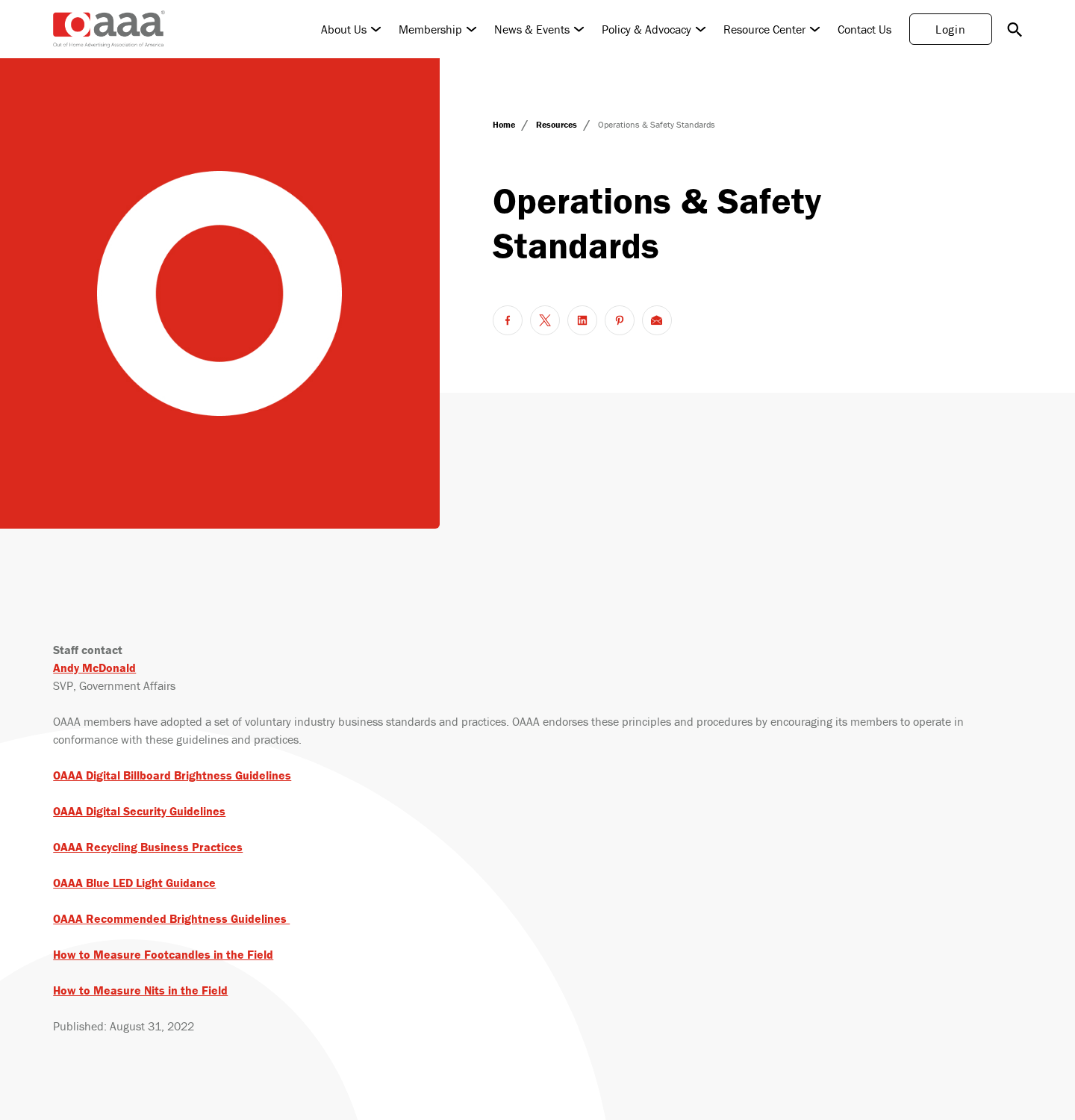
Those are industry recommendations, not proof of what the Giza operator had configured. The screenshot above shows the association’s public standards page, not an incident dashboard.
The UK’s NCSC has also warned about disruption involving internet-exposed systems. Its guidance emphasizes protected management networks and supported, updated equipment.
Use those principles to ask concrete questions about your own installation. A provider saying that its system is secure is less useful than a clear responsibility map.
Separate public content from management access
A public advertising website and a publishing console serve different purposes. Visitors who can view an advertisement should not automatically be able to reach its administrative controls.
Ask your authorized IT team which management routes are exposed and why. Restricting an unnecessary route is different from merely changing its login-page branding.
Make accounts individual and accountable
Shared logins make it harder to determine who published a file or changed a schedule. Give authorized staff only the access their role needs.
Review supplier and former-employee access too. An account can remain risky after a contract ends if nobody owns the offboarding step.
Control the content approval boundary
Human review can catch an inappropriate creative before ordinary publication. It cannot compensate for an intruder bypassing the approved workflow entirely.
Check both: whether content is reviewed and whether unauthorized publishing can avoid that review. An automated filter is not a complete access-control system.
Rehearse a safe interruption
The emergency contact should know how to stop output without improvising. Test the procedure under an approved maintenance plan before a public incident.
Clarify what happens when a player loses its connection. A cached playlist, blank display, or fallback image can create different recovery and monitoring requirements.
Questions an Advertiser Should Ask Its Media Partner
An advertiser may not own the equipment or its accounts. That doesn’t mean it has to accept an unexplained assurance that everything is fine.
Ask whether your placements were affected, when normal playback stopped, and which locations are confirmed. Obtain a corrected delivery record if an advertisement didn’t run.
Request a written distinction between the screen incident and customer-data exposure. A publishing compromise doesn’t automatically prove that billing or advertiser account records were accessed.
Conversely, the absence of a visible data leak doesn’t establish that those systems were unaffected. The operator should explain the boundary it examined.
Ask who approves reopening the affected network and whether independent technical assistance is involved. Avoid demanding an impossible guarantee that no incident can ever recur.
Contractual credits, reporting obligations, and liability depend on the agreement and jurisdiction. Preserve the contract and ask the appropriate business or legal contact about specific remedies.
What a Bystander Should Do
If you notice dangerous or explicit content on a roadside display, keep driving safely. Don’t stop in traffic or handle your phone to record it.
When safe, report the location and time to the operator or appropriate local authority. A clear location is more useful than sharing the explicit clip widely.
Do not scan an attacker-promoted QR code, join a channel shown on the screen, or visit a displayed link out of curiosity.
Seeing an image on a billboard doesn’t infect your phone. The relevant personal risk begins if you follow an untrusted link, download something, or disclose information.
Parents and carers can explain an unexpected image without replaying it. There is no need to preserve explicit footage on a child’s device to report the incident.
Leave the equipment alone. A cabinet or screen at the roadside is not public property to investigate, and unauthorized interference can create additional danger.
How to Describe the Incident Without Making It Worse
Use accurate scope: an acknowledged screen, a confirmed operator statement, and separately attributed claims about other countries. Don’t combine them into a verified worldwide total.
Avoid posting access details, exposed dashboards, passwords, or instructions for finding similar systems. Those details can help opportunists repeat the disruption.
There is no need to reproduce the explicit material to explain the security failure. Its placement and unauthorized publication are the relevant facts.
Also avoid blaming a particular employee or supplier without evidence. A headline about an international platform doesn’t establish whose credentials or code were responsible.
The most useful public update explains what was interrupted, what remains under investigation, and what the operator has done to regain trustworthy control.
Close the Gaps Between the Operator and Its Suppliers
Write down which party owns each part of the chain: creative upload, approval, scheduling, player administration, network access, and emergency interruption.
Then identify who can authorize a change at each stage. A technical contractor may need the operator’s approval before disabling a service or replacing access credentials.
That delay should be planned for, not discovered while inappropriate footage is playing. Keep an escalation route that works outside normal office hours.
Ask whether one publishing account can reach many displays. If it can, recovery needs to consider the entire authorized scope of that account, not just the visible incident.
Also record any third-party content integrations. Removing a human login may leave an automated publishing connection active if nobody includes it in the review.
A supplier’s completion email should say what was restored and what remains unresolved. Avoid closing the incident solely because the display looked normal during one check.
For the business owner, this is accountability rather than a demand for exploit details. You need to know who can stop, repair, and verify your public output.
Keep that responsibility map with the operating procedure. Staff changes and supplier changes should trigger a review, so yesterday’s emergency contact doesn’t become tomorrow’s dead end.
A Recovery Checklist That Goes Beyond Replacing the Video
Before closing the incident, establish an inventory of affected players and publishing accounts. An unseen display can remain outside the recovery effort.
Record which credentials, sessions, and integrations were reviewed or changed. If a vendor performed the work, obtain enough detail for the operator’s own records.
Check scheduled and cached content as well as the current image. Removing one file may leave another unauthorized item waiting in the playlist.
Confirm that emergency contacts work after hours. A public display incident doesn’t wait for the employee who remembers the administrator password to return.
Finally, hold a short review of what delayed containment. Update the local procedure and ownership map rather than filing an unexplained screenshot as the entire investigation.
These are recovery questions for authorized personnel, not an invitation to test another organization’s equipment or connect to a display you do not manage.
Frequently Asked Questions
Was the Giza billboard incident real?
Yes. Arabian United acknowledged unauthorized access to a screen and said it stopped playback while investigating. The precise technical cause remains unsettled.
Did Leakers$ prove it hacked thousands of billboards?
The group made broad claims to a reporter. The available account did not establish the precise method or independently verify every claimed target.
Does the attacker have to reach the physical screen?
Not necessarily. Remote publishing systems can send content to displays elsewhere. That architecture makes upstream access a relevant possibility, not a confirmed cause in every incident.
Is changing the displayed video enough?
No. Authorized responders must address the unauthorized publishing access and check the affected systems before treating normal playback as recovery.
Can watching the billboard infect my phone?
Simply seeing a screen doesn’t establish device compromise. Don’t follow attacker links or QR codes, and report the location safely instead.
Should operators reset every display immediately?
Use a coordinated, system-specific response. An indiscriminate reset can remove logs, interrupt unaffected equipment, and leave the actual entry route unresolved.
The Bottom Line
The important failure is unauthorized control of public output, not the shock value of the clip. The wider claims still need technical verification.
Operators should stop harmful playback safely, preserve evidence, and repair the publishing boundary. Advertisers should demand a clear account of scope and recovery, not a vague reassurance.

Join the discussion
0 commentsShare your experience or ask a question about this article.
Discussion
Start the conversation
Have a question or something useful to share? Add the first comment.