


You parked earlier, and now a text says there’s still a fee to pay. It sounds like the sort of small mistake you could clear up before you forget.
But an EasyPark parking session and a parking ticket leave different records. Knowing where to look can save you a lot of trouble when the message sounds convincing.
Overview
An unpaid parking fee is the hook
The EasyPark scam text claims a parking fee is overdue and tells you to settle it through a link. Some messages suggest the amount will rise if you wait.
The city of Joensuu, Finland warned about that combination: a text in EasyPark’s name, an unpaid fee, and a threat of extra charges.
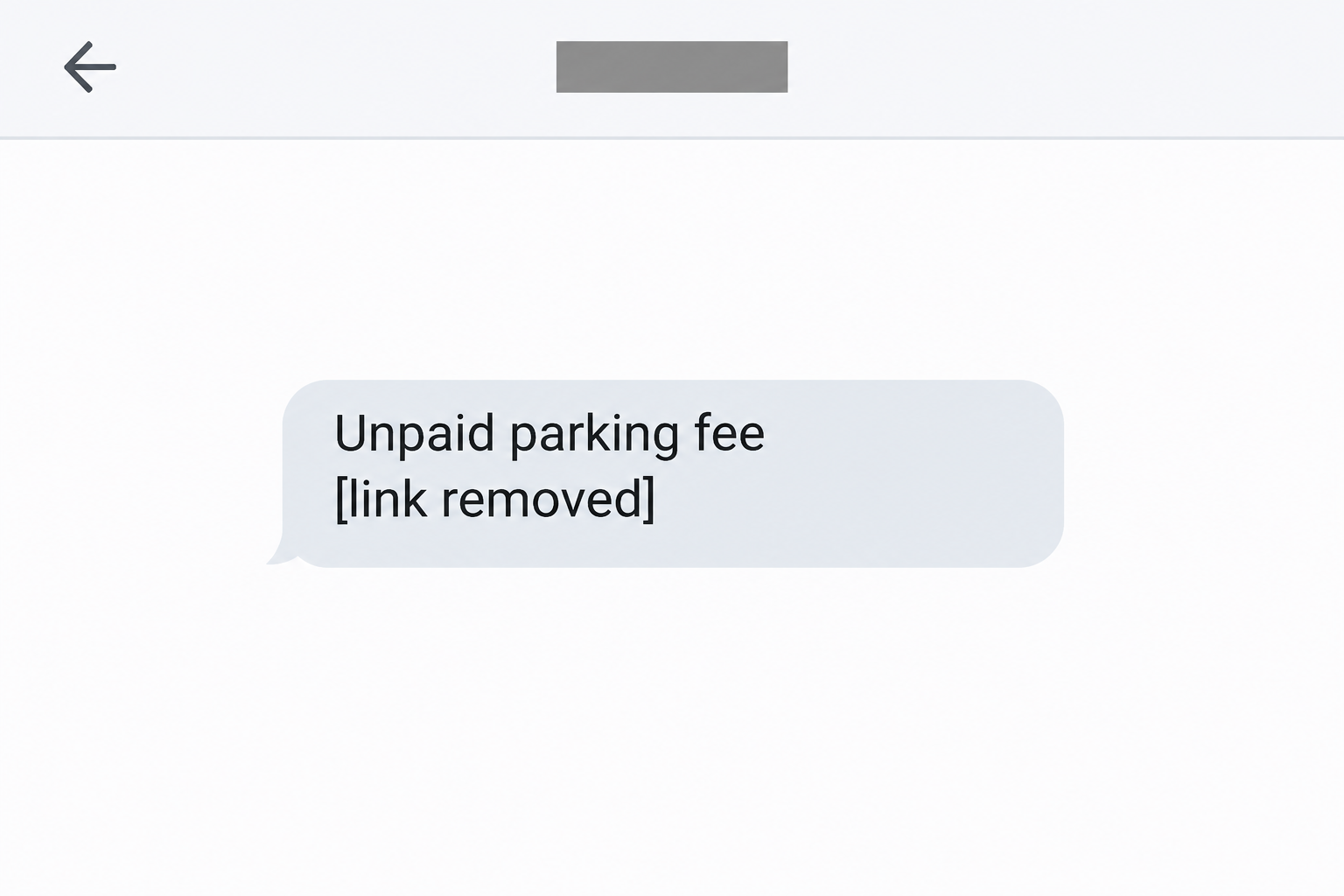
EasyPark Australia has also confirmed fake messages about outstanding balances. The image above recreates the premise in English without reproducing the link.
It’s impersonation, not a notice from EasyPark
The text uses the name of a parking app to make its own payment request look familiar. It doesn’t tell you whether there’s an outstanding session in your account.
The practical risk is entering card details or personal information after following the message. The warnings establish the deceptive request, not how much any individual recipient lost.
Some versions call the charge a fee, while others make it sound like a fine. That distinction decides where to check the claim, even when the opening line sounds familiar.
You can check without following the text
EasyPark’s Finnish security guidance allows for genuine reminders to private customers, but says it doesn’t send them SMS payment links. Check an outstanding session in the official app.
- For an app session, open EasyPark directly and look for the relevant parking event and any payment issue.
- For a fine, find the responsible authority or operator through a separate route and check its records.
- If you entered card details, deal with the card issuer first and sort out any genuine parking charge separately.
How the EasyPark Scam Text Works
Step 1: An ordinary parking expense turns up in your messages
Most parking payments are easy to forget. You start a session, leave, and move on. An alert about a payment that didn’t go through can sound almost routine.
If you parked that day, your memory supplies context the text never provides. The note feels timely even without naming a location.
Someone who hasn’t parked recently can receive the message too. Its arrival doesn’t show that someone used your registration, rented a car in your name, or accessed your parking history.
Try recalling the trip before rereading the text. If you used a street meter, paid a garage at its exit, or used another service, start with that record.
Step 2: The notice makes the cost sound likely to rise
The Joensuu alert describes messages that threaten extra charges for a supposedly unpaid fee. The pressure comes from the idea that putting it off will make a small problem bigger.
An apparent deadline isn’t a reason to skip checking. Look for the request in the same place you would have checked it if the text had never arrived.
Some notices borrow the language of enforcement while using a payment app’s name. Don’t assume a sender can issue a penalty just because it says so.
Ask yourself which obligation the message is describing. A failed card payment for a session is not the same problem as an alleged violation issued by the local authority.
Step 3: The link becomes the only path offered
The text takes you straight from the claim to a payment page. It skips the moment you’d normally check which parking session the charge belongs to.
A page can have a familiar name, colors, and a padlock without belonging to EasyPark. A protected connection to a site doesn’t tell you who is asking to be paid.
The displayed sender isn’t enough, either. If the text appears among older messages you recognize, judge the request independently instead of giving the new link the benefit of that history.
Closing the message doesn’t prevent you from paying a real bill. Use your original app, a trusted bookmark, or the operator’s published contact details instead.
Step 4: Card and identity details are exposed before the story checks out
Treat card details you entered on an unexpected parking page as potentially exposed. A blank screen or an error doesn’t tell you whether the details went through.
If a bank prompt appeared, what matters is what it said you were approving. A charge or card registration can carry different consequences from a simple parking account sign-in.
Don’t assume a bank prompt is harmless because the parking fee was supposed to be small. Check the merchant and amount, and decline anything you didn’t start or don’t recognize.
The exact fields vary between fake pages. When you contact your bank, say whether you entered a card number, used online banking credentials, or approved a request on another screen.
Step 5: The parking question and the banking question go separate ways
A payment through the fake page won’t settle a real parking balance. If you did owe a fee, it’ll still need to be handled through the actual operator.
You can also expose a card without seeing a charge immediately. Look for unfamiliar activity through your issuer, and don’t wait for a completed transaction before reporting known exposure.
If someone later calls about getting your parking payment back, hang up and call the issuer yourself. Knowing your recent transaction doesn’t make a caller your bank.
Keep the original allegation and any confirmed transaction separate. Your bank needs to know what happened to the card, while the parking operator can tell you about the parking event.
Where to Check a Real Parking Charge
Look for the session you actually started
Open the app you normally use for parking and review the relevant session. Match the date, vehicle, and location to your trip before deciding the text refers to it.
In its outstanding-balance guide, EasyPark Finland points to Activity for the parking session and Payment for payment problems. Those screens answer different questions about the same trip.
If the session appears in Activity but the Payment screen flags a failed charge, deal with the payment inside the app. Check that the trip matches before changing anything.
The time on a bank statement can differ from when you parked. If two sessions appear on one receipt, compare the entries rather than looking for two separate charges.
EasyPark’s receipt guide explains why an immediate receipt may not exist. It appears after a successful charge, so a short delay doesn’t confirm a warning text.
If you use a shared car, check who started the session and which account they used. An empty history in your app won’t show payments made from someone else’s account.
If work pays for parking, ask the person who manages it to check the session. Don’t upload a corporate card or receipt in response to an unexpected request.
Verify a penalty with whoever issued it
If you already have a physical notice or an independently verified case reference, use it to find the issuing authority’s official guidance. Don’t replace that process with the text’s link.
If you aren’t sure who enforces parking at that location, start with the city’s parking information or the operator you used. Rules and payment arrangements vary by location.
Joensuu, for instance, has a separate parking enforcement service with its own instructions for contesting a ticket. A text using the EasyPark name doesn’t replace that process.
With a rental car, confirm through your original rental account or booking paperwork whether an extra charge has been recorded. Don’t send the suspicious link to a traveling companion.
Make sense of legitimate reminders without trusting a link
There can be genuine payment reminders. EasyPark’s local guidance describes checking the app and notes that a billing partner may contact customers in certain cases.
If the amount relates to an invoice you already received, compare it with the records from your original account. Don’t switch payment destinations based on a message you didn’t request.
That nuance matters if you really missed a payment. You can take the claim seriously enough to check it without accepting a route you didn’t choose.
If the history doesn’t match the request, save the message and ask the operator directly. Don’t use its links to hunt for a parking session that isn’t there.
What to Do if You Have Fallen Victim to This Scam
A card number, a password, and a banking approval aren’t interchangeable. Tell the bank or parking service what you actually did so it can respond to the right problem.
- Leave the page and keep the message for reporting.
Close the tab and stop replying to the sender. If you only read the text, don’t go back to see what the payment page looks like.
If you opened the page without entering details or accepting anything, close it and review what the browser did. Check downloads if the page appeared to start one.
- Call your bank if you entered payment details.
Use the bank’s official app, card, or other trusted contact details. Give the time of the attempt and name the types of information you entered.
Ask whether to block or replace the card. If you submitted online banking details, say so explicitly because blocking a card may not protect the banking login.
- Explain any prompt you approved or code you shared.
Tell the bank what you remember about the amount, recipient, and time. Ask it to check any charge, new payment approval, or unfamiliar activity on the account.
If only a small amount appears, still explain that the card was entered on a fake page. A low first charge doesn’t limit what the bank should review.
- Change any parking credentials that you entered.
Open EasyPark separately and follow support’s account recovery instructions. Ask about unfamiliar changes to vehicle registrations, payment methods, or contact information if you notice anything unusual.
Change matching passwords on other services if you reused one. Start with your email if the same password protects the inbox that receives account recovery messages.
- Preserve the details you already have.
Keep the sender label, message, approximate time, and relevant bank records. You don’t need to reopen the page or make a second payment to gather more evidence.
Share it privately when reporting the incident. If you post a public warning, conceal the real link, account details, plate number, and anything that identifies another person.
- Report the scam after protecting your money.
In Finland, Traficom’s victim guidance explains how to contact your bank, report an offense to police, and report the scam to the national cybersecurity center.
Elsewhere, use the appropriate local reporting channel. In Australia, EasyPark’s local notice points to Scamwatch and the national communications regulator’s mechanism for reporting scam texts.
A web filter can’t undo a payment
If you approved browser notifications, remove the unfamiliar site’s permission in your browser settings. Closing a tab alone doesn’t necessarily stop notifications from a site you’ve allowed.
If you opened a file from a suspicious page, avoid banking on that device until it has been checked. A trusted scanner such as Malwarebytes may help identify malicious software.
AdGuard can help block known phishing pages in the future, but a missed warning doesn’t make the page safe. Neither tool replaces calling your bank about exposed details.
Frequently Asked Questions
Does EasyPark send legitimate text messages?
It can send genuine notifications, including reminders described in its local guidance. For the supposed unpaid fee in this scam, open the real app and leave the payment link alone.
Is the EasyPark message a municipal parking ticket?
The text is not reliable evidence that a ticket exists. For an alleged penalty, verify the claim with the authority or operator responsible for that location.
Why did I get a notice when I don’t have a car?
The message can reach someone with no vehicle or EasyPark account. That doesn’t mean the sender has a matching parking record or that a vehicle was registered in your name.
Can I ignore it if I already paid for parking?
Keep your genuine parking receipt and don’t pay through the message. Compare the receipt to your app history if you’re concerned, especially if you parked more than once.
Should I cancel my card if I only clicked?
Opening the link isn’t the same as entering your card details. If you entered them, approved a request, or see an unfamiliar charge, contact your bank promptly.
What if the text uses the correct parking app name?
The name is part of the impersonation and doesn’t show who sent the request. The real test is whether you can confirm the charge through the service you normally use.
The Bottom Line
Don’t pay an EasyPark parking fee from a text link. Open the app for session payments or check an alleged fine with the issuing authority through an independent route.
If you shared card details or approved anything, call your bank before investigating further. Clear up the parking question later with the app, receipts, or the authority’s official records.

Join the discussion
0 commentsShare your experience or ask a question about this article.
Community experiences
Did this happen to you?
Your experience could help someone recognize the same scam. Submit a private report for our team to review.
I experienced this tooReports are reviewed before publication. Sharing publicly is always your choice.
Discussion
Start the conversation
Have a question or something useful to share? Add the first comment.