

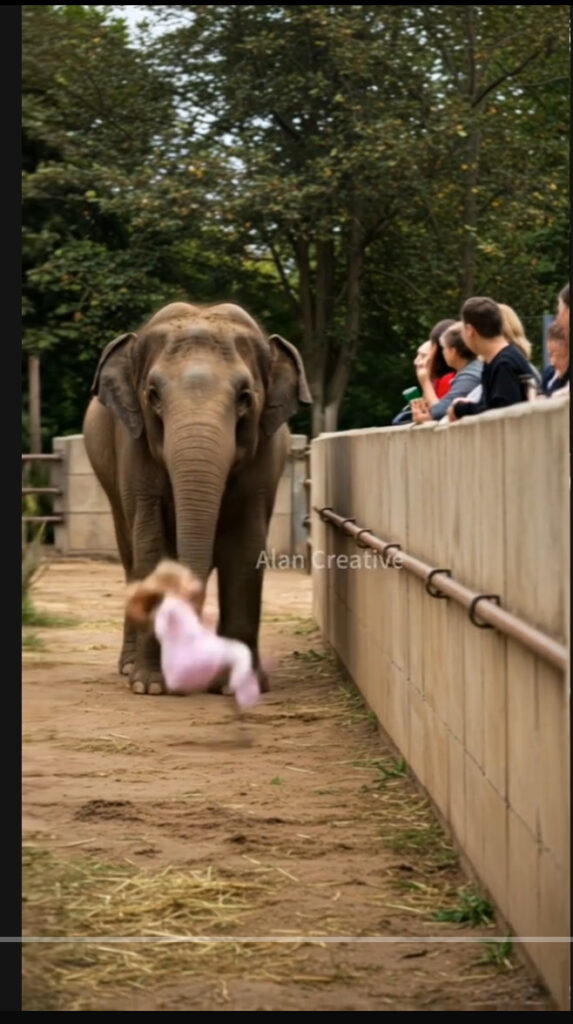
Social media platforms are overflowing with animal videos that claim to show extraordinary moments between humans and wild creatures. One recent trend involves elephants. Clips titled “Elephant Rescues Child at Zoo” or “A Kind Elephant Saves a Boy Who Fell Into Its Enclosure” are spreading rapidly across TikTok, YouTube Shorts, Instagram Reels, and Facebook. In these videos, a child appears to have fallen into a zoo enclosure, only to be saved by a gentle elephant that nudges them to safety.
The videos are framed as heartwarming proof of the compassion and intelligence of elephants. Captions often read like uplifting news headlines, suggesting viewers are witnessing a once-in-a-lifetime rescue. But as touching as these clips may seem, they are not real. They are AI-generated hoaxes created to trigger emotional reactions, farm likes, and build viral accounts.
Overview of the Viral Elephant Videos
The elephant rescue videos come in several variations, but they all follow a similar pattern.
- A child is shown inside a zoo enclosure, apparently having fallen in by accident.
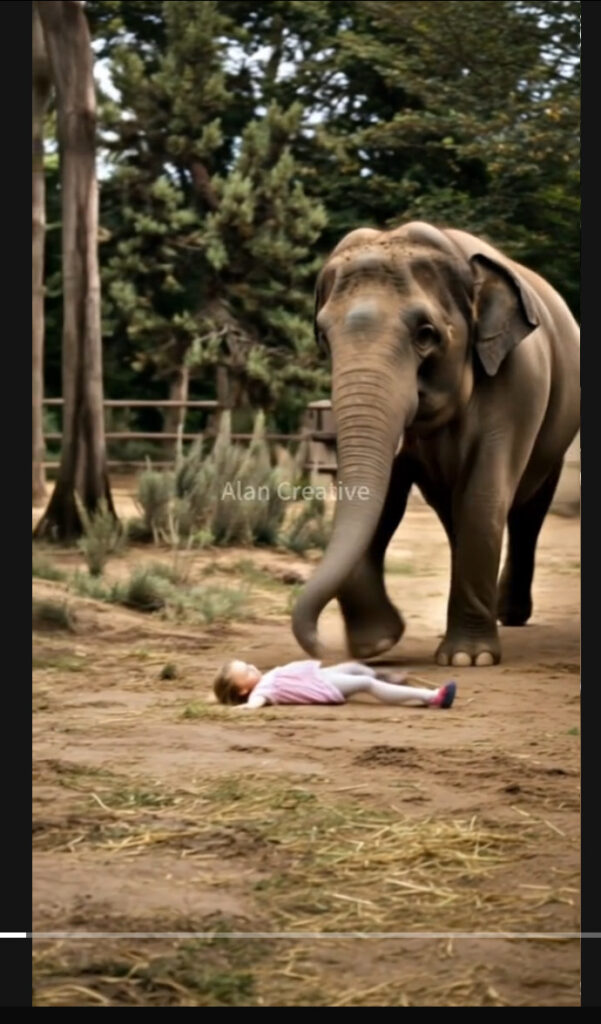
- An elephant approaches the child. Instead of ignoring or harming the child, the elephant uses its trunk to lift or nudge the child to safety.
- Spectators behind barriers are shown gasping, cheering, and filming the miraculous event.
- Captions emphasize the “kindness” and “gentle heart” of elephants, often suggesting that animals care more for children than humans do.
The clips are short, dramatic, and emotionally charged, making them ideal for maximum engagement on social platforms.
Why the Videos Are Fake
While elephants are indeed intelligent and capable of forming deep bonds with humans in controlled environments, no zoo would ever allow this type of dangerous interaction. Placing a child in an elephant enclosure would pose life-threatening risks. Elephants are enormous, weighing several tons, and even an accidental movement could kill a human instantly.
A closer look at the videos reveals telltale AI glitches. The elephants’ skin textures often appear overly smooth or distorted. The child’s body movements sometimes fail to align with the trunk’s actions. Background spectators look duplicated or oddly blurred. These flaws are consistent with AI-generated content produced by platforms like Runway, Pika, or Veo.
Just as with the lion and tiger hoaxes, the scenes are staged too perfectly. The elephant always acts calmly, the child always appears unharmed, and the crowd reacts in exaggerated unison. Real life is unpredictable, and such flawless moments rarely happen outside of scripted movies—another giveaway that the videos are fake.
Why Are These Videos Created?
The motives behind these viral clips vary, but they generally fall into two main categories.
1. Farming Likes, Views, and Follows
Many creators produce AI animal videos purely to generate engagement. Platforms like TikTok and YouTube reward content that sparks emotional reactions, whether shock, joy, or awe. A video showing an elephant rescuing a child checks all of these boxes, guaranteeing it will spread quickly. The creators then monetize their popularity by promoting unrelated products, collecting ad revenue, or selling the accounts to others.
2. Schemes and Scams
Not all viral AI animal videos are innocent clickbait. Some are part of larger schemes to build audiences that can later be exploited. Once an account has amassed thousands of followers through heartwarming or shocking animal content, scammers can take over the page to push fraudulent links, fake investment opportunities, or harmful downloads. Viewers who followed for “kind animal” videos may not realize they are being redirected into scams.
The Bigger Problem: Social Media Flooded With Fake AI Videos
The elephant rescue clips are just one example of a much larger trend. Social media is now flooded with AI-generated videos that blur the line between reality and fiction. These range from animals showing “unbelievable” kindness to humans, to staged natural disasters, to fabricated celebrity appearances.
The danger is not only that people believe these videos are real but also that they normalize unsafe ideas. A viewer who thinks elephants might rescue children could underestimate the danger of being near wild animals. More broadly, AI hoaxes erode trust in authentic media. If everything can be faked, distinguishing truth from illusion becomes harder.

Join the discussion
0 commentsShare your experience or ask a question about this article.
Discussion
Start the conversation
Have a question or something useful to share? Add the first comment.