

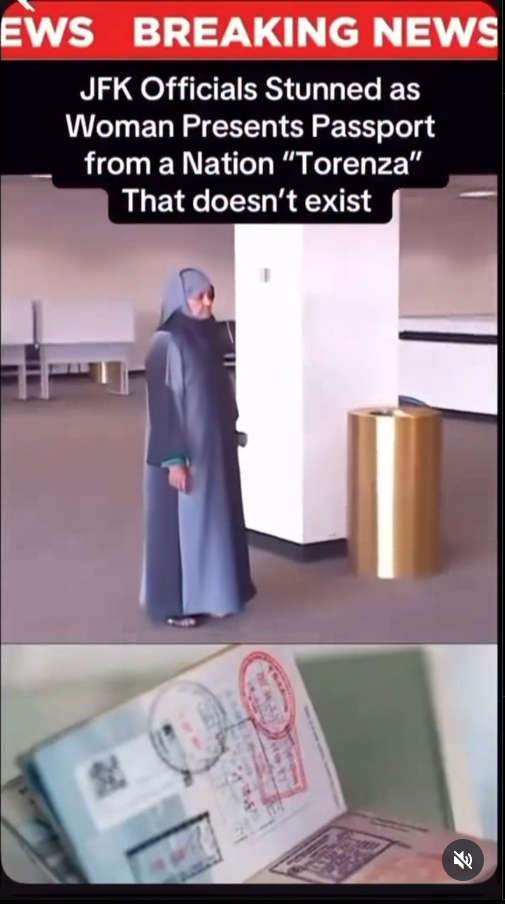
A viral video circulating across TikTok, Instagram Reels, and YouTube has captivated millions: a woman at JFK International Airport allegedly presenting a passport from “Torenza” — a nation that supposedly doesn’t exist. The clip has ignited online debates ranging from secret countries to time travel, multiverse theories, and hidden geopolitical agendas.
However, upon closer inspection, the entire event appears to be an elaborate AI-generated hoax. There’s no real country named Torenza, no official records, and no legitimate passport. What looks like breaking news is, in fact, another example of how fabricated content can spread quickly online.
This article investigates the viral “Torenza Passport” video, explains how such hoaxes are made, and why they’re designed to go viral.
The Viral JFK “Torenza Passport” Video Explained
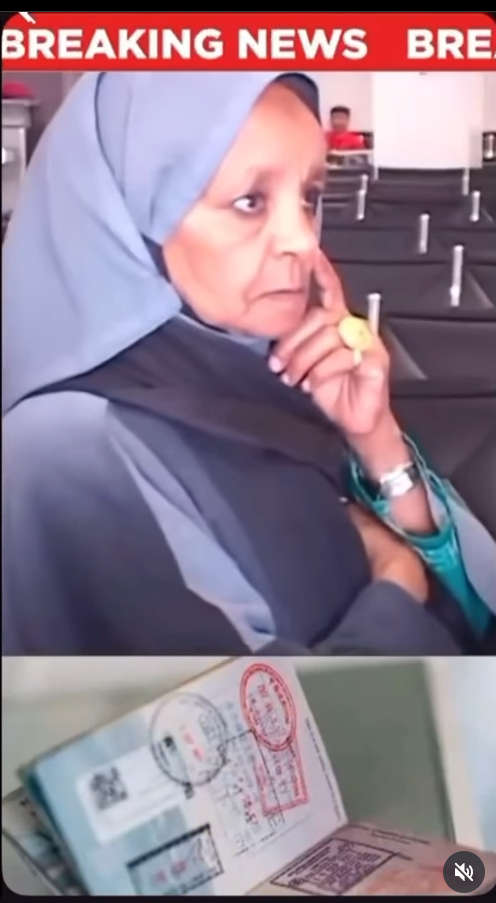
The video begins with what appears to be a news broadcast: a woman in traditional attire stands at JFK Airport with a passport. The headline reads:
“JFK Officials Stunned as Woman Presents Passport from a Nation ‘Torenza’ That Doesn’t Exist.”
Viewers are shown:
- A woman calmly standing in the waiting area.
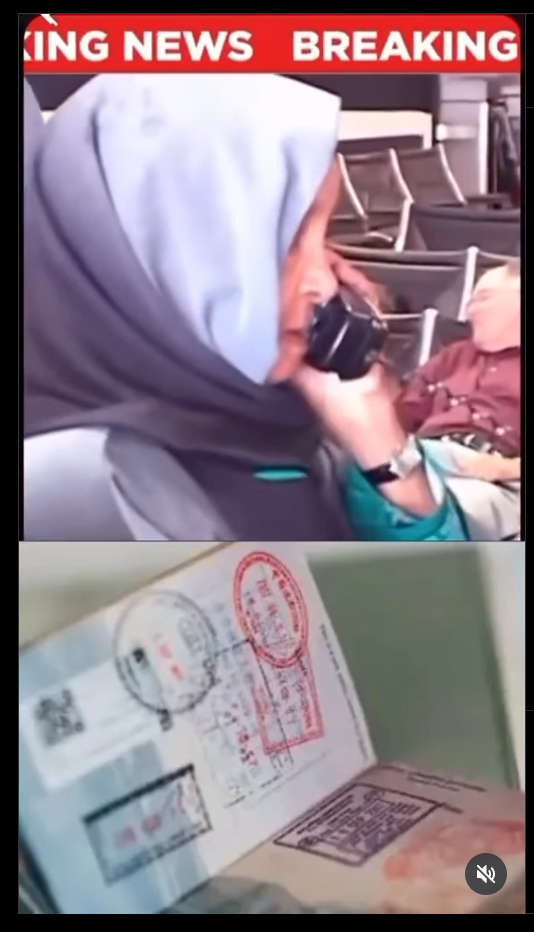
- Close-ups of an official-looking passport with stamps and seals.
- News ticker banners suggesting a real-time incident at JFK.
At first glance, everything seems legitimate. The lighting, airport setting, and “passport” design mimic real news coverage. But that’s precisely how effective misinformation spreads — it’s made to look believable.
What Is “Torenza”? Fact Check: No Such Country Exists
One of the biggest claims in the viral post is that “Torenza” is a secret or hidden nation. But an investigation into international records debunks this immediately:
- United Nations Database – No member or observer nation named “Torenza.”
- ICAO (International Civil Aviation Organization) – No travel documents or passport codes issued to Torenza.
- Interpol and IATA – No entry or ISO code matches the name.
- Official Passport Registries – No record of a Torenza passport in circulation.
In short, Torenza does not exist as a recognized country anywhere in the world. There is also no reference in microstate listings, micronation registries, or Wikipedia entries.
Signs the Video Is AI-Generated or Edited
Digital media analysts and fact-checkers quickly noticed several red flags in the JFK “Torenza Passport” clip:
- Unnatural Passport Reflections
The lighting on the passport cover flickers and bends inconsistently, a common artifact of CGI or AI rendering. - Reused Airport Footage
Portions of the background appear in multiple unrelated travel vlogs, indicating that the setting may be a stock video or previously recorded footage. - Unverified News Banner
The “BREAKING NEWS” bar has no network branding, no time stamps, and generic typography. Real news broadcasts always display source identifiers. - Facial Detail and Blur
The woman’s face and motion blur suggest AI interpolation — especially around edges and hands. - No Official Reports
No media outlets, airport authorities, or government agencies have confirmed any such incident at JFK.
All these signs strongly suggest the video is fabricated using AI tools and editing software, then packaged to resemble a real breaking news report.
Why Hoax Videos Like This Go Viral
The “Torenza Passport” video follows a clear viral formula:
- Mysterious premise (a passport from a “nonexistent” country)
- Emotional hook (airport officials “stunned”)
- Realistic visuals (fake news banners, stock footage)
- No immediate fact-checks (it spreads before being debunked)
Creators of these videos often aim to:
- Gain millions of views and followers.
- Drive traffic to monetized accounts.
- Exploit public curiosity about “hidden truths.”
- Encourage conspiracy theories to build engagement.
In this case, the concept of a “secret country” taps into long-standing internet myths about time travelers, parallel universes, and lost civilizations.
How This Hoax Was Likely Made
Experts suggest the Torenza video was assembled using a combination of:
- AI video generation to create or modify the passport and some facial movements.
- Stock airport footage to simulate JFK Airport.
- Video editing tools to overlay “Breaking News” banners.
- Text-to-speech or AI dubbing for voiceovers (in some versions).
- Fake stamps generated using publicly available passport stamp templates.
Similar techniques are used in viral “Mandela Effect” and “alternate timeline” hoaxes. These clips can be produced in just a few hours with consumer-level AI tools.
Official Travel Authorities: No Record of Torenza
To further confirm the hoax, multiple sources can be checked:
- U.S. Customs and Border Protection (CBP) – No report involving a “Torenza passport.”
- ICAO Public Key Directory (PKD) – No machine-readable travel document from Torenza exists.
- International Civil Aviation Organization – Countries must register their travel document issuance with ICAO to be valid internationally.
Without ICAO recognition, no airport on Earth would accept such a passport.
How to Identify Fake Passport or “New Country” Hoaxes
Misinformation creators rely on the fact that most viewers won’t fact-check. Here’s how to spot fake videos like the Torenza passport hoax:
- Check for official confirmation. If a new country appeared at JFK, major news agencies would cover it.
- Look for news network branding. Fake videos often use generic “Breaking News” graphics.
- Pause and examine edges. AI artifacts like blurred fingers or floating objects are a giveaway.
- Search the country name. If it doesn’t appear in any credible source, it’s likely fabricated.
- Reverse image search. Backgrounds often come from unrelated stock footage.
Past Hoaxes Similar to the “Torenza Passport”
The Torenza passport hoax isn’t unique. Similar fabrications have spread over the years:
- Taured Man Hoax (1954) – A long-debunked urban legend claiming a traveler from “Taured” appeared at a Japanese airport.
- Lumeria and Agartha “passports” – Fake documents tied to mythical lost civilizations.
- Secret diplomatic passport hoaxes — Created to push conspiracy narratives about hidden global powers.
Each of these followed the same pattern: mysterious name, fake documents, sensational claims, and zero verifiable records.
Why People Believe in “Hidden Nations”
Hoaxes like the Torenza video resonate because they play into:
- Fascination with secret societies and lost civilizations.
- Distrust in governments and official institutions.
- Desire for mystery in an over-documented world.
- Viral storytelling that feels cinematic.
But when examined through fact-based investigation, these stories fall apart quickly.
What To Do If You Encounter Similar Hoaxes
- Don’t share immediately. Pause and verify before amplifying misinformation.
- Search reputable sources. Look for coverage from major outlets or official agencies.
- Use reverse image tools. Detect stock footage or reused visuals.
- Report false claims to the platform hosting the content.
- Educate others — share fact-checks and debunks in the comments.
FAQ: Torenza Passport Viral Video
Is Torenza a real country?
No. Torenza is not recognized by the United Nations, ICAO, or any travel authority. It doesn’t exist on any official map or registry.
Was this filmed at JFK Airport?
The video claims it was filmed at JFK, but there’s no evidence from airport officials or real news sources. The background is likely stock footage.
Is the Torenza passport real?
No. The passport shown is either AI-generated or a printed prop. No such travel document exists in global systems.
Why are these fake passport videos made?
They’re created to attract attention, drive engagement, spread conspiracy theories, and sometimes generate ad revenue or followers.
Can someone travel with a fake passport like this?
No. Airports and immigration authorities use machine-readable systems and international databases. A fake passport would be immediately flagged.
What is the origin of this hoax?
It appears to be inspired by the “Man from Taured” urban legend and similar conspiracy stories. AI tools made it easy to create a believable version in 2025.
The Bottom Line
The “Torenza Passport at JFK” viral video is a fabricated hoax, not a real event. There is no such country as Torenza, no valid passport, and no official report from JFK or U.S. authorities.
What appears as breaking news is a well-edited, AI-assisted video designed to trigger curiosity and fuel online conspiracy theories. As AI-generated misinformation grows more convincing, critical thinking and fact-checking are more important than ever.
If you come across similar claims in the future, remember:
- Check credible sources.
- Look for official confirmations.
- Don’t fall for mysterious “new country” stories without evidence.
The Torenza passport doesn’t prove alternate timelines or hidden nations — it proves how easily AI can make fiction look real.








