


An invitation to a private AI event arrives just when your team is trying to get more from the latest tools. The promised registration benefit looks tempting.
There is a familiar brand, a professional-looking event page, and a request to use your work account. That last detail deserves a much closer look.
Overview
Familiar AI brands provide the invitation’s appeal
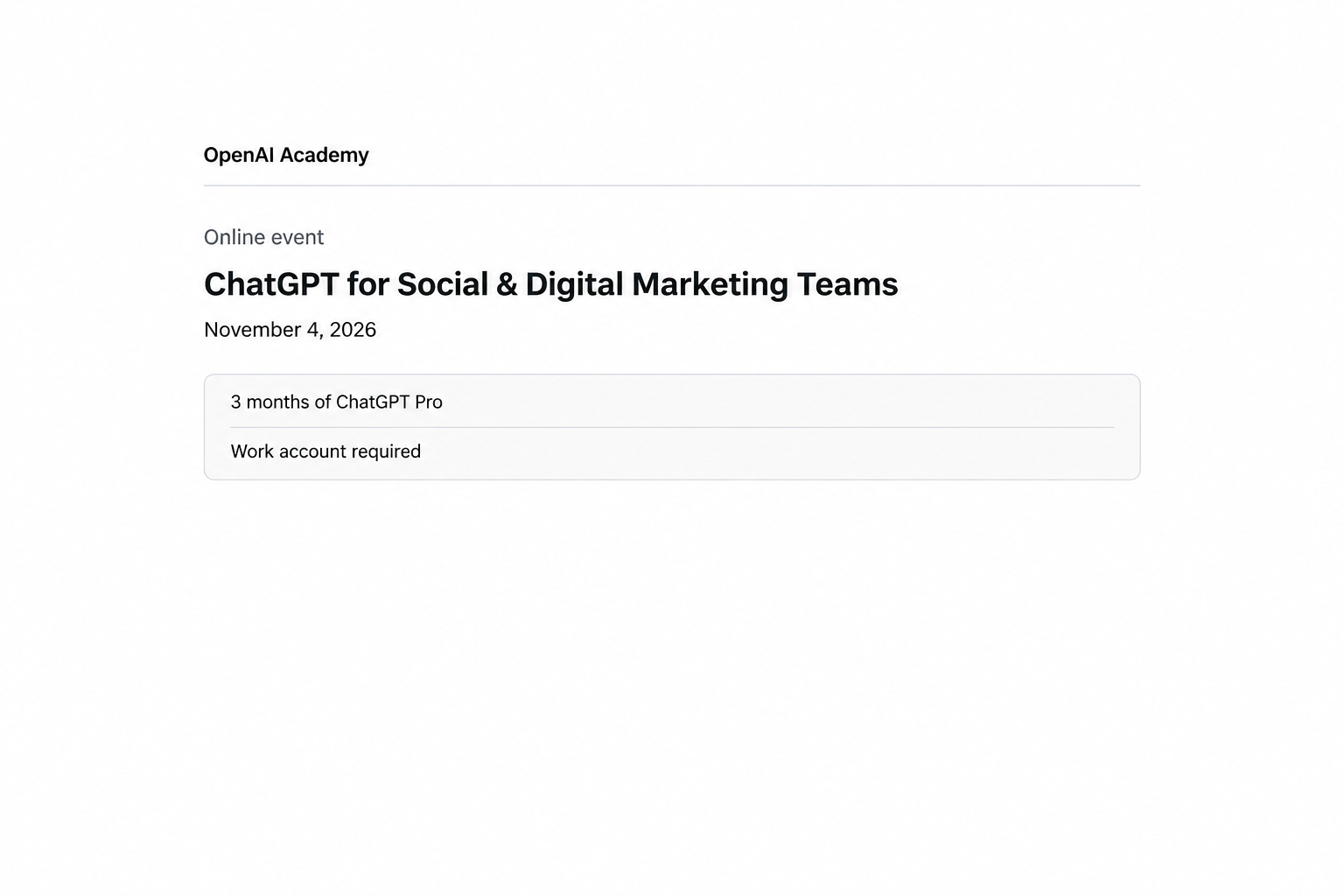
In the campaign documented by Push Security, offers included three months of ChatGPT Pro, Grok Heavy access, and a purported SpaceX share.
The problem is the fraudulent registration journey, not the genuine companies whose names appear on it. A recognizable event theme does not authenticate its organizer.
The sign-in is the valuable part
This registration journey targets your work account. Focus on whether you supplied credentials or authorized a sign-in, rather than looking only for a suspicious attachment.
Your response depends on what you completed
- Receiving an invitation does not establish an account compromise.
- Opening its page differs from approving a sign-in request.
- Entering a password requires urgent credential protection.
- Approving a device code requires session and token investigation.
- Work accounts need the organization’s actual security team involved.
Do not wait for missing messages or an obvious lockout. Successful unauthorized access can require attention while your own account still appears to work normally.
Why the Offer Fits an Ordinary Workday
Marketing teams have a practical reason to investigate new AI services. A training invitation can look like useful work, especially when it promises access otherwise requiring approval.
The request also gives a work account a plausible role. You might expect an employer-focused session to distinguish business users from people registering casually.
That explanation should not replace verification. An event organizer asking for your business email is different from a process that authorizes another device or relays your password.
The opening illustration reconstructs the offer’s information area, not a captured registration session. It deliberately leaves out working sign-in controls and authorization codes.
You do not need to determine how the artwork was created before refusing the request. The documented risk comes from the authentication flow, not proven AI-generated design.
How the Fake AI Event Invitation Scam Works
Step 1: The invitation borrows trust from a familiar service
An email can arrive through real event-delivery infrastructure while carrying a malicious destination. Authentic delivery and an authentic organizer are two separate questions.
Cofense documented an earlier Anthropic-themed invitation abusing GoTo Webinar and a shortened link. It eventually led to a page imitating Zoom.
That mismatch is useful context, but legitimate organizers also use outside services. Confirm the event independently instead of treating every mixed-brand invitation as fraud.
Start with the claimed organizer’s own established website or your company’s approved event listing. Do not rely on a second link supplied by the same sender.
Step 2: The registration page makes the work-account request seem routine
A bot challenge can strengthen that impression without checking the organizer’s honesty. Passing a human-verification screen is not approval from the impersonated brand.
Reported lure hosts included openai.eventrsvp[.]app and spacex.eventrsvp[.]app. Putting a familiar brand before another domain does not make that address official.
These addresses are identification details, not safe links to test. Replacing one blocked hostname would not change the underlying account-access trap.
Nor does a smooth page prove that the next window is safe. Treat the transition from event details to account authorization as a new trust decision.
A useful pause is to ask what the event genuinely needs. Attendance details do not automatically justify handing another system continuing access to your work identity.
Step 3: The Microsoft option turns an ordinary device code into the trap
Device-code authentication is a legitimate Microsoft feature. It lets one device request authorization while the user completes the sign-in through a browser elsewhere.
The dangerous substitution is who started that request. In this attack, completing the code flow authorizes the attacker’s session rather than simply reserving an event seat.
According to Microsoft’s device-authorization documentation, the initiating client can receive tokens after authentication. A genuine Microsoft page can therefore participate in an unwanted authorization.
The address check remains valuable, but it is not the complete decision here. Also check the requested action, its origin, and the device or application receiving access.
Never copy an unsolicited registration code into a device-authorization page just because the browser displays Microsoft’s real domain. Stop when the request does not match your intention.
Step 4: A second Microsoft login creates another opportunity
After the device-code stage, the observed Microsoft journey sends the visitor to a VoidProxy sign-in. That extra prompt is not evidence that the first authorization failed.
A reverse proxy sits between the visitor and the real service, passing information between them. The interaction can resemble a genuine sign-in because it relays genuine content.
Push’s technical profile of VoidProxy describes interception of credentials, MFA input, and the resulting session cookie. Password theft is only part of the exposure.
If you stopped at this second prompt, tell responders about the earlier code approval anyway. Declining to enter another password does not undo authorization already completed.
Step 5: The Google choice takes a different route to account access
The Google branch uses a proxy-mediated login rather than the Microsoft device-code sequence. Choosing a different identity provider does not make the invitation trustworthy.
A session cookie helps a service recognize an authenticated browser. Intercepting that session can create a different recovery problem from someone merely learning an old password.
Do not confuse this with every legitimate use of Google sign-in. Trusted applications can request limited access through Google’s normal permission process.
When reporting the incident, note whether you entered a password, completed MFA, or approved application access. Each observation helps responders choose the appropriate checks.
Step 6: Acquired access can outlast the registration page
Closing the event page does not itself revoke an issued token or end a separate application session. Those require action through the account provider or application.
Depending on the application and permissions, access can continue until revocation, expiration, or another enforced control ends it. Closing a window is not equivalent protection.
This explains why recovery must examine the access already created. A failed confirmation page does not tell you whether an earlier authorization succeeded.
What the Branding and Technical Names Do Not Prove
One visible campaign can use several rented tools
MSDRoot and ZoomMock are research labels for lure-page kits. Kali365 and VoidProxy supply separate phishing services; their appearance together does not establish shared developers.
The reported link between the two lure kits carries medium-high confidence, not certainty. Keep that assessment separate from the directly observed sign-in behavior.
For a reader deciding whether to register, the operator’s real identity is not the deciding factor. Unwanted authorization is sufficient reason to stop the journey.
An AI theme is not proof of AI-generated evidence
A claim about advanced AI makes an invitation timely, but it does not establish how its text, code, or images were produced.
Look instead at what the page asks you to do. A perfectly authentic-looking design would not make an unrequested account authorization appropriate.
What to Do if You Have Fallen Victim to This Scam
-
Stop the registration process and record what happened. Keep the invitation, its arrival time, the account used, and the last action you completed.
Distinguish opening a page, entering an email, submitting a password, completing MFA, and approving a device code. Do not revisit the page to improve your notes.
-
Contact your employer’s security team immediately if you used a work account. Use a known phone number, existing support portal, or another established channel.
Explain that this was an event-registration lure, and mention any completed device authorization. A report that says only “suspicious email” can miss the important exposure.
-
For Microsoft work accounts, have administrators coordinate password protection with session revocation. Tell them whether you completed both the device-code stage and a later login.
Microsoft’s access-revocation guidance distinguishes refresh tokens from application-controlled sessions. Existing access can require more than one action, and termination timing depends on the application.
Follow the team’s instructions if it temporarily blocks sign-in during investigation. Do not send replacement credentials through a mailbox that might still be accessible.
-
For a personal Google account, begin with the genuine account’s security settings and replace an exposed or reused password. Use official recovery if access is lost.
Open Security & sign-in, then Manage all devices under Your devices. Review sessions and sign out access you cannot account for.
Multiple entries can come from one device, and a recent timestamp may reflect background synchronization. Check the details without automatically treating every unfamiliar entry as an intruder.
For Google Workspace, involve your administrator rather than assuming the personal-account checklist covers the organization’s response.
-
Review recovery details, authentication methods, and connected applications. Remove unfamiliar access through the real provider’s settings, with workplace changes coordinated by administrators.
Google’s guidance on linked applications separates permitted data access from sharing an account password. Removing an unwanted connection prevents future permitted access, not retrieval of already copied data.
Do not delete legitimate work integrations indiscriminately. Identify what changed around the incident and document any access your team removes.
-
Check mailbox and business activity after access is contained. Look for unexpected forwarding, message rules, sent messages, file sharing, and changes to important account settings.
Microsoft’s compromised-account response includes checking consented applications, authentication methods, roles, and mail forwarding. These are investigation targets, not proof that every affected account suffered each change.
Marketing accounts may also control advertisements or valuable shared materials. Report unexplained spending or access changes through the relevant platform and your organization’s incident process.
-
Tell genuine contacts if investigators confirm that your account sent fraudulent invitations. Use a safe channel and explain the action recipients should avoid.
Keep the warning free of active phishing links. Preserve the original message privately for your security team instead of circulating it as a fresh invitation.
-
Continue the provider’s recovery checks after the first password change. Watch for new sign-in alerts and follow up using the incident reference you were given.
Receiving or opening this invitation alone does not prove a device infection. Report any separate software installation to IT rather than expecting an antivirus scan to revoke account access.
How Security Teams Can Reduce the Same Exposure
Restrict unnecessary device-code authentication carefully
Microsoft recommends blocking device-code flow wherever practical and allowing only documented necessary uses. This is an administrator control, not a setting every employee can change.
Its Conditional Access policy instructions start with report-only assessment before enforcement. Review legitimate dependencies and emergency-access exclusions to avoid locking people out.
Conference-room devices or other approved workflows may need carefully scoped exceptions. An indiscriminate block without checking current use can disrupt legitimate business access.
Match authentication protection to the attack
Keep MFA enabled, but do not assume every MFA method resists the same threats. A code relayed through a phishing proxy differs from phishing-resistant authentication.
Microsoft’s authentication-strength policies can require appropriate phishing-resistant methods. Conditional Access requires Microsoft Entra ID P1 licensing, so administrators must check entitlement and policy coverage.
Google likewise recommends passkeys for stronger phishing resistance. Creating one does not automatically remove older recovery methods, so review those existing routes as well.
Device authorization still deserves its own restrictions and user guidance. Strong authentication should not be presented as permission to approve an unsolicited request on a genuine page.
Investigate the actual sign-in, not only the displayed brand
Ask which identity signed in, which application was involved, and which resource was requested. Microsoft Entra sign-in logs help administrators examine those details.
For device-code investigations, review the authentication protocol and relevant Conditional Access details. A failed follow-up login should not obscure an earlier successful authorization.
Preserve the original invitation and timing while responders work. Distinguishing a rejected attempt from established access helps avoid both unnecessary panic and incomplete remediation.
Frequently Asked Questions
Does a genuine Microsoft login page make the event invitation safe?
No, a real authorization page can complete a request initiated by somebody else. Verify what you are authorizing and why, not only the domain.
Can an attacker get access without learning my password first?
Device-code phishing can obtain authorized tokens through the legitimate sign-in process. That is why completed approval matters even when no password was typed into the event page.
Should I switch from Microsoft to Google to register?
No, this campaign offers a malicious route for both providers. Leave the invitation and independently verify the event instead of trying the other button.
Does the attack mean MFA is no longer worth using?
No, keep MFA and prefer phishing-resistant options where supported. Pair them with appropriate device-code restrictions and careful authorization decisions rather than abandoning account protection.
What if I closed the second login without entering anything?
Tell IT about any earlier device-code approval. A later abandoned form does not cancel access that another stage may already have authorized.
Do these findings make genuine AI training events fraudulent?
No, the warning concerns impersonated invitations and their account-access requests. Find legitimate events through the organizer’s independently verified channels instead of the suspicious message.
The Bottom Line
Do not register through these fake AI event invitations. A promised benefit is not a reason to authorize an unfamiliar session or trust a relayed login.
If you already signed in or approved a code, contact real support now. Secure the affected identity and investigate existing access, not just the password.

Join the discussion
0 commentsShare your experience or ask a question about this article.
Community experiences
Did this happen to you?
Your experience could help someone recognize the same scam. Submit a private report for our team to review.
I experienced this tooReports are reviewed before publication. Sharing publicly is always your choice.
Discussion
Start the conversation
Have a question or something useful to share? Add the first comment.