

A trading assistant that promises to watch the market while you sleep sounds convenient. A polished download page can make the idea feel surprisingly ordinary.
Before installing any tool that will run near a crypto wallet, it is worth asking what the download actually changes on your computer.
Overview
The website sells an easy trading routine
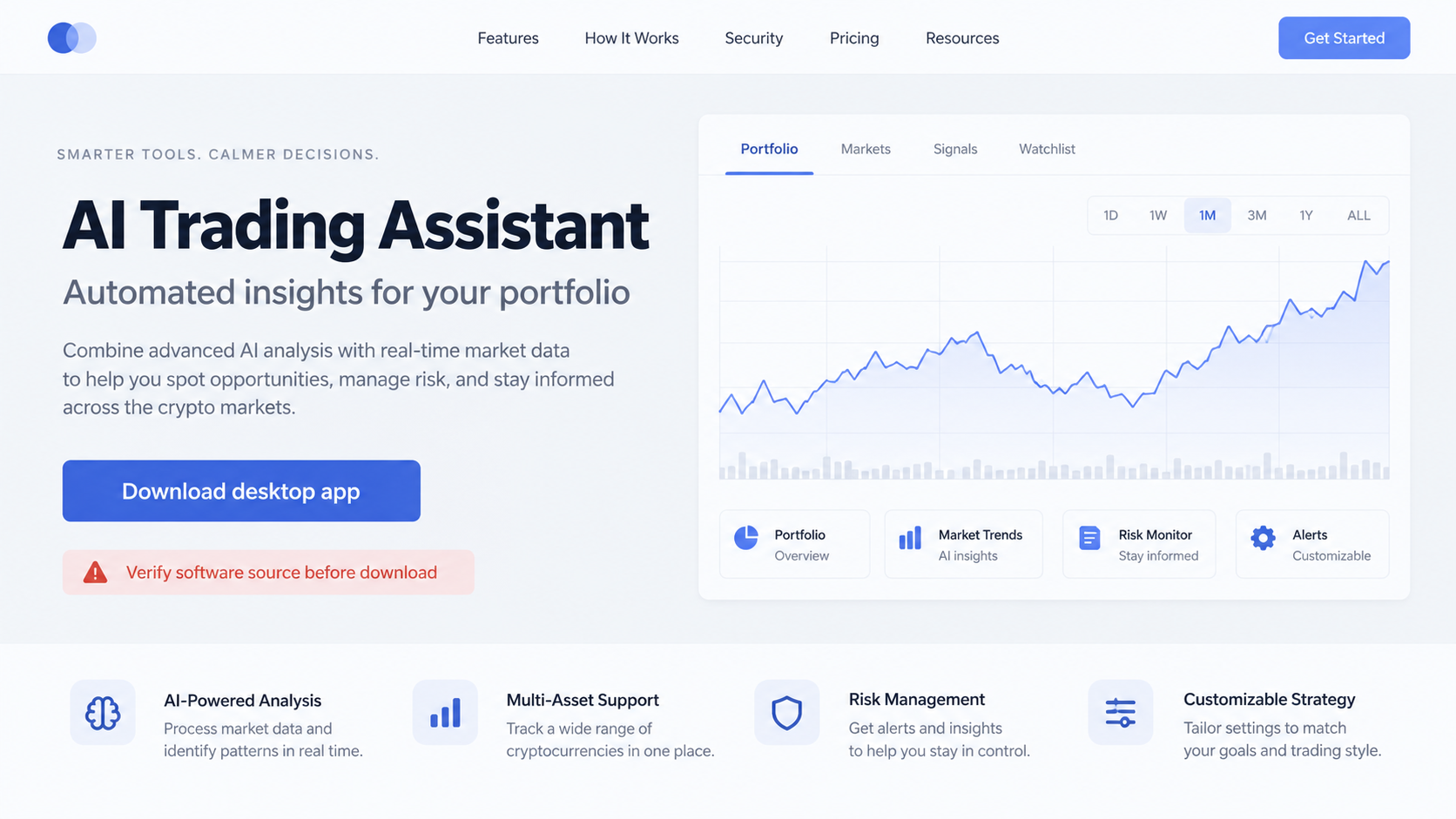
A fake AI-powered trading site offers a personal bot that follows a chosen strategy around the clock. The pitch is aimed at people looking for automation.
HP Wolf Security’s September 2026 threat report examined a campaign using that story to distribute Needle Stealer.
The observed site borrowed the name and aura of a familiar AI product. That resemblance was a credibility tactic, not evidence of a real partnership.
Search manipulation and paid ads helped bring visitors to the page. The download was presented as a desktop installer for a crypto trading assistant.
The downloaded package is the important turn
The file was a ZIP archive containing a signed Microsoft executable and a companion DLL. Seeing a legitimate digital signature on one file could mislead a quick check.
The signed program loaded the malicious DLL, which helped launch Needle Stealer. The malware then looked for browser wallet extensions.
HP documented attempts to replace several popular wallet add-ons with counterfeit versions. The replacement interfaces were designed to look convincing.
A person who entered a wallet password into that fake interface could hand access to the attacker without realizing their familiar extension had changed.
What the research actually establishes
The report documents the observed malware chain and seven targeted wallet identifiers. It does not establish that every AI trading app is malicious.
It also does not provide a verified count of victims or a total value stolen through this campaign. Those outcomes should not be invented.
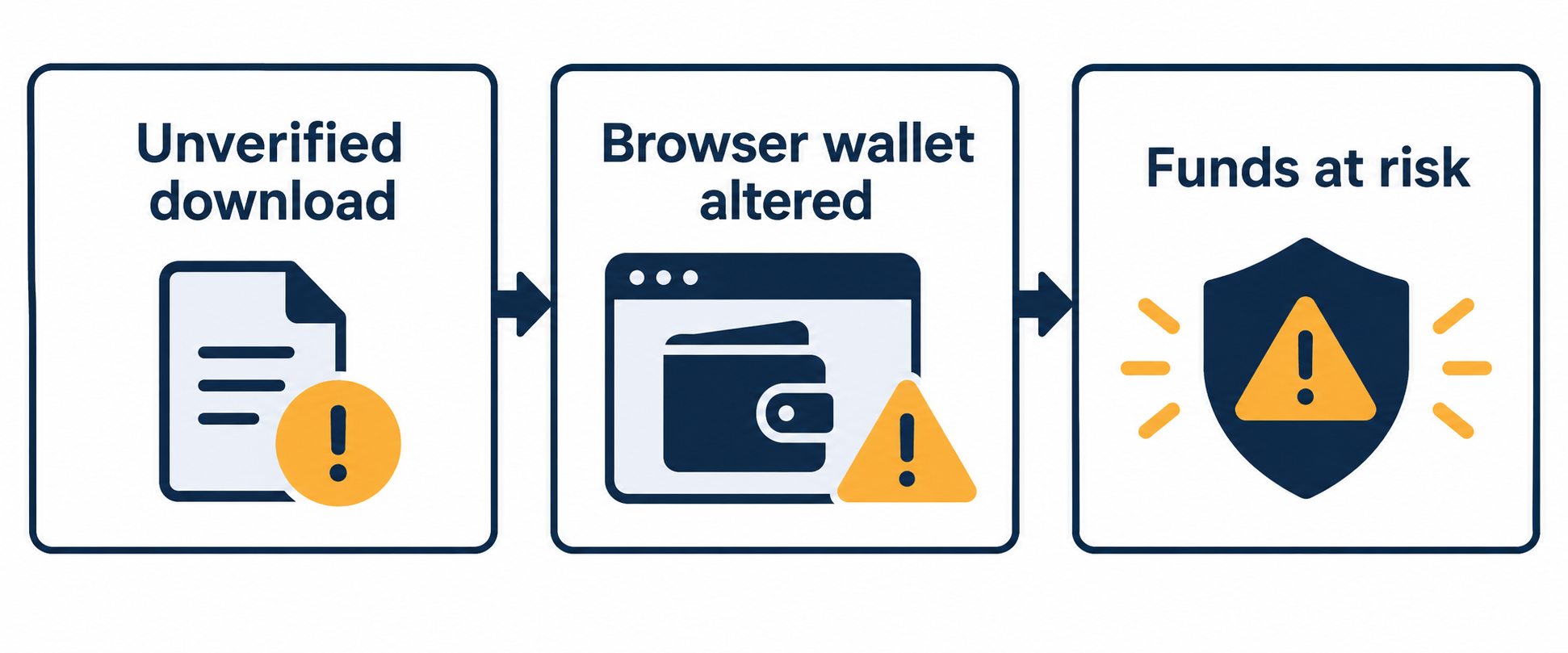
The practical concern is narrower and more concrete: an unverified download can alter the software used to access cryptocurrency.
- The lure is an AI trading helper promoted through search and advertising.
- The archive contains more than a harmless strategy app.
- A trusted signature on one bundled component does not validate the whole package.
- The wallet prompt may come from a replacement extension, not the original one.
How the Fake AI Trading Assistant Scam Works
Step 1: Search results and ads bring in interested traders
The campaign depends on a familiar moment: someone searches for a tool to automate analysis or make crypto trading less time-consuming.
An ad or promoted result can place the fake page close to legitimate software. Its position in search results is purchased or manipulated, not earned trust.
The site described a personalized agent and continuous trading. Such language is attractive when markets move at all hours.
It also borrows the tone of legitimate AI products. A name that resembles a known tool can make visitors assume a relationship that does not exist.
Do not infer a vendor’s identity from a similar name, icon, or design. Confirm software through the real publisher’s website and official distribution channels.
A search ad can lead to a replica just as easily as an organic result. Check the destination before downloading anything.
Sponsored placement is not itself suspicious. The risk is a sponsored page making unverifiable claims while asking for a privileged installer.
Step 2: The visitor receives a ZIP package, not a web service
The fake assistant offered a downloadable archive. That shifts the situation from evaluating a claim on a website to running code on a personal computer.
HP found two files inside the observed package: an executable that looked like an installer and a DLL that held the malicious behavior.
A ZIP file can conceal the relationship between those pieces. The user may double-click the application and never notice the accompanying library.
The visible file name can reinforce the trading story. File names are chosen by the distributor and do not verify what a program does.
Before opening an archive, ask why a trading service needs a desktop binary with access to the same browser that holds your wallet.
If the developer cannot provide a clear company identity, documentation, and a safe distribution history, stop at the download page.
Do not test an unknown installer on the computer that holds your primary wallet. The damage can occur before the interface displays anything unusual.
Step 3: A legitimate signed program loads the harmful component
The executable in HP’s sample was a Microsoft-signed program. Its signature confirmed that particular program’s origin, not the safety of every file beside it.
When launched, the program loaded the accompanying DLL. That library carried code that began the malicious chain.
This is why an installer window or a signed executable can create false reassurance. The real risk may sit in a supporting file.
HP described additional evasion that made the malicious activity harder to see during analysis. Readers do not need to reproduce those steps to recognize the warning.
The important point is what the user authorized. They ran software from an unverified site on a system with valuable credentials and wallets.
A normal antivirus scan is useful, but it should not be treated as permission to run an unknown financial tool.
If you already ran the package, assume the browser and any wallet extension may need professional review, even if the app seemed to close harmlessly.
Step 4: Needle Stealer looks for browser wallet extensions
The malware inspected browser settings and compared installed extension identifiers with a hardcoded list. It was looking for recognizable crypto wallet add-ons.
HP named seven targeted wallets, including Phantom, Trust Wallet, Coinbase Wallet, OKX Wallet, MetaMask, Atomic Wallet, and Tonkeeper.
The presence of a target wallet mattered more than the user’s trading experience. A new holder and an active trader could face the same technical exposure.
The malware attempted to close the browser and replace a matching extension with an infected copy. This is not a routine wallet update.
A sudden browser closure after running an unrelated installer can be a warning sign, particularly if wallet behavior changes afterward.
However, absence of a visible crash does not prove safety. Malware can vary by system and may leave few obvious clues.
Do not rely on the extension’s familiar name alone. A replaced component can preserve the look of the original while changing where secrets go.
Step 5: The replacement wallet requests a password
Once installed, the counterfeit extension can present a polished login screen. The user thinks they are unlocking their usual wallet.
HP found that the infected extension could communicate with attacker-controlled infrastructure and send the entered wallet password to it.
The attacker may then have enough information to access assets in that wallet. The exact impact depends on the wallet and remaining protections.
A fake wallet prompt inside the browser can be harder to question than a phishing page on an unfamiliar domain. It appears where users expect it.
If a wallet behaves differently after an unrelated download, do not keep typing passwords to see whether it resolves.
Stop using the affected browser, preserve the machine for review if possible, and secure funds from a device you know is clean.
Do not enter a recovery phrase into an unexpected pop-up. That secret can give control of the wallet even if the password is changed.
Step 6: The victim discovers the loss or a strange wallet state
Some people may first notice an unfamiliar transfer. Others may see an extension prompt that looks subtly wrong or a browser profile that has changed.
Unauthorized transfers can move quickly. The first safe response is to separate the compromised computer from financial activity, not to keep exploring the fake app.
Use another trusted device to review transaction history and contact the wallet provider or relevant exchange through its official site.
If a recovery phrase might have been exposed, create a new wallet. Password changes alone cannot make an exposed phrase secret again.
Save the downloaded archive and security alerts for investigators, but do not reopen the package on a personal system.
HP’s report explains the mechanism. It does not supply a universal symptom list, so treat any unexpected wallet change after installation seriously.
A scam recovery agent who asks for an advance fee or a phrase can create a second loss. Report evidence without surrendering more secrets.
Why a Digital Signature Can Mislead
A signed file can be authentic and still be used in a malicious package. The signature applies to that file, not to the surrounding archive.
In this campaign, a Microsoft-signed utility was placed beside a harmful library. Running the trusted component caused the other file to load.
That makes a simple question such as “Is the EXE signed?” insufficient. The package as a whole must come from a verified, accountable source.
Likewise, a professional website does not prove its installer is safe. Landing pages can be built quickly and copied from legitimate design patterns.
Look for a known developer, established documentation, clear update process, independent reputation, and official links from the product’s actual owner.
Never use a wallet-bearing computer as a test machine for a speculative trading tool. Keeping financial access separate reduces the stakes of a mistake.
Clues Worth Checking on the Affected Computer
An unfamiliar extension entry, changed wallet icon, or altered browser profile can be useful evidence. None is required for the malware to be present.
Check the browser’s extension manager from a trusted account. Record the exact extension identifiers before changing anything, especially if workplace investigators are involved.
Review downloads for the archive you opened and note its time. A precise timeline helps connect later wallet prompts or transfers to the installation.
Look at security alerts, recent software installs, and unexpected browser restarts. These clues may narrow the investigation without requiring you to execute suspicious files.
A clean-looking wallet screen is not decisive. The report specifically describes counterfeit interfaces designed to resemble the familiar originals.
Do not upload private wallet data to online scanners to ask for a verdict. Share only nonsecret file hashes or artifacts with qualified responders.
If this is a work computer, inform your security team before wiping it. They may need logs to determine whether other accounts were exposed.
After recovery, keep a separate record of the official wallet extension’s identifier and publisher. Compare future installations against that trusted reference.
What to Do If You Ran the Fake Trading Assistant
- Stop using the affected computer for money movement. Disconnect it from the network if you suspect active compromise. Do not enter wallet passwords, recovery phrases, exchange credentials, or banking details there.
- Use a clean device to check assets. Open the wallet or exchange through its official app or website. Review balances, recent transfers, approvals, and sign-ins without relying on the possibly replaced browser extension.
- Move exposed wallets to fresh keys. If a seed phrase, private key, or wallet password may have been captured, create a new wallet on a trusted device and transfer remaining assets carefully.
- Document the downloaded package. Save the download URL, archive name, timestamps, antivirus alerts, and transaction identifiers. Do not email the executable to friends or run it again to investigate.
- Clean or rebuild the system. Run an updated Malwarebytes scan and seek qualified help if a wallet extension was replaced. Reinstall the browser and wallet from official sources only after the device is trusted.
- Reduce repeat exposure. AdGuard can help block malicious advertising and redirects, but it cannot undo a completed infection. Review other extensions and avoid unknown financial installers.
- Report the incident. Tell the wallet provider, affected exchanges, and your cybercrime reporting agency. Include transaction records and the suspicious site’s details, never your recovery phrase.
If you only visited the page and did not download or run anything, the malware chain described by HP has not been triggered by that visit alone.
If you downloaded the archive but did not execute it, delete it and run a scan. Do not treat an untouched ZIP as proof of an active infection.
Frequently Asked Questions
Is every AI crypto trading assistant malicious?
No. This investigation concerns a particular fake site and installer documented by HP. Judge other products on their own evidence and provenance.
Why did the installer contain a Microsoft-signed file?
The legitimate signed utility helped the malicious library load. Its signature did not authenticate the archive or the supposed trading service.
Which browser wallets did the malware seek?
HP identified seven wallet extension targets, including MetaMask, Phantom, and Trust Wallet. The list describes observed code, not a guarantee that other assets are safe.
Is deleting the desktop app enough?
No. If the code ran, the browser wallet may have been replaced. Scan or rebuild the system and verify the extension from a trusted environment.
Do I need to change my wallet recovery phrase?
You cannot edit an existing phrase. If it was exposed, generate a new wallet with a new phrase and transfer remaining assets from a clean device.
Can stolen crypto be reversed?
On-chain transfers are usually difficult or impossible to reverse. Report the transaction quickly to exchanges and investigators, and distrust paid recovery promises.
The Bottom Line
The fake assistant used the appeal of always-on trading to place malware beside a user’s browser wallet. A polished page and signed file were not enough to make it safe.
Verify software at its source, keep untested tools away from financial accounts, and treat any wallet prompt after a suspicious installation as a security incident.

Join the discussion
0 commentsShare your experience or ask a question about this article.
Discussion
Start the conversation
Have a question or something useful to share? Add the first comment.