


A traveler posts about a canceled flight, missing bag, or refund delay and tags the airline on social media. A support account replies within minutes, sounds helpful, and already seems to understand the problem.
When someone is stranded or waiting for money, a fast response can feel like the service they were hoping to receive.
The reply may not come from the airline at all. It may come from a scammer who was watching the complaint before the real support team saw it.
Overview
Scammers monitor public airline complaints in real time
The fake airline support scam targets people who post publicly about travel problems. Attackers watch mentions of airlines, airports, vacation companies, and booking services across X, Facebook, Instagram, and other platforms. When a new complaint appears, a fake support account approaches the traveler.
Check Point researchers uncovered a coordinated campaign involving thousands of impersonation accounts, with hundreds of new accounts appearing each day. The researchers followed conversations from the initial social media reply through WhatsApp and the payment request. That evidence makes this a confirmed, active fraud operation rather than one customer’s disagreement with an airline.
The conversation moves from a public reply to a private channel
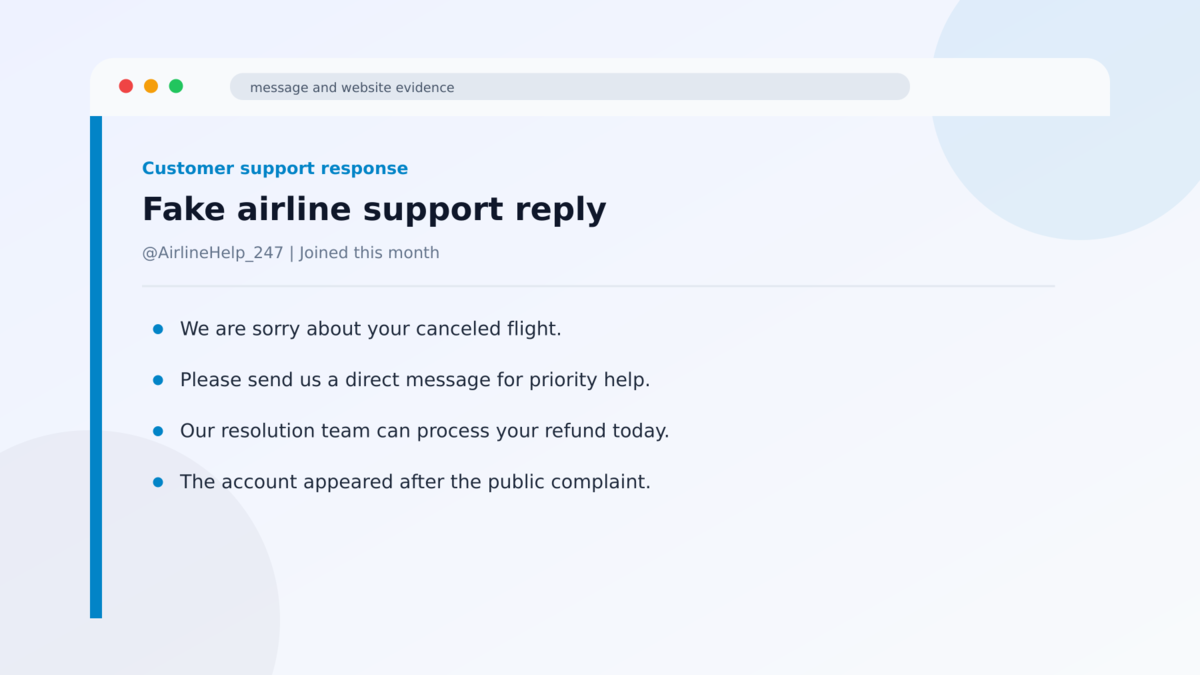
The impersonator may reply beneath the complaint, send a direct message, or ask the traveler to contact a supposed agent. The account name and profile image resemble the airline, but the username includes subtle changes or generic words such as help, care, desk, or resolution.
After the traveler responds, the scammer often moves the conversation to WhatsApp. This gives the operator more control, removes the exchange from the platform where the complaint was posted, and makes it easier to request personal information or payment without other users warning the victim.
The promised refund or rebooking becomes a payment trap
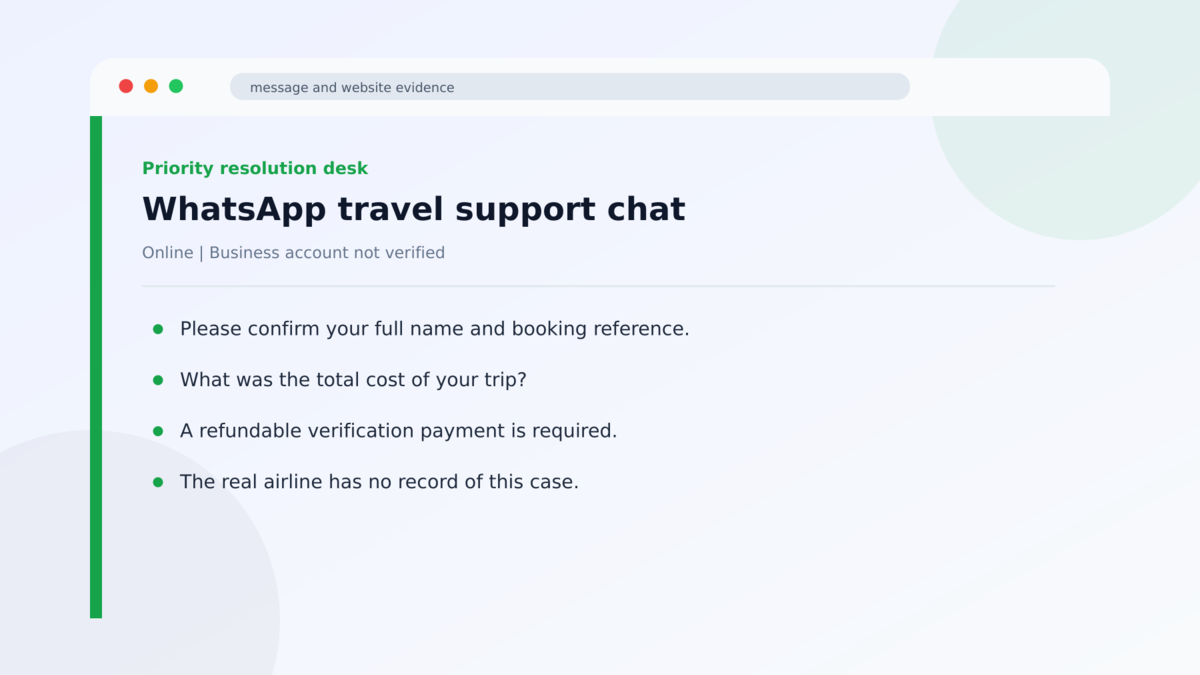
The fake agent asks for details that sound relevant: full name, email address, booking reference, flight information, complaint history, and the cost of the trip. Those facts help the scammer imitate a real support workflow and prepare more convincing follow-up messages.
The conversation then leads to a fee, card verification, bank transfer, cryptocurrency payment, or request for card details. The promised refund, compensation, or replacement booking does not arrive. The victim loses money and may also expose enough travel and identity information for additional fraud.
- The campaign targets travelers who have already announced a real problem publicly.
- Fake accounts impersonate airlines, travel brands, and customer-support employees.
- Thousands of impersonation accounts were identified, with hundreds appearing daily.
- Scammers reply quickly, often before the genuine airline support team.
- Conversations are moved to WhatsApp or another private channel.
- Victims are asked for booking details, personal information, and the price of the trip.
- The supposed solution ends in a fraudulent payment or theft of card information.
- The airlines being impersonated are not operating the fake accounts.
Why the Scam Arrives at Exactly the Right Moment
This fraud is effective because the attacker does not need to invent the victim’s problem. The public post supplies the airline name, timing, emotional state, and reason for contact. A missing bag or canceled flight is already creating urgency before the scammer says a word.
The traveler may also be dealing with airport noise, a boarding deadline, roaming costs, exhausted children, or an unfamiliar city. Under those conditions, a quick private message can feel more useful than waiting in a customer-service queue.
The scammer can refer to the exact complaint, which makes the approach feel personal. But that information did not come from an airline system. It came from the victim’s public post and profile.
Speed creates another false signal. People assume a rapid response means the company is monitoring its official mentions. In reality, automated searches and notification tools can help impersonators find a complaint seconds after it is posted.
Moving to WhatsApp may also seem normal because many airlines genuinely use messaging apps. The important issue is not the app itself. It is whether the contact method was reached through the airline’s verified website or through an unsolicited account that appeared after a public complaint.
A real support team may ask for a booking reference in a secure channel. It should not require cryptocurrency, gift cards, a bank transfer to an individual, or a new card payment simply to release a refund that is already owed.
Public complaints can also expose more than travelers realize. A photograph of a boarding pass may contain a barcode, passenger name, flight number, loyalty number, and booking reference. Even when the text looks too small to read in a feed, the original image may be clear enough for an attacker to enlarge.
The safest public post describes the problem without including the records needed to manage the booking. Once an official channel is verified, the traveler can provide the minimum information required through that company’s secure process.
What the Profile, Conversation, Payment Request, and Evidence Reveal
The display name and logo are easy to copy
Social platforms allow multiple accounts to use similar display names and profile images. The visible airline logo therefore proves very little. The exact username, account age, verification status, post history, and link from the airline’s official website matter more.
Some fake profiles use a name that looks plausible on a phone screen, such as AirlineHelp247 or AirlineCustomerCare. Others impersonate an individual employee so the lack of a brand badge feels less suspicious.
The scammer knows only what the traveler revealed
At first, the operator may repeat details from the public complaint and ask broad questions. A genuine airline account should already have a secure process for finding the booking after limited verification.
If the account asks the traveler to restate everything, send passport images through chat, or provide full card information, the conversation has moved far beyond reasonable social-media support.
The payment method exposes the fraud
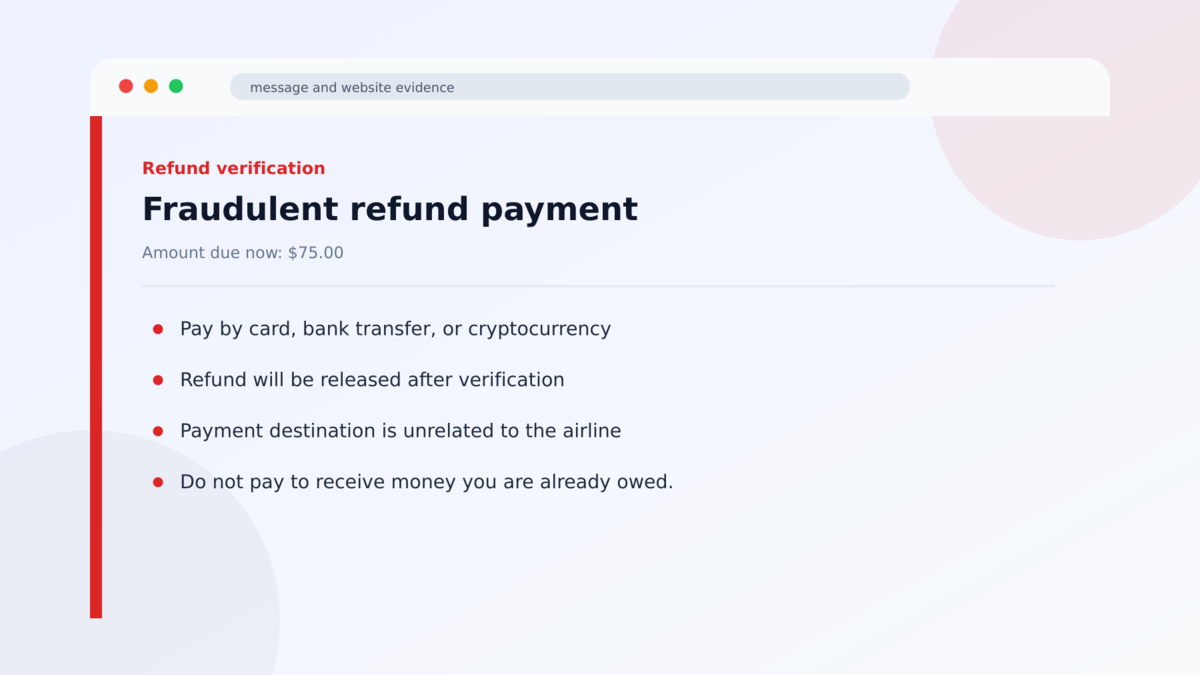
Scammers may describe a charge as a refundable verification fee, rebooking deposit, baggage-release payment, or processing cost. The label can change, but the destination does not belong to a verified airline payment flow.
Never approve a payment from a link supplied by an unsolicited support account. Open the airline’s official app or type its website address yourself. Any genuine booking change or fee should appear there.
Researchers traced the campaign end to end
Check Point documented the coordinated airline support impersonation campaign. Its researchers engaged with the accounts, followed the move to WhatsApp, and observed the information and payment requests used by the scammers.
The account names will continue to rotate. Focusing only on a list of known usernames will miss new ones. The durable pattern is an unsolicited reply to a public travel complaint, followed by a private conversation and a financial request.
How the Fake Airline Support Scam Works
Step 1: The traveler publishes a complaint
The victim tags an airline after a delay, cancellation, baggage problem, refund dispute, or booking error. The post may include a route, date, airport, screenshot, or partial reference number.
Those details give criminals a ready-made story. Sensitive booking information should never be placed in a public post, even when the airline asks customers to describe the issue.
Step 2: A fake support account finds the post
The scammers monitor brand mentions and travel-related keywords. They can operate many accounts at once and create replacements as platforms remove earlier profiles.
The first reply is usually calm and helpful. It may apologize, claim the case has been escalated, and ask the traveler to continue privately.
Several impersonators may approach the same complaint. The fastest or most persistent account is not necessarily the genuine one, and a second fake account can even warn the traveler about the first to make its own story more credible.
Step 3: The impersonator moves the conversation
A direct message provides a WhatsApp number, link, or alternate profile. Moving away from the original platform reduces the chance that the real airline or another user will interrupt the fraud.
The scammer may call the number a priority desk, resolution team, or refund department. The title is invented and does not prove a connection to the airline.
Step 4: Personal and booking details are collected
The fake agent asks for the passenger’s name, email, booking reference, phone number, complaint details, and amount paid. A request for passport or card images may follow.
Every answer gives the operator material for identity theft or a more believable second attempt. A real problem does not make an unverified support account legitimate.
Step 5: A refund or rebooking payment is requested
The scammer claims money must be paid to unlock compensation, reserve a new flight, confirm the card, or process the baggage claim. The payment may go through a fake page, transfer, crypto wallet, or card form.
A company does not need you to pay money to receive a refund. Any additional fee should be visible inside the genuine booking and payable through the official airline site.
Step 6: The operator disappears or repeats the demand
After the first payment, the scammer may invent a tax, exchange fee, or failed verification and ask for more. If card information was collected, unauthorized transactions can appear separately.
The account may vanish when challenged, but the victim’s information can be shared with other fraud groups. Follow-up scams often claim to recover the original loss.
Warning Signs in a Travel Support Conversation
- An account contacts you only after you post a public complaint.
- The username contains extra words, numbers, underscores, or subtle spelling changes.
- The profile was created recently or has little genuine customer interaction.
- The account asks you to move immediately to WhatsApp or Telegram.
- The agent cannot provide a case number visible in the official airline app.
- You are asked to send passport, card, or booking screenshots through chat.
- A refund supposedly requires an advance fee or card verification charge.
- The payment goes to an individual, crypto wallet, or unrelated domain.
- The agent pressures you to stay on the line or act before checking the airline site.
- The support link was not obtained from the airline’s official website.
If an airline account replies to you, do not use its link or telephone number until you verify the profile from the airline’s own website. Starting a new conversation through an official app is safer than continuing an unsolicited one.
What to Do if You Have Fallen Victim to This Scam
- Stop the conversation and do not send another payment. Extra fees will not release a refund or recover the first transfer.
- Contact your card issuer or bank immediately. Explain that the transaction resulted from airline support impersonation and ask about blocking, dispute, recall, or account-protection options.
- Freeze or replace the card if its details were shared. Watch for small test charges as well as larger purchases.
- Contact the real airline through its official app or website. Ask it to protect the booking, loyalty account, stored payment methods, and any travel credit connected to the exposed reference.
- Change reused passwords. If the fake page collected an airline or email password, change it from a trusted device and enable multifactor authentication.
- Protect identity documents. If you sent a passport or driver’s-license image, report the exposure to the issuing authority and follow local identity-theft guidance.
- Save the complete evidence. Keep profile URLs, usernames, telephone numbers, WhatsApp messages, payment receipts, domains, and timestamps.
- Report the account on every platform involved. Also notify the airline so its fraud team can request a takedown and warn other customers.
- Report the loss to the appropriate fraud authority. U.S. victims can use the FTC and FBI IC3. Other countries have national fraud or cybercrime reporting services.
Frequently Asked Questions
Do real airlines answer complaints on social media?
Many do, which is why the scam works. Verify the exact account through the airline’s official website before sharing private information or following a link.
How did the scammer know about my flight problem?
The operator likely read your public post, profile, and replies. That information can feel like access to an airline record even when it is publicly visible.
Is WhatsApp support always fake?
No. Some airlines use WhatsApp legitimately. Begin through a WhatsApp link published on the airline’s real website, not a number sent by an unsolicited profile.
Should an airline charge a fee to issue a refund?
A genuine refund should not require a separate advance payment to an agent. Verify any fare difference or service charge inside the official booking.
Can a fake support account steal my booking?
Booking references combined with names and contact details can expose itinerary information or help an attacker attempt changes. Contact the airline if those details were shared.
What should I remove from a public complaint?
Do not post booking references, ticket numbers, boarding passes, barcodes, passport details, telephone numbers, email addresses, or payment information.
The Bottom Line
The fake airline support scam turns a genuine travel problem into a targeted opportunity. The criminal does not need access to the airline because the traveler publicly supplies the story and the urgency.
A quick reply, professional logo, and accurate complaint details are not enough. Verify the account through the airline’s official website and keep every payment inside the official booking flow.
If you paid or shared sensitive information, contact the bank and the real airline immediately. Then protect the booking, replace exposed cards, preserve the conversation, and report the impersonation before the account reaches more travelers.

Join the discussion
0 commentsShare your experience or ask a question about this article.
Discussion
Start the conversation
Have a question or something useful to share? Add the first comment.