


A calendar invitation says there’s an event in May, but you have to accept first to see what it’s about. The sender sounds like an administrator.
That’s easy to skim when your inbox is full of reminders and meeting updates. Before you add anything, find out whose calendar you’re being asked to use.
Overview
The invite offers the details after you accept
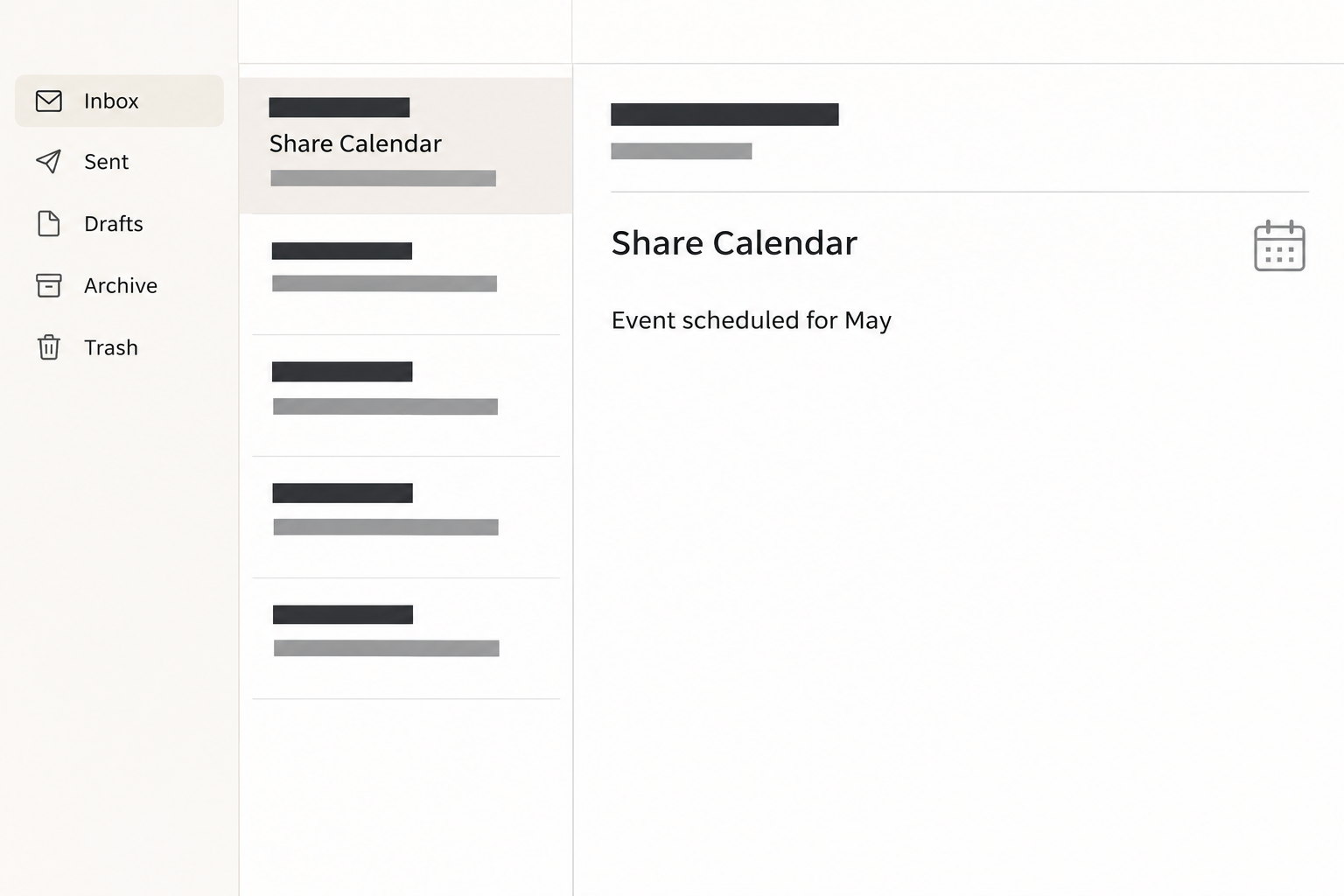
The Admin Would Like to Share Calendar email scam presents a supposed calendar invitation. The recorded message announces an event scheduled for May without independently identifying a meeting.
It says the recipient will be able to see event details after accepting the shared calendar. The main control is labeled “Accept Calendar.”
There’s also a manual option for people who have trouble viewing it. That line asks the reader to add an internet calendar using a URL in the email.
It sounds like a helpful fallback. But the message doesn’t establish that the person named actually wants to share a calendar or that the address offers a real feed.
The mail image recreates the calendar wording and month. It does not show a meeting invitation generated by any real workplace account.
An Adobe-themed document page replaces the calendar
The reported accept button took readers to a fake page called “Secured Adobe File Verification.” It offered to show or download a protected document after sign-in.
There was no calendar shown at the recorded destination. The form requested the recipient’s email address and corresponding password, not a scheduling choice or permission to view events.
The fact that Adobe’s name appeared alongside a file viewer did not authenticate it. Adobe is a legitimate software provider, not the operator of the counterfeit page.
The view and download options framed the password request. They don’t establish that an actual PDF, calendar file, or malicious program was ever sent to the reader.
Sharing a calendar isn’t the same as authorizing your mailbox
Real mail and calendar services can send sharing invitations. Microsoft’s calendar sharing guide describes calendars and access permissions managed through Outlook and Microsoft 365.
Another team may use a different provider. The safest way to confirm an invitation is to ask the real organizer and check the calendar service you already know.
Here are some questions that help separate the two:
- Were you expecting an individual event, an entire calendar, or an ongoing subscription from someone you recognize?
- Can you identify an organizer or team without depending on the sender name in the email?
- Does the request open in the calendar app or service you normally use?
- Does a document page suddenly ask you for a mailbox password even though no document was part of the task?
- Can the organizer resend the legitimate invitation through their known account if you decline the suspicious one?
How the Fake Calendar Sharing Email Scam Works
Step 1: An ordinary workplace request lowers the stakes
An event scheduled for May sounds like routine planning. A calendar invitation doesn’t set off the same alarm as an unfamiliar invoice or a claim that your password expired.
An administrative sender also gives the note a broad audience. At a workplace, people regularly receive calendar notices written by someone they don’t know well.
The message doesn’t need an interesting agenda because it hides the details behind acceptance. Curiosity can fill the gap where a real organizer’s name would be.
Pause if you can’t tell whether the invitation concerns your work. A different person in the organization can identify the calendar without needing to touch the email’s controls.
Step 2: The proposed shortcut becomes the only visible route
An accept button expresses a familiar choice. The scam places that choice in the email instead of letting you find or confirm it in the scheduling service.
The manual alternative reinforces the appearance of a standard invitation. It gives the impression that both the sender and your calendar app know exactly what should happen next.
Verify the organizer before using either option. Subscribing to an unknown calendar can create a connection you didn’t intend, regardless of where the accept button leads.
Only the button’s route was described in the reported case. Don’t assume the fallback URL was tested, or that every recipient experienced the same last screen.
Step 3: The process changes from scheduling to protected documents
A genuine event may contain documents, but the recorded invitation never establishes one. It sends the recipient directly into a verification screen that looks like a protected file.
The prospect of confidential details helps explain the new page. If you believe you’re about to see internal material, another sign-in can feel like an expected inconvenience.
The page presents its own security language instead of taking you to the calendar you intended to open. Recognize that as a new request, not progress on the first one.
Close the viewer and check whether a known organizer has asked anyone else to join. You don’t need to explain the extra sign-in before deciding to refuse it.
Step 4: A fake viewer collects a real email credential
The form asks for the address and password together. If you submit a working pair, an attempt to use it against your real mailbox may follow.
A warning or blank page can make the reader think nothing happened. It doesn’t show you what the form operator received and doesn’t make another attempt safe.
If you receive a verification code or approval notification, decline any request you didn’t initiate independently. The original case does not establish that a second authentication prompt appeared.
Someone using a password manager may notice no expected entry appears. Do not select a saved login by hand just because the page says it is protecting a file.
Step 5: A compromised mailbox can make future invites more believable
A stolen mailbox may reveal meetings, correspondents, or shared services. That context could help someone write follow-ups that sound more like the company’s own messages.
It can also give access to open threads or allow impersonation. That requires investigating actual activity, rather than assuming every possible use of the password occurred.
In a work account, ask about mailbox sessions and connected applications as well as calendar changes. A password reset won’t tell you whether a separate permission was granted.
If somebody else received a message from your account after the incident, reach them through a known route. Tell them which request to ignore without forwarding the credential link again.
What to Do if You Have Fallen Victim to This Scam
-
Close the fake viewer and leave both invitation links alone. Use the calendar you access normally to see whether an expected event is present.
If you recognize the organizer, ask them through an existing conversation or other known contact. Have them name the meeting or calendar instead of sending another unexplained link.
-
If you only opened the page, report it without revisiting it. Tell workplace security which email you received and when, especially if others may have received it.
Keep the original as instructed by your organization. Don’t ask another employee to accept the calendar so they can confirm what you saw.
-
If you added a calendar manually, identify what was actually added. Check the list of calendars or subscriptions through the real app and look for the suspect entry.
Remove only the untrusted calendar or ask your administrator to confirm the item first. Don’t delete unrelated workplace or personal calendars to clear one unfamiliar entry.
A calendar you added is a different concern from credentials you submitted. Follow both response paths if you gave the page a password as well.
-
If you entered credentials, tell the administrator and secure the account. Use your organization’s verified help desk or password service. Do not send your password in the ticket.
For a personal account, use its established password recovery options. Replace the same password on other services if you reused it.
Mention any one-time code you supplied or request you approved. Give the time and type of action, not the code itself.
-
Look for access that may still be active. Work with the account provider to review recent sessions, connected apps, recovery information, mail rules, and new forwarding destinations.
For a personal Microsoft account, the compromised account guide describes its recovery process. Work environments may require an administrator instead.
Check unfamiliar calendar shares and invites alongside mailbox activity if the provider gives you those controls. Save details of anything suspicious before administrators remove it.
-
Report any unexpected downloaded or opened file separately. A fake download option alone doesn’t prove a program executed, but a file you actually opened changes the incident.
Tell security which device and file were involved. Leave the file closed and follow the organization’s approved device investigation process.
-
Warn people if the account was used to send new invitations. Keep the warning specific: identify the subject or the expected calendar that had nothing to do with it.
Share a trusted scheduling route for real events. Nobody needs to click the suspect invitation to prove they received the same message.
How to Verify Calendar Sharing Without the Email
Ask what is being shared before deciding how to open it
A single event has an organizer and a time. A shared calendar can expose multiple events, while an internet calendar subscription can keep bringing in updates.
Those are different things to agree to. A message that describes one May event but offers a calendar subscription as a fallback doesn’t explain why you need ongoing access.
Check what your organizer intended through a conversation you started separately. If someone genuinely needs to share a whole calendar, they can explain which one and why.
Google’s Calendar collaboration guidance describes how calendar access can be assigned. Use documentation for the account you actually use, not instructions embedded in the invitation.
Make the real calendar easy for your team to find
If calendars are shared routinely, record the usual owner and where people should find them. Staff shouldn’t have to wait for unexpected mail to locate an important schedule.
When an outside participant genuinely sends a calendar, establish the relationship first. Ask whether your organization supports that method rather than dropping an unfamiliar URL into your account.
If a real event needs a separate protected document, confirm its owner and access path independently. The invitation sender’s two matching links do not count as two sources.
This check works even if the email’s page is offline. You can verify the event and secure any exposed account without needing to reproduce the phishing route.
Work out whether an entry came from a feed, a share, or an invitation
If the event appeared in your usual calendar anyway, check where it is stored. A calendar app may show multiple accounts and subscriptions in the same view.
Unchecking an entry may only hide it. If you intentionally added a feed and now want to remove it, use your provider’s help to identify the correct subscription.
For a managed calendar, ask your administrator when you can’t tell which records belong to the organization. Removing a subscription should not erase somebody else’s shared schedule.
If an unfamiliar event is sitting on a known calendar, capture its title and source before removing it. Follow the calendar provider’s reporting controls rather than contacting the sender.
A real collaborator should be able to describe their request
Ask the person what calendar they meant to share and why you need it. For an individual meeting, the organizer should be able to name an expected topic or group.
If the request applies to an entire team, verify it in the channel your team already uses. A real department can confirm the workflow without disclosing the calendar’s private contents.
If the collaborator says they didn’t send it, that answer helps you report the impersonation. It doesn’t establish that their account was the one the phisher used.
Treat a reply from the original suspicious thread as part of the same request. The point of independent verification is making sure your question reaches a contact you chose.
For a recurring schedule, write down the trusted path once the team confirms it. Later requests can be checked against that path without opening a different file viewer.
Frequently Asked Questions
Does “Accept Calendar” always mean an invitation is fake?
Legitimate providers also have buttons for accepting a calendar. The warning sign here is the unrelated document form asking for a mailbox credential.
Was this a native Google Calendar billing alert?
The case described here is an email pretending to share a calendar. Its destination collected login information rather than displaying a verified event or asking you to cancel a charge.
Is the manual calendar URL safer than the main button?
Don’t use it without confirmation from a known organizer. The reported investigation recorded the accept button’s destination, not a separately verified safe manual address.
Did the email actually share a file from Adobe?
The fake viewer borrowed an Adobe identity and offered file options. The page did not establish that Adobe or a real document owner was involved.
What if I accepted a real meeting around the same time?
Check the organizer and event details in the actual scheduling service. Don’t delete a confirmed event simply because an unrelated invitation used similar words.
Can changing my password remove an added calendar subscription?
Not necessarily, because the subscription and account password are separate settings. Review them separately if you added something and entered credentials.
The Bottom Line
Don’t accept the calendar from this message or add its suggested URL manually. The recorded button opened a fake document verification page, not the event it promised.
Ask the organizer through a known contact if the event is real. If you submitted a credential, secure that mailbox and check sessions and permissions through its provider.

Join the discussion
0 commentsShare your experience or ask a question about this article.
Community experiences
Did this happen to you?
Your experience could help someone recognize the same scam. Submit a private report for our team to review.
I experienced this tooReports are reviewed before publication. Sharing publicly is always your choice.
Discussion
Start the conversation
Have a question or something useful to share? Add the first comment.