

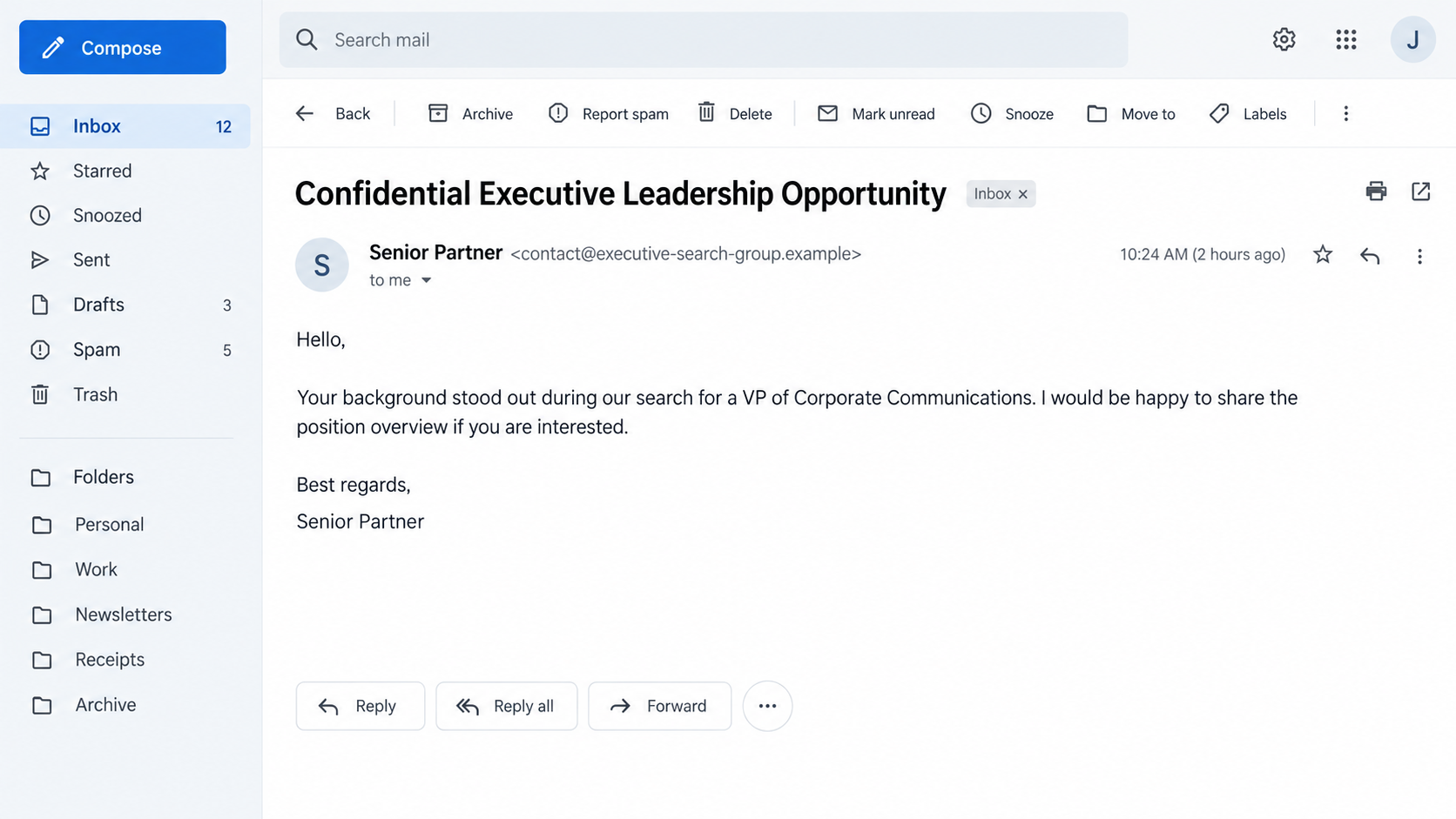
A message about a confidential executive role lands in your inbox. It refers to your background and sounds like the opening of a serious recruiting conversation.
If the sender says they represent Egon Zehnder, the opportunity deserves a closer look before you reply. The smallest detail in the message may matter most.
Overview
The real firm’s name is the bait
Egon Zehnder is a legitimate executive search firm. It has published a warning about fraudulent messages that impersonate its recruiters.
The company says the messages travel through email, WhatsApp, LinkedIn, and other platforms. Some present false job opportunities and ask for personal or financial information.
That warning establishes an impersonation scam, not a problem with the real firm’s recruiting practice. The criminal message borrows a trusted name it does not own.
A plausible opportunity does not authenticate the sender
One recently shared example describes an unsolicited executive opportunity from a domain resembling the firm’s name. The address did not end in the company’s official domain.
The report is a useful example, but it does not establish who registered the domain or what happened after the first contact.
Egon Zehnder’s own guidance is more decisive: genuine candidate emails come from addresses ending in @egonzehnder.com.
Three checks to make before discussing your career
- Read the complete sender address, not just the display name.
- Confirm the recruiter through the firm’s independently opened website.
- Keep identity, payroll, and banking details out of an unverified conversation.
- Do not open an unfamiliar attachment merely because the role sounds relevant.
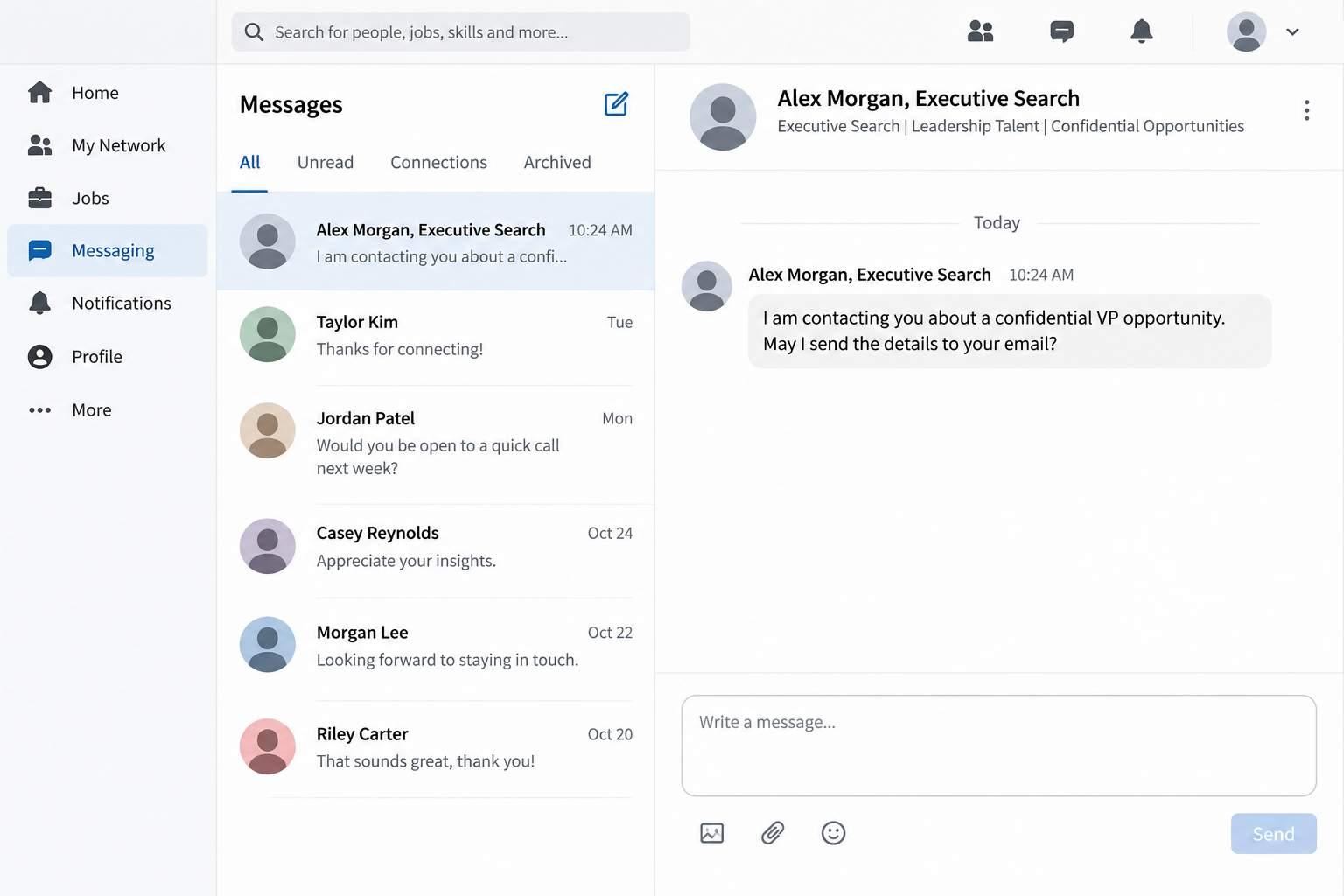
The illustrations on this page use fictional senders and interfaces. They show how a recruiting approach can look, not an authenticated capture of the reported email.
At the time of review, Egon Zehnder’s scam notice specifically warned candidates about impersonation and suspicious links or attachments.
Why Executive Search Is an Effective Impersonation Hook
Senior hiring often begins quietly. A genuine recruiter may not identify the client or publish the role on a public jobs board.
That normal confidentiality gives an impostor a convenient script. They can promise more details later and explain away the lack of a visible job listing.
A recipient may also feel flattered. Being singled out for leadership experience makes the message feel less like a bulk solicitation.
Personalization is not proof of a real search. Public profiles give anyone a job history, location, industry, and a few accomplishments to mention.
The first email may contain no payment request. That restraint can make it feel safer than obvious employment scams that immediately demand money.
It may simply ask whether you are open to a conversation. Responding starts a relationship in which later requests can seem more natural.
This is why the first verification step belongs at the beginning, not after someone asks for your passport or bank details.
Look at the actual address while the stakes are still low. A polished signature, familiar title, or copied headshot cannot make a different domain official.
An attacker can also shift the conversation between channels. A LinkedIn message may lead to email, then to WhatsApp, where the sender’s original identity is easier to forget.
Each move gives the impostor another chance to present the same invented role as an established relationship. Keep the verification anchored to the firm itself.
How the Fake Egon Zehnder Recruiter Scam Works
Step 1: A leadership opportunity gets your attention
The approach may refer to a senior position, a confidential client, or your particular career experience. The language can be polished and restrained.
Those details are not hard to assemble from public sources. Their function is to make the message feel individually researched.
That example began with a lookalike recruiting domain. Egon Zehnder separately confirms that false job approaches using its name are circulating.
Neither fact means every unexpected executive-search inquiry is fraudulent. The problem is a claimed affiliation that fails independent verification.
Step 2: The display name hides the real contact route
An inbox may show a person’s name and “Egon Zehnder” before it shows the full address. On a narrow screen, the domain may be concealed.
That is why the ending of the address matters. The official firm’s stated candidate-mail domain is @egonzehnder.com.
A different domain does not become official because it includes “egon,” “zehnder,” “group,” or “careers” somewhere in its spelling.
The same rule applies to website links. A familiar name in the page title cannot verify an unfamiliar registered domain.
Step 3: A conversation makes the approach feel personal
A scammer can ask ordinary-sounding questions about availability, compensation, location, and interest. Those questions resemble the start of a genuine search.
Each answer may reveal more about you. Even when no money changes hands, a detailed professional profile can become valuable to an impostor.
Egon Zehnder warns that fraudulent contacts may seek personal or financial information. Its notice does not say every recipient receives the same request.
If someone asks you to leave the firm’s official channel, treat the move as a reason to pause and verify, not as a routine recruiting formality.
Step 4: The impostor may ask for information or a click
The company’s warning identifies suspicious links and attachments as possible parts of these approaches. They can lead away from an ordinary conversation.
A link might request a login or personal details. An attachment might present a job brief while exposing the device to other risks.
The firm’s broader warning describes personal-data requests and unsafe links. No landing page has been verified for that particular email.
Do not assume a file is safe because it carries a familiar logo. The file, like the sender name, can be copied or fabricated.
Step 5: The false affiliation does the final persuading
By the time sensitive information is requested, the recipient may feel they have spoken with a professional recruiter for several days.
The scam depends on that accumulated confidence. It asks you to treat the relationship as proof of identity, even if the original address never passed inspection.
The correct test is independent confirmation. Contact the real firm through its published site, not through the contact details in the message under review.
If the recruiter is genuine, verification should not threaten the opportunity. A legitimate search process can accommodate a sensible identity check.
How to Check an Executive Recruiter Without Losing a Real Opportunity
Open the firm’s website yourself. Do not use a link, QR code, or phone number supplied by the person whose identity you are checking.
Compare the complete email domain with the firm’s published guidance. Similar spelling is precisely what makes a lookalike address useful to an impostor.
Then ask the firm to confirm the recruiter’s identity and whether it recognizes the outreach. Share the suspicious address and message headers if requested.
A profile on a professional network is only another claim. Accounts can be fabricated, copied, or compromised.
Even a plausible work history or mutual connection should not overrule a failed domain check. Those details are supporting context, not authentication.
Be particularly careful with a request for a resume that includes your home address, date of birth, or reference contacts.
A standard resume may already reveal enough to begin identity-based targeting. Remove unnecessary personal details before sharing it with an unverified stranger.
Ask for the role’s broad parameters through a verified channel. You need not demand confidential client information to establish that the recruiter exists.
If the person insists that verification will ruin the opportunity, that pressure is itself informative. Real professionals understand why candidates protect their data.
Keep copies of the original outreach. Screenshots, the full sender address, and dates can help the legitimate firm investigate the impersonation.
What the Domain Can and Cannot Tell You
A domain that differs from the official one is a strong warning about a claimed company affiliation. It does not identify the human operating the inbox.
The reported lookalike domain should therefore be treated as an indicator to investigate, not a basis for naming its owner without records.
A domain registration date can add context, but it cannot prove that every message sent from the domain is criminal.
Likewise, a professional-looking web page does not establish a recruiter relationship. Anyone can copy a firm’s logo or write a convincing “about us” page.
The firm’s own statement is the cleaner test here. It tells candidates what official email addresses it uses and warns about specific impersonation channels.
For email, inspect the actual address after the @ symbol. For a website, inspect the registered domain rather than only the page heading.
Do not let an extra word inserted into a domain look like a department name. Corporate departments normally operate under the organization’s verified domain.
Even if an impostor knows your current employer or recent promotion, that information could have come from public profiles.
The most reliable evidence comes from a channel you chose independently. That principle works whether the first approach arrived by email, WhatsApp, or LinkedIn.
If the Message Names a Real Consultant
Finding the named person on the firm’s website can be reassuring, but it does not connect that person to the message in your inbox.
An impostor can copy a genuine consultant’s name, title, and public biography. The copied identity may be more persuasive than a completely invented recruiter.
Do not ask the suspicious sender to prove the affiliation by sending another biography or business card. Both can be assembled from public material.
Instead, start a new contact through the firm’s official website and ask to be connected with that consultant or a verified office.
If the firm confirms the individual but not the specific opportunity, keep the distinction clear. A real employee’s existence does not validate every offer using their name.
When you report the approach, include the complete sender address and any profile URL. Those details help the firm identify which identity is being copied.
This check takes longer than replying “interested,” but it protects the professional information you may otherwise send during the first exchange.
What to Do if You Have Fallen Victim to This Scam
- Stop the conversation. Do not send more documents, codes, or money while the recruiter’s identity remains unverified.
- Contact Egon Zehnder independently. Use its published website to ask whether the named person and approach are genuine. Do not reply to the suspect address to verify itself.
- Protect any exposed accounts. If you entered a password on a linked page, change it through the real service and revoke unfamiliar sessions. Change reused passwords too.
- Call your bank if financial details were shared. Explain exactly what was disclosed and ask what monitoring, card replacement, or account restrictions are appropriate.
- Watch for identity misuse. If you sent identity documents, ask the relevant issuer or credit bureaus about protective steps available in your location.
- Check the device if you opened a file. Update your system and run a trusted security scan. Malwarebytes can help detect malicious or unwanted software after an unsafe download.
- Save the evidence. Preserve the full address, original message, links, attachment names, dates, and any payment details. Report the account to the platform where contact began.
- Ignore a second “recruiter” offering recovery. Someone who knows about the first approach may be trying to collect another fee or more information.
If you only read the message, there may be no account compromise to fix. Blocking and reporting the sender is usually enough after verification.
If you clicked a link but entered nothing, close it and consider a security check. AdGuard can help block known malicious destinations, but it cannot authenticate a recruiter.
If you supplied credentials, prioritize the affected account and your email account. Access to email can let an impostor reset other services.
If money moved, report it to the payment provider promptly. A quick report may improve the chance of stopping a transfer, although recovery is never guaranteed.
Frequently Asked Questions
Does Egon Zehnder send genuine executive-search messages?
Yes. The firm conducts legitimate searches. Its warning concerns people falsely claiming to represent it, not its actual recruiting work.
Is a lookalike domain enough to reject the message?
It is enough to stop treating the message as authenticated. Verify the approach with the real firm before sharing further information.
Can a LinkedIn profile prove the recruiter is real?
No. A profile can be copied or compromised. Confirm identity through the firm’s published contact route and official email guidance.
What if the sender has my complete career history?
Public resumes and professional profiles can provide that history. Accurate personal details do not establish that the person works for the firm.
Should I send my resume to learn whether the role exists?
Verify first. If the opportunity is real, you can share a resume through a confirmed channel and omit unnecessary personal identifiers.
Did the reported domain steal money or install malware?
The available report does not establish either outcome. The firm’s broader warning identifies personal-data requests and unsafe links as risks.
The Bottom Line
The fake Egon Zehnder recruiter scam borrows the credibility of a real executive search firm. The fraudulent affiliation, not the legitimate firm, is the problem.
A confidential role and a polished message are not proof of identity. Check the complete address and confirm the recruiter through the firm’s independently opened website.
If you already shared information, act on what you disclosed. Protect accounts, contact your bank when needed, and keep the original message for reporting.

Join the discussion
0 commentsShare your experience or ask a question about this article.
Discussion
Start the conversation
Have a question or something useful to share? Add the first comment.