


A page promises to find better staking opportunities for your SOL. Then it tells you that an airdrop is live and invites you to check if you’re eligible.
If you’ve been comparing ways to stake on Solana, the pitch can sound familiar. The staking promise and the giveaway are two different things to check.
Overview
The page combines a staking service with a token claim
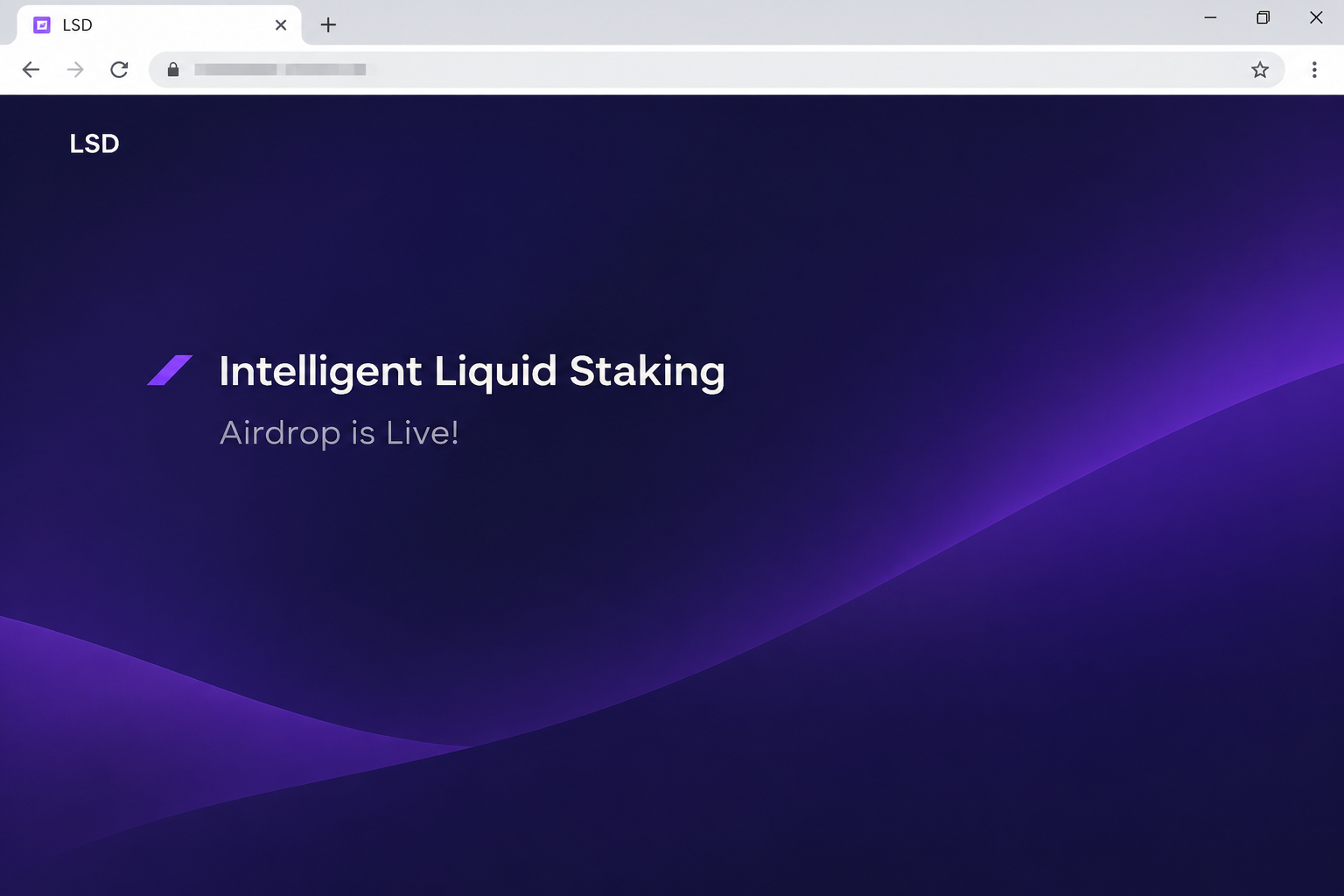
The fake Liquid Staking Airdrop was documented at tech-lsd[.]live. The page labels itself LSD and claims it can move SOL toward staking opportunities based on yield, incentives, and risk.
It also presents an active airdrop and invites visitors to check eligibility. Those are two promises, one about managing a staking position and another about a distribution.
The image recreates the short airdrop announcement and its staking heading. It doesn’t show a live service, an active bonus, or a balance anyone received.
Liquid staking is real, but the term isn’t an endorsement
Solana’s staking guide distinguishes native staking from liquid staking. With liquid staking, a protocol may issue a token representing a staked position.
In native staking, stake accounts and validator delegation are separate from the ordinary SOL balance. Solana’s stake account documentation explains how those account roles work.
None of that identifies who controls the airdrop page. Familiar descriptions are not a substitute for a verified protocol and documented terms.
The recorded airdrop path opens a wallet chooser
The captured page goes from its eligibility invitation to a list of wallets. It does not show completed staking, a signed approval, or a delivered reward.
If you saw the list but did not authorize anything, distinguish that from a deposit. Learn which account the site may have connected to before assuming your SOL moved.
Start by separating the distinct decisions involved:
- Checking whether a promotion exists does not require a transfer of your existing SOL.
- Staked SOL or a token representing it is not automatically evidence of a reward.
- A wallet menu can name legitimate providers without being part of any one provider’s service.
- A real transfer should be visible in the relevant account’s history.
- A recovery phrase should not be used to confirm a staking allocation.
How to Separate a Staking Position From a Giveaway
The word liquid can sound like a promise that money is always instantly available. It refers to a way of representing a staked position, not a universal redemption guarantee.
A liquid staking token can be used differently from SOL in a regular wallet. Its value, available liquidity, and route back to SOL can depend on the protocol.
This matters because the fake page combines technical-sounding staking language with a quick eligibility test. A reader who trusts the first half may give the second a pass.
If you’re comparing actual staking products, you need to know who runs the protocol and what your wallet gets in return. A heading about optimized returns doesn’t answer that.
A giveaway is a different arrangement. It needs identifiable eligibility rules that explain what is distributed and why your account is included.
You could take part in a genuine staking program without being entitled to a separate airdrop. You could also see an airdrop claim without having staked any SOL there.
If you don’t know which service supposedly holds your stake, start from the transaction you used to create the position. The fake eligibility page is not a record of it.
How the Fake Liquid Staking Airdrop Scam Works
Step 1: The page offers to solve a real staking question
The pitch says it can allocate SOL according to yield, incentives, and risk. Those are subjects people may already be trying to understand when deciding what to do with SOL.
In that context, the technical language feels useful rather than alarming. It describes a problem a real protocol might try to address.
The brand name on the page does not identify any obligation to you. Ask which operator, published product, and network record would establish the relationship before relying on it.
Step 2: An active airdrop supplies a reason to act immediately
A person may have opened the page to read about staking. The airdrop changes that task into checking whether something is available now.
The claim and the staking description may look like part of the same product. Separate what the page says you could earn from what it asks you to do today.
If you didn’t intend to move SOL, do not turn an eligibility question into a staking transaction. Stop when the actual request changes the task you came to do.
Step 3: The eligibility check brings up wallet choices
The documented flow opens a wallet chooser. For someone used to connecting to staking apps, that can feel like the expected way to continue.
The menu itself does not identify the reason for a later prompt or tell you which account will be affected. Check the wallet and the verified service for details.
If the site lists the wallet you own, that is not a partnership badge. Verify the website separately even if your browser opens a real extension.
Step 4: The label on the page and the wallet request can differ
“Check Eligibility” suggests an information request. A signed instruction, a transfer, or a permission can have a different consequence.
Read the network, account, amount, and recipient in the actual wallet. Reject a proposal you didn’t intend to make, even if the page describes it as a routine check.
The case evidence stops at the chooser. It doesn’t show what a particular visitor signed, so your own account records are needed to know whether an incident went further.
Step 5: A balance screenshot misses what kind of asset changed
If you signed something, look beyond the total value shown in the wallet. SOL, a liquid staking token, and a displayed estimate can move differently.
A legitimate staking transaction may change where a position appears, without looking like a cash payment. Check the destination before classifying an unexplained movement.
Write down what changed at the time you used the site. An unexplained difference in a summary view isn’t enough to identify the transaction or reach a conclusion about loss.
How to Check an Existing Solana Staking Position
Start with the account history, not the reward message
Find the public address you normally use for staking. Check relevant wallet activity or an explorer you already trust, without reconnecting to the alleged airdrop.
For native staking, the stake account can be separate from the account you use for payments. Look for a known delegation before attributing a balance change to this page.
If you hold a liquid staking token, identify where it came from and the service you used. Compare the actual asset identity, not just a display name containing “staked SOL.”
If you don’t recognize a transfer, collect its signature and affected address. A wallet provider or your own records can help distinguish a known action from one you didn’t request.
Check the real protocol before you try to redeem
Start from the protocol’s known instructions for its position or token. Don’t use a link that came with a giveaway, especially one describing a new withdrawal feature.
An app might show an estimated value without offering immediate redemption for that value. Read the protocol’s current terms and check your actual position rather than trusting an email estimate.
If you need help reading a record, share the public details only. Don’t export a secret key so that someone else can “verify” your account for you.
If someone claims a new deposit will release your existing position, stop and verify it separately. Paying to resolve an unverified page’s problem can create another loss.
What to Do if You Have Fallen Victim to This Scam
-
Leave the eligibility page and avoid a second test. If you didn’t authorize anything, you can check the actual staking protocol independently without contacting the site.
Keep a note of the page if you need to warn someone. Describe the airdrop name and the domain without supplying a clickable link.
-
Remove an unfamiliar connection in the wallet you selected. Check the connected apps list from the wallet settings rather than the airdrop’s interface.
Phantom’s response guidance separates an unwanted connection, a signed action, and a leaked phrase. Follow the path for the action you actually took.
-
If you signed, determine which Solana account and assets were involved. Review transfers and relevant permissions around the time of the interaction.
Save the transaction signature and affected token if something doesn’t fit. Removing a connection does not reverse a confirmed change recorded on the network.
-
If you disclosed a wallet secret, protect remaining funds. Use a clean device and your wallet’s verified instructions to move away from the exposed key or phrase.
Tell a household member or colleague if they also use that account. Stop routing new deposits there while you check the exposure.
-
Document confirmed losses and contact the relevant provider. If an exchange was involved, reach it through the official support route with the transaction record.
Report suspected theft to the appropriate authority. Keep the wallet and amount specific, and don’t pay someone who promises to recover it for an upfront fee.
-
Check your real staking records after the immediate issue is contained. Make sure you know which addresses and staking positions are still yours.
Use previously verified bookmarks and accounting records to find them. Don’t let a message about a new airdrop dictate how you access an old position.
A Checklist for Reading the Actual Staking Transaction
Look at the intended account and asset
A staking position can be missing from the wallet’s home screen even when the underlying record still exists. Check which address was used rather than assuming the funds disappeared.
If you delegated SOL natively, the destination may be a stake account you control. Compare its history with your records before deciding an outgoing amount was sent to someone else.
For liquid staking, compare the original SOL movement with the asset you actually received. A token with a matching display name isn’t necessarily the receipt token issued by that protocol.
If the wallet shows a later transaction for a different asset, don’t group it automatically with the first one. Make a short timeline based on what the network recorded.
Identify which part of the process needs help
A redemption delay on a real service doesn’t prove that you lost funds on the fake page. Work from the provider you used and the state of the specific position.
If you originally obtained a staking token at an exchange, check the exchange transaction separately. The withdrawal history may point to another address or network.
If you expect accrued rewards, check how the protocol represents them. A position can show a different value without adding a separate reward token to your visible balance.
That difference is another reason not to use the airdrop as a balance checker. It doesn’t have to understand your protocol to display an impressive eligibility notice.
Be precise when you ask for a second opinion
Give the support team the public transaction signature, asset, and approximate time. Tell them whether you intended to stake, redeem, or simply read the eligibility announcement.
If it’s a shared business wallet, flag any unresolved request before another person uses it. Ask them to wait until the team verifies what happened instead of testing another transfer.
Don’t send someone screen recordings that reveal account recovery information. A record of public activity is enough to discuss whether a given stake or transfer is yours.
Frequently Asked Questions
Is the Liquid Staking Airdrop a promotion from Solana?
The documented page used an unrelated address and did not show authority from Solana. The fact that liquid staking exists doesn’t authenticate its bonus offer.
Is my liquid staking token the same as native SOL?
A liquid staking token can represent a staked position, but it is not the same asset as SOL in your payment account. Check its issuer and documented redemption options.
Does the eligibility button just check a public balance?
The captured button opened a wallet selector. That doesn’t establish that later requests were limited to reading a balance, so check any prompt in the wallet itself.
What if I only opened the list of wallet providers?
Opening a menu does not establish a connection or asset movement. Use your own wallet to see whether any connection or authorization actually exists.
Why does my SOL balance look different after staking?
Some positions appear in a separate stake account or as a different token. Compare the underlying transaction and address rather than judging by a single portfolio total.
Should I send a small amount to test the reward?
A test transfer puts real funds at risk and doesn’t tell you whether the site is authorized. Verify the promotion without paying the site.
The Bottom Line
Skip the Liquid Staking Airdrop on the unrelated site. Its claim to optimize staking doesn’t make the eligibility request official or give it a reason to access your wallet.
If you interacted, check which account acted and whether you signed anything. Verify existing staking positions through the protocol you used, not the page promising a new giveaway.

Join the discussion
0 commentsShare your experience or ask a question about this article.
Community experiences
Did this happen to you?
Your experience could help someone recognize the same scam. Submit a private report for our team to review.
I experienced this tooReports are reviewed before publication. Sharing publicly is always your choice.
Discussion
Start the conversation
Have a question or something useful to share? Add the first comment.