

Streaming devices are everywhere, especially as cable prices continue to rise. It’s not surprising that many people are searching for cheaper alternatives.
The Flixy TV Smart Stick is marketed as one of those solutions. It promises over 1,000 channels, unlimited entertainment, and no monthly fees.
That sounds appealing.
But the key question is simple: does it actually deliver, or is it just another overhyped product?
This breakdown explains what Flixy really is, how it’s marketed, and what happens after you buy it.
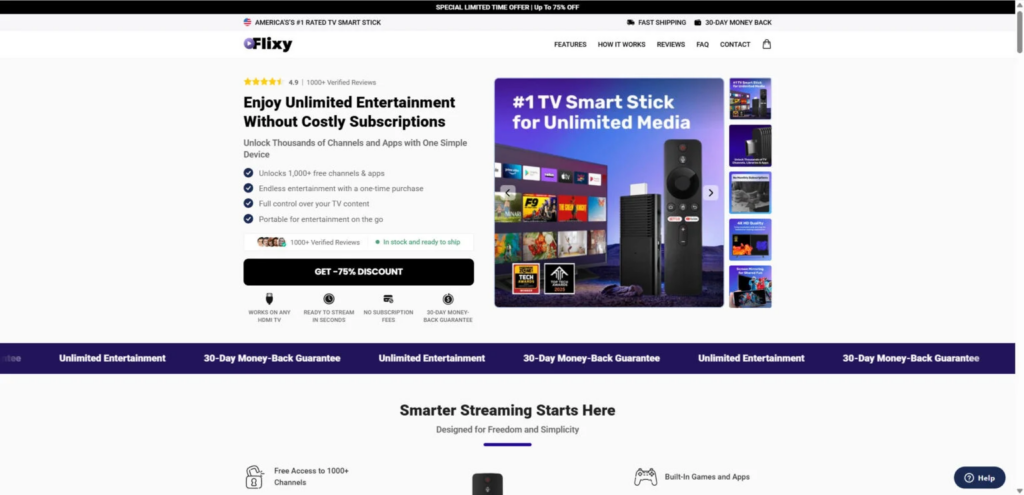
What Is the Flixy TV Smart Stick?
The Flixy TV Smart Stick is advertised as a plug-and-play device that turns any TV with an HDMI port into a smart TV.
What the ads promise
- 1,000+ free channels and apps
- Unlimited movies, TV shows, sports, and games
- No subscriptions, ever
- “AI-powered” navigation
- 4K or even “8K-ready” streaming
- Portable, travel-friendly design
At a glance, it looks like a low-cost alternative to paid platforms.
However, these claims do not reflect how the device actually works.
What You Actually Get
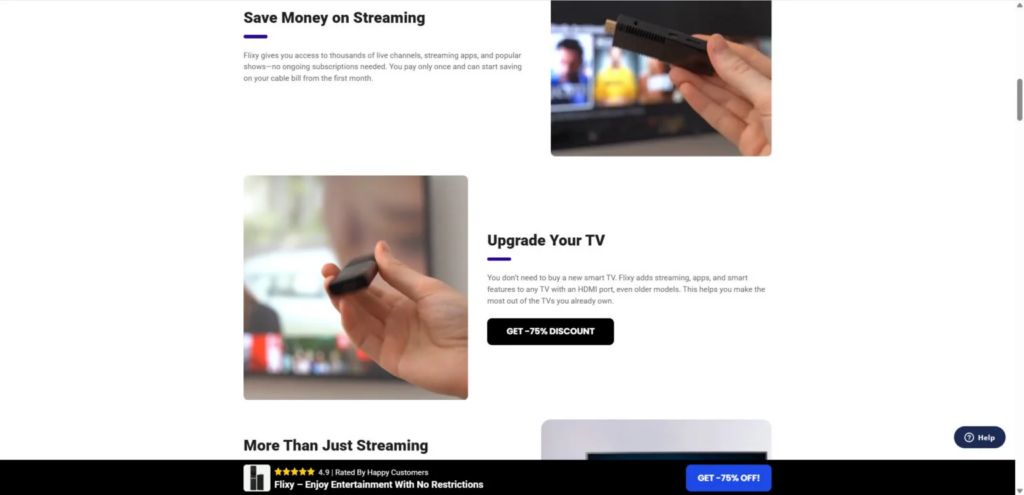
Despite the marketing, Flixy is not a unique or advanced device.
It’s a generic Android TV stick
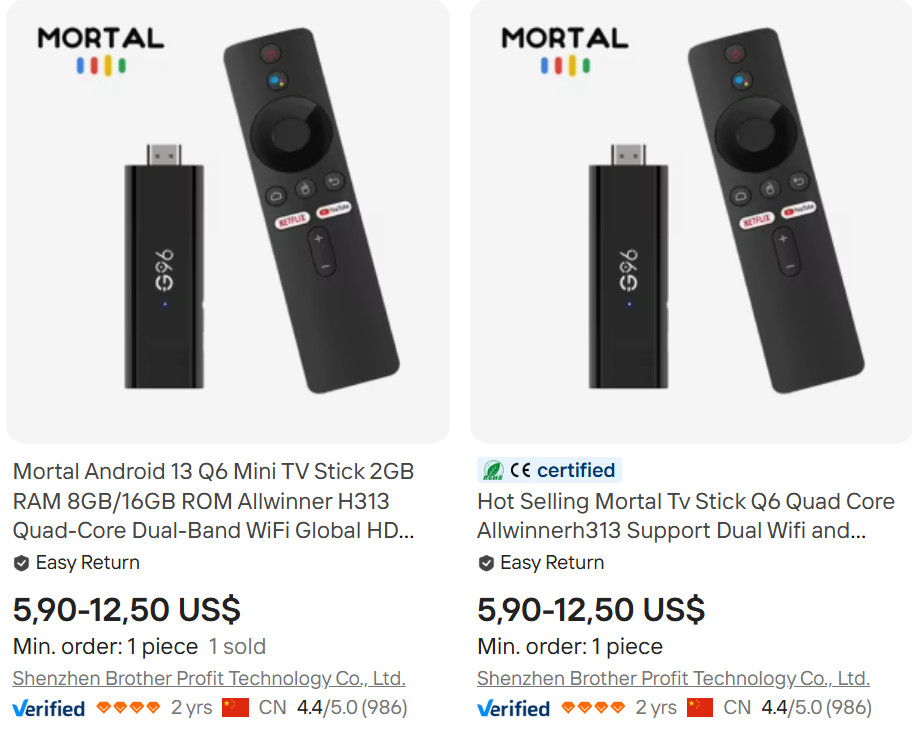
- Typically sourced from wholesale platforms like Alibaba or AliExpress
- Production cost: around $6–$12 per unit
- Rebranded and resold under different names
What that means in practice
- Runs a basic Android operating system
- Allows installation of apps from the Google Play Store
- No exclusive features or proprietary technology
Key limitations
- Subscriptions are still required
Apps like Netflix, Disney+, Hulu, and HBO Max are not free - “1,000+ channels” is misleading
Most are free apps already available on any smart device - Weak performance
- Usually only 1GB RAM and 8GB storage
- Slow navigation and frequent lag
- Unreliable streaming quality
- 4K performance is inconsistent
- 8K claims are not realistic
Pricing vs. Reality
Typical wholesale cost
- $6–$12 per unit
Flixy retail price
- $39–$79 per unit
What this means
- Markup of roughly 500%–700%
- No added value to justify the price increase
You are paying primarily for marketing, not for better hardware.
How the Marketing Works
Flixy relies heavily on persuasive tactics designed to push quick purchases.
Common strategies used
1. Fake discounts
- “75% OFF today only”
- Constant sales that never actually end
2. Scarcity pressure
- Countdown timers
- “Only a few units left” messages
3. Inflated reviews
- Claims like “4.9 stars from 8,000+ buyers”
- Limited independent verification
4. Misleading comparisons
- Positioned as better than Roku or Fire Stick
- No technical basis for these claims
5. Emotional triggers
- “Cut the cord forever”
- “Never pay for streaming again”
These tactics are designed to reduce hesitation and increase impulse buying.
How the Operation Works
Step 1: Dropshipping model
- Products sourced from low-cost manufacturers
- No in-house production or development
- Rebranded and resold at high margins
Step 2: Single-product websites
- Clean, professional-looking pages
- Focus on one “hero” product
- Built for conversions, not transparency
Step 3: Aggressive advertising
- Facebook, Instagram, and YouTube ads
- Target users frustrated with cable bills
Step 4: Overpromising features
- Free premium content (not true)
- High-end performance (not supported by hardware)
Step 5: Post-purchase issues
- Delayed shipping
- Poor product quality
- Difficult or denied refunds
Refund and Customer Support Issues
Although a “30-day money-back guarantee” is often advertised, real customer experiences suggest otherwise.
Common complaints
- Refund requests ignored or delayed
- Only partial refunds offered
- Customer support responses are slow or automated
- Return shipping often required to China
In many cases, recovering your money becomes difficult.
What to Do If You Already Bought It
If you purchased a Flixy stick and are dissatisfied, act quickly.
1. Request a refund
- Contact support immediately
- Reference the return policy
- Keep all communication records
2. Dispute the payment
- Credit card: file a chargeback for “item not as described”
- PayPal: open a dispute in the Resolution Center
3. Report the issue
- Better Business Bureau
- Federal Trade Commission
- Review platforms like Trustpilot or SiteJabber
4. Warn other buyers
- Share your experience online
- Help reduce future victims
Better Alternatives
If you want a reliable streaming device, established brands offer significantly better performance and support.
Recommended options
- Amazon Fire TV Stick
- Roku Streaming Stick
- Google Chromecast
- Apple TV
Why these are better
- Regular software updates
- Stable performance
- Verified app ecosystems
- Real customer support
Key Red Flags to Watch For
When evaluating similar products, look for these warning signs:
- Unrealistic claims like “free premium channels forever”
- Heavy discounts that never expire
- No clear company information
- Overuse of buzzwords like “AI-powered” without explanation
- Poor or nonexistent independent reviews
The Bottom Line
The Flixy TV Smart Stick is not a breakthrough product.
It is:
- A low-cost generic Android device
- Rebranded and heavily marked up
- Marketed with exaggerated and misleading claims
What it does NOT do
- Unlock premium streaming services for free
- Deliver true 8K performance
- Provide anything beyond what cheaper alternatives already offer
Final assessment
This follows a familiar pattern seen in many dropshipping products:
- Low production cost
- High emotional marketing
- Limited real value
If you want a dependable streaming experience, established devices remain the safer choice.
FAQ
Is the Flixy TV Smart Stick legit?
Flixy is a real physical product, but the bigger issue is how it is marketed. It is typically presented as a breakthrough streaming device that gives you free access to premium channels and unlimited entertainment with no subscriptions. Those claims are misleading. In reality, it appears to be a cheap generic Android TV stick sold at a much higher price.
Does Flixy TV really give you free premium channels?
No. It does not legally unlock paid services like Netflix, Disney+, Hulu, HBO Max, or live sports packages for free. If you want those platforms, you still need valid paid subscriptions. Claims suggesting otherwise are a major red flag.
What does “1,000+ channels” actually mean?
This usually refers to free apps, free streaming services, internet channels, and publicly available content that can already be accessed on many other smart devices. It does not mean you are getting thousands of premium cable channels for free.
Is the Flixy TV Smart Stick better than Roku or Fire Stick?
No. Established devices like Roku, Amazon Fire Stick, Google Chromecast, and Apple TV are generally more reliable, better supported, and more transparent about what they offer. Flixy is marketed as if it is superior, but there is little evidence to support that claim.
Can the Flixy TV Smart Stick really stream in 4K or 8K?
The marketing often makes those claims, but the hardware typically does not support smooth high-end performance. Devices in this category usually have weak specs, such as 1GB of RAM and limited storage, which can lead to lag, buffering, app crashes, and poor overall streaming quality.
Why is Flixy TV considered misleading?
It is considered misleading because the advertising often exaggerates what the device can do. Common claims include free premium entertainment, advanced AI navigation, and top-tier streaming quality, when in reality the product is usually a basic rebranded Android stick with limited performance.
How much is the Flixy TV Smart Stick actually worth?
Generic versions of similar Android TV sticks are often sold on wholesale sites for around $6 to $12. Flixy is typically sold for much more, often between $39 and $79, which means buyers may be paying a very large markup for a product that is not unique.
Is Flixy TV a scam?
Many people describe it as a scam because of the misleading advertising, inflated promises, and refund issues. More precisely, it fits the pattern of a heavily marked-up dropshipping product sold through aggressive marketing rather than a high-quality streaming device with real innovation.
What should I do if I already bought Flixy TV?
Start by requesting a refund immediately and save all emails, receipts, and screenshots. If the company does not cooperate, contact your credit card company or PayPal and dispute the charge as “item not as described.” You can also leave reviews and report the business to consumer protection platforms.
Are there safer alternatives to Flixy TV?
Yes. Better options include Amazon Fire Stick, Roku, Google Chromecast, and Apple TV. These devices come from established companies, receive software updates, offer reliable support, and do not rely on misleading promises to attract buyers.
Why do products like Flixy TV keep appearing?
Because this business model is profitable. Sellers can buy cheap generic electronics in bulk, rebrand them, create flashy websites, run aggressive social media ads, and charge large markups. Even if many buyers complain, enough people still purchase the product to keep the cycle going.
How can I spot similar streaming device scams in the future?
Watch for red flags like:
- promises of free premium channels for life
- vague claims about “AI” or “advanced technology”
- huge discounts that always seem active
- countdown timers and fake urgency
- suspiciously perfect reviews
- no clear company background or support details
A good rule is simple: if a streaming device promises unlimited premium entertainment with no monthly fees, it is almost certainly overstating what it can do.








