


Your new hardware wallet arrives with the accessories neatly arranged. Among them is a recovery card that someone has already completed.
The packaging looks professional, and the instructions promise an easier setup. Before following them, consider who prepared the information you are being asked to trust.
Overview
Recovery information is not an ordinary accessory
A wallet backup can restore access to the keys controlling cryptocurrency. Whoever already knows that backup may be able to use the same keys elsewhere.
That makes prefilled recovery words fundamentally different from a printed quick-start guide. A convenient-looking shortcut can give somebody else continuing control.
Don’t use recovery words or a PIN supplied with a supposedly new device. Stop setup and consult the manufacturer’s genuine support.
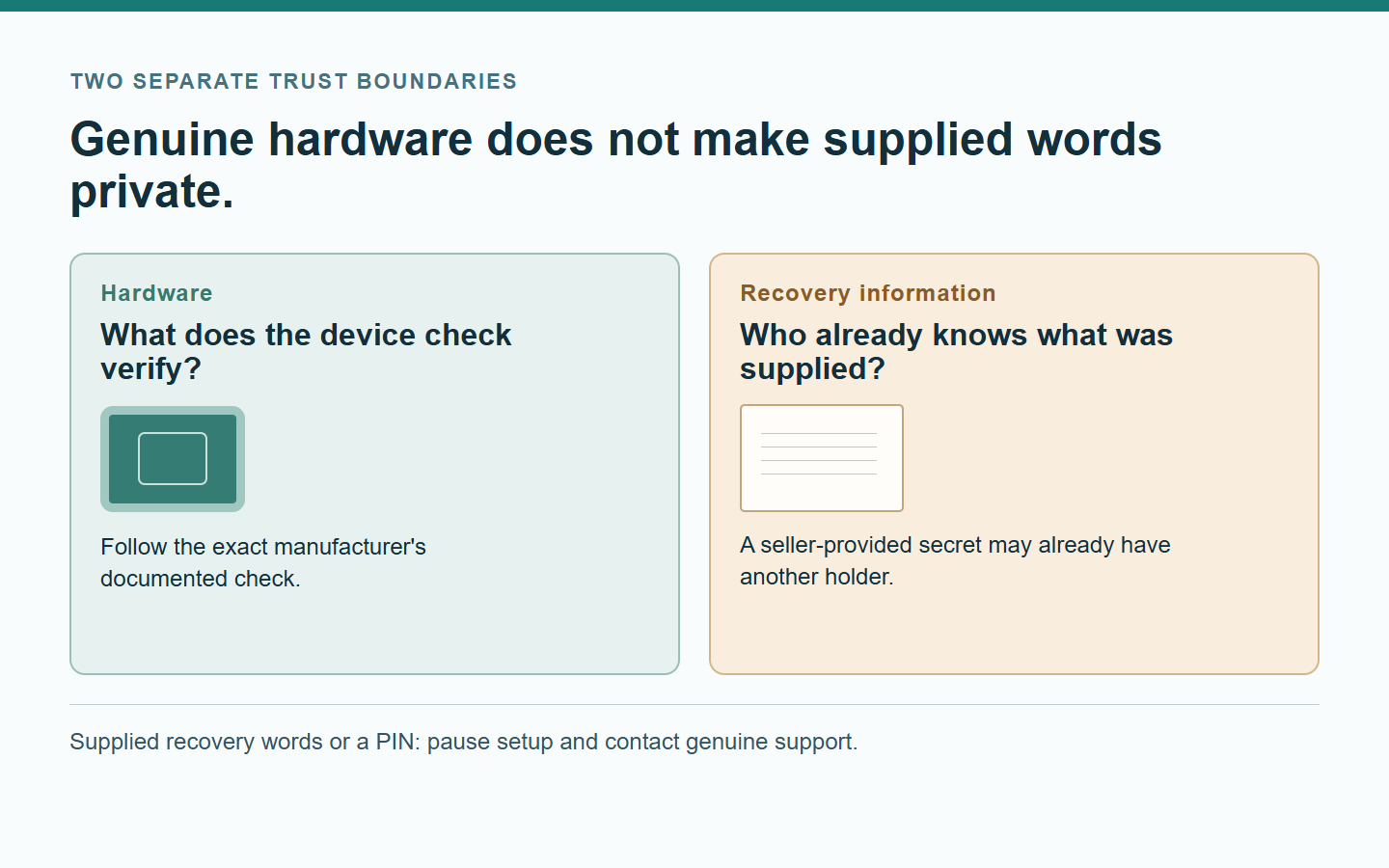
Hardware authenticity and secret ownership are separate checks
An authentic device doesn’t prove that a phrase written on paper is known only to you. A suspicious insert remains suspicious beside genuine hardware.
For a disputed delivery, product support assesses the device and package. Wallet security also depends on which information you entered or exposed.
Make a short action record before seeking help. Whether you only opened the box or restored an existing wallet changes the response.
Normal packaging varies by manufacturer and model
Seal designs, included cards, firmware expectations, and normal surfaces can differ. Compare the exact product with its own current official documentation.
- Leave supplied recovery words and PIN instructions unused.
- Keep the device disconnected while resolving suspicious contents.
- Verify model-specific packaging through the manufacturer’s genuine guidance.
- Preserve purchase records without exposing existing wallet secrets.
Why a Prefilled Card Can Be More Dangerous Than a Fake Box
A counterfeit box attracts attention because it looks wrong. A prefilled card can have the opposite effect, making the package seem thoughtfully prepared.
The seller might describe the wallet as activated, verified, professionally configured, or ready to receive funds. Those words don’t establish exclusive control.
Changing a device PIN addresses local access protection. It doesn’t establish whether somebody else knows the recovery information behind the funded wallet.
Similarly, shredding the supplied card doesn’t erase a copy elsewhere. Destroying your copy and replacing the underlying secret are different operations.
For suspicious newly delivered hardware, stop before attempting your own repair. A package containing dishonest instructions raises questions beyond the sheet of paper.
Recognize the Difference Between Instructions and Secrets
A legitimate guide can explain what a backup does, where to record it, and why it needs careful storage. It doesn’t need to choose your secret.
A blank card provides space for information created during your own verified setup. Its printed numbering or safety instructions are not themselves recovery words.
By contrast, a completed word list, a supplied PIN, or instructions to use a preselected wallet changes who may already control that wallet.
Don’t assume that words are harmless because they are printed neatly rather than handwritten. Their origin matters more than the typeface.
Don’t enter supplied words into a website to check them. That turns uncertainty about one secret into disclosure to another party.
Likewise, don’t photograph an existing backup to compare it with an example. Support can discuss a suspicious package without seeing secrets protecting your funds.
Stop before using seller-supplied recovery information. Don’t enter it, fund its accounts, or let a remote helper walk you through its activation.
What the Product Documentation Can Actually Resolve
Look up the exact model using the manufacturer’s independently located website. Don’t begin with a QR code, download address, or support number inside suspicious instructions.
Match the model before comparing its seal. A correct feature on one product can be the wrong expectation for another.
The Trezor Safe 3 authentication guide describes both original and updated holographic seal designs as genuine.
It also explains that different production versions can include cards labeled recovery seed or wallet backup, with different printed word counts.
Those documented variations don’t make a filled-in card acceptable. The same guide says the included backup cards should arrive completely empty.
The distinction depends on what happened and when. Record the package’s original condition instead of relying on memory after continuing setup.
However, a photograph that resembles official packaging cannot authenticate the electronics inside. Packaging comparison is useful context, not a complete security test.
Keep These Four Trust Questions Separate
| Question | Useful check | Important limit |
|---|---|---|
| Does the package match the documented product? | Compare the exact model and documented packaging variations. | Matching packaging doesn’t prove the hardware is unmodified. |
| Is the device’s authenticity check being performed correctly? | Use genuine vendor guidance and independently obtained software. | Ask whether the documented test applies to this exact model. |
| Who already knows the proposed recovery information? | Reject secrets supplied or selected by another person. | A genuine chip cannot make copied words private. |
| Is the person offering help actually authorized? | Reach the manufacturer’s support through an independent route. | A knowledgeable caller can still be an impersonator. |
Don’t average these answers into a reassuring score. One serious unresolved problem can justify stopping, even when several cosmetic details look normal.
Keeping the questions separate also prevents unnecessary panic. A documented older card design is not the same finding as somebody else’s completed word list.
Firmware Expectations Are Model-Specific
Firmware is software running on the device. Its expected factory state and verification process are matters for that product’s current official instructions.
Trezor’s Safe 3 guide says that model leaves the factory without firmware installed. Its documented setup includes installing signed firmware through Trezor Suite.
That statement should not become a universal rule about every hardware wallet. Another manufacturer’s product may have a different normal factory state.
The separate Trezor preinstalled-firmware troubleshooting page directs owners of a newly purchased device with unexpected firmware to support.
Don’t erase the device merely to make an unexpected condition disappear. A reset could remove information you need when explaining the problem.
It also wouldn’t establish why the device arrived that way. Restoring an expected screen is not the same as establishing a trustworthy purchase history.
Don’t download a verification utility sent by the seller to settle the question. A dishonest helper can provide software that confirms whatever story they want.
A Genuine Check Has a Defined Scope
Ledger’s purchasing guide explains its Secure Element check. Some physical modifications can escape detection when that original component remains intact.
Keep the result alongside the package evidence rather than using it to erase a conflicting observation. A passed test does not explain a seller’s instructions.
Ask support what the observed result means for your model. Send the exact nonsecret error message rather than guessing that every warning describes the same problem.
Distinguish an error you encountered from a seller’s screenshot of a successful test. They are different records, and neither explains who prepared the supplied card.
You do not need to recreate a risky test to improve that record. Preserve what already happened and let verified support specify any appropriate next step.
Check the Purchase Route Without Returning to the Pitch
Write down where the seller’s identity appears: order confirmation, payment statement, and marketplace order page. Keep differences as observations instead of choosing whichever name sounds official.
Record whether the suspicious instructions arrived inside the package or appeared later in a message. That distinction helps support locate the disputed part of the purchase.
Save the original correspondence before requesting a return. Ask the seller’s genuine transaction channel about its process, but resolve exposed wallet access through separate security guidance.
Choose the Appropriate Stopping Point
The recovery card already contains words or a supplied PIN.
Leave the device unused and don’t enter the supplied information. Contact genuine manufacturer support and explain the package contents without sharing any existing wallet backup.
The packaging differs from a picture I remember.
Compare the exact model with current official documentation. If the difference is unexplained or the package seems opened, pause and ask genuine support.
I need to separate my observations from a seller’s claims.
Record what arrived, what you personally did, and when the concern appeared. Keep the seller’s explanation separate from the facts you directly observed.
What to Do If You Used the Supplied Recovery Information
Separate three situations: you inspected the package, you used its supplied setup information, or you funded accounts controlled by that information.
If you entered recovery information for a previously used wallet, report that separately from using the seller’s supplied words. The affected assets may be elsewhere.
Merely reading the enclosed card does not disclose your existing backup. Describe what left your control instead of assuming every wallet you own shares the exposure.
-
Stop further funding of accounts derived from the supplied recovery information. Don’t send a small payment to see whether somebody notices it.
Absence of theft today doesn’t prove that the information is private. Another holder could act later or wait for a larger balance.
-
Use a trusted separate environment to reach the manufacturer’s genuine support. Describe the model, purchase route, package condition, and whether any assets were involved.
Do not send recovery words, private keys, authentication codes, or screenshots containing them. A support discussion should not create another copy of a valuable secret.
-
An already funded wallet needs prompt security attention, not just a warranty conversation. Trezor’s compromised-backup guidance calls for moving affected funds to a different wallet.
Use a separately controlled, securely backed-up wallet unrelated to the exposed words. If you need a new wallet, generate its backup privately.
Do not wait for a parcel-return decision before seeking that guidance. If your setup is complicated, request help without disclosing recovery information or signing unfamiliar requests.
-
Keep the original seller instructions, order confirmation, and payment records. Photograph suspicious packaging only after ensuring no existing personal secrets appear in the frame.
If manufacturer support requests evidence, confirm what it actually needs. Never send a photo of your legitimate backup merely because the complaint concerns a different card.
-
If assets already moved unexpectedly, preserve the actual network, amount, time, destination, and transaction reference. Contact any relevant exchange promptly through its genuine support.
The FBI’s cryptocurrency-victim guidance explains useful reporting records. A completed report supports investigation but doesn’t guarantee the return of funds.
-
Handle a seller refund or replacement separately from wallet security. Returning the product doesn’t invalidate recovery information another person may already know.
Don’t reset a funded device or discard its only backup without a safe plan. Product troubleshooting must not create an avoidable loss of access.
Make a Support Request That Doesn’t Reveal a Secret
A useful first message can describe the exact model, order date, seller, package damage, unexpected preconfiguration, and whether setup or funding occurred.
Describe a supplied word list without reproducing it. Genuine support can understand the concern from that description and advise which nonsecret evidence matters.
Keep purchase references private rather than posting them publicly. Your name, address, and tracking details can help a later impersonator sound convincing.
Ask for a written case reference and the next documented action. Keep the response connected to the official support conversation you started independently.
Don’t allow an unsolicited direct message to replace that conversation. Knowing your model or recognizing its accessories doesn’t establish that a stranger represents the manufacturer.
Build a Timeline the Support Team Can Follow
Use three dated entries: what arrived, what you did next, and when you noticed the concern. Keep the seller’s explanation in a separate column.
The delivery entry should describe the package before you changed it. If you already discarded the packaging, say so rather than inventing its original condition.
The actions entry should distinguish connecting the device, installing software, following a link, and entering information. A general phrase such as “setup completed” hides those differences.
The concern entry should identify the first unexpected prompt or instruction and where it appeared. Keep its wording separate from your interpretation of what it means.
Then state the question you need answered next. Product return instructions, unexplained device behavior, and a previously used wallet’s exposure require different responses.
Ask that the reply identify which question it addresses. An answer about the parcel cannot silently become reassurance about everything you did after opening it.
Frequently Asked Questions
Can a genuine device come with an unsafe recovery card?
Yes, those are two separate security questions. A genuine device doesn’t make recovery information supplied by another person private or suitable for protecting your assets.
Should I reset the wallet and use it anyway?
Don’t treat resetting as proof that suspicious hardware is trustworthy. Stop using an unexplained preconfigured purchase and seek the manufacturer’s genuine guidance.
Does every hardware wallet need the same seal?
No, packaging and seals depend on the manufacturer, model, and production version. Compare the exact product with its current official documentation.
Should I mail the device back while assets remain accessible?
Ask verified support to coordinate product handling with the wallet-security response. A return label doesn’t tell you whether another person can still use the supplied information.
Can support ask for the recovery words to investigate?
Don’t disclose recovery words, private keys, or active authentication codes. Describe the suspicious package and use independently verified support channels for further instructions.
What if I already deposited but nothing disappeared?
Stop adding funds and treat supplied recovery information as exposed. Seek a secure response through verified guidance rather than waiting for a visible theft.
The Bottom Line
A new hardware wallet should not ask you to trust somebody else’s recovery words or PIN. Leave suspicious contents unused and verify the purchase through genuine support.
If you already funded the supplied wallet, stop further deposits and address its exposed access separately from any seller refund. Don’t rely on a cosmetic reset.

Join the discussion
0 commentsShare your experience or ask a question about this article.
Community experiences
Did this happen to you?
Your experience could help someone recognize the same scam. Submit a private report for our team to review.
I experienced this tooReports are reviewed before publication. Sharing publicly is always your choice.
Discussion
Start the conversation
Have a question or something useful to share? Add the first comment.