

If you’ve recently seen ads claiming that a “NASA-inspired flywheel device” can slash your power bill by 80% and give you complete energy independence, you’ve probably come across Home Power Shield. The promise sounds irresistible — a pocket-sized generator you can build at home for under $200 that keeps your lights on through any storm, blackout, or disaster.
But can such a small gadget really power your home? Or is this just another online energy scam hiding behind big claims and flashy marketing?
Let’s dig deep into the Home Power Shield story, break down how it works, and uncover whether it’s legitimate or a sophisticated digital con designed to empty wallets.
Overview
The Home Power Shield is marketed as a revolutionary do-it-yourself power generator that supposedly lets ordinary homeowners produce endless clean electricity using a simple flywheel mechanism. According to its promotional materials, this invention was “inspired by NASA research” and “proven to reduce power bills by up to 80%.”
What the website claims
On the official site, Home Power Shield is described as:
“A compact and pocket-sized device that captures kinetic energy and converts it into electricity, allowing you to power household appliances without relying on the grid.”
It also promises:
- Easy assembly in just a few hours
- No technical background needed
- Works in any weather condition
- Safe, eco-friendly, and silent operation
- Lifetime energy savings
The product supposedly includes:
- A step-by-step blueprint guide
- A complete parts list available at local stores
- Bonus guides such as The Miracle Fuel Cookbook and Battery Secrets Handbook
The price point usually sits around $49 to $69, but the page often displays fake “limited-time 90% off” banners claiming a $149 value discounted to encourage impulse purchases.
Familiar tactics from previous scams
If all of this sounds suspiciously similar to past online “free energy” pitches like The Lost Edison Generator or Backyard Revolution, that’s because it is.
The formula never changes:
- Invent a story about a regular person who “accidentally” discovers hidden technology.
- Link it to a respected institution (NASA, MIT, or Edison).
- Suggest greedy power companies suppressed the discovery.
- Offer the blueprints cheaply “before it’s taken down.”
This approach preys on the public’s frustration with high electricity costs and fear of power outages.
The fake inventor story
According to the site, Charles Mason, a 43-year-old firefighter from Sacramento, created the Home Power Shield after losing power during California wildfires. With help from his “uncle Tim, a professional researcher,” Charles allegedly refined NASA flywheel technology to develop a mini home generator anyone can build.
This backstory is textbook emotional marketing: a relatable everyman struggling to protect his family, transformed into a hero who outsmarts corporations. It creates empathy and trust while disguising the lack of technical substance.
Questionable scientific claims
The Home Power Shield pitch leans heavily on scientific language. It mentions:
- Flywheel energy storage technology
- Gravity-based mechanisms
- Low-friction design
- NASA-inspired kinetic conversion
In reality, flywheel systems do exist, but they’re large, industrial machines used to stabilize power grids — not small boxes that run refrigerators. No scientific paper, patent, or NASA documentation links to this consumer product.
The entire scientific veneer is a facade. The idea that a DIY flywheel can continuously generate household electricity without external energy input contradicts basic physics.
Why this matters
Beyond wasting money, scams like these can create false hope. Many buyers are retirees or families in rural areas looking for real solutions to expensive energy costs. When they discover the device doesn’t work, they often feel embarrassed and never report it.
Meanwhile, the sellers profit through affiliate commissions, upsells, and repeat campaigns under new names.
How The Operation Works
Now that we’ve seen the surface claims, let’s go step-by-step through how the Home Power Shield scam actually operates — from the first ad you see to the final “thank you for your purchase” email.
Step 1 – The attention-grabbing ad
The journey usually begins with a paid ad on YouTube, Facebook, or a low-quality news site. The headline is designed to sound urgent and revolutionary:
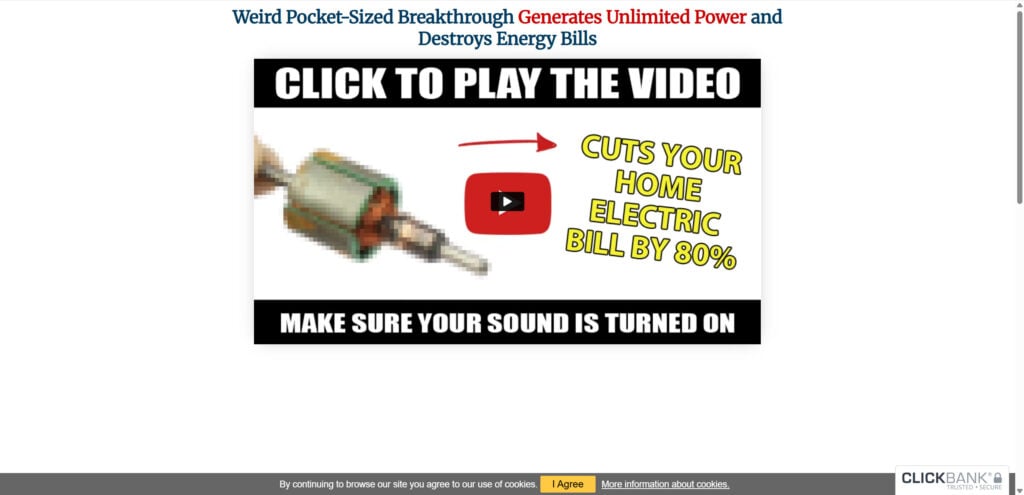
- “Weird Pocket-Sized Breakthrough Generates Unlimited Power!”
- “NASA Flywheel Discovery Slashes Electric Bills by 80%!”
- “Firefighter’s DIY Energy Trick Destroys Power Companies!”
These ads often feature dramatic voiceovers, pictures of spinning rotors, and animated graphics of homes glowing in the dark during blackouts.
The emotional goal is fear and curiosity. It tells you that energy costs are rising, disasters are coming, and this small invention is the only hope for independence.
Step 2 – The long video sales letter
Clicking the ad takes you to a video landing page — a hallmark of online scam funnels. The video begins with a narrator telling a heartfelt story about Charles Mason’s family suffering through wildfires. Dramatic music plays while footage of storms, helicopters, and power lines flashes on screen.
He then describes how a chance discovery of a “forgotten NASA technology” changed everything.
For the next 30 to 40 minutes, the narrator blends:
- Emotional storytelling
- Half-truths about energy physics
- Conspiracy theories about greedy corporations
- Testimonials from supposed users
This long presentation is crafted to break down skepticism gradually. It repeatedly uses psychological persuasion techniques like social proof, authority bias, and scarcity to make viewers believe they’re seeing a once-in-a-lifetime opportunity.
Step 3 – The promise of simplicity
After building trust, the video pivots to the sales pitch: you can build this device yourself for under $200 using parts from any hardware store.
It insists that:
- No engineering skills are needed
- The blueprints are foolproof
- The materials are common household items
These claims create the illusion of accessibility, making viewers think, “If it’s that easy, why not try?”
Step 4 – The price trap and fake discount
The checkout page usually lists the guide at $49 or $59, claiming a 90% discount from the “original $149 value.”
Fake countdown timers and “only a few copies left” warnings push urgency. The goal is to make you buy impulsively before skepticism sets in.
Payment is processed through ClickBank, a legitimate digital product marketplace that scammers frequently exploit. ClickBank itself isn’t the scammer — it’s just the payment gateway the scammers use to appear trustworthy.
Step 5 – The upsell sequence
Immediately after purchase, buyers are redirected to several additional offers, such as:
- “Advanced flywheel efficiency guide – $29.95”
- “Energy independence membership club – $19/month”
- “Emergency battery backup plan – $17”
These are upsells, designed to extract maximum revenue from each customer. Most are automated digital files with little or no value.
Step 6 – The disappointing download
After payment, buyers receive a PDF labeled “Home Power Shield Blueprint.” It usually contains:
- 10–20 pages of generic instructions
- Diagrams for basic alternators or toy-level turbines
- Parts lists that don’t match the claims in the ad
- No mention of any NASA research
The so-called “generator” is often just a small flywheel concept that cannot continuously generate energy. In scientific terms, it violates the law of conservation of energy, which states that energy cannot be created from nothing.
Step 7 – The refund barrier
Buyers who realize they’ve been duped try to contact support. However, the website rarely lists a real company address or phone number. Instead, it directs users to ClickBank’s support portal, where responses can be slow or generic.
Refunds are possible but often buried behind multiple steps, and the scammers count on people forgetting or feeling too embarrassed to pursue them.
Step 8 – The data harvest
During checkout, buyers provide names, emails, and card details. This information can later be used for remarketing or sold to third-party advertisers. Many victims report receiving follow-up offers for similar “free energy” products within weeks.
Step 9 – The rebranding cycle
Once complaints rise or the scam gains exposure, the operators shut down the old site and relaunch under a new name, such as:
- Power4Patriots
- Overunity Breakthrough
- Edison Energy Box
- Home Energy Freedom
The cycle repeats endlessly, each time with new graphics, new actors, and a fresh “scientific” story.
Why the operation works so effectively
- Emotional storytelling makes the pitch feel personal.
- Authority mimicry — references to NASA or scientists create legitimacy.
- Urgency and scarcity pressure buyers into quick decisions.
- Technical confusion — using physics terms few understand hides the impossibility.
- Low cost lowers risk perception; people think, “It’s only $49.”
The combination of low price and high promise ensures a steady stream of victims.
What To Do If You Have Bought This
If you purchased Home Power Shield or similar “miracle generator” blueprints, there’s no need to panic. Here’s a calm, step-by-step plan to protect your money and personal information.
1. Request a refund immediately
Most purchases go through ClickBank, which offers a 60-day refund policy.
- Visit clickbank.com/refund
- Enter your order number and email address
- Select the reason: “Product not as described”
- Submit the request and save the confirmation
Refunds are usually processed within a few business days.
2. Contact your bank or credit card provider
If the refund is denied or the transaction appears suspicious:
- Call your bank’s fraud department
- Explain that you were misled by false advertising
- Provide screenshots of the sales page or email confirmation
- Ask for a chargeback to reverse the transaction
3. Protect your personal data
- Change any passwords reused on that site
- Watch for phishing emails pretending to offer upgrades or support
- Consider using a virtual card or privacy-based payment service for future online purchases
4. Report the scam
Reporting helps regulators and search engines take down fraudulent ads. File a complaint with:
- Federal Trade Commission (FTC) – reportfraud.ftc.gov
- Better Business Bureau (BBB) if the seller lists a U.S. address
- Internet Crime Complaint Center (IC3) – ic3.gov
Include screenshots, URLs, and payment receipts if available.
5. Warn others online
Sharing your experience prevents others from being misled. You can post warnings on:
- Reddit (r/Scams or r/ConsumerProtection)
- MalwareTips Forums
- TrustPilot
- ScamAdviser
Real consumer reviews make it harder for scammers to survive.
6. Learn from the red flags
Common signs that a product like this is a scam:
- Claims of “free energy” or “secret NASA technology”
- Unrealistic savings like “reduce your bill by 80% overnight”
- Fake experts, actors, or testimonials
- Urgent discounts and countdown timers
- Payment through third-party processors with no clear business address
Recognizing these early can save you time, money, and frustration.
FAQ
Is Home Power Shield a real device?
No. Home Power Shield is not a functioning generator and cannot power a home. The product consists of PDF guides with generic DIY instructions that do not match the claims shown in the ads.
Does the Home Power Shield blueprint really reduce electricity bills by 80%?
No. There is no scientific or practical basis for this claim. A small flywheel-based setup cannot generate enough continuous electricity to run household appliances or meaningfully reduce electricity costs.
Is the story about the firefighter inventor true?
There is no verified evidence that the person described in the sales video exists. These backstories are commonly used in online “free energy” scams to build emotional trust.
Is Home Power Shield connected to NASA technology?
No. NASA has never endorsed or developed any consumer generator similar to what Home Power Shield describes. The references to NASA are marketing tactics used to make the product sound credible.
What do you actually receive after buying Home Power Shield?
Buyers receive PDF instructions, parts lists, and bonus guides. None of these materials create a device capable of powering a home or generating significant electricity.
Can I get a refund if I purchased it?
Yes. Most purchases go through ClickBank, which offers a 60-day refund policy. If ClickBank declines or delays your request, you can ask your bank or credit card provider to initiate a chargeback.
Is Home Power Shield dangerous?
While the guides themselves are not harmful, attempting to build electrical devices without proper training can be risky. The main danger is financial loss and false belief in a device that does not work.
How can I avoid similar scams?
Look out for unrealistic claims, emotional storytelling, fake discounts, references to suppressed technology, and promises of huge savings for a tiny cost. When in doubt, research the product name together with the word “scam” before buying.
The Bottom Line
The Home Power Shield is not a revolutionary NASA-based energy breakthrough. It’s another digital scam dressed up in scientific jargon and emotional storytelling.
Despite the slick presentation, no small flywheel device can generate continuous electricity without external input. The guides sold online are recycled PDFs filled with generic DIY material that won’t power your home or reduce your bill.
If you’re serious about lowering energy costs, stick to verified solutions: solar panels with government rebates, insulation upgrades, or energy-efficient appliances.
Scams like Home Power Shield flourish because they promise miracles for pennies. The truth is less exciting but far more reliable — real energy independence requires real technology, not fictional inventions.
Stay skeptical, research before buying, and always remember: if it sounds too good to be true, it probably is.








