


The subject says your W-8BEN needs attention. It sounds like one of those brokerage chores you meant to do later, until an email puts it back in front of you.
If you’re an Interactive Brokers customer, there is a way to check the status without making a decision about that message first.
Overview
The notice borrows a real tax form
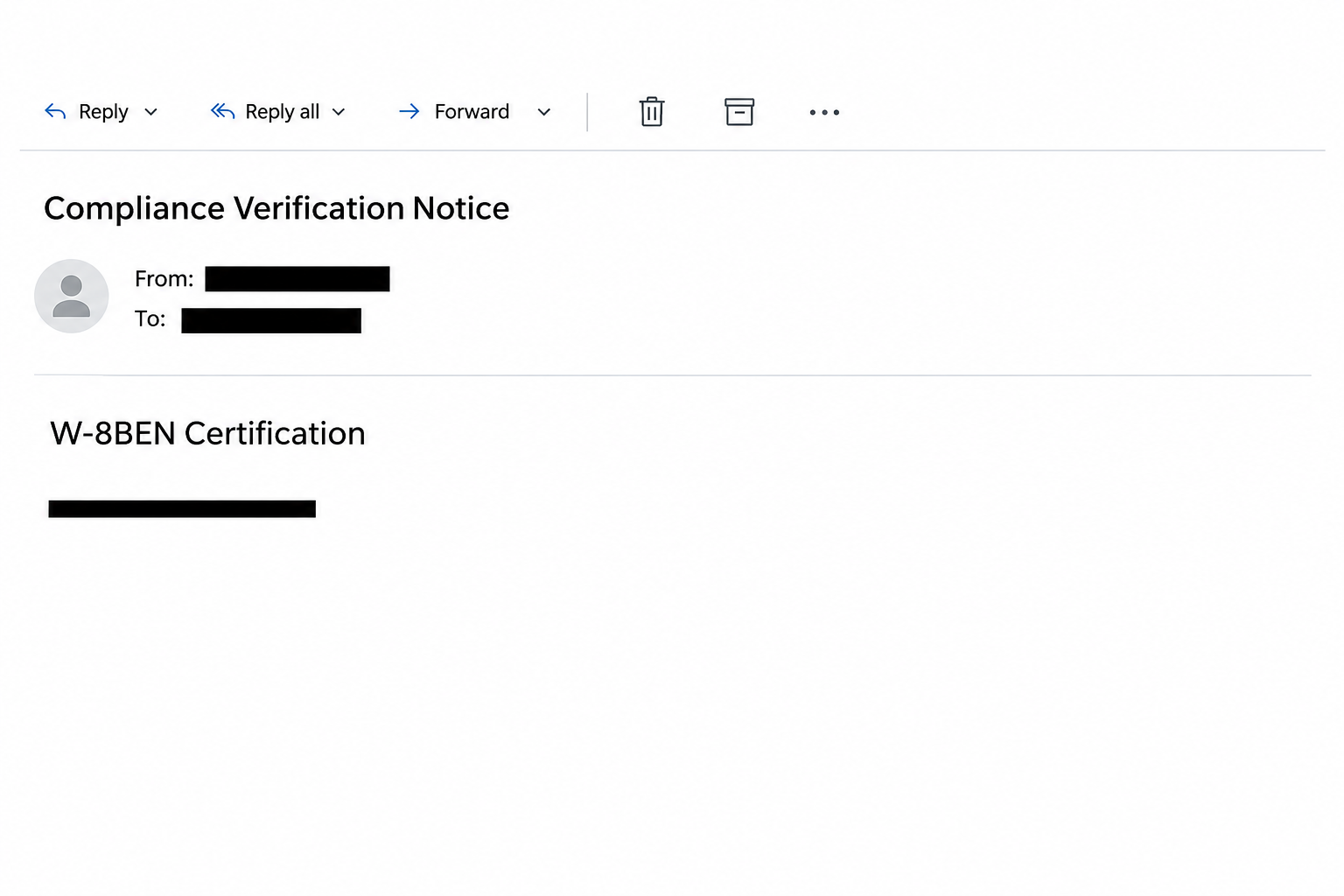
The Interactive Brokers W-8BEN email scam presents itself as a compliance verification notice. The documented version said an existing certification had expired and needed to be renewed.
It mentioned tax residency, US withholding, and treaty benefits. Those are real concepts, which is precisely why the email can sound more credible than a generic account warning.
The message asked the client to use a link labeled “Update Certification.” It ended with a brokerage-style disclaimer and references to organizations a US investor might recognize.
None of that confirms who sent it. A company’s legal footer can be copied without a relationship to the company or knowledge of your particular tax status.
The image above presents fragments of the notice’s wording. It isn’t a screen from Client Portal or a notification tied to a real investor’s account.
The reported page wanted a brokerage login
The message did not take readers to a verified tax form. The documented destination imitated the Interactive Brokers sign-in screen and sought a username and password.
There was no need for the sender to supply personalized tax paperwork. The story had already made an unexpected sign-in seem like the beginning of routine compliance.
This is different from the fake IBKR message about enrolling a two-factor device. Here the pretext is an expiring tax certificate, and the observed request is for login credentials.
The account consequences depend on what someone disclosed and which protections remained in place. Receipt of the message is not evidence that a trade or transfer happened.
There is also no identified executable or installed malware in this reported sequence. Respond first to the exchange of credentials or an approved sign-in if either occurred.
What a real renewal route looks like
IRS instructions for Form W-8BEN explain its role for applicable individuals and the general validity rule. A change in circumstances can affect when it needs updating.
A typical validity period runs to the end of the third succeeding calendar year. That general rule does not verify an expiration date for your own account.
IBKR’s tax form guide says individuals and joint account holders with tax information requiring an update may see the relevant form when they sign in.
Rather than guessing from the email, use the records that can answer your situation:
- Open Client Portal from an established bookmark or the official IBKR site you already use.
- Check the correct legal account and profile, especially if you manage a joint or linked account.
- Look for the form or notice inside the genuine portal before entering any tax information.
- Speak to Client Services through a verified route if your records and the portal don’t agree.
- Ask a qualified tax professional about your own filing or treaty position rather than relying on a phishing email’s wording.
How The Scam Works
Step 1: An administrative task is made to feel overdue
Brokerage clients are accustomed to reviewing things that aren’t trades. Tax forms, residency questions, and records updates all make an inbox notice feel like a normal part of account ownership.
The sender says this particular certification has already expired. That shifts the conversation from “when should I do it?” to “what happens if I leave it for tomorrow?”
The subject is designed to look like the label on a task you already know how to do. Its familiarity makes the verification step easy to skip.
Being due for a genuine update doesn’t change the safe route. You can honor a real deadline without entrusting your password to the link that mentioned it.
Step 2: Tax language makes the request sound authoritative
The notice links the supposed update to IRS standards and withholding. Readers who don’t handle tax forms often may be reluctant to argue with a specific form number.
Other readers may believe it precisely because they’ve completed one before. Seeing a rule they recognize can make them assume the broker already checked their personal record.
That assumption is the weak point. What the form is for and whether your broker actually requested one are two separate questions.
Notice, too, what the email cannot tell you by itself. It doesn’t provide independent access to the request in your account or establish that someone read your existing certification.
Step 3: The update link points to an imitation sign-in
An ordinary login at the start of a private task can feel reassuring. The counterfeit site makes use of the fact that a genuine account would also require authentication.
The central difference is the route. A saved bookmark or verified official page opens a service you chose, while the message button hands control of that choice to the sender.
If you normally use a password manager, watch for an unexpected failure to recognize the page. Don’t override it simply because the logo and button look familiar.
Login failure isn’t a reliable test of safety. The page operator may have received the username and password whether it shows an error, reloads, or stops responding.
Step 4: A credential and an approval are separate exposures
An intruder with a password can attempt to sign in, but existing account protections may still intervene. That is one reason a quick report matters.
If your authentication app asks you to approve a sign-in you didn’t start through the genuine broker, deny it. A genuine app prompt doesn’t make the original request trustworthy.
A fake tax notice may also be followed by an unrelated request for a code or identity document. The reported first form doesn’t establish that every reader saw another step.
Tell the broker what you typed on the counterfeit page and what you approved in the real app. That distinction helps its team assess possible access.
Step 5: Access is evaluated using real brokerage records
If someone reached the real account, unusual activity can take different forms. Check orders, recent executions, funding instructions, profile changes, and notices with the broker’s assistance.
A trade you don’t recognize and a withdrawal you don’t recognize are different incidents. Give Client Services the event details so they can investigate the appropriate records.
Check the relevant account, not simply the first portfolio displayed after login. Linked accounts can have separate activity and permissions.
Don’t make a compensating trade or file another certification to test the account. Ask the broker to confirm what changed and help contain it.
What to Do if You Have Fallen Victim to This Scam
-
Save the message and close its page. Keep the subject, time, and a brief note on what you did. Don’t attach the password, tax number, or verification code.
If you report it on a public forum, hide account identifiers and personal details. Keep the original for the broker’s official investigation route.
-
Contact Interactive Brokers promptly if you supplied a login. Follow IBKR’s phishing guidance and choose the contact route listed there or inside your established account.
Tell them you encountered the W-8BEN compliance lure. State whether you entered credentials, received a sign-in notification, or accepted any unexpected authentication request.
If you can’t sign in through your normal route, don’t use a replacement link offered by the sender. Ask Client Services to help recover access.
-
Change the exposed password through the genuine service. If you had reused it on another platform, replace it there separately with a different password.
Review the broker’s security settings and devices with its support team. Ask whether suspicious sessions can be terminated and how to restore any changed account information.
-
Inspect financial activity without changing it to test a theory. Check account statements, open orders, completed trades, transfers, recent deposits or withdrawals, and any bank instructions you don’t recognize.
Record the type and timing of each unfamiliar item. If money moved, ask the broker about urgent next steps and notify any affected bank using its known support route.
If you have limited access because the account is managed by an adviser, report to the adviser through an established contact, and confirm that the broker received the incident.
-
Handle a disclosed tax identifier as a separate incident. The documented form asked for a brokerage login, but a follow-up page or message could have requested more.
If you provided a taxpayer number, identity document, or banking details, list the categories for the broker without posting the actual values. Follow relevant fraud-reporting guidance for your jurisdiction.
-
Verify the tax status once the account is secure. Use the genuine account profile and IBKR’s W-8BEN update instructions.
The presence of a real pending update doesn’t legitimize the original email. Complete the genuine request through Client Portal or ask the broker if you’re unsure which account requires it.
-
Watch for a second approach pretending to be the investigation. An email or call claiming to recover losses can be another impersonation attempt.
Continue the conversation using a support ticket or contact you opened independently. Nobody should need your password or authentication code to identify an existing report.
Where to Check Before You Update a Tax Form
Compare the notice with the account you actually use
Start with Settings in the real Client Portal, then find the relevant Account Profile and its Tax Forms area. Use current broker instructions if labels vary.
Make sure you are viewing the correct profile. An individual certification and a form associated with a different owner or entity should not be treated as interchangeable.
You don’t need to change anything merely to check. If you can’t see the form the email refers to, contact the broker before supplying information anywhere.
An account notice and an activity statement serve different purposes. One may explain a document request, while the other helps establish whether any account changes or transactions occurred.
Keep the tax question separate from the security question
A tax adviser can help with the form and what applies to your residency. The broker can verify who is trying to sign in and what happened in its systems.
Ask the right party for each answer. Credentials and security codes don’t belong in an adviser’s email, and a phishing sender can’t resolve a treaty question for you.
If your records were affected, ask for the next steps inside the support case. Knowing where follow-up will appear makes unexpected “security team” messages easier to spot.
You can still meet a genuine deadline. Start in the verified portal instead of the page selected by the sender.
Check whether you were reviewing a form or changing account access
A genuine tax questionnaire concerns the information needed for a certification. A security challenge concerns the identity of the person requesting access. Read an unexpected approval as its own event.
If you were already logged in elsewhere when a new sign-in prompt appeared, compare the timing. Don’t accept another request just because you expected to review tax paperwork that day.
Note what the prompt said before dismissing it, if you can do so safely. Account support may ask which device and time appear in your own history.
Do not send a screenshot that shows a one-time code or a scannable login credential. The broker needs a record of the event, not another way into the account.
If a family member helps with paperwork, show them how you verify notices. They can help establish whether a form is due without handling your authentication details.
Frequently Asked Questions
Is “Compliance Verification Notice” a real IBKR message?
The documented version is an impersonation email. An official-sounding subject alone does not establish where a message came from. Verify the action in Client Portal.
Is W-8BEN a real IRS form?
Yes. It serves a genuine US withholding and reporting purpose for applicable individuals. Its existence doesn’t verify a particular renewal notice.
Can a genuine expiration and a fake email happen together?
Yes. One fact doesn’t establish the other. If the account independently shows a real form is due, update it inside the genuine service.
Why would a tax update lead to a username and password?
The false tax reminder gives the login prompt a believable reason to appear. The reported page imitated the broker and didn’t authenticate you with the genuine service.
What if I typed my password but did not approve the login?
Treat the password as exposed anyway. Tell IBKR which request you denied and ask it to review activity while you replace the password through the real site.
Should I contact the IRS to complete this broker’s request?
The IRS instructions say not to send Form W-8BEN to the IRS. Use your broker’s verified process for genuine requests and qualified advice for personal tax questions.
The Bottom Line
The W-8BEN compliance email uses a genuine tax concept to make an unrelated login feel necessary. Verify your actual form status through Interactive Brokers, not the email button.
If you already supplied a credential or approved a sign-in, report that promptly and check account activity. Updating the legitimate tax form is a separate job.

Join the discussion
0 commentsShare your experience or ask a question about this article.
Community experiences
Did this happen to you?
Your experience could help someone recognize the same scam. Submit a private report for our team to review.
I experienced this tooReports are reviewed before publication. Sharing publicly is always your choice.
Discussion
Start the conversation
Have a question or something useful to share? Add the first comment.