

Total Drive is a cloud storage service that has drawn attention from users who say they signed up after receiving urgent storage warnings, only to later discover recurring charges or higher-than-expected billing. While Total Drive appears to be a real service, complaints about pricing clarity, subscription renewals, and confusion with iCloud-style storage messages have raised concerns.
This article explains what Total Drive is, why some customers feel misled, and what to do if you were charged unexpectedly.
What Is Total Drive?
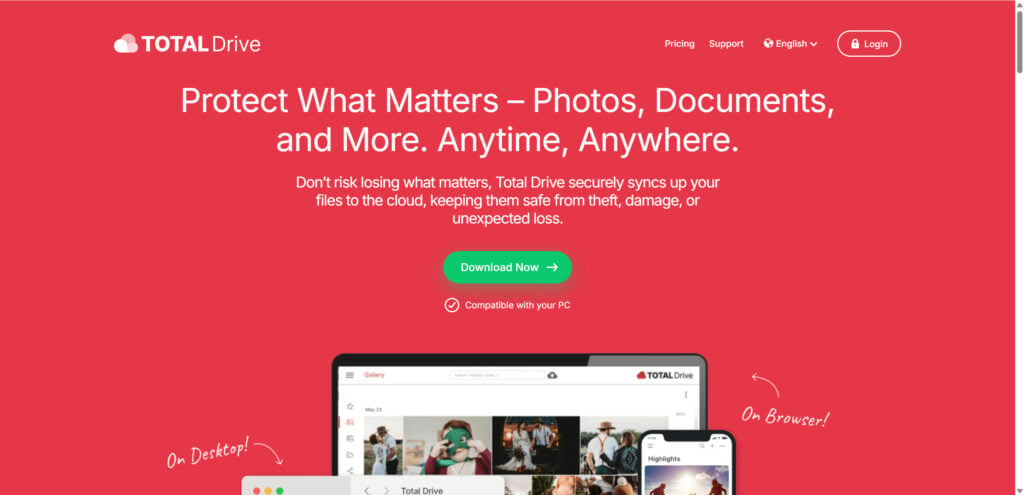
Total Drive is marketed as a cloud storage and file backup service. Its website promotes features such as encrypted cloud backup, access across devices, file version history, large file uploads, folders, tags, and document/photo/video storage. The official pricing page I checked showed a yearly plan and stated that subscriptions renew automatically until canceled
The company also says introductory pricing may be available for first-time customers and that renewals are billed at the standard rate unless otherwise stated.
That detail matters.
Many complaints around services like this do not come from the basic fact that a subscription exists. They come from customers who say they did not understand what they were agreeing to, believed they were paying a small one-time fee, or later discovered recurring payments at a higher price.
Why People Are Asking If Total Drive Is a Scam
The main issue is not whether Total Drive has a real app or a real website. It does.
The issue is how some users say they were pushed into signing up.
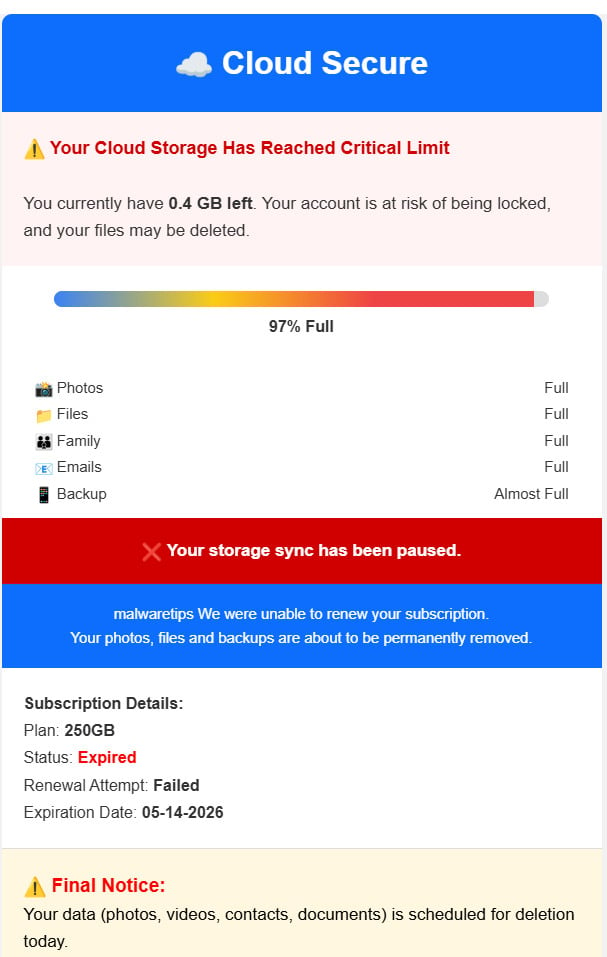
According to user complaints, some people receive urgent storage-related messages claiming they must upgrade immediately or risk losing photos, files, backups, or access. The offer may appear inexpensive at first, such as $1.99 or £1.99. But later, users report discovering recurring charges, higher renewal pricing, or multiple payments they did not expect.
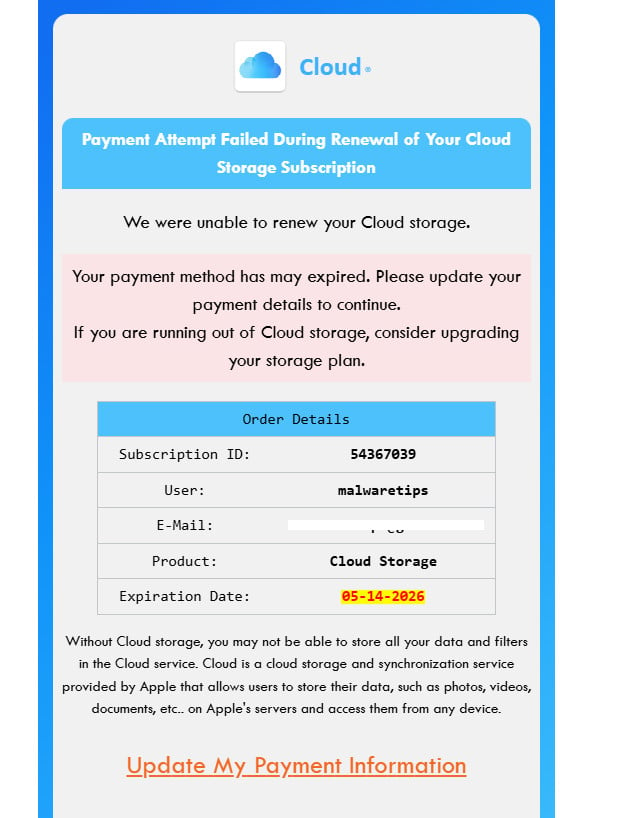
One Apple Community thread shows users asking whether Total Drive adds more iCloud storage. A top reply states that Total Drive does not add iCloud storage and is a completely separate service. That distinction is critical because many consumers may assume a storage warning on an iPhone or iPad is connected to Apple, when Total Drive is not Apple iCloud.
That confusion can make a legitimate third-party service feel deceptive to users who thought they were paying Apple or increasing their iCloud storage.
The $1.99 Problem: Cheap Intro Offer or Misleading Billing?
A common complaint pattern looks like this:
A user sees a warning about cloud storage.
The message feels urgent.
The user is offered a low-cost upgrade.
They enter payment details.
Later, they discover recurring charges or higher renewal pricing.
In one public Apple Community complaint, a user said they got caught by a £1.99 offer and later noticed £9.99 charges. Other users in the same thread describe confusion, unwanted charges, or believing the service was connected to iCloud.
This does not automatically prove fraud in every case. Many subscription services use introductory offers, renewal billing, and automatic payments. But a subscription becomes problematic when the pricing is not obvious enough for ordinary users to understand before they pay.
A fair question is not only “Was the billing technically disclosed somewhere?” but also “Would a reasonable user understand what they were buying, who they were buying from, how often they would be charged, and how much renewals would cost?”
If the answer is no, complaints are predictable.
Is Total Drive Connected to Apple or iCloud?
No. Total Drive is not Apple iCloud.
This is one of the most important points for consumers. Apple iCloud storage is managed through Apple. Total Drive is a separate third-party cloud storage service. A public Apple Community response states clearly that Total Drive does not add more storage to iCloud and “does not work with iCloud” in that way.
That means paying Total Drive should not be confused with upgrading Apple iCloud storage.
If you are trying to increase iCloud storage, you should do it through your Apple ID settings, not through a third-party pop-up, email, ad, or external landing page claiming your files are at risk.
What the Official Total Drive Pages Say About Billing
Total Drive’s own pricing and support pages include several important billing details.
The pricing page states that the plan renews automatically until canceled. It also says the service has a money-back guarantee, but refunds are subject to terms.
The subscription FAQ says Total Drive offers monthly, quarterly, biannual, and annual subscription plans that automatically renew unless canceled, and that plans renew at the then-regular rate unless canceled before the end of the initial term.
The refund page says annual or biannual subscriptions are generally eligible for a full refund within 30 days of the initial purchase or renewal date, while monthly, quarterly, or add-on services are generally eligible within 14 days.
The billing support page says users can cancel through the online portal and disable auto-renewal, and it also lists cancellation routes depending on whether the payment was made through Apple App Store, Google Play, PayPal, or card.
These pages show that Total Drive presents itself as a subscription business, not a one-time storage upgrade. That is why users should treat any low-price offer as a possible introductory subscription, not as a simple one-time fee.
Why Customers Feel Misled
Most complaints seem to center on expectation versus reality.
A user may believe they are paying a small fee to prevent file loss.
In reality, they may have signed up for a recurring cloud storage subscription.
A user may believe the service is connected to Apple or iCloud.
In reality, Total Drive is a separate third-party provider.
A user may focus on the low introductory price.
In reality, renewal pricing may be higher.
A user may think they are buying one storage upgrade.
In reality, add-ons or related services may need to be managed separately.
Total Drive’s pricing FAQ also notes that if customers bought multiple subscription services from Total Drive or related brands under the Total Security umbrella, those services may appear under a unified login, but each subscription is still managed individually and may need to be canceled separately.
That can create confusion for users who do not realize they have more than one active subscription.
Red Flags to Watch For
These warning signs apply not only to Total Drive, but to any cloud storage offer, subscription, or file backup service.
1. Urgent File Loss Warnings
Any message that says your photos, videos, or documents will be deleted unless you act immediately should be treated carefully.
Scammers and aggressive marketers know that people panic when personal memories are involved. Photos, family videos, tax files, work documents, and phone backups feel too important to risk.
Do not click immediately. Check your real storage account directly.
2. Confusing Brand Identity
If a message appears to relate to iCloud, Google Drive, Microsoft OneDrive, Dropbox, or your phone storage, make sure the payment page belongs to that company.
Total Drive is not Apple iCloud. If the message made you think you were upgrading iCloud, that is a serious concern.
3. Very Low Introductory Pricing
A $1.99 or £1.99 offer may not represent the full long-term price.
Before paying, check:
- Is this a one-time payment or a subscription?
- How often will I be billed?
- What happens after the introductory period?
- What is the renewal price?
- Are there add-ons?
- Can I cancel online?
4. Auto-Renewal Language
Auto-renewal is common, but it must be understood before purchase. If the checkout page emphasizes a small price but hides renewal terms in fine print, users may feel tricked even if the company claims the terms were disclosed.
5. Difficult Cancellation
A good subscription service should make cancellation clear and accessible. If users cannot log in, cannot find the subscription, cannot reach support, or keep getting charged after attempting cancellation, that creates justified frustration.
Is Total Drive a Scam or Legit?
Total Drive appears to be a real cloud storage service, not a completely fake website. It has an official site, support documentation, refund policies, cancellation instructions, and a listed mobile app.
However, that does not mean every user experience is good.
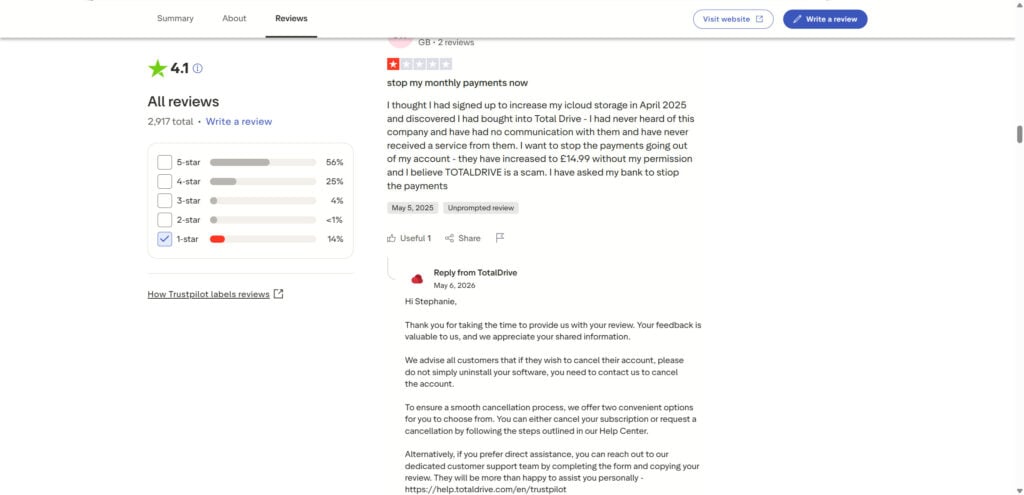
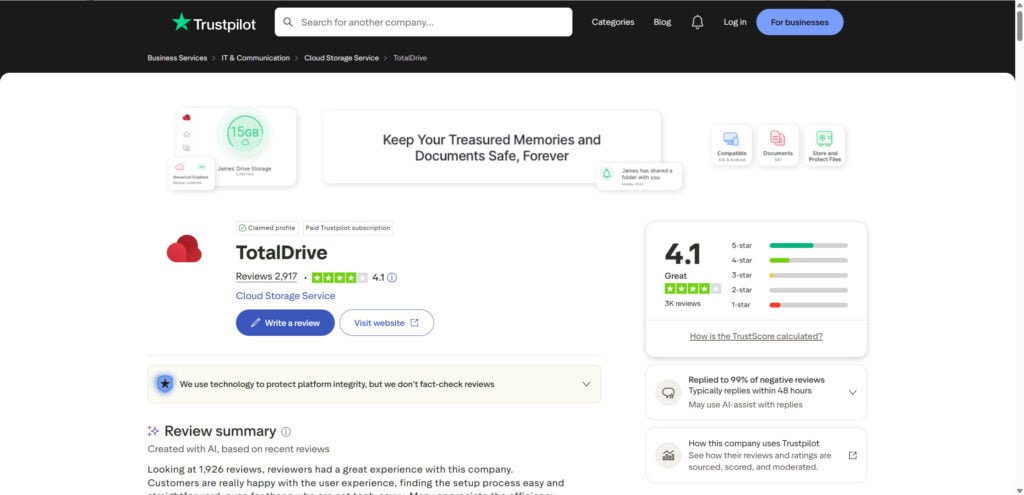
Based on public complaints, Total Drive has serious trust concerns around billing clarity, subscription expectations, cancellation, and confusion with iCloud-style storage warnings. Trustpilot’s review summary specifically highlights negative experiences around payment and subscriptions, including reports of unauthorized charges and difficulty with subscriptions.
So the most accurate verdict is:
Total Drive is a real service, but consumers should be cautious. It should not be treated as an Apple iCloud upgrade, and users should carefully review pricing, renewal terms, cancellation steps, and refund rules before entering payment details.
What To Do If You Were Charged by Total Drive
If you signed up and now believe you were misled or charged unexpectedly, act quickly.
1. Check Where the Subscription Was Created
Look at your payment method.
If you paid through Apple, check Apple subscriptions.
If you paid through Google Play, check Google Play subscriptions.
If you paid by PayPal, check automatic payments in PayPal.
If you paid by card, log in to your Total Drive account and check active subscriptions.
Total Drive’s billing support page says cancellation depends on payment method and provides routes for Apple App Store, Google Play, PayPal, and card purchases
2. Cancel Auto-Renewal
Do not only delete the app.
Deleting an app does not always cancel the subscription. You need to cancel the recurring payment through the correct billing platform.
After cancellation, save confirmation emails, screenshots, and reference numbers.
3. Request a Refund in Writing
Contact Total Drive support and request cancellation and refund. Keep your message simple:
“I did not understand this was a recurring subscription. I believed I was paying a small storage-related fee. Please cancel all active subscriptions linked to my email and refund the latest charge.”
Total Drive’s refund page states that annual or biannual subscriptions are generally eligible for a full refund within 30 days, while monthly, quarterly, or add-on services are generally eligible within 14 days.
4. Check for Multiple Subscriptions
Look for more than one charge.
Some users report multiple charges or add-ons. Total Drive’s own FAQ says related subscriptions may appear under one login but must be managed individually.
Cancel everything you do not want.
5. Contact Your Bank or Payment Provider
If you believe the charge was unauthorized or misleading, contact your bank, credit card provider, PayPal, Apple, or Google Play.
Use specific wording:
- “I did not knowingly authorize this recurring subscription.”
- “The offer appeared to be a storage warning.”
- “I believed this was a one-time payment.”
- “I have attempted to cancel.”
- “Please block future charges from this merchant.”
Your bank may ask for proof, so save screenshots, emails, billing records, and cancellation attempts.
How To Avoid Cloud Storage Upgrade Scams
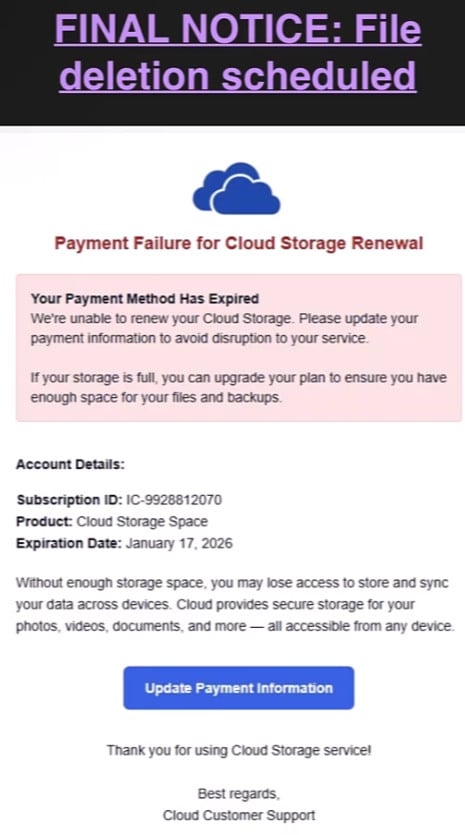
Cloud storage warnings are increasingly used in aggressive ads, fake emails, and misleading pop-ups. Some are outright scams. Others lead to real services but use confusing subscription flows.
Use these rules:
Never upgrade cloud storage from a random email or pop-up.
Go directly to the official app or account settings.
For iCloud, use Apple ID settings.
For Google Drive, use your Google account.
For OneDrive, use your Microsoft account.
Check the domain before entering payment details.
Read the renewal price, not just the first price.
Search for independent complaints before subscribing.
Avoid any service that uses fear-based messaging about losing files unless you can verify it inside your official account.
The Bottom Line
Total Drive is not simply a fake website pretending to be a cloud storage service. It is a real cloud storage provider with official support pages, refund rules, cancellation instructions, and a mobile app.
But many users are not asking whether the app exists. They are asking whether the way they were sold the service felt misleading.
That concern is valid.
If a person believes they are upgrading iCloud, paying a one-time $1.99 fee, or preventing immediate file deletion, but later discovers recurring charges or higher renewal pricing, the experience can feel like a scam even if the service technically exists.
The safest approach is to avoid signing up through urgent storage warnings, pop-ups, or fear-based messages. Go directly to your real cloud account, review your storage status there, and only pay after you understand the full subscription cost.
Total Drive may be legitimate as a service, but the complaints around hidden charges, confusing billing, and cloud storage pressure tactics are serious enough that users should proceed with caution.









They are obviously sending spam emails to emails that they got from data breach or via third party providers then they send these bogus scam emails tricking you into believing that is google drive/icloud subscription… I suggest everyone to leave negative review on their truspilot page about it or report it to your local police station or sue them if you are victim. If there is an active competition and consumer protection office in your country, where they work and have an office, I would report it that way too!
That is the mechanism, more or less. The address lists come out of breach dumps or are bought from data brokers, and the message is dressed up as a renewal notice for a service most people genuinely pay for, so it arrives in the one moment when a charge would not seem odd. Reviews and reports are worth the few minutes, but the step that actually bites is the payment side: ask your card issuer to dispute the charge and to block any further billing from that merchant, because cancelling with the seller alone often fails to stop it. A complaint to your national consumer protection body, or the FTC at reportfraud.ftc.gov if you are in the US, adds weight of the sort these operations do feel. And the habit worth keeping is never to check a subscription through a link in the email itself, but to open the service’s own app or website and look at the billing page there.
I was informed that the price was £1:99 now they are claiming £99 per month! Robbers, I want to stop this, I have informed my bank to refuse anymore payment!
That jump from £1.99 to £99 is the business model rather than a billing error, George – the low figure exists only to capture your card details, and the terms authorising the monthly charge sit in small print beside the checkout box. In the UK you can instruct your bank to cancel a continuous payment authority directly and they are obliged to comply, so ask for it in exactly those words; it carries more weight than simply asking them to refuse payments. Then dispute the £99 charges, making clear the advertised price was £1.99. If the offer page is still up, screenshot it now – those pages have a habit of vanishing.
Yes I am a victim of this company. It was supposed to be .99 and was charged $11.00. There’s no phone number to call for cancellation. Dirty Dogs!!!!
Sorry you were caught by this one, Debbie – and the gap between the 99 cents you agreed to and the $11 that actually landed is the whole design of that checkout. The low figure is an introductory or trial price covering only a short first period, and the real subscription rate follows automatically unless you cancel inside it. That condition is in the small print under the buy button rather than beside the price you are shown, which is exactly why so many people only discover it on their statement.
The missing phone number is not an accident either, but the good news is that you do not need it. Ring the number on the back of your card instead and ask for four things in the one call: dispute the charge, revoke that merchant’s recurring authorisation, block the merchant, and issue you a new card number. Ask for the new number even if they only offer to block the company, because the card networks pass updated card details on to merchants holding a subscription, which is how people find themselves billed again on a fresh card. You generally have up to 120 days per charge, so do not worry if a little time has passed.
If you also want to close it at source, services like this are normally cancellable only through the account area on their own website or by email to their support address – log in, cancel the subscription there and keep the confirmation, but treat the call to your card issuer as the step that actually stops the money leaving. Afterwards it is worth switching on transaction alerts in your banking app so any further attempt shows up immediately, and a few minutes at reportfraud.ftc.gov is time well spent: billing complaints like yours are what enforcement cases against these operations are eventually built from.