

A new wave of crypto scams is built around something that looks harmless: a slick “portfolio tracker” that promises insights, risk analysis, and a better way to manage your coins.
Sites branded as iScans are a good example of how convincing these pages can look. They present themselves as a multi chain tracker, push a big Connect Wallet button, and claim they will analyze your holdings across networks like Ethereum, Solana, BSC, Polygon, Arbitrum, and Base.
But the real purpose is often simple: get you to connect and approve something you should not, then quietly drain your wallet.
This guide breaks down how iScans style crypto tracker scam sites work, what to look for, and what to do if you already interacted with one.
Scam Overview
What the iScans pages look like in the real world
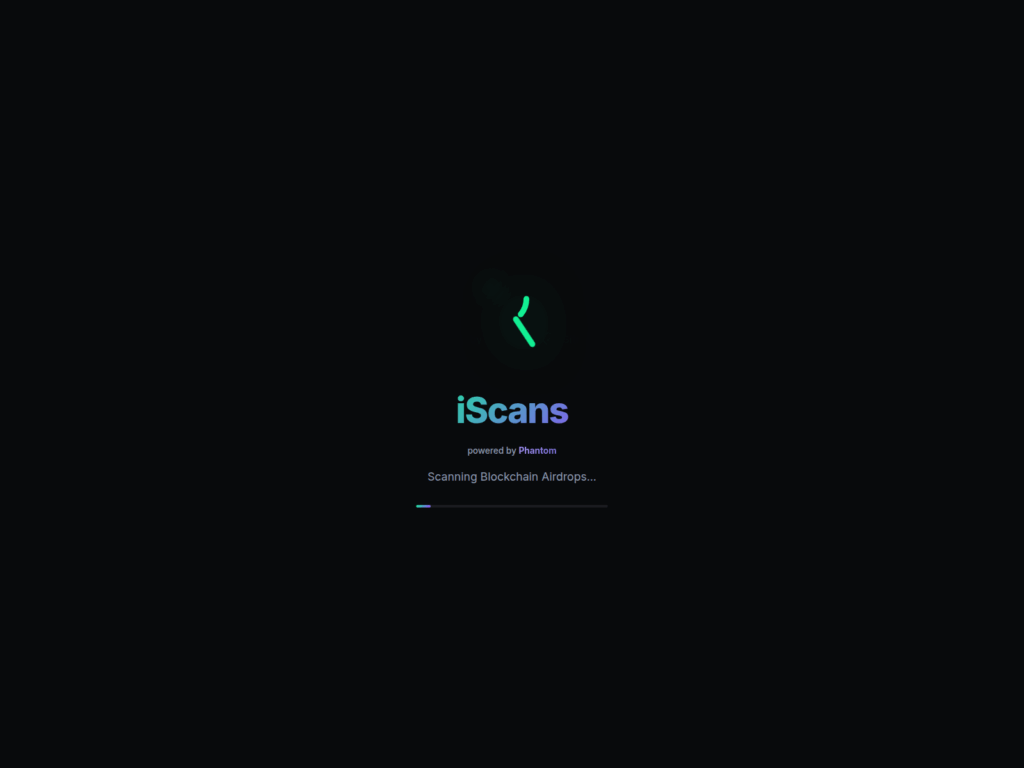
The iScans crypto tracker scam format tends to follow a familiar template. In the screenshots above, the page shows a dark “pro” style landing page with polished branding and a confident headline like “Track Your Crypto Coins.” It lists popular chains in a row (Solana, Ethereum, BSC, Polygon, Arbitrum, Base), and places Connect Wallet as the primary call to action.
It also uses credibility cues that are designed to lower your guard:
- A “powered by Phantom” style label that borrows trust from a real wallet brand
- Big usage stats such as “$2.5B+” and “250K+ wallets analyzed” that are easy to claim and hard to verify
- A “Watch Demo” button to signal legitimacy, even if the demo is vague or unhelpful
- A three step explanation that frames wallet connection as normal:
- Connect Wallet
- We Analyze
- Face Reality
That last phrase, “Face Reality,” is emotionally loaded on purpose. It hints at regret and missed profits, a psychological hook that makes people curious enough to click.
These scam sites frequently rotate domains and reappear under new addresses. You might see examples like iscans[.]pro, iscan-crypto[.]pro, and other close variants using the same design and promise.
The core trick: turning a “portfolio tracker” into a wallet drainer
A legitimate portfolio tracker does not need your wallet to “connect” in the way these sites demand. At most, it needs a public address to view balances on chain.
Scam sites push wallet connection because it gives them a chance to trigger one of these dangerous actions:
- A signature request that authorizes something you do not understand
- A token approval that grants permission to move your tokens later
- A direct transaction that transfers assets immediately
- A sequence of approvals and swaps designed to empty multiple assets quickly
Modern draining kits can automatically detect what you hold and attempt the fastest route to value. They may focus on:
- Tokens with high liquidity
- Stablecoins
- NFTs that can be transferred quickly
- Approvals that enable later draining if you do not notice right away
The page’s promise of “analysis” is just cover. The real moment that matters is the wallet prompt.
Why this scam is spreading: it targets normal behavior
Most people learned “do not share your seed phrase.” Scammers adapted. Now they aim for actions that feel routine:
- “Connect your wallet”
- “Sign to continue”
- “Approve token to view your report”
- “Enable permissions for analysis”
In DeFi, approvals and signatures happen constantly. That familiarity is exactly what scammers exploit.
And because the iScans pages present themselves as a tracker, not a swap or a mint, the victim’s guard is often lower. People think, “It is just reading my balances,” when the site is actually requesting permission to move funds.
The “powered by Phantom” angle is a trust hack
Phantom is a legitimate wallet brand. Scammers know that.
By placing “powered by Phantom” on the page, the site tries to make you feel like Phantom is involved, endorsing it, or running it. In reality, that label is just text and design.
This is a common scam pattern across crypto:
- Borrow a well known brand name
- Use a similar color palette and UI style
- Add a phrase like “powered by” or “partner”
- Place the real brand name near the connect button
The goal is not to fool experts. The goal is to make ordinary users hesitate less for two seconds.
Those two seconds are enough.
Why multiple domains matter and why reporting feels frustrating
Crypto scam operations rarely bet on a single domain. They build a funnel:
- Ads, influencer style posts, SEO spam pages, or Discord and Telegram drops
- A landing page domain that looks “product like”
- A wallet connect flow that triggers the drain
When one domain gets flagged, they move to the next. That is why you see clusters of similar names:
- Same brand
- Same layout
- Same copywriting
- Slightly different domain structure, often with hyphens, “pro,” “app,” or “crypto” terms
For victims, this creates confusion. You might warn someone about iscans[.]pro, and a week later your friend sees iscan-crypto[.]pro and assumes it is different.
Operationally, it often is not.
Red flags that show up on iScans style scam sites
Here is what should make you stop before clicking anything.
Red flags on the page itself
- Connect Wallet is the main action, not “paste address” or “view as guest”
- Vague AI language like “AI powered risk analysis” with no specifics
- “Big numbers” stats with no source and no way to verify
- No real company details, no team, no registration, no clear product documentation
- A demo that is generic or does not prove the product works
- Copy that leans on emotion: regret, missed profits, “paperhanded,” “face reality”
Red flags in the wallet prompt
- You are asked to sign something that is not clearly explained
- You are asked to approve tokens unrelated to any clear function
- The site asks for broad approvals, or approvals for high value tokens
- The transaction details look odd, especially if it is a contract you have never seen
- The flow feels rushed, with popups and repeated prompts
Red flags around the domain and distribution
- The domain looks new, disposable, or oddly named
- You reached it via a random social post, an ad, or a “recommended tool” comment
- The same “tool” appears under multiple different domains
- Search results show warnings, complaints, or security tool flags
A legitimate tracker can be cautious, boring, and transparent. Scam pages usually look exciting and urgent.
What victims usually report after connecting
Many victims describe the same sequence:
- They connect a wallet expecting a read only dashboard
- They sign a message or approve a prompt without understanding it
- They see either a fake “analysis” report or a loading screen
- Shortly after, assets disappear, sometimes in multiple transactions
- The site either keeps loading, shows an error, or pushes another step like “unlock full report”
Sometimes the drain is immediate. Sometimes it happens later, especially if the victim granted approvals that the attacker can use when convenient.
That delay is dangerous because it breaks the mental connection between the click and the loss. People think the loss came from somewhere else.
Why this is not just “user error”
Crypto culture can be harsh about victims. That is unhelpful.
These scams are designed with professional UI, persuasive copy, and familiar wallet flows. They rely on the fact that the average user cannot realistically audit contract behavior during a quick wallet prompt.
If you were targeted by an iScans crypto tracker scam site, it does not mean you were careless. It means the scam was built to blend into normal crypto habits.
The right response is to focus on containment and recovery steps.
How The Scam Works
Step 1: The lure that gets you curious
The first job is to get a click. iScans style scams usually lure victims through:
- Sponsored ads on social platforms
- Replies under crypto threads recommending “a portfolio tool”
- SEO pages targeting terms like “crypto tracker,” “wallet risk analysis,” “portfolio scanner”
- Discord and Telegram posts promising a “free report” or “wallet check”
- DMs that claim you have exposure to a risky token, then link you to the scanner
The messaging is built around curiosity and anxiety:
- “See your hidden wallet risks”
- “Check if you interacted with a drainer”
- “Analyze your portfolio across all chains”
- “Find your paperhanded coins and missed gains”
The scam does not need you to believe a long story. It just needs you to think, “Let me check.”
Step 2: The landing page creates legitimacy fast
Once you arrive, the page hits three goals in seconds:
- Look modern and productized
- Name drop familiar chains and wallets
- Push you to connect immediately
In the iScans screenshots, you see the classic layout:
- Headline and quick value statement
- Chain badges to signal multi chain support
- A prominent Connect Wallet button
- Claimed metrics like wallets analyzed and dollars tracked
- A secondary “Watch Demo” option
This page is not built to educate. It is built to convert.
Step 3: The “3 steps” story normalizes the dangerous part
The three step block is a persuasion device:
- Connect Wallet
- We Analyze
- Face Reality
It frames wallet connection as step one of a harmless process. It also implies the site is doing you a favor. “We analyze” sounds like they are working for you.
But the only “work” that matters to the attacker is getting you to approve permissions.
Step 4: You click Connect Wallet and the real scam begins
When you click Connect Wallet, one of several flows can happen:
- A standard wallet connect modal appears (MetaMask, WalletConnect, Phantom, etc.)
- The site requests a signature to “log in” or “verify”
- The site requests a transaction under the guise of enabling analysis
This is the most important point in the entire scam. If you stop here, you usually stay safe.
From the attacker’s perspective, there are two main routes:
- Signature based draining
- Approval based draining
Often, they use both.
Step 5: The signature trap
Many people assume a signature is harmless. That is exactly why attackers love it.
A signature can be used to:
- Authorize actions in a contract system
- Approve an off chain order that becomes an on chain transfer
- Grant permission to a malicious session that later triggers transactions
- Confirm a message that is not what it appears to be
Wallets sometimes display signature requests in a way that is hard to interpret. The victim sees “Sign to continue” and clicks.
What the attacker wants is not your identity. They want your authorization.
If the flow uses a draining kit, the signature step may be used to create a permission structure that quickly transfers assets without showing you an obvious “send” transaction until it is too late.
Step 6: The approval trap for EVM chains
On Ethereum and EVM compatible networks (Ethereum, BSC, Polygon, Arbitrum, Base), tokens follow a standard that uses allowances.
An allowance is permission you grant to a contract to move your tokens.
Approvals are normal in DeFi. You approve a router, then you swap.
In a scam, the approval is the theft.
A malicious site might ask you to approve:
- USDC, USDT, DAI, or other stablecoins
- Wrapped tokens like WETH
- Popular memecoins with liquidity
- Any token it detects in your wallet
Once approved, the attacker can transfer tokens out, sometimes immediately, sometimes later.
The wallet prompt might show:
- “Approve”
- A contract address you do not recognize
- A spending cap that is very large, sometimes effectively unlimited
People click because they think they are approving “analysis access.” That is not a real concept. Analysis does not require spend permission.
Step 7: Direct transfer transactions disguised as setup
Some variants skip subtlety. They request a direct transaction:
- “Deposit to generate report”
- “Enable premium scan”
- “Verify wallet”
- “Unlock full results”
This is not a portfolio tracker anymore. It is a payment demand.
Once you send funds, they are gone. The site may even show fake progress to keep you engaged while the attacker moves assets through additional wallets.
Step 8: The drainer prioritizes your most valuable assets
Modern drainers do not randomly move everything. They often follow a priority logic:
- Drain tokens that can be transferred instantly
- Target stablecoins and highly liquid assets first
- Attempt NFT transfers if present
- If possible, swap less liquid tokens into something easier to move
- Use multiple transactions to reduce failure risk
This is why victims sometimes notice that “only my USDC disappeared” or “my stablecoins and a few tokens are gone, but not everything.”
The drainer is optimizing.
Step 9: The fake analysis results are a distraction layer
After you sign or approve, the site often shows something that looks like output:
- A dashboard with charts
- A “risk score”
- A list of “missed gains”
- A breakdown of “what your sold token would be worth at all time high,” similar to what the iScans page claims
This output serves two purposes:
- Make you feel like the product is working
- Keep you on the site while the attacker completes transfers
Some victims report that the page keeps loading or prompts another connection. That can happen if the scam is trying to extract more permissions.
Step 10: The attacker cleans the trail fast
Once funds leave your wallet, they typically go through:
- One or more intermediary wallets
- Swaps into stablecoins or a preferred asset
- Bridges across chains
- Cash out routes via exchanges, mixers, or OTC channels
You may see many hops. That does not mean it is hopeless, but it does mean speed matters.
If you wait days, recovery becomes much harder.
Step 11: Domain rotation and rebranding keeps the scam alive
After reports start piling up, the operation shifts:
- New domain
- Same template
- Slight copy changes
- Same connect flow
That is why iScans style scam sites appear in clusters like:
- iscans[.]pro
- iscan-crypto[.]pro
- other similar variants
The “brand” is just paint. The underlying mechanism is the scam.
Step 12: Why security tools and warnings can lag behind
Victims often ask, “Why did my browser not block it?”
There are a few reasons:
- New domains are not always flagged immediately
- The page content looks like normal Web3 UI
- The malicious behavior happens inside wallet interactions, not obvious downloads
- Scam operators test their pages to avoid common filters
This is why your personal checklist matters more than any single tool.
What To Do If You Have Fallen Victim to This Scam
If you connected your wallet to an iScans crypto tracker scam site, or a similar “connect wallet to analyze” page, focus on two goals:
- Stop further loss
- Preserve evidence and increase your odds of recovery
Follow these steps in order.
1) Stop interacting with the site immediately
Close the page. Do not click “demo,” do not try again, do not attempt to “undo” anything on that site.
Scam pages often keep prompting for additional permissions. The fastest way to limit damage is to stop.
2) Disconnect the wallet session from your wallet app
Most wallets let you view connected sites and disconnect them.
- Open your wallet settings
- Find “Connected sites,” “Dapps,” or “Sessions”
- Remove anything related to the iScans domain and any other site you do not recognize
This does not revoke approvals, but it can stop some session based interactions.
3) Assume your wallet is compromised and move remaining funds
If you signed something or approved a token, treat the wallet as unsafe for holding funds.
The safest move is often:
- Create a new wallet on a clean device
- Move remaining funds to the new wallet as soon as possible
If you still have valuable assets sitting in the old wallet, you are racing the attacker.
4) Revoke token approvals on EVM chains
If you used Ethereum, BSC, Polygon, Arbitrum, or Base, revoking approvals is critical.
The goal is to remove allowances you granted to unknown contracts.
Common approaches include using reputable approval checkers, such as tools that read allowances and let you revoke them through your wallet. Many users rely on well known services like Etherscan’s token approval tools or established revocation dashboards.
When you review approvals, look for:
- Contracts you do not recognize
- Recently added approvals
- Large or unlimited spending caps
Revoke aggressively if you are unsure.
Important detail: revoking costs gas. It is still worth it if approvals are wide open.
5) For Solana, rotate wallets and review permissions
Solana works differently than EVM approvals, but the practical advice is similar:
- Move assets to a new wallet
- Remove connected app permissions and sessions
- Treat signatures as potentially dangerous
If you interacted with a suspicious Solana dapp, wallet rotation is usually the most reliable safety move.
6) Check your transaction history and capture evidence
Before too much time passes, document what happened:
- The scam domain you visited (for example, iscans[.]pro or iscan-crypto[.]pro)
- Screenshots of the page and wallet prompts if you have them
- Transaction hashes of outgoing transfers
- Contract addresses involved in approvals or transfers
- The attacker destination addresses
This helps with reports, exchange notifications, and any chance of tracing.
7) Notify exchanges immediately if funds moved to a known exchange
If you can see that stolen funds went into an exchange deposit address:
- Contact the exchange support right away
- Provide transaction hashes and timestamps
- Ask them to flag the receiving account for investigation
Exchanges vary in responsiveness, but speed matters. If you wait, the funds may be withdrawn.
8) Scan your device, but prioritize wallet safety actions first
Most iScans style scams are wallet interaction scams, not traditional malware installs.
Still, it is smart to:
- Run a reputable antivirus scan
- Check browser extensions and remove anything suspicious
- Update your OS and browser
- Avoid reusing the same browser profile for sensitive wallet activity
If you suspect a malicious extension, that can be a separate threat.
9) Report the scam to the right places
Reporting will not instantly recover funds, but it helps build pressure and can prevent more victims.
Consider reporting to:
- The domain registrar or hosting provider (if identifiable)
- Chain explorers by tagging the address as malicious
- Your local cybercrime reporting channel
- In the US, file a report with the FBI’s IC3 if you lost funds
Include hashes, addresses, and the domain. Keep it factual and organized.
10) Warn others, but do it safely
If you share a warning post, do not post the live clickable link. Use a safe format like:
- iscans[.]pro
- iscan-crypto[.]pro
This prevents accidentally sending new victims to the scam.
11) If you only connected, but did not sign or approve, still take precautions
Sometimes people connect and then leave. That is better than signing.
Still, do the basics:
- Disconnect sessions
- Monitor your wallet for unexpected approvals or transfers
- Consider moving funds if you are not sure what happened
When in doubt, treat it as exposure.
12) Learn the safe alternative: use read only tracking
For future tracking, use a safer approach:
- Paste your public address into a reputable explorer or portfolio viewer
- Avoid “connect wallet” unless you are performing an action you fully understand
- If you must connect, use a separate wallet with limited funds for dapp testing
A tracker that requires permissions to spend is not a tracker.
The Bottom Line
iScans crypto tracker scam sites are built around a simple idea: make a draining flow look like a harmless portfolio tool.
The design is polished, the language is persuasive, and the wallet prompts feel routine. But the core behavior is the same across many domains: you click Connect Wallet, you approve or sign something you should not, and your assets can be moved out in minutes.
If you encountered domains like iscans[.]pro, iscan-crypto[.]pro, or similar iScans clones, the safest move is to avoid connecting entirely. If you already interacted, act quickly: disconnect, move funds, revoke approvals, and document everything.
Crypto rewards confidence. Scams punish autopilot. Slow down at the wallet prompt, and you cut off the scam at the only step that matters.
FAQ
Is iScans a real crypto portfolio tracker?
Some sites using the iScans name present themselves as legitimate trackers, but many reports and lookalike domains indicate the brand is commonly used in wallet drainer campaigns. The safest assumption is that any iScans style site pushing Connect Wallet for “analysis” is high risk unless you can independently verify the operator, reputation, and security.
Why is “Connect Wallet” dangerous on these sites?
Because “connect” is often followed by a signature or token approval request. If you sign or approve the wrong thing, you can unknowingly grant permission for a malicious contract to move your tokens, or trigger a direct transfer.
Can a site steal crypto just because I connected my wallet?
A simple connection alone typically does not move funds. The real danger is what comes next:
- Signing a message
- Approving token spending
- Confirming a transaction
If you did any of those, you should treat it as a serious exposure.
I signed something, but I did not send a transaction. Am I safe?
Not necessarily. Some drainers use signatures to authorize later actions or set up permissions. If you signed an unexpected prompt, assume risk and:
- Move remaining funds to a fresh wallet
- Revoke approvals on EVM chains
- Disconnect all sessions
What is a token approval and why does it matter?
On Ethereum and other EVM chains, an approval is permission for a contract to spend your tokens. Scam sites try to get you to approve valuable tokens (often stablecoins). After that, the attacker can drain those tokens without asking again.
How do I check if I gave a malicious approval?
Look for recent approvals and unknown contracts using a reputable token approval checker for the chain you used. If you see anything you do not recognize, revoke it immediately.
If my wallet was drained, can I get my crypto back?
Sometimes, but often it is difficult. Your best chances are when:
- Funds moved into a centralized exchange and you report quickly
- You can provide clear transaction hashes and timelines
- The receiving account is still identifiable and not fully cashed out
Still, you should act fast and document everything.
What should I do first if I think I got hit?
Priority order:
- Stop interacting with the site
- Disconnect the site from your wallet
- Move remaining funds to a new wallet
- Revoke approvals (EVM chains)
- Document transactions and addresses
Do I need to wipe my computer or phone?
Most iScans style scams are wallet interaction scams, not traditional device malware. That said, you should still:
- Remove suspicious browser extensions
- Scan for malware
- Update your OS and browser
If you suspect an extension hijack, treat that as urgent.
Are Phantom, MetaMask, or WalletConnect involved in this?
No. Scammers often use phrases like “powered by Phantom” or standard WalletConnect style popups to borrow credibility. That does not mean the wallet company endorses the site.
Why do these scams use multiple domains like iscans[.]pro and iscan-crypto[.]pro?
Because domains get reported and blocked. The operation rotates domains to stay live. The layout and draining flow often remain the same even as the URL changes.








