

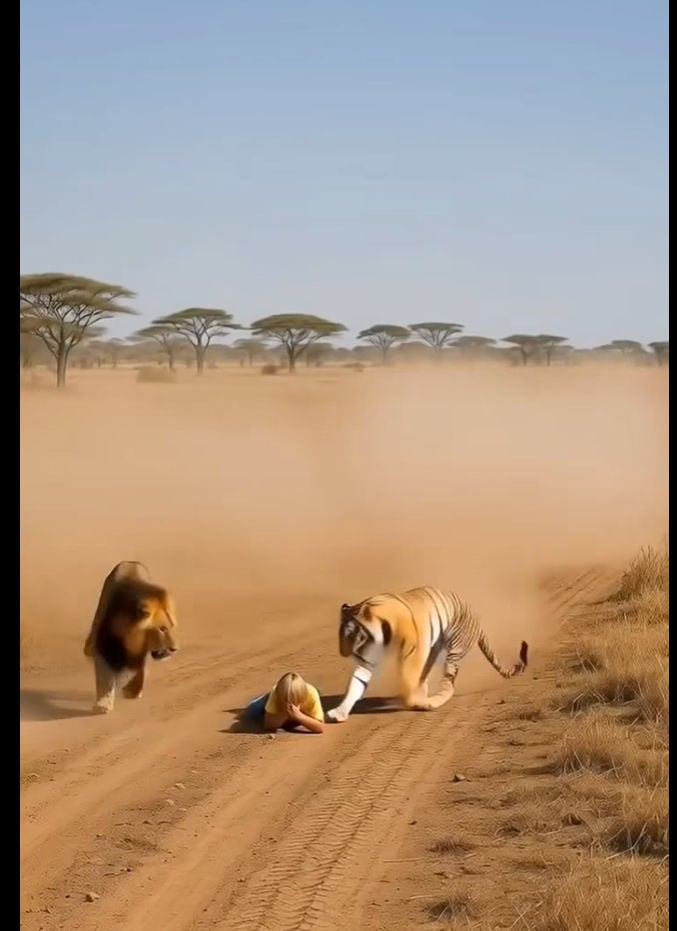
A viral video titled “Lions and Tigers Approached a Lonely Child – Then Something Unbelievable Happened!” is spreading rapidly on TikTok, YouTube Shorts, Facebook, and Instagram. The short clip claims to show a dramatic moment during a jungle safari. A child falls from a safari jeep and is left alone in the open savannah. A lion charges toward the child, seemingly ready to attack, when suddenly a tiger appears out of nowhere, confronts the lion, and saves the child. The video ends with the unbelievable twist of the child riding on the tiger’s back as if it were a horse.
The clip has shocked viewers around the world, leaving many in awe and others in disbelief. But the truth is simple: this video is not real. It is 100% AI-generated.
What the Viral Video Shows
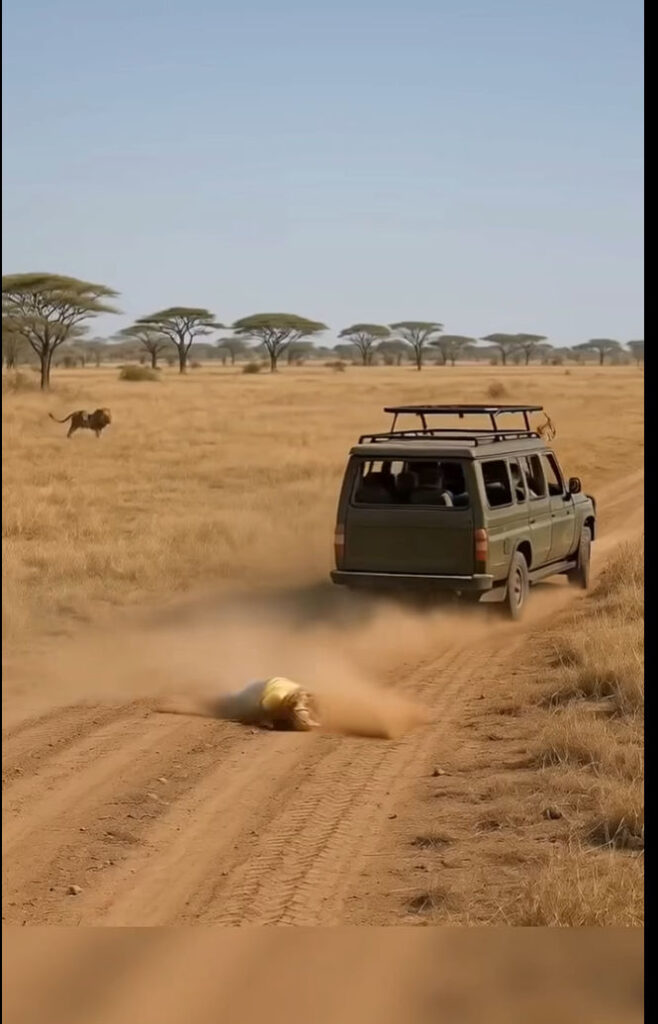
The video begins with a safari jeep driving through a dusty savannah landscape, supposedly in Africa. A child tumbles out of the vehicle and is left lying helpless on the dirt road. A lion notices the child and begins running toward them, creating a sense of imminent danger. Just as the lion is about to reach its target, a tiger appears dramatically from the background. Instead of attacking the child, the tiger positions itself protectively, seemingly fighting off the lion. In the final scene, the child climbs onto the tiger’s back and rides it away, leaving viewers stunned.
Captions on social media frame the clip as an unbelievable moment of heroism by a wild animal, pushing the narrative that tigers can act like guardians.
Why the Video Is Fake
While the footage is cinematic and emotionally charged, it cannot be real. Here’s why.
Unrealistic Animal Behavior
Lions and tigers do not coexist in the wild. Lions live in Africa, while tigers are native to Asia. There is no natural scenario where both predators would appear together on the African savannah. Beyond that, neither species would “rescue” a human child. Both lions and tigers are apex predators, and their instincts in such a situation would be highly dangerous.
CGI and AI Glitches
Close inspection of the video reveals telltale signs of computer-generated content. The dust clouds around the jeep and the animals appear too uniform, almost like digital overlays. The tiger’s movements are overly smooth and physics-defying, particularly when interacting with the child. The lion’s charge lacks natural muscle motion and weight. The child’s positioning on the tiger looks unnatural, as though composited into the scene.
Too Perfectly Staged
The narrative unfolds with Hollywood-level drama: a child falls, a lion charges, a tiger appears at the exact moment, and the child rides away like a hero from a fantasy film. Real life, and especially wildlife encounters, never follow such perfectly scripted patterns. This is clear evidence of AI storytelling at work.
AI Video Tools Behind the Hoax
Modern AI video tools like Runway, Pika, and Veo can generate realistic-looking wildlife clips from text prompts. By combining keywords such as “lion chasing child,” “tiger saves child,” and “child riding tiger,” creators can craft cinematic sequences that look convincing at first glance. This is exactly how the viral clip was produced.
Why These Videos Are Created
The motives behind this kind of viral content are simple.
- Farming Views and Followers: The shocking nature of the video guarantees attention, shares, and engagement. Once accounts reach large audiences, creators can monetize them through ads or promotions.
- Clickbait Storytelling: By packaging the video with dramatic titles like “Then Something Unbelievable Happened!” creators hook viewers into watching until the end.
- Scams and Exploitation: Some accounts use AI hoaxes to gain trust and followers, then pivot to scams, fake investment schemes, or misleading product promotions.
Why It Matters
At first, a child riding a tiger may seem like harmless entertainment, but viral AI hoaxes create deeper problems.
- They mislead audiences into believing dangerous wildlife myths.
- They exploit people’s emotions and erode trust in real nature documentaries.
- They normalize fabricated content, making it harder to tell truth from fiction in digital media.
If viewers start to believe that wild animals can act as protectors or companions, they may underestimate the real risks of wildlife. In reality, lions and tigers are powerful predators that should never be approached in the wild.
The Bottom Line
The viral safari video claiming that a tiger saved a child from a lion and carried them away is entirely fake. It is an AI-generated, CGI-based fantasy created to go viral on social platforms. No child fell from a jeep, no tiger fought off a lion, and no child rode a predator into safety.
The real lesson is not about the compassion of wild animals but about the power of AI-generated misinformation. As these tools become more advanced, fake videos will continue to flood social media feeds. Viewers must remain skeptical of clips that look too dramatic or magical to be true.
Lions and tigers do not suddenly become heroes, and children do not ride wild predators. What you are seeing is digital storytelling designed for clicks, not reality.

Join the discussion
0 commentsShare your experience or ask a question about this article.
Discussion
Start the conversation
Have a question or something useful to share? Add the first comment.