

The ad does not look like a court notice. It looks like found money. A green button. A two-minute quiz. A line that says you may be owed $11,000+ and you do not even know it. You tap because the number is large and the work sounds like someone else’s job.
That is why people search MoneyPilot after a charge they do not remember planning. The pitch was never a courtroom. It was a shortcut. Class action cash sitting unclaimed. Deadlines you would miss on your own. An app that files for you while you keep scrolling.
MoneyPilot is a real subscription. It finds settlements, fills claim forms, and tracks them. The part the ad leaves quiet is simpler. Those settlements are public. The claim forms already live on administrator sites. Filing them yourself is free. You are paying an assistant to submit paperwork the court already published.
Overview
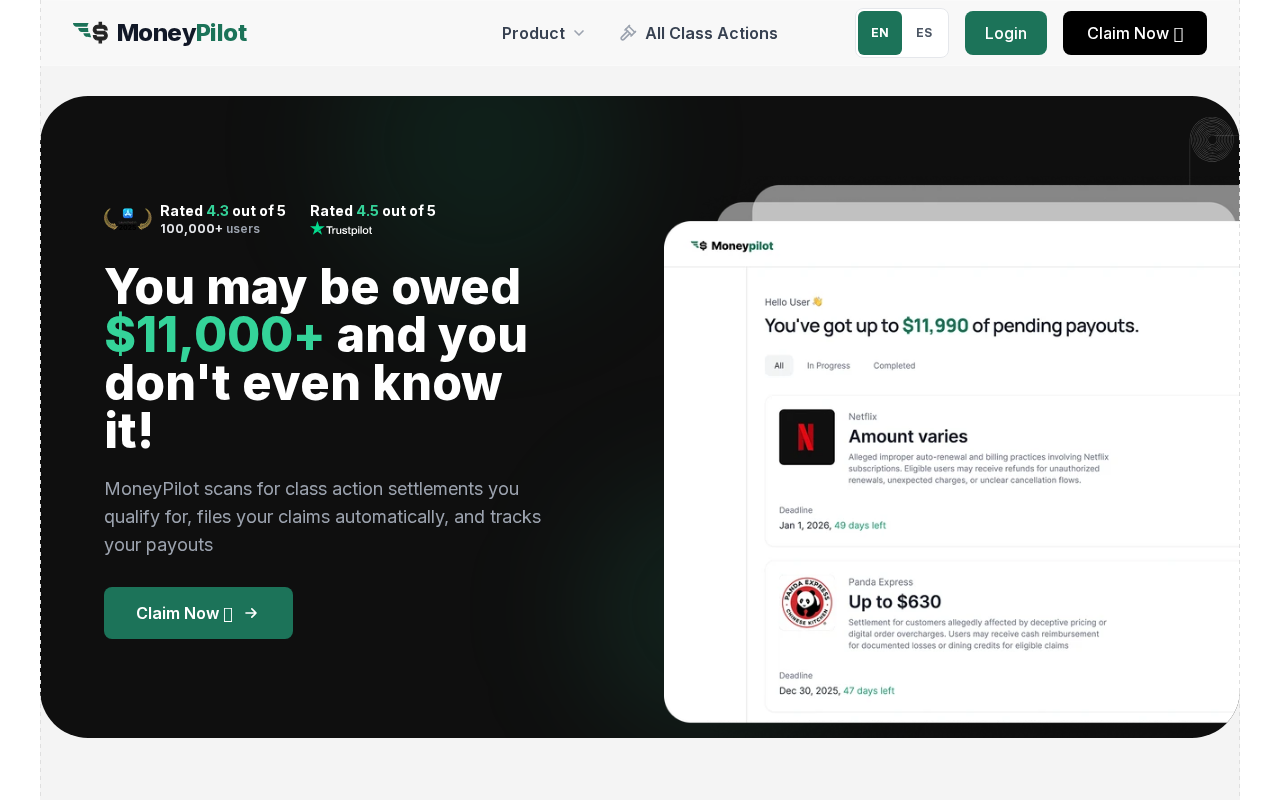
Open the MoneyPilot homepage and the first number is not a price. It is $11,000+. The page says the app scans for class action settlements you qualify for, files the claims automatically, and tracks the payouts. A phone mockup greets a generic user with up to $11,990 in pending payouts. Netflix and Panda Express sit in the list like checks that are almost in the mail.
That is the trap. Not a fake storefront. Not a stolen court seal. A paid claims assistant sitting on top of forms you can already send for free. Class action settlements are public. FTC refunds are public. Administrator sites run by shops such as Kroll, Epiq, JND, and Rust already take the claim. The court does not charge you a filing fee to ask for your share.
MoneyPilot sells the follow-through. The quiz is free. The matches are free to look at. The filing and the tracking sit behind a recurring plan. Once the card is on file, the subscription renews until you cancel it in the right place. Some people keep the plan because they hate paperwork. Some people keep paying after they thought they had already stopped.
The $11,000+ headline
The homepage does not say you are owed $11,000. It says you may be owed that much and you do not even know it. The mockup goes further and prints $11,990 of pending payouts for a sample account. Those figures are marketing ranges, not a balance the app has already collected for you.
MoneyPilot’s own copy is more careful once you leave the hero. The company says it is not a law firm. It says independent settlement administrators and courts decide eligibility and amounts. It says payouts often take months. Typical windows it quotes elsewhere run from 2 to 6 months, and even that is an industry range, not a promise.
The social proof around the headline is real branding and still easy to over-read. The homepage prints an App Store badge at 4.3 out of 5 next to 100,000+ users, and a Trustpilot badge at 4.5 out of 5 with no review count next to it. The live MoneyPilot App Store listing shows that same 4.3 score on about 1.1K ratings. None of those badges turn an estimate into money in your account.
What the page is selling is urgency. Unclaimed money. Automatic filing. A Claim Now button that looks like a refund desk. If you have ever ignored a postcard from a settlement administrator, the pitch lands. The next screen is a quiz. The screen after that is a plan.
A paid assistant for free public forms
Class action claim forms are not a secret product. When a consumer case settles, a court appoints an administrator. That office publishes a notice, a deadline, and a form. You can mail the form or submit it on the administrator’s site. You do not pay the administrator a percentage to ask for your share.
The Federal Trade Commission keeps a live list of its own refund programs on the FTC refunds page. Those pages repeat the same rule in plain English. The FTC never asks you to pay to file a claim or get a refund. On active cases the agency says it again: do not pay anyone who promises you an FTC refund in exchange for a fee.
That warning is aimed at impersonators who pretend to be the FTC. MoneyPilot is not doing that costume. It is a branded app with a login, a quiz, and a card on file. The mechanism is still the same pile of public paper. The app’s own Terms of Service say claims are often submitted on third-party websites the company does not control. In many cases MoneyPilot is preparing a form that already exists on an administrator domain.
An FTC staff study of 149 consumer class actions found a median claims rate of 9%. Most eligible people never file. That gap is real, and it is the gap the ads sit on. The honest version of the product is a reminder service plus a typist. The ad version is unclaimed cash that only the app can reach.
What the plan actually costs
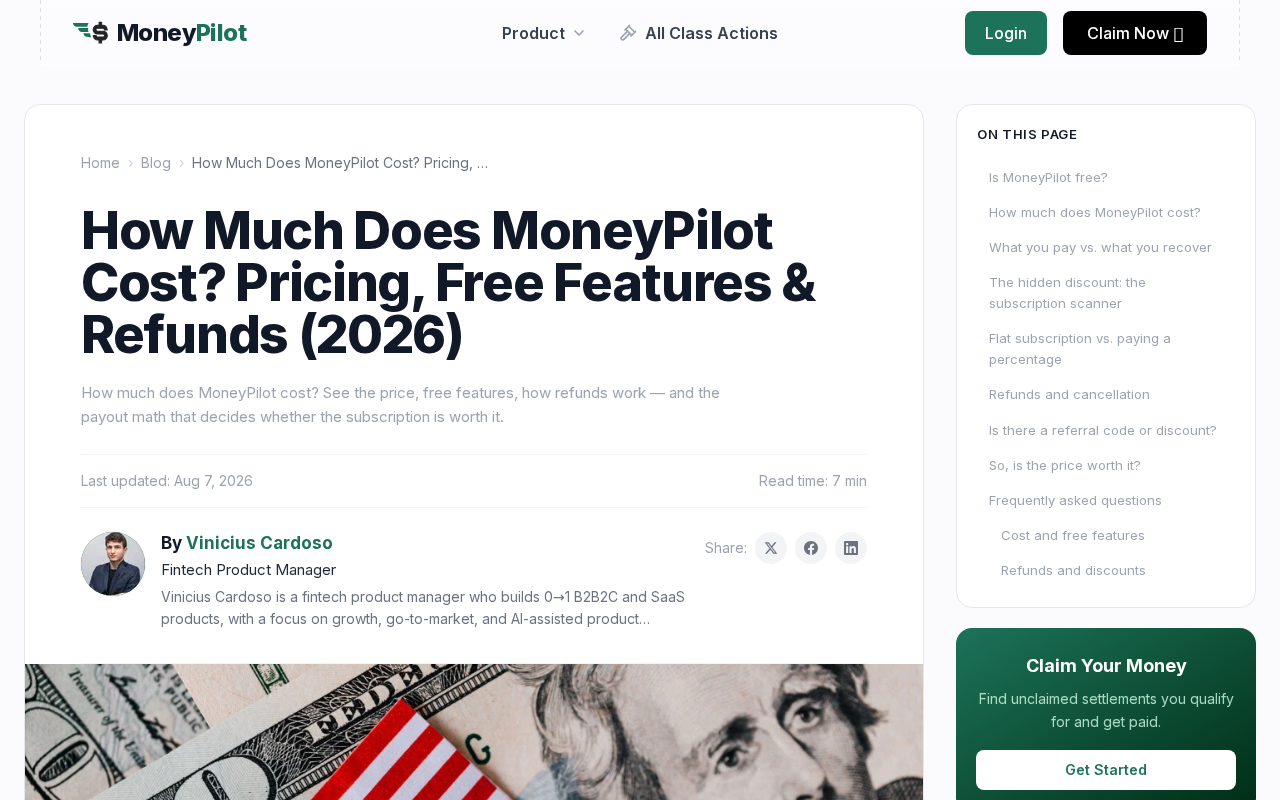
MoneyPilot’s public cost article talks about a flat subscription and refuses to print the dollar amounts in the main explainer. It says your exact price appears after the free quiz shows your matches. The company’s own cancel guide is less shy. So is the App Store.
The live App Store in-app purchases, which match the prices on MoneyPilot’s cancel page, are:
- Monthly subscription: $19.99
- Quarterly subscription: $44.99
- Half-year subscription: $59.99
- Priority Filing: $9.99
- Subscription Manager: $19.99
- Category Expansion: $6.99, $13.99, or $20.95
- Flight Comp: $6.99 for one airline, $13.99 for two
The longer plans lower the monthly math. $44.99 every 3 months is about $15.00 a month. $59.99 every 6 months is about $10.00 a month. The monthly plan is the one that looks small on a single statement and adds up if it renews quietly. Twelve months at $19.99 is $239.88 before tax, before add-ons, and before you know whether any administrator will send a check.
MoneyPilot does not take a cut of settlement money. The terms say there is no percentage fee and no contingency fee. Any payout goes to you from the administrator, not through the app. That is a cleaner model than a shop that skims 15% or 25% of a check. It is still a bill you pay even if every claim comes back as $0.
The cost page’s first-month story is optimistic. It talks about a typical user matching 3 to 4 settlements and seeing roughly $200 to $640 in filed claims. Filed is not paid. A data-breach claim that lists $5 to $25 does not cover a $19.99 month by itself. A mid-tier consumer case in the $50 to $250 range might, if the administrator actually mails it, and if you were eligible, and if you did not also buy the $9.99 priority add-on.
The name on the paperwork
The App Store seller is Bloom Processing LLC. The privacy statement on the site, last updated 12 March 2026, also speaks as Bloom Processing LLC. The published business address is 30 N Gould St Ste R, Sheridan, WY 82801. Support is listed at support@moneypilot.com, Monday through Friday, 9 a.m. to 5 p.m. ET. There is no public phone number on the official contact page.
The Terms of Service, last updated 24 March 2026, split the file. They name MG Labs Limited, a Hong Kong company, as the service provider. They name Bloom Processing LLC, a Wyoming limited liability company, as the payment manager that collects money for MG Labs. Payments go through a processor called OpenPay. The statement on your card may say MoneyPilot or a similar descriptor. Some billing complaints instead name MG Labs Limited.
That Sheridan suite is a registered-agent address used by a large number of Wyoming LLCs. It is the address the company published. It is not proof of a walk-in office you can visit with a printout. If you need a paper trail, the terms, the App Store seller line, and the charge descriptor are the parts that actually show up later.
The same terms ask you to authorize electronic signatures on claim forms, including certifications that the information is true. They also include a binding arbitration clause and a class action waiver for disputes with MoneyPilot itself. The company draws a line in writing: that waiver is about fights with the app, not about the third-party settlements it helps you join. You can opt out of arbitration in 30 days by written notice. Most people who tap Claim Now never read that far.
How The Claims App Works
The flow is built to feel like a refund desk, then a membership. Each step is doing a job. The early ones cost nothing. The later ones start a timer on your card.
You take the free quiz
MoneyPilot’s own pages say the eligibility check is free and takes about 2 minutes. No card is required to see matches. You answer questions about brands, purchases, and services you have used. The app uses that list to line you up against open settlements.
This is the generous part of the product, and it is also the hook. A free scan is useful. A free scan that ends on a stack of estimated payouts is a sales page. You have not been approved for money. You have been shown a catalog.
The homepage FAQ asks whether you need a bank login. The marketing site says you do not have to connect a bank to look. The same page also sells a subscription scanner and spend insights that talk about linked accounts. Read the permission screens. A claims quiz and a bank connection are not the same product, even when they share a logo.
You see matches that look like cash
After the quiz, the app shows settlements with estimated ranges, eligibility notes, and deadlines. The homepage mockup uses familiar names on purpose. Netflix. Panda Express. Amount varies. Up to $630. A countdown in days.
Those lines are summaries. The official notice is longer and drier. It tells you who is in the class, what proof is required, whether you already received a check, and what happens if you do nothing. MoneyPilot’s terms say any “up to” figure may be wrong. Administrators can shrink a payment when more people file. Some cases pay nothing until a final distribution months later.
If a match is real, you can usually take the case name to the administrator site and read the same notice for free. Class-action news sites and the FTC refunds list do the same job without a membership. The app’s advantage is packaging. The cost of that packaging starts on the next tap.
You pay to have the forms sent
Checking is free. Filing and tracking are the paid half. That split is printed on MoneyPilot’s own “what is MoneyPilot” page. The subscription is what lets the app prepare forms, submit them, watch deadlines, and ping you before a window closes.
By opting into filing help, you grant a limited authorization. The terms say the app may identify settlements, prepare forms, submit them electronically or by mail, receive status mail, and, with your approval where required, answer deficiency notices. It may electronically sign using your name. It may not opt you out of a class, object for you, start a lawsuit, or take the settlement money itself.
That last point matters when people assume the app is a law firm. It is not. It is a software layer with permission to type your answers onto someone else’s form. If the answers are wrong, the administrator can deny the claim. The terms put that risk on you. You are the one certifying the facts, even when a script clicked submit.
The subscription renews until you stop it
The terms describe a recurring plan that renews at the end of the monthly, quarterly, or six-month term you picked. You authorize Bloom Processing and OpenPay to charge the card, including tax. Prices can change with at least 30 days’ notice. If you miss that notice, the new rate hits unless you cancel first.
Failed payments can be retried. The company may suspend the account after retries and still treat the balance as due. Promotional pricing, if you got any, renews at the standard rate unless the offer said otherwise. The cost page’s “no surprise renewal” line sits next to an auto-renew clause. Those two sentences are doing different jobs.
Add-ons sit on top of the base plan. Priority Filing, Subscription Manager, Category Expansion, and Flight Comp are listed as separate purchases. The refund policy says add-ons, one-time buys, and upsells are not refundable. A $19.99 month plus a $19.99 manager plus a $9.99 priority bump is $49.97 before you have a single approved claim.
Cancel lives in more than one lobby
MoneyPilot’s official cancel article, last updated 11 August 2026, says you can stop anytime and that there is no cancellation fee. The path depends on how you paid.
- If you subscribed on the web, log in at app.moneypilot.com, open Account Settings, find Subscription or Billing, and tap Cancel Subscription. Confirm, then save the email.
- If the in-app control is missing, email support@moneypilot.com from the address on the account and say you want to cancel. The terms say the company aims to process that in 2 business days.
- If you subscribed through Apple, you cancel in iPhone Settings, tap your name, then Subscriptions, then MoneyPilot. Cancelling inside the app does not stop Apple.
- If you subscribed through Google Play, you cancel in Payments and subscriptions. Cancelling inside the app does not stop Google.
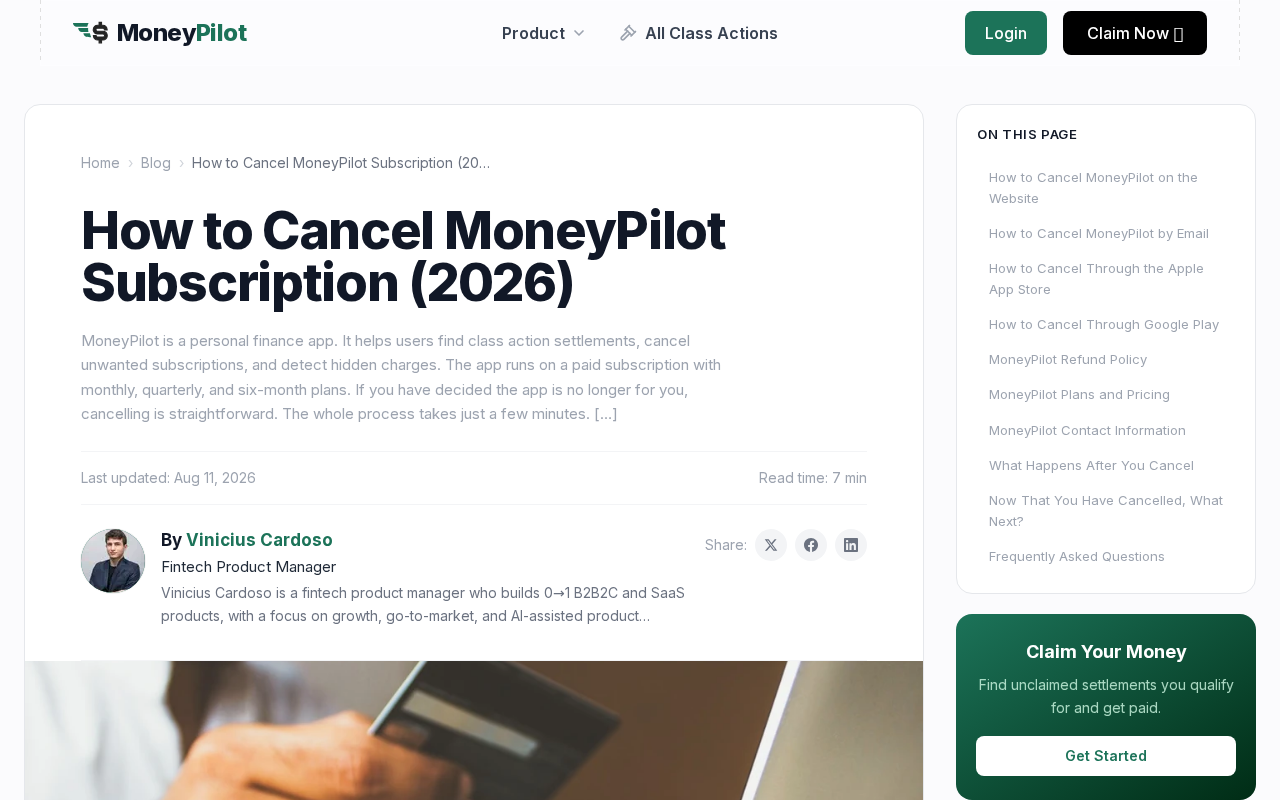
Access continues until the end of the paid period. Cancellation is not a refund. A refund request is a second email, and the window is 30 days from the charge. After 30 days the subscription fee is treated as non-refundable unless the company agrees a billing error happened. If a refund is approved, paid features shut off immediately.
Claims already submitted stay with the administrator. The app will not keep alerting you after the plan dies. That is the clean version. The messy version shows up when people say they cancelled and the charge came back under a different descriptor.
The billing complaints are about the exit
Better Business Bureau Scam Tracker is a consumer bulletin board, not a court. The files still repeat the same exit problem. On 7 May 2026, BBB Scam Tracker report 1282759 said a cancellation attempt right after signup was not honored, that charges continued, and that a later charge arrived under another vendor code after the card had flagged the first one. The writer said the portal still showed an active plan and no confirmation email.
On 8 May 2026, BBB Scam Tracker report 1284775 described a $5 trial through MoneyPilot, then $40 across two months from MG Labs. The person said emails were not answered and there was no clear way to cancel. On 11 May 2026, BBB Scam Tracker report 1286547 said the writer had cancelled, took the loss, and then saw MG Labs Limited debit the account again without a new signup.
Those are complaints, not findings. They are also the reason the cancel path matters more than the quiz. A $19.99 plan that is easy to start and hard to prove you stopped becomes a second product. If you subscribe, screenshot the confirmation. If you email support, keep the sent mail. If Apple or Google billed you, the store receipt is the record that counts, not a chat bubble inside the app.
Someone else still decides the check
Even a perfect filing does not mint money. The administrator reviews the form. The court has already set the rules. Some settlements need proof of purchase. Some pay a flat $5 to anyone in the class. Some are already oversubscribed. Some send a check that nobody cashes, then run a second distribution a year later.
MoneyPilot’s terms say the company does not guarantee eligibility, amount, or timing. It does not receive or hold settlement funds. Payment comes from the administrator to you. If a claim is denied because a deadline was missed on a third-party site, the terms say that loss is not the app’s to cover.
That is why the subscription has to earn its keep against free filing. If you match one small data-breach case, $19.99 a month is a bad trade. If you match several documented-damage cases and you will not sit down with the forms, the assistant may be worth a short term. The ad does not present that choice. It presents $11,000+ and a button.
What To Do If You Already Subscribed
If the charge already landed, treat it like any other recurring membership you want closed. Do the cancel first. Then decide whether any claim is still worth filing yourself. You do not need to keep paying to finish a form the administrator already has.
1. Find the charge and the store that billed you
Look at the statement. Note the exact descriptor, the amount, and the date. MoneyPilot, MG Labs Limited, Bloom Processing, OpenPay, Apple, and Google are all names that can sit on the same product. The store that took the first payment is the store that has to stop the next one.
Open the confirmation email from signup if you still have it. If the mail came from Apple or Google, do not start with the MoneyPilot chat. Start with the store subscription list. If the mail came from the app, start at app.moneypilot.com.
2. Cancel in the place that actually stops the card
Use the official path on the MoneyPilot cancel guide. Web signups cancel in Account Settings under Subscription. Apple signups cancel in the Apple ID subscriptions list. Google signups cancel in Google Play. Do not assume an in-app toggle covers a store bill.
If the dashboard will not load, email support@moneypilot.com from the account address. Write the word cancel in the subject. Include the account email, the last four of the card if you have it, and the charge date. Ask for a written confirmation and a refund if the charge is inside 30 days.
Save everything. A screenshot of a cancelled status with an end date is useful. A confirmation email is better. If the page offers a discount to stay, skip it unless you actually want another cycle.
3. Ask for the 30-day refund in a separate sentence
Cancelling stops future bills. It does not automatically return the last one. The terms give you 30 days from the original charge date to request a refund by email. Say you want a refund, not only a cancel. If the company approves it, expect the paid features to vanish the same day.
Do not count on a refund for Priority Filing, Subscription Manager, Category Expansion, or Flight Comp. The official policy calls those final. If a charge looks like a duplicate or a price you never agreed to, say that plainly. The terms say verified billing errors can be corrected even outside the usual window.
4. Watch the next two cycles
Put a reminder on the renewal date. If a new charge arrives after a confirmed cancel, write the bank or card issuer the same day. Ask for a stop on that merchant and a dispute on the new debit. Bring the cancel email. If the descriptor changed from MoneyPilot to MG Labs Limited, say so. Several May 2026 complaints describe exactly that swap.
If Apple or Google billed you, use their refund request tools as well. Store billing has its own clock. A chargeback is a last step, not a first one, but it exists when a recurring debit continues after a documented cancel.
5. File or finish the claims yourself, for free
Any claim already submitted should still sit with the administrator. You can usually look it up with the confirmation number, your name, and the case caption. You do not need the app to cash a check the administrator already approved.
For new cases, start with official pages. The FTC refunds list is the desk for FTC money. Court notices and administrator sites are the desk for private class actions. News roundups on ClassAction.org and Top Class Actions can help you find a live notice. Then leave those sites and file on the administrator domain printed in the notice, not on an ad.
Do not pay a stranger who calls or emails and says they can recover a settlement for a processing fee. That is a different racket. The FTC’s refund and recovery scam page is about that pitch. Government agencies and court-appointed administrators do not charge you to hand them a claim form.
6. Report the billing if it will not die
If the charges continue after a written cancel, file at ReportFraud.ftc.gov and with your state attorney general. A CFPB complaint is the right desk when a financial product will not honor a stop. Those reports do not refund you by themselves. They build a file other people can search before they tap the same green button.
Keep the app off any phone you no longer use for this. Delete the login if you want the door closed. If you shared a household card, tell the other person the merchant names to watch. A $19.99 line is easy to miss inside a longer statement.
The Bottom Line
MoneyPilot is a live app from Bloom Processing LLC, with MG Labs Limited named as the service provider on the current terms. It will take a quiz, show you settlements, and file public claim forms if you pay. The settlements were already public. The forms were already free.
The ad sells $11,000+ you have not seen. The card sells $19.99 a month, $44.99 a quarter, or $59.99 for six months, plus add-ons that the company says it will not refund. Some users like the reminder. Some users spend more on the membership than they ever collect from the administrator.
If you already subscribed, cancel in the same lobby that billed you, ask for the 30-day refund in writing, and keep the confirmation. Then take any real case name to the official notice and finish the form yourself. The court does not charge a cover fee to ask for your share. An app that does is a convenience product, not a gate on the money.

Reviews & discussion
0 commentsShare a firsthand experience, or ask a question.
Community reviews
MoneyPilot
Moderated reader experiences, not an editorial verdict.
Start the conversation
Have a question or something useful to share? Add the first comment.