

An unexpected payment-plan email can feel awkward, especially when it hints at an open balance. Most people would want to see the numbers before replying.
In one investigated message, the promised proposal was not what the recipient eventually downloaded. The difference matters well beyond a questionable invoice.
Overview
The lure is a routine business problem
A payment proposal suggests a creditor, supplier, or account manager is trying to settle an outstanding balance. That everyday context can make an attachment seem worth opening.
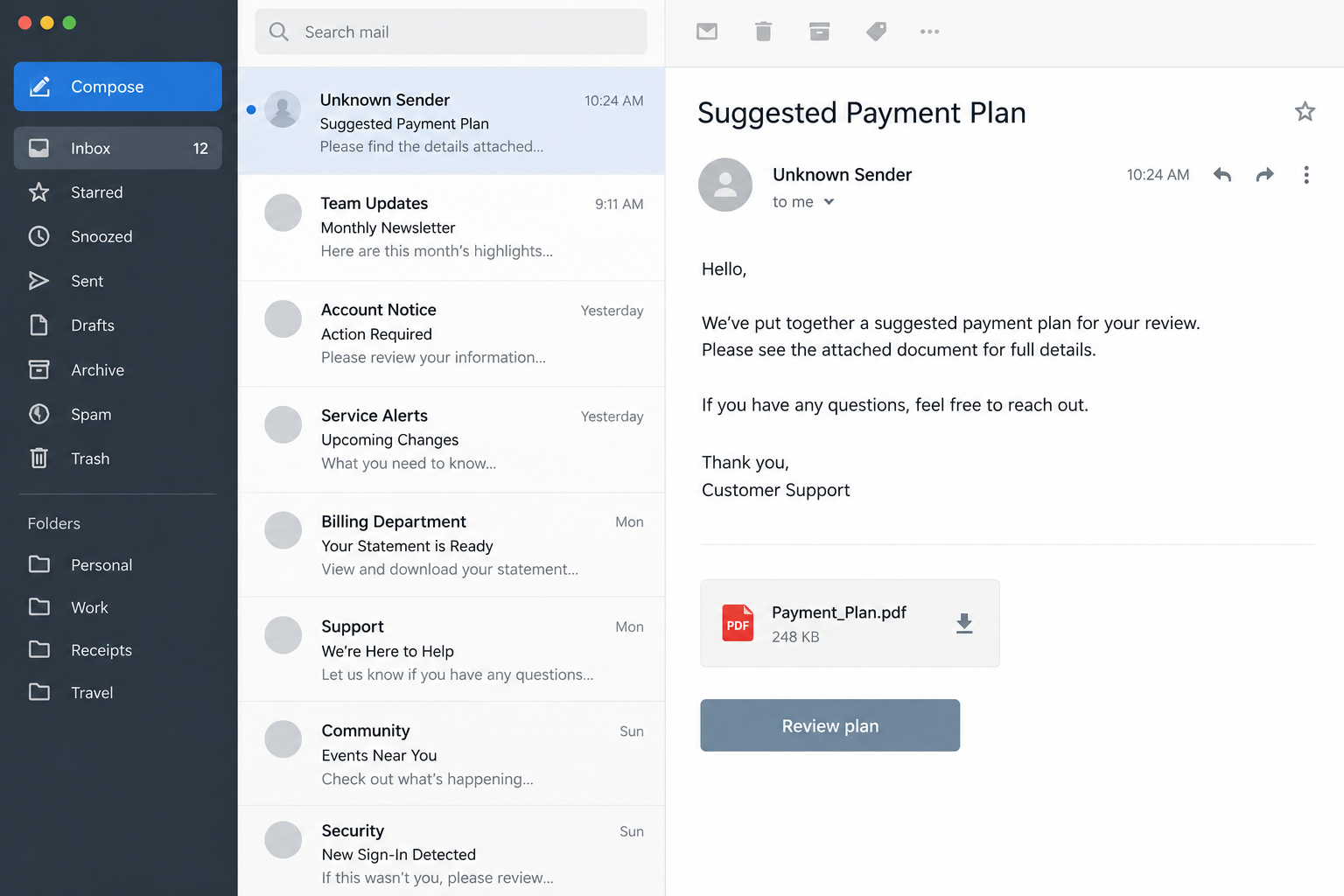
In the case documented by Cofense’s Phishing Defense Center, the subject was “Suggested Payment Plan.” The sender used a generic Hotmail address.
The message contained a PDF presented as the place to find the proposal. The PDF did not hold the payment terms the recipient needed.
Instead, it supplied a download button. Following that button began a chain that led from a document to an ISO disk image and malicious software.
This is ransomware delivery, not a billing dispute
Cofense connected the chain to Global Group ransomware. The observed payload could encrypt files and display a ransom demand.
The email’s accounting story was simply an entry point. Nothing in the report establishes that the recipient actually owed the sender money.
Global Group is a ransomware operation, not a legitimate collections firm. Its note promised help recovering data if the victim paid, but that promise comes from the extortionist.
Ransomware can also involve stolen data and pressure to prevent publication. The immediate concern is restoring operations safely, not negotiating over the purported invoice.
What the case establishes
Researchers traced the PDF button, follow-on site, downloaded ISO, shortcut, executable, loader, encryptor, encrypted-file extension, and ransom note.
That is stronger evidence than a suspicious-looking message alone. It still does not mean everyone who received a similar email became infected.
Opening a PDF, clicking its link, mounting an ISO, and running its contents are different exposure levels. Response should match the action actually taken.
The specific sample used the extension .nZASJgT on encrypted files. Other attacks can change names, extensions, and hosting sites.
- The apparent subject is a proposed payment arrangement.
- The attachment is a PDF with a link rather than the promised terms.
- The next download is a disk image, not another ordinary PDF.
- A shortcut inside the image can disguise the launch of an executable.
- The final observed outcome is file encryption and a ransom note.
How the Payment Plan PDF Email Scam Works
Step 1: An email creates a reason to inspect a balance
The message addresses the reader as though a payment arrangement has already been discussed. That assumption invites a quick check before the recipient challenges it.
A vague balance can work across many businesses. Finance staff may receive real invoices daily, so an unfamiliar proposal can blend into a crowded inbox.
In Cofense’s sample, the sender used a consumer Hotmail address. That is a poor fit for a formal collection or vendor proposal.
A mismatched sender does not prove every invoice is malicious. It does mean the claimed business relationship needs independent confirmation before opening files.
Check the known vendor account, contract number, and ordinary correspondence history. Do not infer a debt from the sender’s assertion.
If the message names a real supplier, call using the number in your records. The number in the suspicious email may route to the attacker.
Step 2: A small PDF moves the reader to a website
The PDF looked like the proposal’s container. Its central action, however, was a “Download” button rather than a readable schedule of payments.
That design shifts inspection from the attachment to a website controlled by the campaign. The reader may feel they are still following the original document.
For a genuine payment plan, the amounts, dates, creditor identity, and terms should be clear. A PDF that only asks for another download deserves skepticism.
Cofense observed the button redirect to a site telling the recipient to save a copy of the file. This made the second download feel like normal document handling.
A link inside a PDF is not safer than a link in an email. It can be a detour designed to make the URL less visible at first glance.
If you need the proposal, ask for it through the established billing channel. Do not follow an unexpected download chain to discover who supposedly sent it.
Step 3: The promised document arrives as an ISO
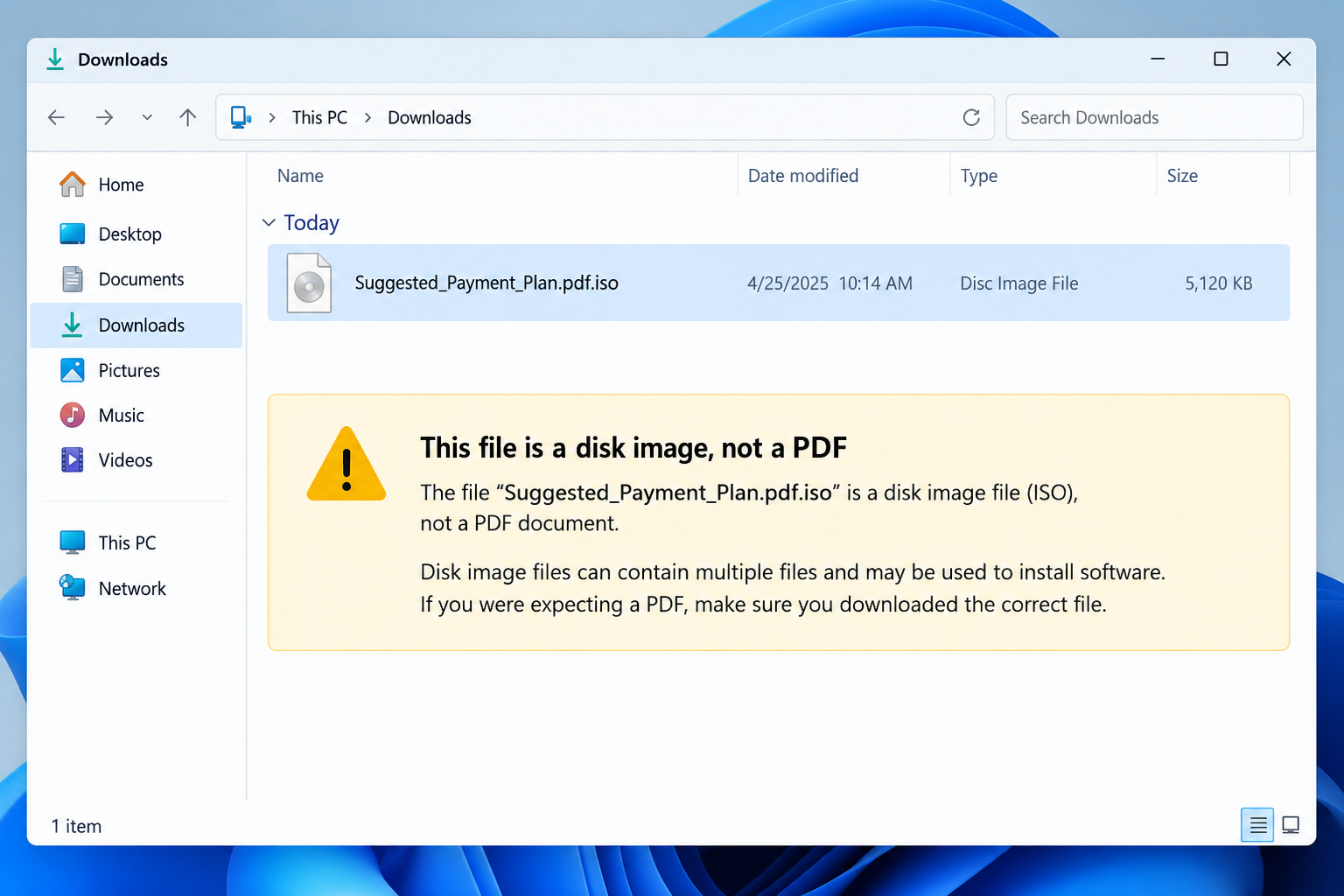
The site delivered an ISO disk image. An ISO is a container for files, not a standard format for negotiating a balance.
Inside the observed image were an executable and a shortcut dressed up with a PDF-like name. The shortcut pointed toward the malicious program.
File extensions can be hidden by default. A name that appears to end in “.pdf” may actually be a Windows shortcut with another extension.
This is the moment the document story becomes a software-execution risk. The recipient expected numbers and dates, not a program.
Cofense identified the specific ISO and executable in its analysis, but names can be rotated. Focus on the mismatch between task and file type.
Do not mount an unexpected disk image to check whether it contains a missing invoice. Ask the sender to provide a conventional document through a verified route.
Step 4: A legitimate utility helps load the harmful code
Running the executable in the investigated sample started a WinMerge process. WinMerge is a legitimate file-comparison application, not evidence the payment plan is safe.
The attacker used the trusted-looking process as part of the loader path. The observed process then contacted infrastructure hosting the encryptor.
That distinction is important. Seeing a familiar program name in Task Manager does not tell you who launched it or why.
Security tools can examine parent processes, file origins, and network connections. A reader does not need to reproduce that analysis to recognize the warning.
If an invoice file launches an application, assume something has gone wrong. Stop interacting and notify your organization’s security team immediately.
Do not close every window and continue working as though the problem ended. The visible process may only be the first stage.
Step 5: The encryptor targets business data
Cofense’s analysis found a downloaded encryptor that searched local drives, network shares, and databases. That scope explains why one workstation can become an organizational incident.
The ransomware also attempted to interfere with security processes. An ordinary payment proposal has no reason to touch endpoint protections or network storage.
Encrypted files in the observed case gained the .nZASJgT extension. The desktop wallpaper changed to display the extortion message.
A detailed README note followed. It described payment, a supposed decryption key, and claims that stolen data would be deleted after negotiation.
Those promises are leverage. An attacker cannot be trusted to honor data deletion, provide a working key, or stop contacting the victim later.
Preserving encrypted files and notes is useful for responders. Deleting them in panic can remove evidence without restoring access.
Step 6: The ransom note tries to turn crime into a transaction
Global Group’s note framed payment as a business decision, complete with claims about technical reports, confidentiality, and help with insurance.
That language is designed to sound organized. It does not make the sender a service provider or give them authority over the victim’s recovery plan.
Ransomware response often involves legal obligations, insurers, regulators, and customers. A rushed transfer can complicate those decisions without guaranteeing restoration.
Affected organizations should involve incident responders and counsel early. They can assess scope, preserve evidence, and review clean backups.
Individuals should also avoid “recovery experts” who ask for a fee through an unsolicited message. That can be a second scam after the first attack.
The safest next step is an organized response based on verified evidence, not the instructions written by the people who encrypted the files.
Why the File Chain Matters More Than the Email Design
Many phishing emails look suspicious at first sight. Others are plain, brief, and close enough to routine business that a busy employee might open them.
This campaign did not need an elaborate fake company portal. It only needed the recipient to keep following a sequence of apparently related documents.
Each handoff changed what the user was being asked to trust. The email introduced the debt. The PDF introduced the button. The site introduced the ISO.
By the time an executable appeared, the recipient might still be thinking about reviewing the original balance. That continuity is manufactured.
A useful rule is to pause whenever the format changes. Ask why a financial proposal needs a disk image, shortcut, or executable.
Likewise, the presence of a real program such as WinMerge does not validate the surrounding package. Attackers can use legitimate components inside harmful chains.
Warning Signs Finance Teams Can Use
A generic sender address is one clue. So is an email that cannot identify the creditor, account, invoice number, or prior discussion.
Compare the claimed balance with your accounting system before clicking. A real discrepancy can be resolved through a trusted vendor contact.
Inspect the attachment’s purpose. A proposal should contain the terms; it should not merely instruct you to retrieve an unnamed file elsewhere.
Be wary of “save a copy” prompts that change the file type. A website may make an ISO sound like an ordinary PDF download.
Teach staff to display file extensions. The difference between a document and a shortcut is easy to miss when Windows hides the ending.
Restrict execution from downloaded images and temporary locations where appropriate. Technical controls should support, not replace, human verification.
Keep backups disconnected or otherwise protected from ordinary workstation access. A ransomware incident can reach network shares that look like convenient backup locations.
What the Ransom Note Cannot Tell You
A ransom note may list a contact address and a payment deadline, but it cannot establish the full reach of an intrusion.
Encrypted files on one computer may be the visible result of access gained earlier. Responders need to investigate authentication records and other endpoints.
The note’s offer to delete stolen data is equally unverifiable. Copies may already exist outside the criminal group’s immediate control.
A decryptor, even if provided, can fail on damaged files or leave malicious access behind. Restoration is only one part of recovery.
Do not assume a clean-looking computer is unaffected because its files still open. Some systems may have been accessed without being encrypted.
Conversely, an extension that resembles this sample is not enough to identify every detail of the attacker. Let forensic evidence guide attribution.
Businesses should record operational impacts separately from the ransom demand. Payroll, customer service, billing, and regulated records may need different recovery priorities.
Keep employees informed through a trusted internal channel. Silence invites rumors and can make follow-up phishing messages more believable.
What to Do if You Opened the Payment Plan PDF or Ran Its Files
- Identify exactly what happened. Did you view the email, open the PDF, click its button, download an ISO, mount it, or run a file? Each step changes the urgency.
- Report the message immediately. Preserve the email, attachment, downloaded files, and times. Send them to security staff through a safe reporting channel, not by forwarding them broadly.
- Isolate a device that executed the program. Disconnect network and external storage without deleting files. Workplace users should call incident responders before attempting cleanup.
- Protect connected systems. Ask administrators to review shared drives, cloud sessions, and privileged accounts reachable from the device. One endpoint may have broader access.
- Preserve encrypted data and notes. Keep the ransom note, extension examples, logs, and backup state. Do not rename or discard files in the hope that encryption will reverse.
- Use trusted recovery channels. Validate offline or immutable backups and rebuild only after containment. Malwarebytes may help detect malware, but cannot decrypt files. AdGuard can reduce future malicious-page exposure, not undo encryption.
- Coordinate legal and financial decisions. Consult your incident-response team, insurer, and counsel before any ransom decision. An attacker promise of deletion or a working key is not a guarantee.
Frequently Asked Questions
Is the “Suggested Payment Plan” email a real collection notice?
The investigated message was a malware lure. Verify any genuine balance separately through your accounting records and an established creditor contact.
Can opening the PDF alone encrypt my files?
The documented chain required further steps leading to a downloaded disk image and executable. Still report the PDF and describe exactly what you did.
Why was the next file an ISO?
The disk image packaged a shortcut and executable while preserving the story that the recipient was still opening a proposal document.
Is WinMerge itself ransomware?
No. WinMerge is legitimate software. In this case, its process appeared in a malicious loading chain, so context determined the risk.
Does changing the encrypted file extension restore data?
No. The extension marks the files affected in this sample. Renaming them does not reverse encryption and may complicate recovery work.
Should an organization pay the ransom immediately?
No immediate decision should be based on the criminal note. Contain the incident, assess backups and obligations, and obtain qualified advice first.
The Bottom Line
The payment-plan story concealed a ransomware delivery chain that crossed from PDF to website, disk image, executable, and finally encrypted business data.
If an alleged invoice changes into software, stop. Verify the balance independently and involve responders promptly if anyone ran the downloaded files.

Join the discussion
0 commentsShare your experience or ask a question about this article.
Discussion
Start the conversation
Have a question or something useful to share? Add the first comment.