

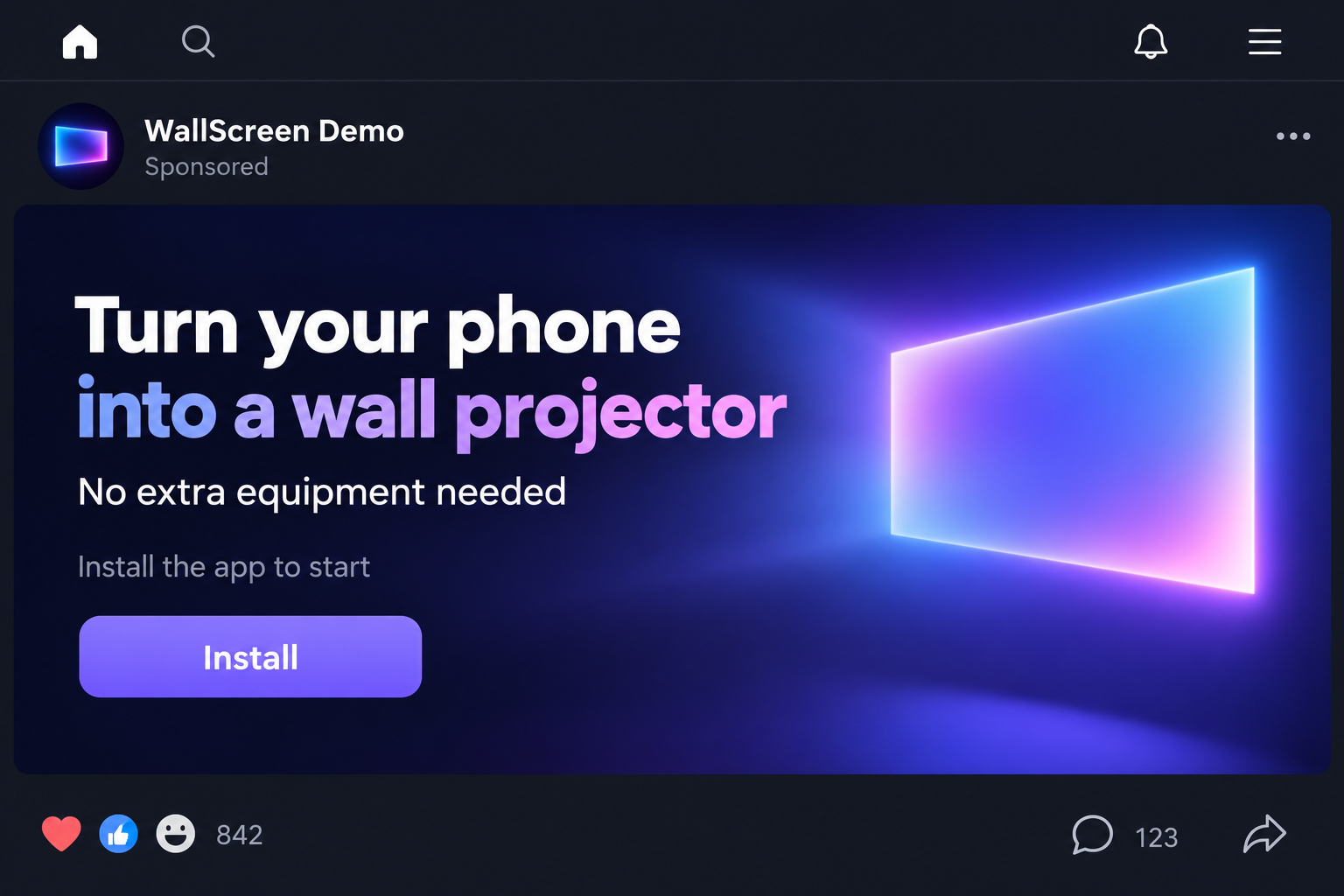
A short video makes movie night look remarkably simple. Someone points a phone toward a wall, and an enormous picture appears without any obvious equipment.
Is this a phone projector app scam, or are you missing a setup step? Before downloading, there is one question worth answering.
Overview
An app cannot supply missing projection hardware
The central phone projector app scam claim is false: installing software cannot turn an ordinary phone without projection hardware into a bright wall projector.
Software can control available components or send content to another device. It cannot create the light engine and optics needed to throw a video onto a wall.
If an advertisement promises that result with no additional hardware, reject the promise. Paying for a premium setting will not overcome the missing equipment.
This conclusion concerns the advertised capability. It does not establish that every application using projector in its name is fraudulent, malicious, or worthless.
A genuine app may help you connect to a projector, mirror a screen, operate equipment, or simulate an effect. Those are different services.
The missing distinction is projection versus connection
Google Cast and Apple’s AirPlay send content to compatible receiving devices. They do not make the sending phone emit a full-size movie onto bare plaster.
Similarly, Epson’s iProjection documentation describes software used with supported projectors. The equipment remains part of the setup.
An advertisement can exploit that vocabulary. Words such as cast, mirror, and project sound interchangeable when you only want a bigger picture.
They are not interchangeable purchase promises. An app for controlling a projector does not include the projector, just as a remote-control app does not include a television.
- Physical projection: light and optics create an image on a surface.
- Screen mirroring: another compatible display reproduces the phone’s screen.
- Casting: content is sent to a compatible receiver or display.
- Projector control: software changes settings on supported external equipment.
- Simulation: an app displays an effect without producing the advertised wall image.
What this investigation does and does not claim
We examined the no-hardware projector promise against manufacturers’ documented casting and projector-app requirements. This is a warning about that deceptive proposition.
No single app package, developer, subscription amount, or malware sample was independently established for all advertisements using this pitch.
Consequently, we do not attach blanket accusations to unrelated store listings. Permissions, billing, and data collection must be assessed for the actual app involved.
The article’s interface illustrations use a fictional app identity. They explain possible points of risk, not charges or screens verified in a particular real application.
Your decision can still be firm: do not install or buy an app because an ad promises to manufacture projection hardware that your phone lacks.
Why the Demonstration Can Look Convincing
A moving picture on a wall feels like proof. The problem is that a short advertisement may not show what produced that picture.
The clip could omit a separate projector, cut between unrelated scenes, add a visual effect, or demonstrate a different device from the one you own.
Those are possible explanations, not forensic findings about a specific video. Appearance alone cannot identify which technique was used.
The useful question is what the advertised app can actually do on your exact model, with the equipment you already have.
A credible demonstration should disclose the phone model, connected devices, software function, and setup. It should not require a payment before explaining those basics.
Watch for a mismatch between the exciting advertisement and the quieter store description. The ad may suggest wall projection while the listing only describes screen sharing.
That mismatch matters even if the app performs its listed function correctly. A working mirroring tool cannot deliver the no-hardware capability used to attract you.
How the Phone Projector App Scam Ads Work
Step 1: A dramatic clip sells the outcome first
The opening promise is not a technical specification. It is a desirable experience: watch movies on a much larger surface without buying expensive equipment.
A quick demonstration makes the transition seem effortless. You see the result before you have time to ask what technology makes it possible.
The advertiser may emphasize convenience, novelty, or savings. None of those benefits answers the hardware question.
Pause before interacting. If the clip claims an ordinary phone projects directly onto a wall, the evidence must include a real projection system.
A bright screen, camera flash, or familiar streaming icon is not that system. Do not fill in missing technical details on the advertiser’s behalf.
Step 2: The download invitation hides a change in meaning
The next instruction is to install an app. The reader assumes the app will deliver the exact result shown in the clip.
At the destination, projector may instead mean connection assistance, a remote control, or a visual simulation.
Read the entire description before downloading. Look for supported equipment and limitations rather than relying on the app’s name or thumbnail.
If a compatible television, receiver, adapter, or projector is required, that should be stated plainly. It changes what you are obtaining.
Do not chase similarly named apps after the first one fails. A generic search can expose you to unrelated products without resolving the original false promise.
Step 3: Extra screens can keep you moving without producing projection
After installation, an app might show instructions, request device discovery, play an animation, or ask you to complete a setup process.
Some of those actions are legitimate for connection software. They should correspond to a function the listing actually described.
If the app repeatedly asks you to watch advertisements or unlock stages without explaining the required equipment, stop and reassess.
A progress animation is not evidence that projection components are being activated. Software cannot complete a hardware upgrade through a loading screen.
We did not verify this exact sequence in a named application. It is a practical distinction for evaluating whatever screen your particular app presents.
Step 4: Permissions can turn a disappointing download into a privacy concern
A connection tool may reasonably request local-network access to locate a compatible device. Access to selected photos can support displaying those photos.
That does not justify unrelated permissions automatically. A request to read messages or obtain broad accessibility access needs a clear, credible explanation.
Ask what each permission enables. Declining an unnecessary request is sensible even when the app describes it as essential for setup.
Do not grant access to make an impossible promise work. Additional privileges do not supply the missing projector.
A permission request is not, by itself, proof of malware. The concern is whether the access is proportionate to a verified function you actually want.
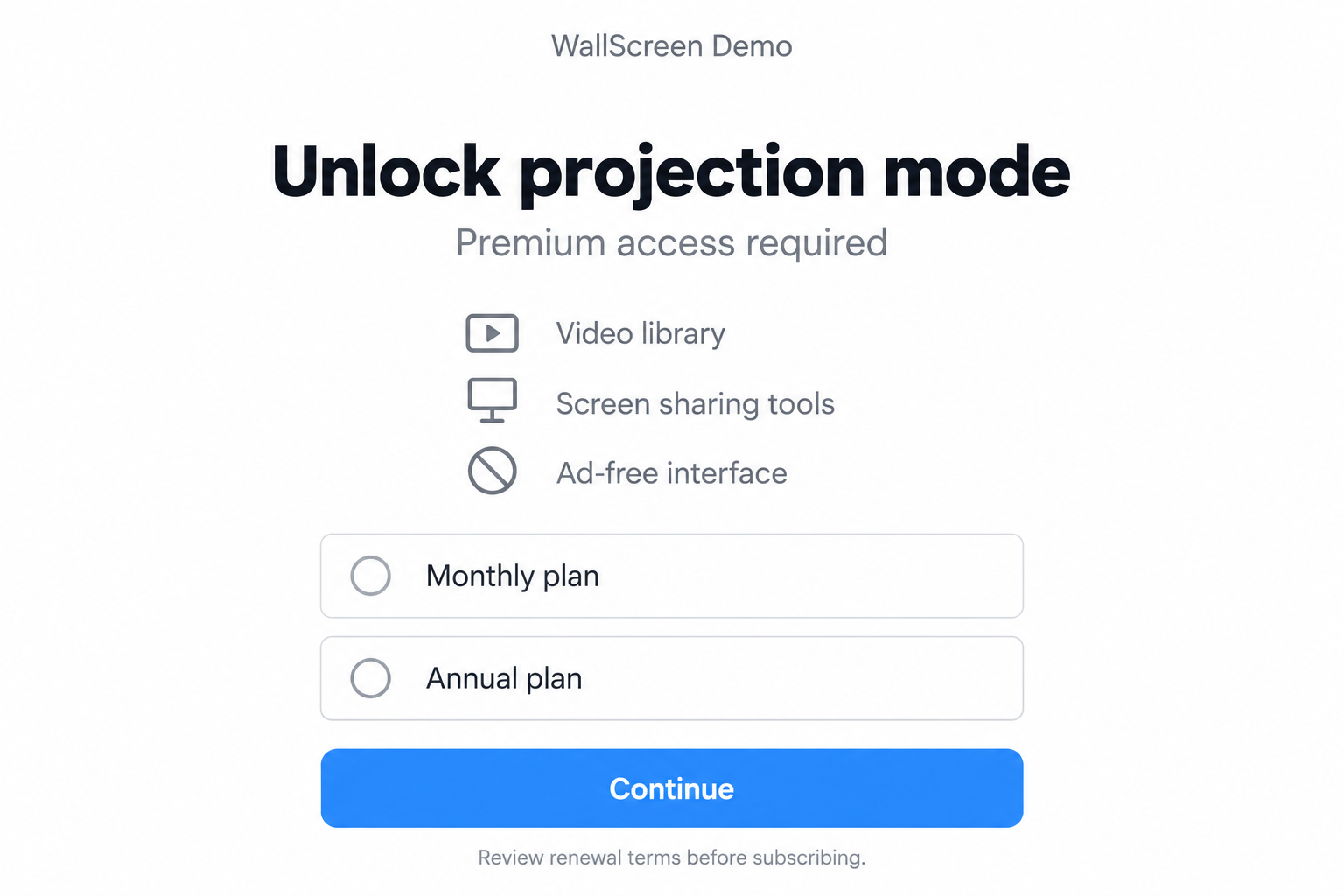
Step 5: A paid unlock may charge for something different
If the app presents a premium plan, read what that plan buys. It might remove ads or enable software features rather than physical projection.
A paid product can be legitimate when its capabilities are described accurately. Payment becomes especially troubling when an impossible ad is the reason you arrived.
Check the total charge, renewal interval, trial deadline, and billing platform before confirming anything. Do not assume a free download means free continued use.
The illustration below depicts a possible paywall. It does not establish that a specific app uses these options or that every projector-related app charges users.
No subscription price was verified for the entire advertising pattern. Your receipt and subscription settings are better evidence of your particular financial exposure.
Step 6: Removing the app may leave the billing question unresolved
When the advertised wall image never appears, uninstalling the app feels like the obvious end. It may solve the software problem but not a subscription.
Google’s subscription guidance explicitly separates cancellation from uninstalling. Check the billing account even after deleting an app.
For an Apple-billed subscription, use the subscription controls associated with your Apple Account. For a separate website payment, review that merchant’s own cancellation method.
Keep confirmation of cancellation. Removing an icon, closing an app account, or abandoning a trial is not necessarily confirmation that billing has stopped.
If the function was misrepresented, describe that mismatch clearly when requesting a refund. Do not claim an infection or unauthorized charge unless your evidence supports it.
How Real Big-Screen Options Differ
Casting still needs a receiving device
Google’s casting instructions specify a supported phone or computer and a supported display or receiver.
The content appears through that receiving equipment. The phone acts as part of the connection, not as a newly created optical projector.
Before choosing an app, identify the exact receiver and connection method. That gives you a meaningful compatibility question instead of a vague promise.
Mirroring copies a screen to another screen
Apple’s AirPlay guidance explains streaming and screen mirroring with compatible receiving devices.
Mirroring can be useful, but it does not project a movie directly from an ordinary phone onto an empty wall.
Also check the content you want to show. An app’s ability to display photos does not guarantee that every streaming service supports the same connection.
A projector app can be a legitimate accessory
Manufacturers offer apps to work with supported projector models. Those tools can assist with content selection, presentation, or device control.
Check the manufacturer’s compatibility documentation before paying for third-party software. The projector itself remains essential.
Specialized devices with built-in projection hardware are a separate case. Their capabilities come from their physical design, not from installing a universal magic app.
A Quick App Check Before You Commit
There is no need to investigate every company on the internet. Establish the identity and function of the exact application the ad sends you toward.
Save its listing URL and developer name. Two apps with similar titles can have different permissions, policies, and billing arrangements.
Read recent reviews for specific experiences, not just star averages. Look for descriptions of equipment requirements, unwanted ads, unclear trials, and actual cancellation attempts.
Reviews are clues, not definitive proof. A generic compliment does not verify projection, and a frustrated reviewer may have misunderstood a legitimate connection tool.
Check whether the privacy policy names the developer and explains relevant collection. A broken policy link or unrelated identity is a reason to stop.
Finally, compare three things: what the ad shows, what the listing promises, and what the app asks permission or payment to do.
If those descriptions do not match, do not reward the confusion with a purchase. Choose software whose function is clear before installation.
What to Do If You Installed a Projector App or Were Charged
Start by identifying the app and your actual exposure. Disappointment, a paid trial, excessive permissions, and a suspicious download require different responses.
- Document the promise and the actual app.
Keep a screenshot of the advertisement if available, the listing, developer name, and receipt. Record what equipment the ad claimed you would not need.
This helps explain a misleading capability claim without relying on a broad accusation against every projector app.
- Inspect subscriptions before uninstalling.
Open the account that processed your payment and check for an active trial or recurring plan. Cancel through its subscription controls when appropriate.
For Apple purchases, follow Apple’s cancellation instructions. Save the displayed expiration date or cancellation confirmation.
- Request a refund based on the specific mismatch.
Use the relevant store or merchant’s refund process. Explain the advertised no-equipment projection promise and the function the app actually supplied.
A refund is not guaranteed. Keep correspondence and escalate an unresolved payment issue through your payment provider when warranted.
- Remove access you no longer want.
Review the app’s permissions in system settings, including photo, local-network, microphone, notification, and any special access you enabled.
Revoke unnecessary permissions and uninstall software you do not trust. Avoid deleting unrelated system components in an effort to clean the phone.
- Check suspicious downloads proportionately.
If you installed an unfamiliar file outside a recognized store, use the device’s security tools and consider Malwarebytes where supported.
AdGuard may help reduce aggressive advertising and some risky destinations. It cannot make an app’s hardware promise true or cancel a subscription.
- Report the advertisement and listing accurately.
Describe the false no-hardware demonstration to the advertising platform. Include the actual destination rather than only a generic projector-app search term.
If reporting a store listing, identify the particular developer and behavior. Accurate detail is more useful than calling every casting application a scam.
- Choose the right route for the picture you want.
For a television, check supported casting or mirroring. For a wall, investigate an actual projector and its compatibility before purchasing accessories.
Do not pay another app to unlock the same impossible feature. The missing component is equipment, not an additional software tier.
Frequently Asked Questions
Can a phone projector app create a wall image without projector hardware?
No. An ordinary phone lacking projection components cannot gain them through an app. Software can connect to equipment or simulate an effect, but not manufacture optics.
Are all apps with projector in their name scams?
No. Connection tools, manufacturer apps, remote controls, and clearly described simulations can be legitimate. The false promise is hardware-free physical projection.
Can the phone flashlight project a movie?
A flashlight provides light, not a video projection system. Turning it on does not create the image-forming hardware needed for the advertised movie.
Is screen mirroring the same as projection onto a wall?
No. Mirroring sends your screen to another compatible display. Wall projection requires equipment that physically creates the image on that surface.
Does deleting the app stop a paid trial?
Do not assume so. Check and cancel the subscription through the platform or merchant that bills you, then retain confirmation.
What if the app requests local-network permission?
That can be relevant to discovering a compatible receiving device. Assess it against the stated function, rather than treating every permission request as malicious.
The Bottom Line
Phone projector app scam ads sell a capability software cannot provide to ordinary phones. Reject the no-hardware promise before downloading or paying.
If you already installed an app, check its actual identity, permissions, and billing. For a real wall-sized image, start with real projection equipment.

Join the discussion
0 commentsShare your experience or ask a question about this article.
Discussion
Start the conversation
Have a question or something useful to share? Add the first comment.