


ProxyStore.net separates its products into several network categories. The choice matters if you are paying for an address that is supposed to show up in a specific city.
Before committing, read the product description and the refund page together. The first tells you what the seller advertises; the second tells you what it says happens after payment.
Overview
The public pages do not sell a single kind of address
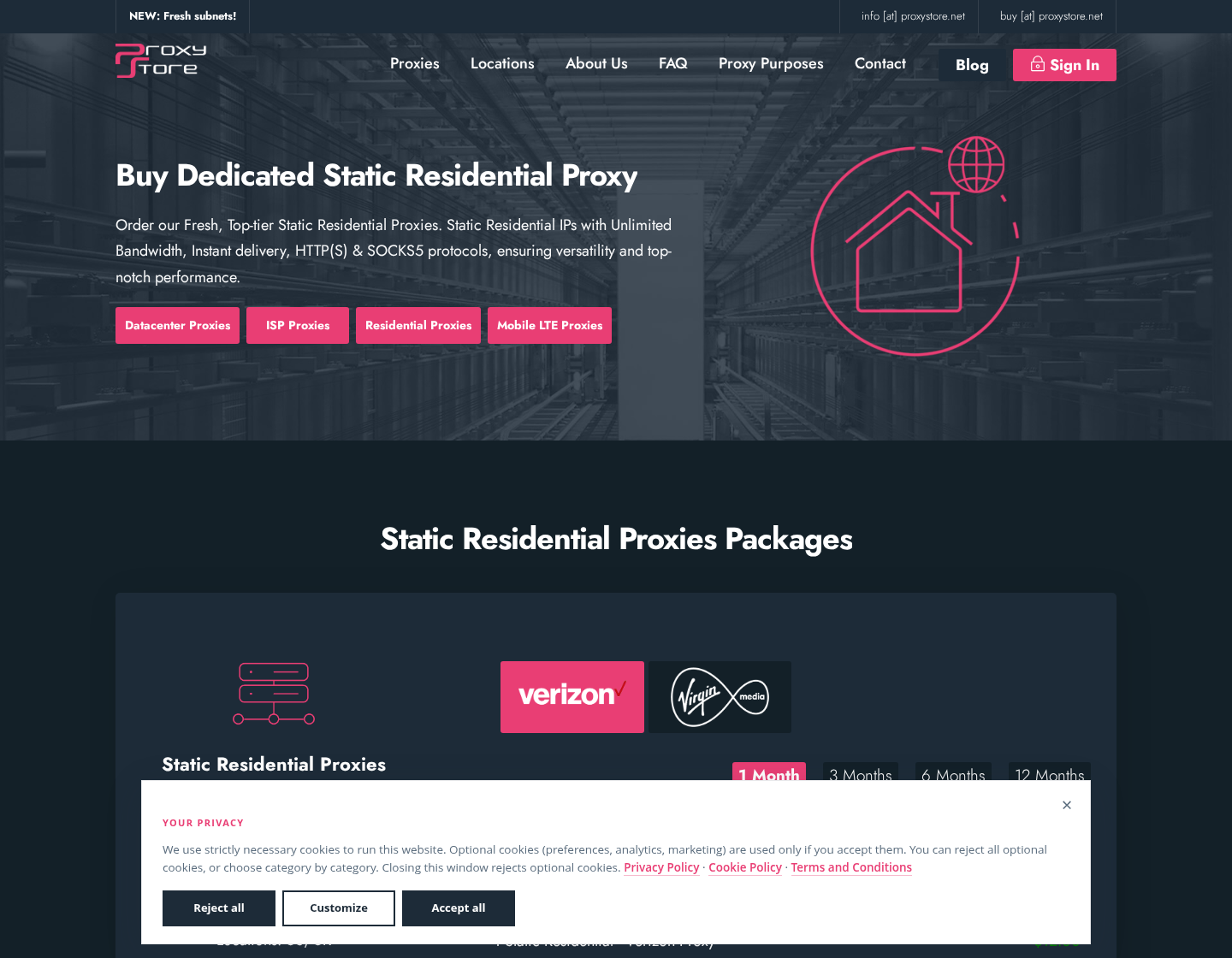
ProxyStore lists static residential, ISP, datacenter and rotating residential services separately. A result labeled residential in one place does not identify which plan you bought.
If your use depends on the city or the kind of connection, save the exact promise on your order. A broad product category does not establish a city-level commitment.
The refund policy covers both orders and unused deposits
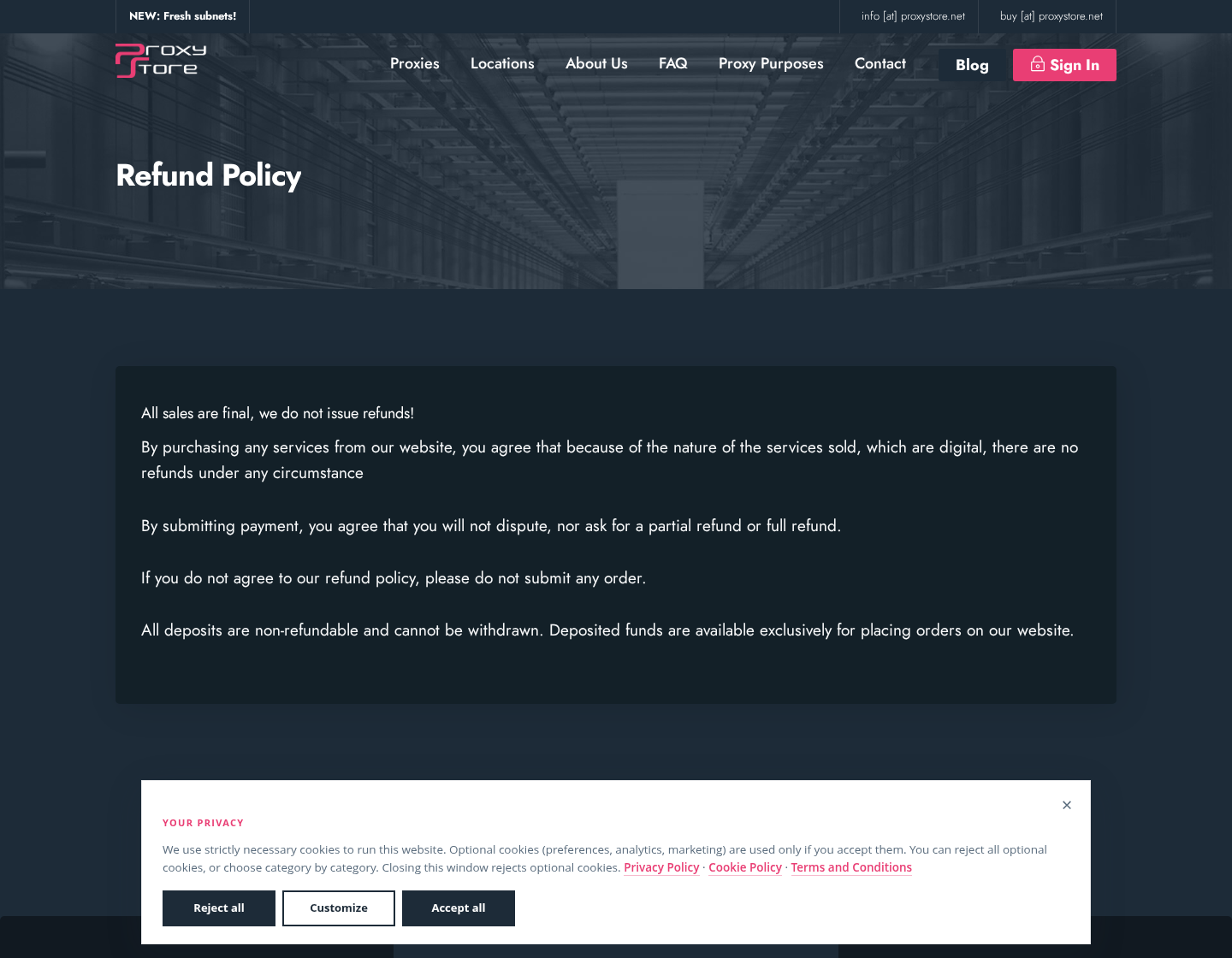
- The site says it treats digital service sales as final. It does not list a refund exception for an address you believe was delivered in the wrong location.
- The same policy says a deposit cannot be refunded or withdrawn. Adding funds to the account is a different decision from merely looking at the packages.
- The policy also asks buyers not to dispute a payment. That is the merchant’s wording, not a decision from the bank on your particular claim.
Location and connection type are separate questions
A lookup may display a city and label an address as business, residential or something else. The two fields do not answer the same question.
A November customer complaint describes paying for a Los Angeles residential address, getting business and East Coast results, then being refused a refund.
Use what you were promised and what your authorized test actually observed. An apparent mismatch deserves a written answer, but a database label alone does not establish intentional deception.
What to Check Before Paying ProxyStore.net
Step 1: Record exactly what the offer promises
The landing page advertises dedicated static residential addresses. The navigation lists ISP and datacenter plans separately, so record which one appears on your order.
Save the selected category, duration and location from your order rather than a screenshot of an unrelated plan. If the listing promises only a country, a city is not guaranteed.
Ask what the seller means by the location label if a city is essential. It could refer to a network location or to how an address appears in a database.
Get the commitment in writing before paying. A general statement about coverage is not enough if your approved test specifically requires traffic to be identified as coming from Los Angeles.
Step 2: Read the deposit rules before moving any money
The published terms say deposited funds can be used only to place orders on the website. The text does not describe a way to withdraw an unused balance.
This changes the decision before an order starts. If the seller expects you to fund an account first, ask whether your selected plan actually exists in the location you need.
Do not assume a credit on the site is equivalent to money returned to your bank. A balance that can only be spent at the same merchant has different value.
If you need the flexibility to back out after a failed location test, do not buy under a blanket final-sale rule without an explicit written remedy you can rely on.
Step 3: Separate a location disagreement from a refund request
If the service appears different from the order, open one ticket and attach the dated offer. Tell support the specific result that would resolve the mismatch.
A correction might mean an address that matches the agreed service, a credit, or money back. Those outcomes are not interchangeable, so say which one would resolve your case.
Do not send passwords or private project links. Start with the order ID, specification and a redacted result that shows the field in dispute.
If the merchant says its database disagrees with yours, ask it to identify the field and database it relied on. Keep the answer next to the original commitment.
Who Handles the Order, Balance and Payment Dispute?
Start with the merchant that billed the purchase
ProxyStore.net is the sales site examined here. The fact that its plan page displays network-provider names does not mean those providers sold you the subscription.
Use the merchant on the payment record and the order number for any refund request. Do not assume a different service with a similar brand handles the same account.
If the invoice identifies a processor, that can help explain the payment descriptor. It does not mean the processor decided which network or location was assigned to your purchase.
A package label is not a verified operating address
A city featured on a plan describes the advertised service location. It does not tell you where the merchant operates or who can issue a refund.
Save the account and transaction details privately. If you seek outside help, share the invoice and response with the bank rather than publishing internal service credentials or a live address.
If you need a contract for an organization, ask who the counterparty is before using a company payment method. An order receipt should identify more than a location label.
A refundable purchase and a withdrawable balance are not synonyms
The published rules deny refunds for digital orders and separately say deposit balances cannot be withdrawn. Even an unspent balance may remain tied to the site under those terms.
For a direct purchase, identify the original payment on the receipt. If you deposited funds first, document the deposit and subsequent balance debit separately.
A promised swap is not a refund to your original payment method. If you accept one, record whether it is an attempted correction or a settlement.
The seller’s no-dispute clause is not your issuer’s advice
The policy says customers should not dispute a payment or request a refund. Do not read that text as a guarantee that a retailer’s rules answer every consumer rights question.
Ask your actual payment provider what it needs for a service-not-as-described case, if applicable. Do not tell the issuer a purchase was unauthorized when you knowingly made it.
If the charge is unknown, report that as a separate issue. If the charge is known but the service differs from the order, describe that difference clearly.
What an IP Location Result Can and Cannot Show
MaxMind’s explanation of geolocation accuracy says an address may be associated with an area, not a precise point. City-level results are less certain than broad region or country results.
Check the city and the confidence or accuracy information separately. Two results using a common underlying database may not be independent, even if the websites display different names.
A network operator name and a usage classification can also describe different facts. Record the exact label you saw rather than treating every field as proof of a home connection.
An application you are authorized to test may use another database. Its result can matter to your test even when a public lookup shows the expected city.
That is why the purchase terms should specify which outcome the seller commits to. A broad label does not guarantee how a separate service will interpret the address.
Record the date and database name beside each result. Provider data can change, so a lookup weeks later may not capture the original issue.
Save only the data needed for the complaint. If you include evidence from a business test, remove internal system names, access details and unrelated results before giving it to support.
Do not assume correcting a location label proves the connection type changed. If you paid for both a city and a category, ask the seller to address each requirement separately.
No plan was purchased for this article. The published offers show the risk in the contract, but do not establish which address or plan a particular customer was assigned.
The same reported mismatch appears on more than one review site. It is one customer account, not multiple independent examples of the same billing problem.
Compare the Package Name With the Requirement You Are Paying For
The static residential page displays provider names and several plan durations. A name on the seller’s pricing card does not create a direct contract with that provider.
Do not infer the country, city or network from a brand badge without checking the selected product. A single provider name can cover service across many locations.
Separate a location from address continuity. A plan that promises a stable address does not necessarily promise that every geographic database will put it in the city you needed.
For a site you control, start with the behavior you actually need to verify, such as how its own support page handles a broad region. City-specific precision may be unnecessary.
If network classification is necessary for an approved internal test, document how the test determines that category. Avoid adding requirements that are not part of your actual evaluation.
If country is the only condition you bought, a result in the wrong city might not be enough to establish nonconformity. Save any separate promise that names the city.
Check how much you are committing when choosing a longer term. A lower monthly rate might leave you paying longer for a plan that does not fit.
A setup issue and a delivery issue need different evidence. If the plan never activated, ask for activation records instead of testing an unrelated address.
If a report names a different connection type, preserve the raw field name as well as its value. An organization name is not interchangeable with a residential classification.
For an organizational purchase, record who approved it and the exact requirement. That helps someone handling a dispute explain why the offered replacement would not work.
If a seller claims the location was not selected at purchase, compare that answer with the saved order summary. A screenshot of a different plan will not resolve the disagreement.
Do not choose a larger deposit to get a temporary discount while a service question remains open. The refund policy matters more than the advertised price reduction.
Compare the service term on the bill with any dates support offers as a remedy. The contract term can keep running while you wait for a replacement.
What to Do If Your ProxyStore.net Order Does Not Match
- Open your original invoice and capture the exact plan, country or city and address category promised. Note whether you purchased a plan directly or used funds already deposited.
- Write down the observed result from your approved work, including the date and the lookup provider if relevant. Mask credentials and private customer or project information.
- Send support one concise request containing the order ID, agreed specification and mismatch. Ask for a written correction or refund decision and save the reply.
- If support offers a replacement, ask which requirement it will meet and whether the existing term or unused credits change. Keep the original evidence until the complaint is resolved.
- Do not add funds just to repeat the same test. Document the current balance and ask the seller what can be done about the plan already billed.
- If the dispute remains unresolved, ask your payment provider for the correct process and deadline. State what you did authorize and what service you received.
A mismatch complaint is strongest when the order actually names the city or connection category you are contesting. Save a dated copy before a generic landing page replaces your offer.
If you never received service details at all, do not rely on geolocation evidence. The relevant records are then your payment, the delivery promise and the absence of activation.
If you did receive access but it did not meet a documented condition, state that distinction. The invoice and service report should show a mismatch rather than a missing order.
Frequently Asked Questions
Does ProxyStore.net advertise refunds on unused deposits?
No, its published policy describes deposits as nonrefundable and not withdrawable. It says those funds can only be used for orders on its own website.
Can a city lookup prove an address was sold under the wrong plan?
A city result can document an apparent mismatch, but databases can estimate different locations. Compare the result against the exact commitment in the order first.
Are an ISP plan and a static residential plan the same product here?
The site lists them as separate categories. Save the precise product name when you buy, because a claim on one landing page does not necessarily apply to another plan.
Does the merchant’s no-dispute wording settle an issuer claim?
It states the seller’s policy, not the issuer’s finding on your case. Ask the provider about your options based on how you paid and what was delivered.
Do you need to publish the assigned IP to document a mismatch?
No, start with the order, the agreed outcome and a redacted result. Send sensitive information only through a verified channel if it is actually required.
Is a replacement address the same as getting money back?
A replacement is another attempt to fulfill the service. If you asked for a refund, get the seller to confirm whether any money will be returned separately.
The Bottom Line
Do not fund a ProxyStore.net account for a city-specific requirement without a written remedy. The policy says deposits stay on the site and orders are final.
If you already paid, bring the dated offer and the actual mismatch to support. If you cannot get a resolution, check your options with the payment provider before adding funds.

Reviews & discussion
0 commentsShare a firsthand experience, or ask a question.
Community reviews
proxystore.net
Moderated reader experiences, not an editorial verdict.
Start the conversation
Have a question or something useful to share? Add the first comment.