

A letter from the so-called Public Safety Crime Center can look official at first glance, especially when it mentions vehicle theft, public safety and a limited deadline. The mailing is not a government notice. It is a commercial pitch designed to sell a $388 vehicle-tracking product by making the recipient feel that immediate action is necessary.
The wording, presentation and price create the impression that a trusted public agency is recommending or requiring the purchase. This guide breaks down the sales tactic, explains what the letter leaves unclear and shows how to evaluate any similar vehicle-protection offer before sending money or sharing personal information.
Overview
A Public Safety Crime Center letter can arrive soon after you buy a vehicle and look far more official than ordinary advertising. It may reference your car, warn about theft in your area, display an urgent response date and offer a pre-programmed wireless tracking device. The presentation is designed to feel like a public-safety notice rather than a sales pitch.
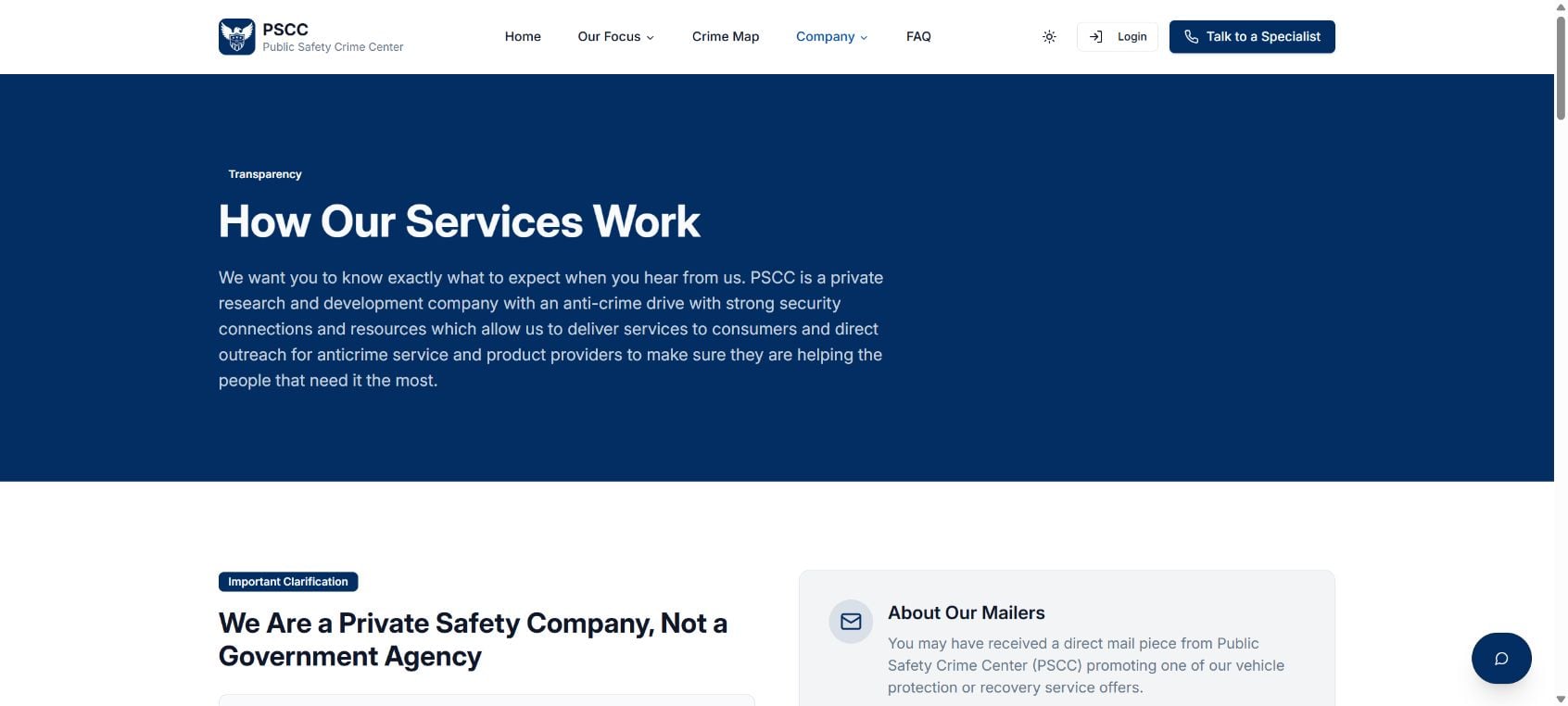
The important fact is easy to miss: Public Safety Crime Center is a private company, not a government agency, police department or vehicle manufacturer. Its own website states that distinction. The mailer is promotional outreach intended to start a phone conversation about a commercial vehicle-tracking or monitoring service.
Reported versions emphasize a $388 device fee that is supposedly waived if the recipient responds by the deadline. That framing creates two pressures at once. The crime warning makes the product feel necessary, while the waived fee makes the offer feel valuable and temporary. The cost that matters may appear later in the call as an activation, service or recurring monitoring agreement.
The letter is not proof that police identified your vehicle as a special target. It does not mean your dealer, lender or manufacturer ordered you to activate a tracker. Vehicle registration and purchase-related information can be used for targeted marketing, allowing a private sender to make the mailer feel unusually personal.
This does not mean every tracking product offered through the campaign is imaginary. The problem is the official-looking presentation, the fear-based wording and the possibility that a supposedly complimentary device leads to a paid contract that was not obvious from the envelope. A real product can still be marketed in a way that leaves consumers with the wrong impression.
Do not call simply because the deadline is close. Read the fine print, verify the company independently and ask for the complete price, cancellation terms and name of the service provider in writing. If you want anti-theft protection, compare alternatives through your insurer, dealer and established retailers before agreeing to anything by phone.
What Public Safety Crime Center says it is
Public Safety Crime Center describes itself as a private safety company. That is a crucial distinction because the name, crime-focused language and official layout can suggest a government or law-enforcement connection that does not exist. The company says its mailers are promotional outreach.
What the letter is actually trying to sell
The immediate offer is usually a vehicle-tracking device or anti-theft service. The phone conversation may introduce activation, cellular connectivity, monitoring or subscription costs. Some recipients report being directed toward a separate tracking brand or service agreement rather than receiving a no-obligation public benefit.
How the Public Safety Crime Center Letter Pitch Works
Step 1: The mailer arrives at the right moment
The letter often appears shortly after a vehicle purchase, when owners are receiving legitimate paperwork from dealers, lenders, insurers and motor-vehicle agencies. Mixed into that stack, a private advertisement can be mistaken for something connected to the sale.
Step 2: The design creates an official impression
The sender uses a public-safety name, crime language, reference numbers and a formal response deadline. The envelope may avoid the colorful design of normal advertising. None of those details establishes government authority.
Step 3: Theft statistics create fear
The message warns that vehicle crime is high or increasing in your area. Broad crime concerns are made to feel personal, as though the sender has assessed your exact vehicle. The letter may not explain how the risk was calculated or why your car was selected.
Step 4: The $388 waiver creates urgency
A device valued at $388 is presented as complimentary or the fee is said to be waived for a limited time. The deadline discourages comparison shopping. A stated retail value is not the same as an independent market price, and a free device does not guarantee a free service.
Step 5: The phone call reveals the commercial offer
When you call, a representative confirms details and explains the tracking program. This is the moment to ask whether there are activation charges, monthly fees, minimum terms, automatic renewal, hardware-return requirements or cancellation penalties.
Step 6: The consumer is asked to decide during the call
The representative may continue emphasizing theft risk and the expiring waiver. If the price and contract are discussed only verbally, it becomes harder to compare the offer or remember every condition. Do not provide a card number until you have reviewed the complete agreement.
Why the Letter Feels More Official Than It Is
- The name includes the words Public Safety and Crime Center.
- It may arrive soon after a real vehicle transaction.
- The mailer can reference vehicle or address information that feels private.
- Crime warnings resemble the language used in community alerts.
- A response date makes the letter look like required paperwork.
- The complimentary-device offer sounds like a safety program rather than customer acquisition.
- The private-company disclosure may be less prominent than the headline and phone number.
Questions to Ask Before Accepting the Tracker Offer
- Who is the legal seller? Ask for the exact company name, physical address and customer-service website.
- What is the total cost? Request the activation fee, recurring charge, taxes, shipping and any hardware cost after the promotion.
- Is there a minimum term? Find out whether the agreement is month-to-month or locks you into a longer contract.
- Does the plan renew automatically? Ask how and when renewal occurs and how much it will cost.
- How do cancellations work? Request the procedure, deadline, refund policy and device-return requirements in writing.
- Who monitors the device? Confirm whether the service is operated by Public Safety Crime Center or another provider.
- What data is collected? Read the privacy policy to understand location tracking, sharing and retention.
How to Verify the Letter Without Using Its Phone Number
Search for the company independently and read its own description before calling. Check the fine print on both sides of the mailer for language about private marketing, recurring charges and third-party providers. Do not rely on the large headline alone.
You can also ask the dealer, lender and manufacturer whether they sent or required the notice. Use contact details from your purchase documents, not from the mailer. If each one says the letter is unrelated, treat it as optional advertising.
What to Do If You Already Called or Signed Up
If you called but did not provide payment details
You are not obligated to continue the conversation. Ask the company to place your number on its internal do-not-call list and do not respond to follow-up pressure. Keep the mailer in case you need to compare what was advertised with what was said.
If you provided a card but changed your mind
Contact the seller promptly and request cancellation in writing. Save the contract, confirmation email, cancellation request and any return-tracking number. Review upcoming card statements for recurring charges and challenge billing through the card issuer if the company charges contrary to the written agreement.
If the terms were different from the pitch
Write down the date, phone number, representative name and exact promises you remember. Preserve the envelope and every page of the letter. A clear timeline is useful when disputing a charge or filing a consumer complaint.
If you installed the device
Review what location data the service collects and who can access it. Follow the provider’s written removal and account-deletion instructions. Do not simply discard hardware if the contract requires a return.
Frequently Asked Questions
Is Public Safety Crime Center a government agency?
No. It identifies itself as a private company. The mailer should not be treated as an order from police, a motor-vehicle department or another public authority.
Do I have to respond to the letter?
No. The offer is optional marketing. A private tracking-device promotion is not the same as an insurance, lender or registration requirement.
Is the $388 tracker really free?
The device fee may be described as waived, but that does not establish that the entire service is free. Confirm every activation, subscription, renewal, shipping and cancellation cost before accepting.
The Bottom Line
The Public Safety Crime Center letter is an official-looking private marketing pitch, not a government safety notice. Its crime warning and $388 waiver are designed to move you from the mailbox to a sales call. Slow down, read the fine print and compare the complete cost before agreeing to any tracking service.

Join the discussion
1 commentShare your experience or ask a question about this article.
Discussion
A lot about PSCC reeks of a scam or at the very least deceptive marketing. While this article touches on most of them here are few additional items:
– They appear nowhere on the internet beyond their carefully curated search results. Yes, there are limited Reddit posts/threads but mostly PSCC simply does not exist.
– They exist on no review sites…anywhere. They previously existed on Google Maps, but have since removed their listing due to the volume of negative reviews.
– Their corporate address is a mail center (e.g. post office box) in a strip mall in Boca Raton, FL. Legitimate companies rarely use mail centers or registration agents as their corporate address.
– There appears to be an undisclosed affiliated entity they route business to, which is based at the same mail center in Boca Raton, FL, just a little suspicious.
– The letter uses confusing language (e.g. complimentary vs. complementary) which is designed to confuse the reader into what they are receiving.
– Doing my own research no law enforcement agency in the top 10 largest metro areas in the US have heard of the PSCC. If these folks are helping subscribers have their stolen vehicles returned; one would think some law enforcement agency would have heard of them.