

Getting a random party invitation used to feel harmless. Now, many people hesitate before clicking almost anything in their inbox, and that caution is justified. One invitation email that has confused users recently is the so-called “Punchbowl invite scam.”
Some people receive an email claiming they were invited to an event through Punchbowl and immediately assume it is phishing or malware because the message was unexpected, vague, or strangely cheerful. In other cases, scammers imitate real invitation platforms to push dangerous links.
The key point is this: Punchbowl itself is a legitimate online invitation platform, but fake emails pretending to be Punchbowl can absolutely be scams.
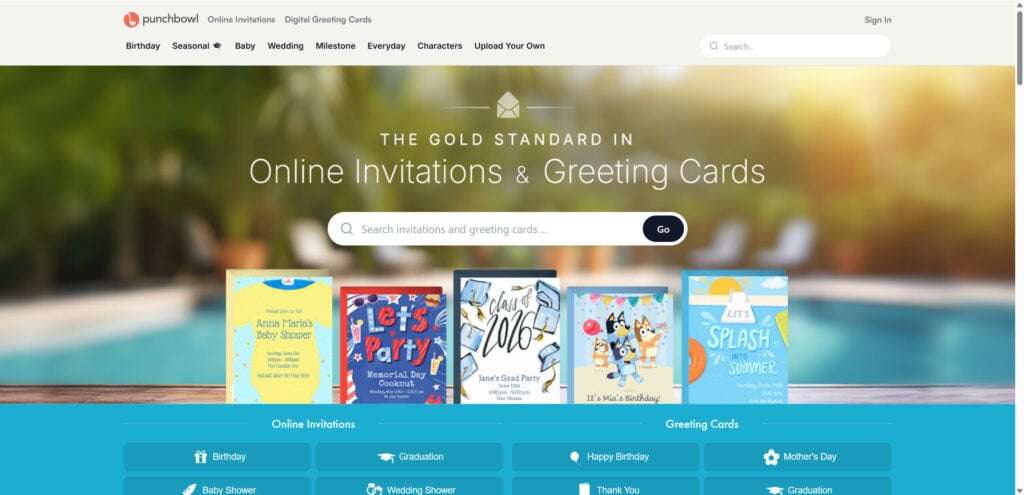
What Is Punchbowl?
Punchbowl is a real online service used to send digital invitations and greeting cards for birthdays, weddings, baby showers, holidays, graduations, parties, and other events.
People use platforms like Punchbowl because they make it easy to create invitations, track RSVPs, and send event details by email. A real Punchbowl invitation can come from a friend, relative, coworker, school parent, church group, or event organizer.
That is what makes this scam confusing. Not every Punchbowl invite is fake. Real invitations are sent through the platform every day.
The problem is that scammers know people recognize brands like Punchbowl, Evite, and Paperless Post. By copying the look and wording of a real invite, they can make a phishing email feel familiar enough to click.
Why People Think Punchbowl Invites Are Scams
There are several reasons these emails raise suspicion quickly.
The Invitation Arrives Unexpectedly
Many people receive invites from someone they have not spoken to in months, a distant relative, a coworker, or a name they barely recognize. That alone can make the email feel suspicious.
Sometimes it may be real. Other times, it may be bait.
If you were not expecting an invitation, do not click immediately. Verify first.
The Subject Line Looks Generic
Some invitation emails use vague wording such as:
- “You’ve received an invitation”
- “Someone sent you a card”
- “Open your party invite”
- “You’re invited”
- “A special message is waiting for you”
These subject lines are not automatically malicious, but they resemble common phishing language. Scammers often use curiosity and urgency to make users click before thinking.
Fake Invitation Emails Exist
This is the real risk.
Cybercriminals may create emails that pretend to come from Punchbowl or another invitation service. These messages may lead to fake login pages, malware downloads, scam surveys, fake payment pages, or pages designed to collect personal information.
The invitation is only the disguise. The goal is to get you to click.
How the Punchbowl Invite Scam Works
Fake invitation scams usually follow a simple pattern. The email looks innocent, but the link sends the victim somewhere dangerous.
1. You Receive an Unexpected Invitation Email
The email may claim that someone invited you to a birthday, anniversary, wedding, holiday party, baby shower, office event, or private gathering.
It may include a sender name you recognize, or it may use a vague line like “A friend sent you an invitation.”
Some scam emails may even use real names copied from compromised email accounts, social media profiles, or leaked contact lists.
2. The Email Encourages You to Click
The message may include a button such as:
- “View Invitation”
- “Open Invite”
- “RSVP Now”
- “See Event Details”
- “Accept Invitation”
- “View Card”
This is where the scam begins. The button may not lead to Punchbowl at all.
3. The Link Goes to a Fake Website
A fake Punchbowl-style email may send users to a lookalike website designed to appear legitimate.
The page may ask you to:
- Sign in with your email account
- Enter your password to view the invitation
- Confirm your phone number
- Add payment details
- Download a file
- Complete a verification step
- Install a browser extension
- Fill out a survey
A real invitation should not require you to enter sensitive login details just to see basic event information.
4. The Scammers Steal Information or Install Malware
Depending on the scam, the fake page may be used to steal:
- Email login credentials
- Passwords
- Phone numbers
- Credit card details
- Personal information
- Work account credentials
- Address book contacts
In some cases, clicking the link may lead to malware, fake browser updates, suspicious downloads, or scam pop-ups.
5. The Scam Spreads Further
If scammers gain access to your email account, they may send fake invitations to your contacts. This makes the scam more convincing because the next victims receive the message from someone they know.
That is why invitation scams can spread quickly. People trust familiar names.
Real Punchbowl Invite vs. Fake Punchbowl Scam Email
The safest approach is not to panic, but to inspect the message carefully.
A Real Punchbowl Invitation May Have:
- A recognizable sender
- A normal event title
- Clear event details
- A link that points to the legitimate Punchbowl domain
- No request for sensitive passwords or payment details just to view the invite
- Normal RSVP options
A Fake Punchbowl Scam Email May Have:
- A strange or unrelated sender address
- Misspellings or awkward wording
- Generic wording with no event details
- A link that points to a suspicious domain
- Pressure to click immediately
- Requests for login credentials
- Requests for credit card information
- Attachments you were not expecting
- A page that asks you to “verify” your email password
The sender name alone is not enough. Scammers can spoof names and logos. Always check the actual email address and link destination.
Red Flags of a Fake Punchbowl Invitation
Be careful if the invitation has any of these warning signs:
- You do not recognize the sender.
- The email creates urgency or curiosity without clear details.
- The link does not go to the official Punchbowl website.
- The message asks you to download a file.
- The page asks for your email password.
- The invitation says your account will be locked if you do not respond.
- The email contains poor grammar or strange formatting.
- The sender address looks unrelated to Punchbowl.
- The invitation asks for payment information unexpectedly.
- The email was sent to a large group of unrelated people.
- The event title is vague, such as “Private Event” or “Special Invite.”
- The message lands in spam but looks like an invitation.
One red flag does not always prove fraud, but several together should be treated seriously.
How to Safely Check a Punchbowl Invitation
Do not click the button first. Use a safer verification process.
1. Check Who Sent It
Look at the sender’s full email address, not just the display name.
A scammer can make the sender name say “Punchbowl,” “Invitation,” or even the name of someone you know. The real email address is more important.
2. Hover Over the Link
On desktop, hover your mouse over the button or link without clicking. Check the destination.
If the link goes to a strange domain, shortened URL, misspelled website, or unrelated page, do not open it.
On mobile, press and hold the link carefully to preview it, but avoid opening it.
3. Contact the Sender Directly
If the invitation appears to come from someone you know, contact them through a separate method.
Send a text, call them, or message them directly and ask:
“Did you send me a Punchbowl invitation?”
Do not reply to the suspicious email if you are unsure.
4. Go Directly to the Official Website
Instead of clicking the email link, type the official Punchbowl website into your browser manually and check from there.
This avoids fake links hidden behind buttons.
5. Do Not Enter Your Email Password
A major warning sign is any page asking you to enter your email password to view an invitation.
You should not need to provide your Gmail, Outlook, Yahoo, work email, or Apple password to see a party invite.
What to Do If You Clicked a Fake Punchbowl Invite
If you clicked a suspicious invitation, act quickly. What you do next depends on what happened after clicking.
If You Only Clicked the Link
If you clicked but did not enter information or download anything:
- Close the page.
- Do not interact with pop-ups.
- Run a security scan on your device.
- Clear your browser history and cache if the page looked suspicious.
- Watch for unusual account activity.
A single click does not always mean your device is compromised, but caution is still smart.
If You Entered Your Password
If you typed your email password into a fake invitation page:
- Change your email password immediately.
- Use a different device if possible.
- Enable two-factor authentication.
- Sign out of all active sessions.
- Check your email forwarding rules.
- Review sent mail for messages you did not send.
- Warn your contacts not to click suspicious invites from your account.
Email accounts are valuable to scammers because they can be used to reset other passwords.
If You Entered Credit Card Information
If the fake page asked for payment details:
- Contact your bank or card issuer.
- Ask them to monitor or block suspicious charges.
- Request a replacement card if needed.
- Dispute unauthorized transactions.
- Watch for follow-up scam calls or emails.
Scammers may use stolen card details quickly or sell them to others.
If You Downloaded a File
If the invitation led to a download:
- Do not open the file.
- Delete it.
- Run a full antivirus or anti-malware scan.
- Check browser extensions for anything unfamiliar.
- Restart your device.
- Consider getting professional help if your device behaves strangely.
Be especially cautious with files ending in .exe, .zip, .scr, .js, .html, .docm, or files that ask you to enable macros.
How to Report a Fake Punchbowl Invitation
If you believe you received a fake invitation email, report it.
You can:
- Mark it as phishing in Gmail, Outlook, Yahoo, or your email provider.
- Forward the message to your company IT/security team if it arrived at work.
- Report the fake website to your browser or antivirus provider.
- Notify the person whose name was used in the invite.
- Report suspicious charges to your bank if money was involved.
If the email is pretending to be from Punchbowl, you can also check Punchbowl’s official support or help pages for reporting options.
Is Punchbowl Safe to Use?
Punchbowl is a legitimate invitation platform. The existence of fake emails does not mean every Punchbowl invitation is a scam.
The safer way to think about it is this:
A real Punchbowl invite can be safe. A fake email pretending to be Punchbowl can be dangerous.
The risk comes from imitation, not from the general idea of digital invitations.
This same issue affects many trusted brands. Scammers impersonate banks, delivery companies, streaming services, tax agencies, retailers, email providers, and social media platforms. Invitation services are just another brand category criminals can copy.
How to Protect Yourself From Invitation Email Scams
Use these habits whenever you receive an unexpected digital invitation:
- Do not click immediately.
- Check the sender’s real email address.
- Inspect the link before opening it.
- Verify with the sender through another channel.
- Avoid entering passwords through invitation links.
- Be suspicious of attachments.
- Keep your browser and antivirus updated.
- Use two-factor authentication on email accounts.
- Do not reuse passwords across accounts.
- Teach family members to verify unexpected invites.
These steps are simple, but they prevent many phishing attacks.
The Bottom Line
The “Punchbowl invite scam” does not mean Punchbowl itself is fake. Punchbowl is a legitimate online invitation service, and many real events are sent through it.
The danger comes from fake emails that copy the look and wording of invitation platforms to trick people into clicking malicious links, entering passwords, downloading files, or sharing payment information.
If you receive a Punchbowl invitation you were not expecting, do not panic and do not click blindly. Check the sender, inspect the link, and verify with the person who supposedly invited you.
A real party invitation can wait a few minutes. A scam only works when you rush.








