


A new sign-in notice can make you replay every place you checked email that morning. An unfamiliar device name makes it harder to dismiss.
The question is whether that detail came from your mailbox provider.
Overview
The warning looks like a small piece of your security history
The Roundcube new sign-in email scam reports a login you may not recognize. Its details include an account address, a timestamp, an IP address and a device description.
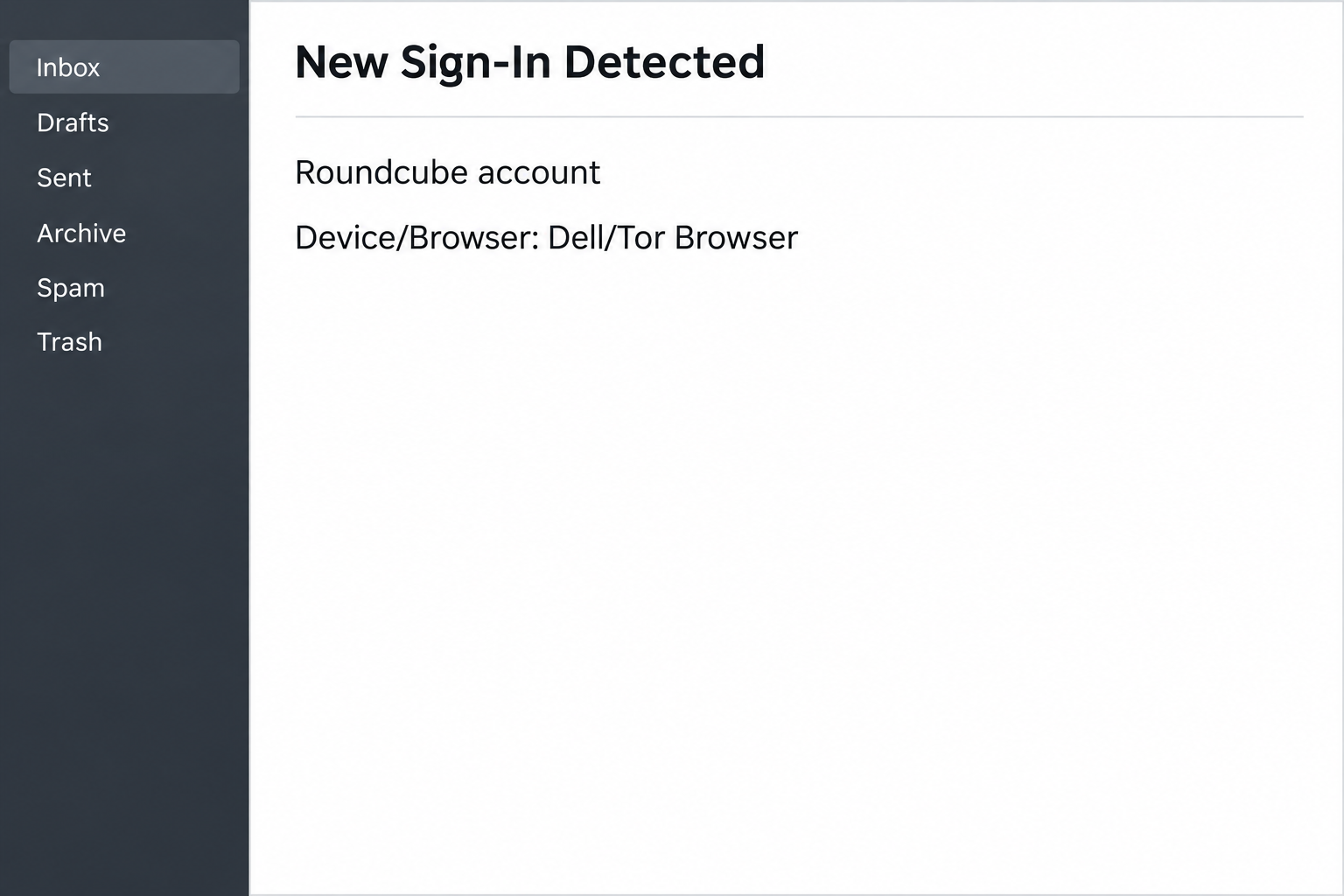
The sample labels the device and browser “Dell/Tor Browser.” It gives a time on November 13, 2026, even though those details do not come with a trusted sign-in record.
The wording has an odd twist. It tells you no further action is needed if it was you, then encourages you to sign in again anyway.
The image recreates a few recognizable details from the notice while omitting the user’s account and the original link. It does not depict a real login event.
A genuine security alert can also list device information. Take a concern seriously enough to check it, without treating the email as a trusted place to begin.
Roundcube is your mail interface, not necessarily your provider
Roundcube is an open-source webmail client used by hosts, workplaces and other organizations. You read mail in its interface, but the people operating it are often someone else.
That split becomes important during an incident. A different company can manage the password, review server records or help you end sessions, even when every mail screen says Roundcube.
The Roundcube project contact page directs end users to their email provider for account support. Nobody needs to know your password to identify the right support team.
The reported destination was unavailable when examined. A copied webmail login is the likely goal, but we cannot confirm the exact fields or whether a specific account was accessed.
Decide what kind of evidence you have
Seeing an alleged sign-in in an email is different from seeing one in an administrator’s logs. One is a claim; the other can tie activity to your specific account.
An unexpected device label can also have ordinary explanations, including a work access service or a browser label that does not match what you call your device.
- Treat the date and device as facts printed in the email, not facts about your account.
- Use the mail login you normally use, without following a re-sign-in link.
- Ask the host or workplace whether it can corroborate a successful login around that time.
- Report a submitted password separately from the question of whether the claimed login happened.
A provider might not expose a sign-in history to individual users. If the record is not available in webmail, contact support instead of searching for a recovery button elsewhere.
How the Roundcube New Sign-In Scam Works
Step 1: A device label makes the message feel specific to you
It is easy to ignore a warning that says only “suspicious activity.” A named computer and browser make the same claim feel closer to something a system could observe.
The sample adds a time precise to the second. That invites you to think about where you were at that moment rather than verify where the information came from.
If you only ever use webmail on a phone, the Dell reference can feel especially alarming. It can be alarming without being true.
For a workplace mailbox, planned support work or a shared account may make the report seem plausible. A known administrator, not the message, can test that possibility.
Step 2: Familiar security advice points back to an unfamiliar link
The text suggests changing the password, reviewing activity and contacting IT if the sign-in is unfamiliar. Those are recognizable actions when managed through the correct channels.
The key mismatch is where the email proposes you begin. It wants you to sign in again using a route supplied by the same sender that announced the problem.
The screen you normally reach through your host or institution is a safer starting point. Ask for help through the number or ticket system you used before.
No part of a legitimate password reset requires proving you trust this notice. A real concern can be investigated even after you close the message.
Step 3: Re-signing in makes a fresh password disclosure look normal
People expect to re-enter a password when a session expires. The wording tries to make that ordinary event feel like an answer to a security question.
The report could not load the destination, so its exact appearance is unknown. Do not infer an actual account compromise, login prompt or download from that limitation.
If a similar alert sends you to an imitation, entering a password creates a new risk unrelated to the alleged login. That distinction matters when you call support.
Do not try a wrong password to see whether a page will accept it. Any behavior the page displays would still be controlled by an untrusted party.
Step 4: Someone who gets the password can try the real service
A submitted password may let someone attempt sign-in at the provider later. Whether they succeed depends on the account setup and anything else you approved.
A reset alone might not reveal what was read or sent before it. Where records are available, ask your provider to check the time around the actual disclosure.
Look for unfamiliar mail rules and sign-in methods as well as obvious messages. A stranger might want access to a quiet inbox precisely because it attracts less attention.
If the mailbox handles bids, client records or invoices, ask which other staff or clients could see messages sent from that address. Alert only the people actually at risk.
Step 5: A genuine login record requires its own response
The most useful confirmation is a record tied to your real account from the organization running it. The alert cannot supply an independent answer about itself.
If the administrator finds a successful login you did not authorize, act on that finding even if the emailed time does not match.
If the administrator can see only failed attempts, ask whether any further action is necessary. An attempt and an active session are different events.
The copied warning can be reported regardless of the outcome. The account response should depend on the verified activity and what you submitted, not the alarm in the message.
What to Do if You Have Fallen Victim to This Scam
-
Separate the alleged login from your reaction.
Write down whether you just read the notice, followed the link or supplied information. Include the time you acted as well as the time printed in the email.
If you gave no password and approved nothing, keep that distinction when describing the incident. A scare is not the same as a successful login.
Keep the original private for the help desk. There is no need to share the link in a group chat or ask coworkers to open it.
-
Find the organization that runs your Roundcube service.
Use your internet provider, web host or organization according to where the address came from. Open its support page independently or use a known help desk number.
The Roundcube software project cannot see every installation’s accounts. Contacting the local provider gives you a chance to reach the people who maintain your mailbox.
When you report the message, ask whether the provider can distinguish a failed attempt, successful login or session change. Do not assume all three are logged the same way.
-
Replace a password submitted through the notice.
Start from the verified mail provider rather than the page you reached. If you are locked out, ask about its normal recovery process through a second contact route.
Tell the provider if you also shared a code, authorized an app or approved a prompt. A session already granted access may need separate action.
Change a reused password on other services through their own logins. Give priority to accounts that can move money or change how you recover the mailbox.
-
Look for evidence of mail that did not come from you.
Ask the administrator what it can check in logs, forwarding and filter settings. A missing message may have been moved without being fully erased.
Look at sent messages and unusual drafts from the relevant period. If your address is shared, compare the items with coworkers before marking everything unfamiliar as unauthorized.
If a new payment request went out, contact the real recipient independently. Give finance staff the issue in plain language without copying the original phishing URL.
-
Add login protections your provider actually supports.
Some hosts can enable an extra sign-in factor or different application credentials. Ask about the setup that applies to your mail account, not just the web interface.
Check that recovery details still belong to you. A second sign-in factor works better as part of a current recovery plan than as the only change after an incident.
If a shared login is behind the confusion, ask whether named users or delegated access would let the administrator investigate individual events in the future.
-
Treat strange downloads and alerts as separate evidence.
If you unexpectedly received or ran a file, tell the help desk what happened and when. Do not reopen it to see whether it behaves differently.
If your concern is only unknown mailbox activity, check the provider’s account logs first. A scan on your computer cannot show what happened in somebody else’s session.
Let your provider know when you finished recovery. An open ticket can help connect follow-up reports from contacts who received strange mail in the meantime.
What Can a Sign-In Record Really Tell You?
A provider’s records can be more useful when you give it two times: the time shown in the alert and the time you actually followed its instruction.
Ask the administrator which time zone it uses. A difference in the displayed hour can be ordinary, especially when you compare a mailed timestamp with a server’s record.
A successful login to the same address could come from another app you use. If possible, ask the provider to distinguish browser access from an existing mail client’s routine connection.
When several people use the same address
Check with the people authorized to use the mailbox before assuming a device belongs to a stranger. Ask them using an internal channel independent of the suspicious message.
If nobody recognizes the activity and the server confirms success, ask the administrator to preserve what it can and contain the session. Recheck replies sent during that interval.
An outside person can still send a false sign-in notice to a busy shared inbox. The best way to handle both possibilities is to use the host’s own records.
A message left in the inbox does not need to guide that investigation. Preserve it if support requests it, then work from the actual account controls.
If your provider cannot confirm any history, ask what other account changes it can review. Missing logs are not permission to wait on replacing a password you submitted.
A provider may also manage sending limits or temporarily restrict outbound mail during a review. Ask which changes are in place before assuming messages have reached customers.
Frequently Asked Questions
Is this Roundcube new sign-in notice real?
The version that names Dell and Tor Browser is a documented phishing lure. The email itself does not establish that someone really opened your account.
Use your own login and contact the organization running the mailbox. Tell them exactly what you entered or approved while checking the notice.
Did somebody use Tor to read my mail?
The device label is an allegation printed in the message. It should not be treated as a report from a server that actually serves your account.
If your provider confirms a sign-in you do not recognize, report that independently. The printed browser name is not the basis for deciding whether access occurred.
Where do I check login history in Roundcube?
The available history depends on how the provider deployed Roundcube and what it allows users to see. There is not one universal security menu across installations.
Ask the provider or workplace help desk for available logs. A suspicious link claiming to show missing history is not a substitute for that request.
Did clicking the re-sign-in link expose my password?
A click is not evidence of password submission. Explain whether you typed, approved or downloaded anything, because those actions require different responses.
If the password did go into an unfamiliar page, replace it through the real provider promptly. Ask which active sessions or access methods also need attention.
Can I forward the email to the Roundcube developers?
It makes more sense to report the notice first to the provider operating your account. The software developers generally cannot change settings on somebody else’s server.
Follow your provider’s reporting instructions to preserve useful message details. Do not include real credentials or authorize another login to file the report.
What if my administrator confirms a genuine login?
Ask whether it succeeded, what mailbox it affected and whether the session is still open. Then change the password and follow its incident guidance.
A genuine login can coincide with an unrelated phishing message. Handle the actual access through the administrator and discard the untrusted instructions in the email.
The Bottom Line
Do not re-sign in through this Roundcube alert. Its device and time details are there to make you act, and they are not a record from your provider.
Check the account through the organization that operates it. If you entered a password or approved anything, tell that organization immediately and review access with them.

Join the discussion
0 commentsShare your experience or ask a question about this article.
Community experiences
Did this happen to you?
Your experience could help someone recognize the same scam. Submit a private report for our team to review.
I experienced this tooReports are reviewed before publication. Sharing publicly is always your choice.
Discussion
Start the conversation
Have a question or something useful to share? Add the first comment.