


A business banking upgrade is easy to put off until something threatens to interrupt payments. A five-minute fix sounds especially welcome when payroll is due.
Before starting this one, work out who sent the instructions.
Overview
An upgrade notice addressed to business customers
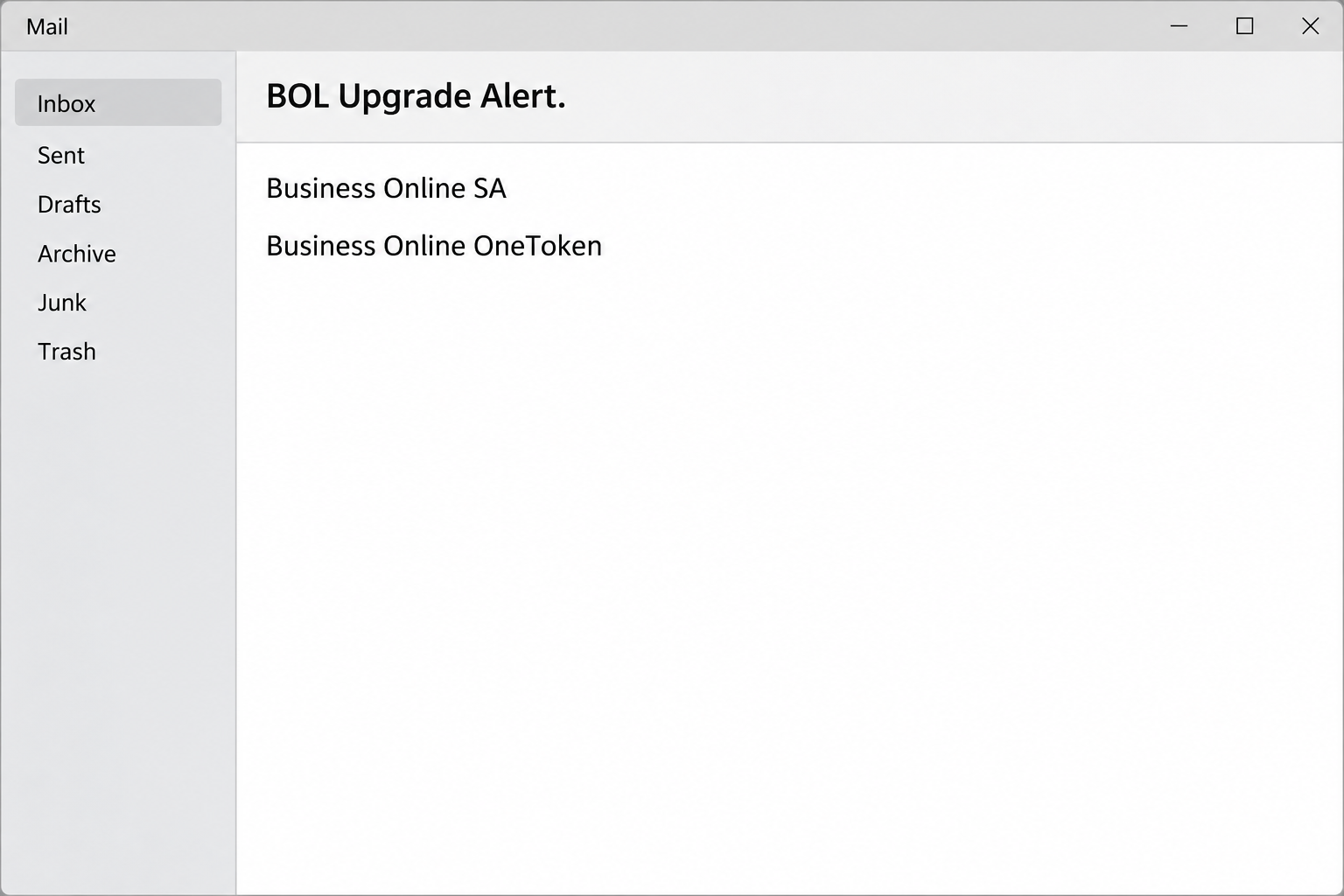
The Standard Bank authentication system upgrade email scam concerns Business Online in South Africa. The message arrives under the subject “BOL Upgrade Alert.”
It says hardware, QR code and software tokens must move to a platform called Business Online OneToken. The text claims this will preserve access to accounts and payment services.
The offered upgrade supposedly takes fewer than five minutes and needs no new device. Those details make the instruction feel like a small task an operator can do right away.
The opening image recreates the message’s subject and names without showing the link. The case concerns impersonation, not a warning against using the genuine Standard Bank service.
The real bank documents authentication through its own channels
Standard Bank’s Business Online security centre discusses dedicated operator credentials and a second authentication factor. It describes physical tokens and Digital Authentication in its own banking environment.
The bank also provides independent login and token activation guidance. A real bank procedure being available does not make this email a valid route to it.
The name OneToken is part of the phishing message. The bank’s cited activation guide does not substantiate this email’s claim of an all-customer migration by that name.
The destination was reported unavailable during examination, so the specific screens and fields could not be confirmed. Credential theft is the apparent aim, not proof that anybody lost account access.
Who should check before touching a banking token?
In many businesses, the person who signs in is not the one who administers operator profiles. An upgrade that truly changes credentials or approval roles may need both people.
An employee’s first question should be who owns the business banking account, not whether the button resembles the bank. Ask that person to confirm the notice with the bank.
- A precise-sounding product name is not an authorization to enroll a token.
- A generic greeting does not identify which operator profile needs attention.
- A real authentication change can be checked without following an emailed link.
- A personal banking app and a Business Online operator profile may need different support routes.
If a payment is due today, confirm its status using the existing setup. Do not use the proposed upgrade to find out whether the payment is still queued.
How the Standard Bank Authentication Upgrade Scam Works
Step 1: Continuity matters more than the promise of a new feature
The message does not simply offer a better app. It tells the businesses reading it that current access could be disrupted unless they replace their authentication method.
A payroll operator, bookkeeper or person approving suppliers can imagine a practical consequence. Missing a payment today may seem worse than spending a few minutes on an upgrade.
That tradeoff is false when the sender has not been verified. Leaving the email untouched still lets you check your account through the channels you already use.
If you handle accounts for multiple businesses, find out which banking profile is supposedly affected. A generic alert may leave that question entirely unanswered.
Step 2: The message names familiar methods and an unfamiliar destination
The notice references several types of tokens. Anyone using at least one may think the sender knows how the service is configured.
Then it gives those users a single route into the proposed migration. It does not provide independent evidence that the business must switch to maintain access.
The names of real features are easier to reproduce than the safeguards that actually enroll or bind a device. Recognize the terms without assuming they authenticate the message.
Share a short summary with the person responsible for banking at your organization. Let them confirm it using the account support route, not the alleged invitation to upgrade.
Step 3: A small time commitment discourages a second opinion
The promise of a process under five minutes makes a significant change sound routine. It also implies there is little reason to stop and call anyone.
In a real change, you may need the person who administers the profile or someone who can check the operator’s token assignment. Find that person before trying new steps.
If the email arrived near a deadline, use the bank independently to check whether your current access still works. Do not authorize anything unexpected just to keep working.
A copied notice and a genuine scheduled change can exist at the same time. The real account and the bank can tell you which action applies to your profile.
Step 4: The link moves the decision outside your trusted banking route
The reported message offers a link to start upgrading. A recipient might reasonably expect to see a login or device registration after following that invitation.
The destination was unavailable at inspection, so the case does not show whether it took an operator ID, password, token code or any other specific field.
That uncertainty does not make it safe to test. An unverified destination has no authority to collect secrets for a banking account.
If a later message or caller asks you to read a code or accept a login on your phone, decline. Call the bank through the route you already trust.
Step 5: The business impact depends on what you approved
Sharing a username is different from revealing a password or approving a fresh authentication prompt. The bank needs the actual sequence, not only the fact you clicked.
A Business Online profile may limit which operators can create or approve payments. Separate roles can help, but they are not a reason to leave an exposed credential active.
Ask whether somebody created new beneficiaries, changed payment instructions or submitted a batch waiting for release. A posted balance alone cannot answer all three questions.
Do not create a replacement payment because you are unsure what happened to the first. Let the bank and the other authorized operator reconcile the records before retrying.
What to Do if You Have Fallen Victim to This Scam
-
Stop the purported upgrade without approving anything else.
Close the page and do not accept a push request prompted by a caller or message. Write down which login, code or approval you may have provided.
If you only read the email, you do not need to re-enroll your token on its account. Confirm independently whether there is any genuine upgrade.
If you entered a password, do not wait to see whether the page finishes. Tell the designated business banking administrator and reach the bank promptly.
-
Reach Standard Bank using an established business channel.
Use the official Business Online help page or the number already in your company banking records. Avoid contact details supplied by the message or a follow-up caller.
Explain the apparent Business Online OneToken migration and which operator profile may have been involved. Give the time and whether authentication was requested.
Ask the bank to check for unauthorized access and advise on blocking or recovering the affected operator. Coordinate with your administrator if they hold authority over the profile.
-
Protect credentials and check token assignment separately.
Change an exposed password using the bank’s approved route. Ask whether the bank needs to review an enrolled device, recent session or token status as well.
If you approved an unknown request, say that plainly, even if it came through what appeared to be the real app. The approval is part of the incident.
Do not disclose your old or new password to another person so they can complete the review. A legitimate bank contact can identify the operator without collecting the secret.
-
Reconcile every affected beneficiary, batch and approval.
With the appropriate people at your business, check recent beneficiary changes, authorizations and pending payment instructions. Compare them with the invoices or payroll files you meant to process.
If an unauthorized item is still pending, ask the bank how to prevent release. Record the transaction identifier and do not assume switching your password automatically cancels it.
If money moved, ask about a recall or fraud case promptly. Keep the exact beneficiary, amount, time and payment record rather than relying on a general balance screenshot.
-
Preserve a useful record without spreading the link.
Keep the subject, arrival time and sender information in a private incident record. Note which operators received the notice and whether anyone acted.
Use an official security or business banking support route to share the message if asked. Do not send colleagues the live link to see whether it works for them.
If the attack involved a work device or a suspicious download, tell your IT team separately. A banking access review does not replace an investigation of a device.
-
Put the genuine upgrade route in writing.
Confirm what each operator should do if a new token is actually required. Record the contact route and which people can approve changes to the banking profile.
Tell your payment team about the specific fake subject. Explain how to verify a real request without asking them to memorize every possible variation.
Keep access and payment approval roles distinct where your bank setup permits it. That gives someone a chance to spot unexpected changes before funds leave.
What to Check Before the Next Payment Run
A pending payroll run has its own deadline. It can feel urgent enough to put the credential question aside, but changing authentication and releasing payments are separate decisions.
One authorized person can speak to the bank while another checks which payments are expected. Compare the batch amount, recipient records and approval status against your ordinary finance records.
If the bank closes the affected operator’s session or takes another protective action, ask which authorized route is still available. Do not use a colleague’s password to get around it.
If a payment is already pending
Tell the bank whether you created the item, approved it or merely saw it in the list. Use the exact transaction reference if it is visible in your real account.
Review payments waiting for a second approver and hold unexpected items according to company procedure. A familiar supplier name is not enough if the beneficiary information changed.
When a supplier contacts you about a delayed payment, reach them through the number you already use. Do not accept new bank details in the same conversation about a delay.
If a real token change was already planned
Compare the allegation with the bank’s message to the authorized account contact. Ask whether it affects all users or only operators on a particular profile.
If the change is confirmed, let the appropriate operator follow the bank’s instructions in the genuine environment. No step should depend on returning to this email for a login.
Keep the notice as evidence if the bank requests it. The bank can validate a real change while also investigating the separately reported impersonation message.
Frequently Asked Questions
Is the Standard Bank BOL Upgrade Alert genuine?
The reported email is an impersonation attempt. It promotes a token migration through an unverified link instead of giving you an independently established route to the bank.
Check with your own Business Online support before changing anything. The bank’s genuine token guidance is separate from this message.
What is Business Online OneToken in this email?
It is the name the sender gives to a purported replacement for existing Business Online tokens. That wording does not establish that your operator profile needs a migration.
Use the provider’s normal documentation and ask whether your specific account has scheduled changes. Do not transfer secrets to a page merely because it repeats the name.
Does ignoring this message interrupt my company’s payments?
The email cannot establish that an access restriction exists. Check your actual payment status and account notices through an independent channel.
If there is a real issue, ask the bank how to continue safely. Do not initiate a duplicate payment while a prior one may still be pending.
What if I approved something in the genuine banking app?
Report the approval immediately if you did not initiate it. A real app prompt can request authorization for an action you never intended to take.
Tell the bank when it appeared and what it said. A password change alone may not address an operator or device action that was already authorized.
Did the fake page really ask for a token code?
The specific destination was unavailable when examined. The exact fields, if any, were not verified for this case.
If your own encounter included a code request, preserve that fact for the bank. Do not read the code to anyone claiming they are investigating the problem.
Who should report this if the account belongs to my employer?
Notify your designated banking administrator and the fraud or support channel your employer uses. Give them a timeline even if you did not complete the action.
They can identify the operator and review what happened to any payment batches. Do not assume someone in another department has already done it.
The Bottom Line
Do not upgrade a Business Online token from the BOL email. The sender gives you no verified reason to change an operator’s authentication through that link.
Use Standard Bank’s known business channels to confirm genuine changes. If you entered credentials or approved a prompt, notify the bank and your organization’s banking administrator right away.

Join the discussion
0 commentsShare your experience or ask a question about this article.
Community experiences
Did this happen to you?
Your experience could help someone recognize the same scam. Submit a private report for our team to review.
I experienced this tooReports are reviewed before publication. Sharing publicly is always your choice.
Discussion
Start the conversation
Have a question or something useful to share? Add the first comment.