


A payment receipt is usually something you open, file and forget. Add a note about confidentiality, and a web link can start to feel like the sensible option.
This notice asks you to take a closer look at paperwork that it never actually sends.
Overview
The receipt is a label in the email
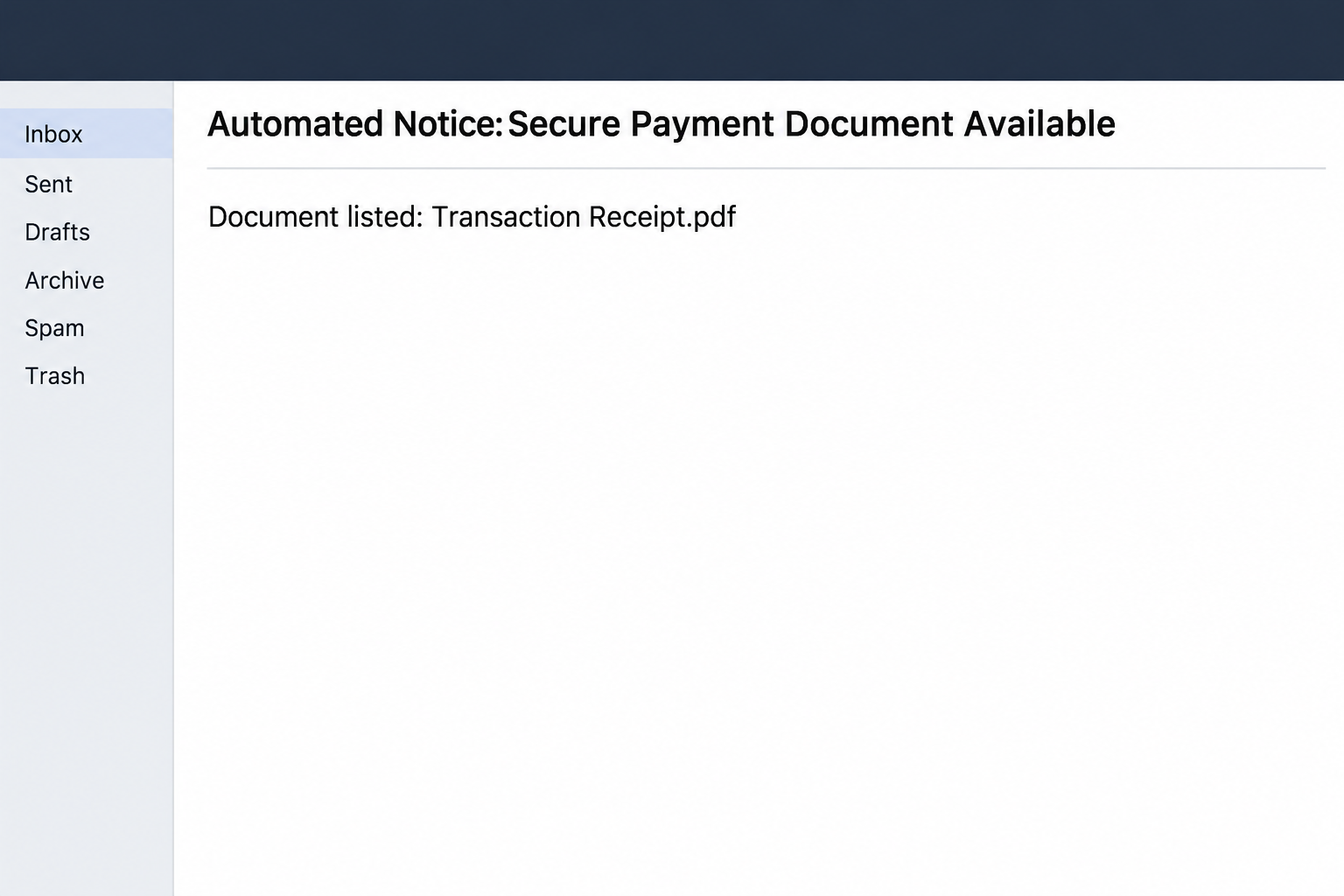
The secure payment document email scam announces a financial record. Its automated subject offers access to a supposedly protected file named “Transaction Receipt.pdf.”
The message says the PDF is deliberately not attached. It describes additional verification as a protection for confidential payment information and signs off as Adobe Systems Support Services.
The result feels like a process instead of a cold message. A reader who has filed real invoices or receipts is likely to recognize the shape of the task.
The image recreates the subject and the document label, without a file or a link. There is no verified transaction to go with the name.
The advertised protection is where the problem starts
The reported route did not open the receipt. It led to a page imitating an email provider’s sign-in and asking the visitor to give it mailbox credentials.
An Adobe name at the bottom of the notice does not make the page Adobe’s. A copied Gmail or other provider interface does not authenticate the document either.
There are genuine ways to share a financial document behind controlled access. The distinction is whether you can identify the sender, document and sharing service using separate records.
Giving up your mail password is not the price of checking whether a payment exists. Verify the payment through your own records before trusting the document request.
A payment deserves a record outside the inbox
Start with the payment you expected: the customer, purchase, invoice or bank account involved. The email’s generic title supplies none of those facts independently.
A signed or official-looking PDF can be wrong as well, so the destination matters even if a page later shows something resembling a receipt.
- Check what actually posted in the relevant ledger, bank account or payment service.
- Ask the verified customer or supplier how the receipt was sent and which transaction it covers.
- Use the established sharing account if access is genuinely restricted to authorized people.
- Tell support if you entered a password, even when nothing financial appears to have changed.
For personal Gmail, open Google’s account recovery guidance if you submitted a password. For a managed address, contact the organization that runs your mailbox.
How the Secure Payment Document Scam Works
Step 1: A familiar receipt title attracts people who handle money
Payment documents arrive after many ordinary actions, from receiving a customer’s transfer to settling a subscription. The wording is broad enough to fit any of those moments.
A person processing several entries may assume the email belongs with the one they just reviewed. The notice does not have to contain that entry to benefit from the timing.
Before making a match, look for the amount, invoice, payer or booking in records you already hold. A document label alone cannot identify a transaction.
If a team member forwards it to finance, ask what they know about the sender. An internal forward can make a generic message feel connected to a real account.
Step 2: The sender makes the lack of an attachment sound responsible
The email says a sensitive document should be accessed through a secure link instead of delivered as a file. That describes a plausible policy but supplies no authority.
A genuine company can refuse to send payment details by ordinary email. It should still be possible to reach its portal without trusting a one-off link from a stranger.
The specific name “Transaction Receipt.pdf” helps the reader assume a file exists on the other end. It is still a claim made by the person who wrote the email.
If the subject resembles an expected payment, contact the sender through the channel that handled the deal. Ask whether they use a file service and how to identify the document.
Step 3: A verification screen changes what is being requested
The reported site imitated a mail provider’s login. Instead of the payment record, the recipient got a request to provide access information for something else.
That transition can seem normal if you often access files with a work account. The trustworthy workflow starts from a known organization and a service authorized to handle that account.
A public page asking you to enter your literal mailbox password is no substitute for the provider’s own verified sign-in. Leave the tab if you reached it through this notice.
If you have already signed into your computer or webmail, do not assume an unexpected prompt is merely an expired session. Open your real account in the usual way separately.
Step 4: An error screen is not proof that nothing left your control
A failed sign-in can tempt you to enter the password again. An error message does not tell you whether someone already received what you typed.
Report what you entered rather than waiting for a suspicious sign-in notice. The first useful recovery action is securing the real account, not finding the nonexistent receipt.
The sample focuses on collecting mailbox credentials, not on distributing a documented PDF payload. An actual download or installation in your encounter belongs in a separate device incident report.
If another person wrote from the affected mailbox later, account records are more useful than the page’s design. Ask the provider what activity it can confirm and preserve.
Step 5: The false receipt and the account breach can affect different people
Someone with access to a finance inbox might read legitimate receipt threads, send new instructions or open correspondence unrelated to the original email. That possibility follows from the account’s privileges.
A person who only received the phish does not need to notify every client as if an incident had already occurred. Let the actual exposure and records guide decisions.
For a business, the people who resolve a mail incident may differ from the people who reconcile bank entries. Both need accurate information if the mailbox was used.
Once the account is secured, go back to the original question about payment. Do not treat the email as proof that money moved in or out.
What to Do if You Have Fallen Victim to This Scam
-
Check your payment record before following the receipt.
Find the expected payment using your normal account or ledger. If you did not expect a payment, avoid using the message to discover what it might refer to.
If there is a plausible vendor or customer, ask through a verified conversation. Give them enough information to check the transaction without forwarding the suspicious link.
A real payer can usually supply a usable reference or resend a document through an agreed channel. Keep the decision separate from this notice.
-
Work out what the page actually received.
Write down whether you only opened the email, followed the link or entered anything. Include any password, approval or code as a type of data, not its actual value.
Do not reopen the form just to remember its wording. If you possess a screenshot already, keep it private and share it through your organization’s reporting process.
If you downloaded a file, tell support its name and whether you opened it. A printed filename and a file your computer actually saved have different implications.
-
Reset a submitted password through the real provider.
Use the existing provider, app or work help desk rather than any address in the supposed receipt. If you cannot sign in, ask for its established recovery process.
Audit recent sessions, connected applications and changes to recovery settings. A provider may be able to end sessions that a password change alone would not address.
If the password was reused, change it on services that accepted the same secret. Begin with services that control payments or provide recovery for other accounts.
-
Review recent messages tied to money.
Check with colleagues about unfamiliar receipts, bank detail changes and payment instructions sent near the time of exposure. Verify any affected vendor through its existing contact.
Ask your administrator about forwarding and delivery rules that could hide future confirmations. Compare sent records with what payees report receiving if there is reason for concern.
If money left your account or a customer says they paid an unexpected beneficiary, call the financial institution immediately. Keep the institution’s transfer record for that report.
-
Report the impersonation without leaving your own accounts.
Use your mail provider’s reporting controls or a workplace security channel. Retain the original when your administrator needs it to match related messages.
Report misuse of the Adobe identity through its verified route if appropriate. Do not let a supposed Adobe representative collect a credential for a different service.
If an alternate sender follows up with the same receipt, add it to the incident record. Do not assume a second sender is independent confirmation.
-
Make it easy to verify genuine receipts next time.
Give finance staff a safe way to match receipts to open transactions. Teach them the difference between seeing a file name and verifying where the file came from.
Decide who can approve a new method of sharing business records. An unfamiliar service should be reviewed separately from the urgent delivery of one receipt.
Protect expected incoming payments from confusion after recovery. Ask vendors to use previously agreed contact routes for updated account details or corrections.
What If You Really Need a Transaction Receipt?
Start from the institution or business that handled the transaction. A merchant order page, bank statement or payment portal is better evidence than text in an automated notice.
Be clear about which record you need. A merchant receipt may show the items purchased, while a bank record can answer whether a specific transfer posted.
For a workplace reimbursement, ask what information is required before sharing a record. There is no need to give a helper broad access to your mailbox.
If a legitimate provider wants a different document, have it explain through its established interface. Opening its real app avoids carrying assumptions from the phishing message.
If the receipt is supposed to prove a payment arrived
A receipt can show what somebody says they paid, but it does not replace the receiving account’s record. Check the posted transaction before shipping goods or releasing services.
If a customer says they sent a transfer yesterday, ask for a reference through the channel you used to arrange payment. Do not ask for their login or an approval.
An unknown receipt is especially disruptive when several payments have identical amounts. Compare who paid, which order the payment covers and whether it actually reached the correct account.
Where funds are still pending, let the appropriate team confirm what that status means. An emailed document does not make a pending transfer available for use.
If a recipient has been tricked into opening a questionable receipt, give the responsible person a separate heads-up. That can prevent an unrelated transaction from being accepted as settled.
Frequently Asked Questions
Is the Secure Payment Document Available email legitimate?
This specimen is a phishing message built around a supposed protected receipt. Its reported link showed a copied mail sign-in instead of a payment document.
Use the organization that actually handled the payment to check its status. The email does not need to be involved in that verification.
Is Transaction Receipt.pdf a real attachment in this email?
The notice itself says the alleged PDF is not attached. The name is used in the message as the label for the outside route.
A version in your inbox may differ, so tell your security team if you received an actual file. Do not use this email’s instructions to decide whether it is safe.
Why does the page ask for a mailbox login?
The reported page imitated a provider to make a request for credentials feel like normal file access. An attractive login page does not validate a receipt.
Go through the provider directly if a real transaction calls for authentication. Do not test a password on the page from this notice.
Is Adobe responsible for the email?
Adobe’s name appears in the signoff, but the reported message and copied email login are not a verified Adobe workflow. The name is part of the impersonation.
Confirm genuine service activity from the account where you normally manage it. Report this message without treating Adobe’s branding as authorization.
Can somebody steal money just because I opened the email?
Reading the message does not show money moved or a password was disclosed. The response depends on what happened after you read it.
If you typed credentials, approved a request or discovered an actual transfer, report that specific action promptly. Otherwise, verify the payment separately and report the notice.
What if my administrator finds no unauthorized messages?
An inbox can be exposed without an obvious outgoing message. Replace a submitted password anyway and ask about login history, active sessions and installed account connections.
If no one entered anything, preserving and reporting the email may be enough. Avoid treating the claim of a payment as proof of an account incident.
The Bottom Line
Do not open the receipt through this email. It offers you a payment record and then sends you to a page asking for access to your mailbox.
Check the payment with the institution or business that handled it. If you supplied a password, secure that account before going back to the receipt question.

Join the discussion
0 commentsShare your experience or ask a question about this article.
Community experiences
Did this happen to you?
Your experience could help someone recognize the same scam. Submit a private report for our team to review.
I experienced this tooReports are reviewed before publication. Sharing publicly is always your choice.
Discussion
Start the conversation
Have a question or something useful to share? Add the first comment.