


Shopphapply.com shows you exactly what you’d expect from an established brand online: polished product photos, detailed descriptions, and prices that seem too good to pass up.
Hold off on adding anything to your cart until you know who actually runs this site and where your money usually ends up after you pay.
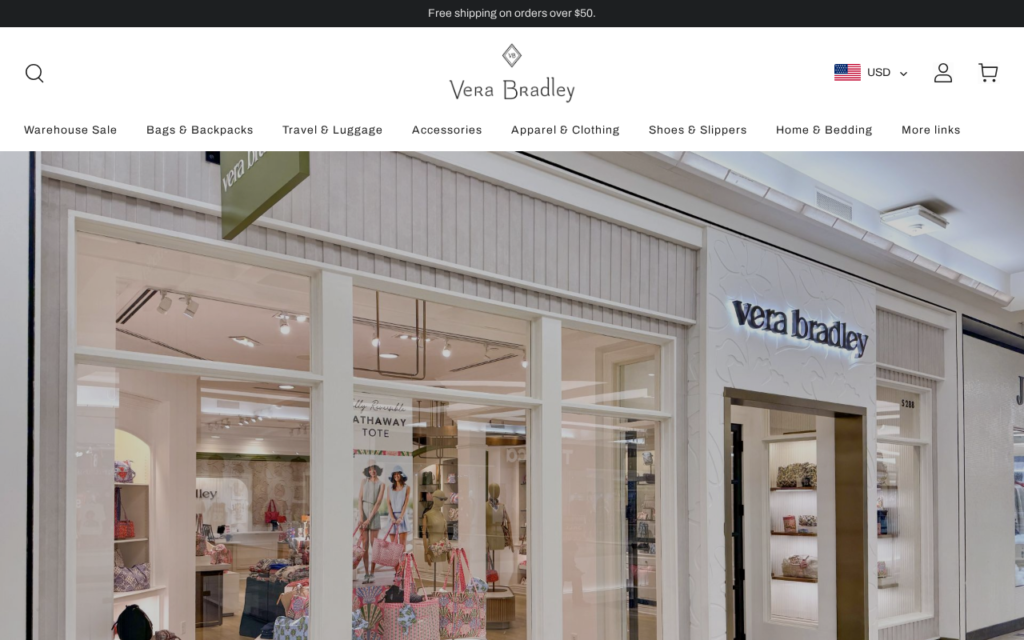
Overview
A copied catalog behind an unfamiliar address
Shopphapply.com copies the catalog, photos and branding of real brands and stores, but you won’t find any of them behind it. The genuine sellers trade from their own websites.
Shopping from a phone makes this easy to miss. The products look familiar, the page looks right, and nothing goes wrong when you tap checkout.
You’re dealing with a copycat network. Stores like this one run heavy ads, collect as many orders as they can, and pack up for new domains when complaints build.
What sits behind the giant markdowns
Discounts do the heavy lifting here. A $180 item gets listed for $39, and a countdown timer or a “closing sale” banner often sits right next to it.
Speed is the point, not clearance. A price that low gets you to checkout fast, before you notice the store is not the company it claims to be.
Real sales come from the brand’s own website or from retailers the brand names. A whole catalog at 70% off, sold by a store nobody can trace, isn’t one.
What happens after checkout
When someone orders from a fake store like Shopphapply.com, it usually plays out in one of these ways:
- You get nothing at all. The tracking number sits still, or it’s tied to someone else’s delivery.
- A cheap copy arrives. The materials, sizing and finish are all off, and it’s not the real product.
- A random item shows up. Cheap and unrelated, it’s mailed for one reason: to generate a delivery record.
- Strange payments follow. The same card you typed in at checkout begins listing charges that aren’t yours.
The verdict is simple: Shopphapply.com is a fake store built from a copied catalog. Do not order from it or type your card number into its checkout.
What We Found on Shopphapply.com
A few details about Shopphapply.com stand out:
- Shopphapply.com was registered on April 14, 2026, about 7 months ago.
- The MalwareTips URL scanner gives Shopphapply.com a Safety Score of 22/100, rated High Risk (full report).
How the Shopphapply.com Scam Works
Nothing about this scheme is unique. It’s a reused script running across hundreds of copycat stores, and knowing its steps helps you spot the next one before paying.
Step 1: Borrowed images in a sponsored ad
A sponsored post on Facebook, Instagram or TikTok is the hook. It uses photos and videos taken from real brands and stores, so there’s nothing that looks off.
Whatever the wording, the caption says act now: an anniversary sale, a warehouse clearance, a “we’re closing our stores” announcement. Comments may be disabled or filled with short, cheerful replies.
A tap is all it takes to end up on Shopphapply.com, which looks like a long-running shop.
Step 2: A cloned storefront, detail by detail
This storefront is a patchwork of real stores. It takes their product photos, descriptions and branding, and its menus, guides and “free returns” badges can mirror theirs.
The copying stops at the company behind it. Stores like this usually skip the business name, address and customer service, or list ones that lead nowhere useful.
Go straight to the footer and legal pages. The copy usually wears thin there: a company name that could be anyone, no address, a free email address.
Step 3: Making you pay before you think it through
You’ll see countdown timers, “only 3 left” badges and “12 people are viewing this” pop-ups. They’re meant to keep you moving, because careful looking reveals holes.
To raise the basket, the store offers free-shipping thresholds and “buy 2, get 1 free” bundles. Every card that hits checkout should hand over as much as possible.
Step 4: An order confirmation, followed by nothing
Once you’ve paid, the store sends an order confirmation. Nothing stands out about it, and that’s the point. The calmer it makes you, the more time the store gets.
A tracking number may come a week later. Often it’s stuck on “label created,” never moves at all, or says your order went to a city you’ve never lived in.
Each day you wait brings you closer to the end of your card’s dispute window. That delay isn’t accidental. It’s part of the plan.
Step 5: Counterfeit goods or no delivery at all
Even a delivery doesn’t mean you got your order. It’s usually a cheap copy shipped from overseas, nothing like the photos and not the product you bought.
A “delivered” status can be staged, too. Some stores mail a token item, a cheap accessory for example, to a real address and later cite the tracking against your refund.
Step 6: The endless wait for a refund
Support emails get ignored or answered with a script about “a few more days.” Once a refund is finally offered, it comes with strings nobody can meet.
Typical conditions may include a 20% refund if you keep the item, or a return to China you pay for. The store keeps most of your money in both cases.
Red Flags at Shopphapply.com
On its own, one odd detail proves nothing. Stores like Shopphapply.com show several at the same time, and you can check every one yourself in a minute.
Wrong domain for the brand
Real brands sell from a domain they own or through retailers listed on their official website. Shopphapply.com is neither.
Test it yourself. Look up the brand, go to its official site and put that address next to your browser’s. If they don’t match, this isn’t the brand’s store.
Missing company details
Stores like this rarely give a registered company name, tax number or physical address you could verify. So if your order goes wrong, no one is accountable.
The real brand’s website will usually tell you exactly which company sells to you, in the footer, the terms of service or an imprint page. Find it before paying.
Support channels that dead-end
A generic email address or a contact form is usually as far as support goes on stores like this. Don’t expect a phone number, live chat or local return address.
The real brand usually makes itself reachable, with phone support, store locations and a returns center. A fake store has no reason to do the same.
Policies that clearly belong to a different store
Sometimes a copycat store’s policy page names a completely different shop, country or currency. That happens because the refund, shipping and privacy pages are often copied from another store.
A returns headline can sound generous while the real rule sits further down. On copycat stores, that rule is often something like returns to China at your cost.
Markdowns the official brand would never run
Established brands rarely put their whole catalog at 70% off or more. Markdowns that hard across every single item mean the sale isn’t real.
The “original” prices are often just as invented as the sale. They sit next to each deal so the fake discount looks bigger.
Reviews that can’t be traced
Stores like this show five-star reviews that rarely lead to anyone real, and a search for matching reviews elsewhere usually turns up nothing.
Look up the store’s address with “reviews” tacked on. For copycat stores, the results are usually empty or full of complaints from buyers still waiting.
How to Spot These Scam Websites
Fake brand stores have become harder to spot. Many of them now use AI-generated ads, polished product videos and copied checkout pages that look identical to the real thing.
The good news is that the same few checks still catch almost all of them:
- Check the address, not the logo. Open the brand’s official site yourself and compare addresses. One extra word or an odd ending is enough.
- Scan the site before you pay. Paste the address into the MalwareTips Website Scanner. It shows the domain’s age, security results and known warning signs in seconds.
- Look up who owns the domain. A Whois.com lookup shows when it was registered. A brand’s official shop doesn’t sit on a newly registered domain.
- Find the company behind the store. A real brand names its legal company, address and tax details. A copycat store leaves them out or invents them.
- Be suspicious of “closing down” sales. Store-closure, anniversary and warehouse-clearance stories are the most common hooks in fake brand ads.
- Search for outside reviews. Look the store up on Trustpilot and in search results. No history at all is as telling as a wall of complaints.
- Watch the payment options. A checkout that pushes bank transfers, crypto or a payment page on another domain is a reason to stop.
A browser extension can help. Malwarebytes Browser Guard blocks many known scam and phishing sites, and Malwarebytes ScamGuard checks suspicious links and messages before you click.
How to Buy the Real Thing Safely
If a product on Shopphapply.com caught your attention, there’s usually a safe way to get the real version:
- Go straight to the brand. Look up the brand on your own and order from its official website instead of clicking a link in an ad or comment.
- Consult the retailer list. Many brands name their authorized sellers. A shop that doesn’t appear there isn’t authorized.
- Trust the brand’s own announcements. Real clearances appear on the brand’s website or verified social accounts. A sale you only see in sponsored ads isn’t one of them.
- Shop through a marketplace that protects buyers. When the brand has an official storefront there, you know exactly where to go for a refund.
- Protect your payment. Credit card or PayPal only. Never pay with a bank transfer, gift card or crypto.
Yes, the real thing may cost more than Shopphapply.com charges. What you’re paying for is the genuine product and a seller that honors its refunds.
What To Do If You Already Fell For the Scam
If you paid a fake store, move quickly. The sooner you act, the better your chances of getting the money back and stopping further charges.
- Call your bank or card issuer. Say you paid a fake store and ask for a chargeback. Disputes have time limits, often around 120 days, so don’t wait.
- Open a PayPal dispute if you paid that way. Choose “item not received” or “significantly not as described.” PayPal generally accepts claims within 180 days of payment.
- Block or replace your card. If you typed your card details into the site, ask for a new card and turn on transaction alerts.
- Save your evidence. Keep the order email, the tracking number, screenshots of the product page and any messages from the store.
- Watch for follow-up scams. Fake delivery texts asking for a “customs fee” or “address update” often follow these orders. Don’t pay them or click their links.
- Change reused passwords. If you created an account on the store with a password you use elsewhere, change it on those other sites.
- Protect your data. Your name, address and phone number are now in the wrong hands. Malwarebytes Personal Data Remover finds where your details are exposed and helps remove them.
- Cut off the ads. These stores find people through ads. AdGuard blocks many malicious ads and pop-ups in your browser, so fewer of them reach you.
- Report the store. Report the ad on the platform where you saw it. In the US, file a report at ReportFraud.ftc.gov. For cross-border purchases, use econsumer.gov.
If you downloaded anything from the store, such as an “order tracking” app or a file attached to an email, scan your device with Malwarebytes Free.
Frequently Asked Questions
Is Shopphapply.com a legitimate store?
No. Behind the copied catalog, Shopphapply.com is a fake store. Real brands created the photos and descriptions; they just aren’t the ones running this site.
Why does Shopphapply.com look so convincing?
It looks real because almost all of it is copied from real brands and stores: product photos, descriptions, menus, guides. No real business stands behind any of it.
Will I receive my order from Shopphapply.com?
Perhaps, but the item probably won’t match what you paid for. Stores like this often send nothing, or a cheap copy that looks nothing like the photos.
I already paid. Can I get my money back?
Often, yes. The key is speed: contact PayPal or your card issuer and dispute the payment as either “item not received” or “not as described.”
Hold on to everything: order email, tracking number, product page screenshots. And don’t wait for the store’s reply before you act.
Should I replace my card?
Yes, if Shopphapply.com got your card details at checkout. Request a replacement card from your bank and watch your statements closely for small test charges.
Where can I report Shopphapply.com?
The platform that showed you the ad should hear about it. So should the brand whose images were taken, and your consumer protection agency should get a formal complaint.
The Bottom Line
What looks like a store is a copy. Shopphapply.com uses real brands’ photos and products to sell things you’ll probably never receive, with low prices as the bait.
Do not give Shopphapply.com your money. Buy the product from the brand directly on its official website, or from a retailer named by the brand.
Already placed an order? Today, call your bank or file a PayPal dispute. Keep all your emails and screenshots, and if you entered your details, ask for a replacement card.

Reviews & discussion
0 commentsShare a firsthand experience, or ask a question.
Community reviews
shopphapply.com
Moderated reader experiences, not an editorial verdict.
Start the conversation
Have a question or something useful to share? Add the first comment.