


The remote interview ends and a tax form arrives. It feels as though the hiring process is finally moving.
Then you get instructions about a check for the equipment.
Overview
The new hire was asked to deposit an equipment check
A US job seeker said the interview took place mostly over Teams, with one phone call. The contact sent a W-4 and said funding was approved.
The next instruction was to deposit an electronic check so the equipment could be delivered and installed.
The applicant looked up the address on the check and found an office building.
The address did not identify which office to call. That is a reason to verify through the employer’s own contact information. An office building can contain many legitimate businesses.
The applicant reported no completed deposit or payment. The relevant warning is the change from a hiring conversation to a check the applicant was asked to process.
The tax form is real and the check request is the danger
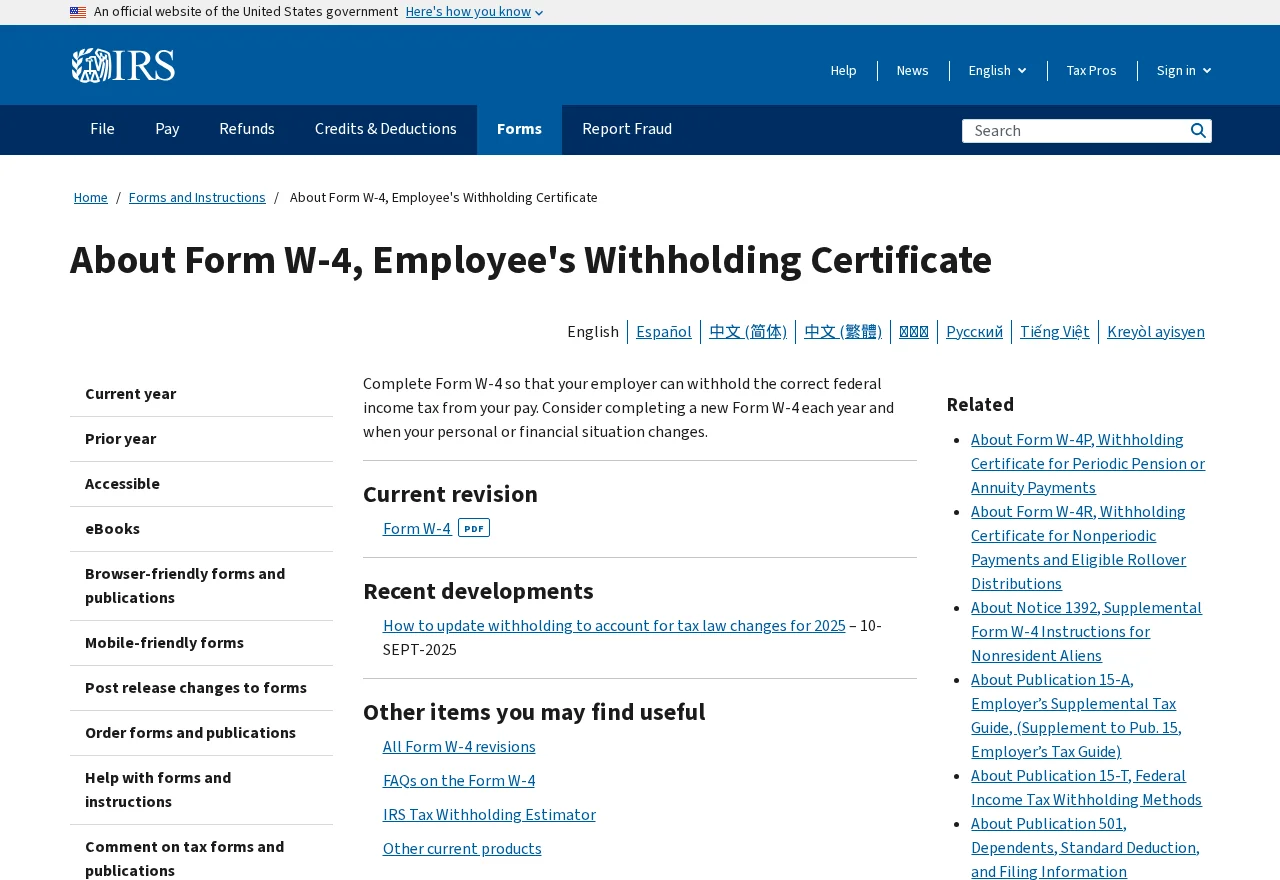
The IRS’s Form W-4 page explains that employees use the form to tell an employer how much federal income tax to withhold.
A real form can be sent by somebody who has no authority to hire you. A promised equipment budget can also sound normal. Verify the company and both instructions separately.
These questions help when the onboarding feels rushed:
- Does the organization’s own hiring team recognize the job and the person who interviewed you?
- Does the company give you a verified way to submit tax documents?
- Who owns the equipment, who orders it, and how is it delivered?
- Why do your personal bank account and a check need to be involved?
- Are you being asked to spend money before the bank says a deposit is good?
The FTC’s guidance on job scams describes fake employers who provide checks and tell applicants to use them for equipment or forward some of the money.
Your tax information and your bank balance need different responses
If you filled out the form, record which information you shared. A completed form can contain your Social Security number, address, and identifying details.
If you deposited the check, contact the bank separately. Tell it the purported employer supplied the check and what it asked you to do with the funds.
If you only received a blank form and check instructions, pause before doing either. You can get confirmation through an HR department you reach yourself.
How the Scam Works
Step 1: A realistic interview makes later paperwork feel routine
An interview on Teams can be legitimate. In this case, the interview led to paperwork and a payment request, so the medium alone cannot answer whether it was real.
Look up the vacancy and recruiter through the company’s own careers page or main office. Give HR the role, date, and interviewer’s name. Ask whether it matches their records.
If the job listing is no longer available, ask whether it closed and who handles the role. The genuine company should be able to tell you which route to use.
You do not have to send the form to obtain that confirmation. Give the recruiter time to wait while you verify the next step.
Step 2: A familiar-looking tax form reinforces the offer
Form W-4 is ordinary onboarding paperwork for US employees. That makes its appearance reassuring to somebody about to start a new job.
Read the contact information and check it independently. Verify where the real employer wants the form submitted. Use secure channels the employer confirms.
A completed W-4 can create identity risk even if you ignore every request about the check. Save the receipt or conversation that shows when and where you sent the information.
If you signed a document or supplied an image of your ID, record those items too.
You may need a complete list when the real employer or a provider asks what happened.
Step 3: The check makes the equipment appear funded
The applicant was told the equipment would be delivered once they deposited the check. The account did not report a named supplier or show where any outgoing payment would go.
The FTC describes a common next demand in fake-check scams: spend part of the money or send a payment using your own account. Check the request before any money leaves.
If the recruiter says the purchase is urgent, stop and ask who owns the equipment and who is meant to pay the seller. Confirm those details with verified HR.
A legitimate reimbursement arrangement can exist. Ask the real employer to explain its terms before you spend or deposit anything through a process you cannot verify.
Step 4: Available funds can be mistaken for a valid check
Your bank may make some money available while it is still processing the deposit. Its display can change again if it determines that the check was bad.
Do not spend from the deposit because the app shows a larger balance. Call the bank and tell it why you suspect the check.
If you already sent any of the money onward, report the outgoing transaction as well. A reversal of the check does not automatically undo something you paid separately.
The FTC’s fake check guide explains that identifying a bad check can take time. Save the check image, deposit receipt, and the instructions that came with it.
What to Check Before Providing Your W-4
Start with whether the real organization recognizes the offer. A publicly traded name, polished interview, or authentic tax form cannot settle that.
Use the genuine HR contact. Verify the interviewer and role, then ask how the company sends and receives payroll documents.
If you are sure you applied through a job platform, check the listing from your saved search or applications. Save any differences in the company name, recruiter, or contact details.
Ask whether your start date, location, and supervisor match what HR can confirm. If the information changes while you are checking, save the new messages too.
If you are sending the form through an onboarding portal, open the address the verified employer gives you. Avoid submitting private information through a link from an unverified chat.
When the form has already been sent
Find the exact copy you provided if you can. Note whether it included just your name and address or also a Social Security number and other details.
If the person who received it was not authorized, report the exposure through IdentityTheft.gov in the US. Follow the recovery guidance for the information you gave away.
A tax form sent to an impostor is different from money spent from a check. Keep a record of both. Recovery steps may involve different companies.
If any new credit activity appears, contact the affected institution through its official channels. Keep existing notices alongside your identity theft or banking records.
What to Ask the Bank if You Already Deposited It
Tell the fraud or deposit team when you deposited the check and for how much. Explain that a supposed employer wanted you to use it for equipment.
Say whether the deposit was made in an app, at a branch, or another way. Keep the original deposit receipt and the message that supplied the check.
Ask whether any of the funds have been released for use, whether the deposit remains under review, and what to do while it is being investigated.
If there is a hold, ask how that affects the money already in your account. Keep upcoming bills in mind and speak to the bank before making assumptions.
If you were told to send money to a vendor, give the bank the timing and amount. If you never made that payment, say that clearly.
If you bought something at a real merchant with your own card, keep the invoice. Ask the merchant independently about its cancellation or return process, separate from the check investigation.
What to ask the real employer
Ask for written confirmation of its hiring steps if someone appears to be using its name. This can help you recognize which instructions came from the company.
If it says there is a role with the same title, confirm who is handling the actual vacancy. A real opening can make an unrelated contact look more credible.
Tell HR that the offer included both the W-4 and a check. Ask whether the company issues checks to new hires for equipment or orders it directly.
If you were never hired, keep the messages that claimed you were. The employer may want to see them when it reports the impersonation to the job site.
If HR gives you a genuine secure form route, use it only for the real role you have verified. Keep it separate from the former chat and any shared links.
If the offer is through a staffing agency, verify both the agency and the employer’s engagement through their own contact information. Ask who is responsible for payroll and equipment.
What to Do if You Have Fallen Victim to This Scam
If the check is already in your account, call the bank before using the balance.
If you have not sent a tax form, keep it private until HR verifies the process.
-
Pause the onboarding. Stop sending forms, account information, or payments. Speak to the employer through an independently verified number or careers site.
-
Tell the bank about the check. Give it the deposit date, amount, and reference if you deposited it. Ask how it wants you to proceed.
-
Report any outgoing payment. Contact the payment provider quickly if you bought equipment or forwarded money. Ask about the status and whatever options remain.
-
List the personal details you exposed. Check what was on the W-4 and any other documents. Follow the identity theft response for that information.
-
Keep the original hiring records. Save the job ad, Teams messages, tax form, check, and any supplier instructions. Avoid publishing personal details.
-
Report the hiring approach. Notify the real employer, the platform where you found the job, and the FTC’s fraud reporting site when applicable.
Tell the bank which money was already yours and which entry came from the check. That matters if you have bills due while the deposit is under review.
If an employer later contacts you to confirm the offer, use its public HR route again. A real employee can confirm a specific request for the form or equipment.
Keep the separate case numbers for the check and any identity exposure. They will help if more charges or account notices appear.
If the equipment actually arrived, ask the verified employer whether it sent it. Preserve the label and receipt before accepting any new shipping instructions.
Frequently Asked Questions
Is a W-4 a normal form for a remote job?
Yes, for a US employee it can be ordinary payroll paperwork. Verify who is asking and how the genuine company wants you to submit it before you disclose anything sensitive.
A PDF that matches the IRS form does not authenticate the person who sent it. Open the official IRS page to compare the form if necessary.
Is an equipment check safe if it shows up in my balance?
Availability can come before a check is verified. Tell your bank how you received it. Leave the money alone and ask the bank to review the deposit.
If a recruiter has already asked you to buy equipment, tell the bank whether you did so. Keep those payment records separate from the deposit receipt.
Do employers hold interviews over Teams chat?
Some employers use online communication. Check the person and vacancy through the employer’s actual hiring channels. Then verify the equipment and payroll steps with the company.
The fact that you used the real Teams app cannot tell you who was authorized to make the offer.
What if the check has a real address?
Look up the company separately and ask it to confirm the offer and payment. A street address can be shared by several offices or copied from a public source.
If you deposited the check, take the address to the bank with the rest of the evidence. Do not try to investigate the account yourself.
What if I only gave the recruiter my email and phone number?
Watch for follow-up texts or emails about the job. Give no codes or personal records in response to an unexpected contact. Check anything urgent through the actual company.
If you sent a completed form, photo ID, or bank information too, follow the appropriate identity and account response for those items.
Should I send the check back to the recruiter?
Ask your bank what to retain, especially if it was deposited. Keep a readable copy and the email or message that sent it. Report any new request to return money.
You can verify equipment orders with actual HR without using the check or sending anything else to the unverified contact.
The Bottom Line
Verify the hiring team before sending a W-4. If a remote job makes you deposit a check to get equipment, stop and ask the genuine employer to explain.
If you already deposited the check, call your bank without spending the funds. If you sent tax information, start the separate identity protection steps for those details.

Join the discussion
0 commentsShare your experience or ask a question about this article.
Discussion
Start the conversation
Have a question or something useful to share? Add the first comment.