

The “This Email Concerns Your Information Security” email scam is a deceptive phishing campaign targeting many innocent victims. This fraudulent email claims to have illicit videos of you to force payment. Here’s what you need to know about spotting and stopping this scam.
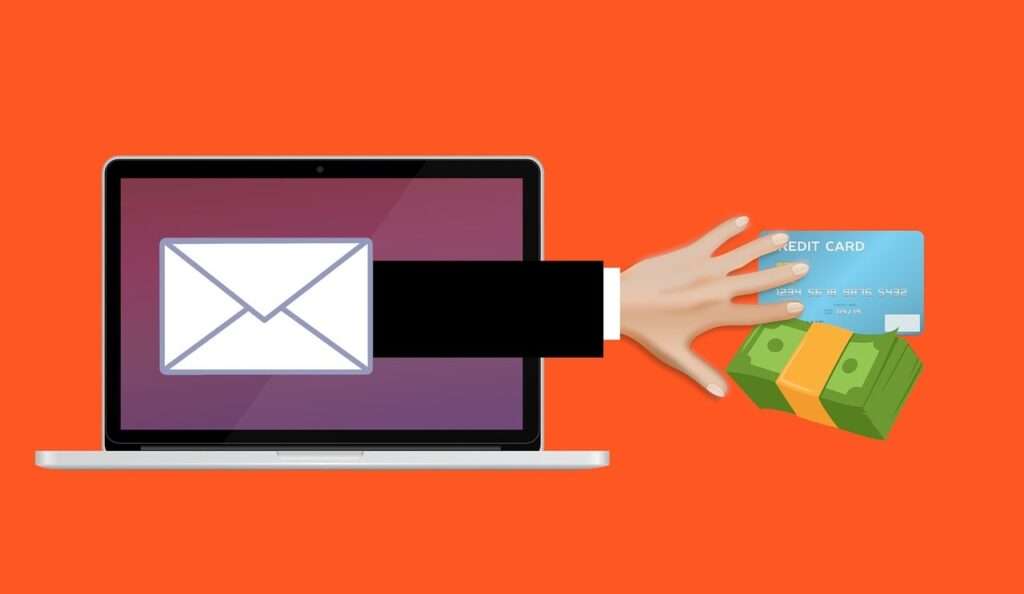
Overview of the Scam
The “This Email Concerns Your Information Security” scam email starts off addressing the recipient generically and claiming the message concerns your information security. The criminals pretend to have full access to your online accounts and electronic devices.
The email goes on to allege that malware was installed on your devices which allowed the scammers to hijack your webcam and microphone. It claims to have recorded explicit videos of you masturbating while watching porn.
The message threatens to send these supposed embarrassing private videos to all your friends and family if you don’t pay a ransom of $1,350 or more in Bitcoin within 48 hours. It provides a Bitcoin wallet address to submit payment.
Of course, this is all fabricated with no truth behind it. The scammers never hacked your devices or recorded illicit videos of you. This is simply a deceitful phishing scam aimed at extorting money through fear. Here’s an example:
Reminder! Don’t miss your important payment!
Greetings!
This email concerns your information security and account safety (xxxxx)!
At this moment I have full access to (xxxxx), as well as your electronic devices that you use on a regular basis.Let me explain how it all happened:
I work as a data analyst of databases in systems servicing (domain.com).
Half a year ago we integrated Artificial Intelligence (neural network) to ensure a more comfortable segregation of clients into specific groups
(based on preferences, website traffic statistics, password statistics, etc.).
As a result, the segregation of clients into clusters was done easily. You fell under the category of clients who enjoy masturbating to hardcore porn.
(to be honest, AI pays a lot of attention to this particular group, since it accords with targets of many marketing agencies).I gave it a thought and decided to use it for my benefit.
Since I am servicing xxxxx, I have full access to your account.
With the help of our cookie files, I managed to install special software to the devices with your authorization.
That software can control the camera and microphone, as well as manage and process any type of data.
This software includes special signatures, which appear as official software whenever detected by antivirus.I created software with the help of a neural network that can detect every attempt of yours to start masturbating to hardcore porn.
Every time you masturbated, the camera and microphone were activated and were recording masturbation video of you
(besides that, the porn video which you masturbate to, was displayed in the corner.) and sending it to my server.Basically, modern technologies have progressed to an extent whereby I can use the power of thought and distribute this video to all people who know and love you.
There is nothing to worry about. I faced a similar issue before too.
Previously, my handphone got a virus, which allowed to record me masturbating to a porn video with shemales. =)))I had to pay a big amount to those hackers to avoid that video going public.
Otherwise, I would have to find a valid explanation for my friends. They would not support that hobby of mine for sure…
Well, now I am the one doing similar hacking.That’s why I would like to make a business proposal to you:
You shall pay me $1350 USD. Afterward, I will delete from all my servers the videos with you masturbating, and we pretend like it never happened before.
Otherwise, I will share this video with your entire contact list, which I saved previously.Beware, I can share this file via email as a hyperlink, attach it as a video file, upload it to social media,
or even distribute it to mass media (I have access to a few hacked Utube accounts).To avoid that, you need to send $1350 USD in Bitcoin equivalent to my BTC wallet: 1GmtfRMFdctbJmhNZMgNNEeB7x1L8oKido
It is a very simple task to do, and you can easily find any online cryptocurrency exchange to perform the transaction.
I will delete your video right after I receive the money. Furthermore, I will delete the spyware from your device, and you will never hear about me in the future.
Let’s agree on the deadlines: 2 days (precisely 48 hours) is more than enough.
Right after you open this email, I will receive the notification and the countdown will start.Last, but not least:
Don’t even try to report me to the police. They won’t be able to find me because I use TOR, and Bitcoin transactions cannot be traced.
There is no point in addressing domain.com either because I deleted all the records of database entries and neural network requests
š(those requests were made from the accounts of other staff that I managed to get access to).
Don’t worry, I won’t continue blackmailing you. There is no point in that because there are many other unfortunate people like you.
Besides that, if I wanted, I would do that a long time ago without telling you!If you make any wrong moves, I will share your videos without hesitation.
Remember, you are not the only one who’s unfortunate. Others will learn from your mistakes!
Best of luck!
This is what the “This Email Concerns Your Information Security” phishing scam email looks like. Here’s how the criminals carry out this deceitful extortion campaign.
How the “This Email Concerns Your Information Security” Scam Works
The cybercriminals behind this scam rely on devious social engineering techniques to extort money from victims. Here is how they execute this phishing scam:
1. Obtain Email Addresses
Scammers acquire massive lists of potential targets through various underhanded means, including:
- Purchasing stolen email lists on the black market dark web
- Exploiting security weaknesses in sites to steal account data
- Using email scraping tools to harvest addresses found online
- Hacking into databases and websites to steal contact info
- Getting email lists leaked from data breaches
Large batches of emails allows them to blast out scam campaigns at scale.
2. Spoof the Sender’s Email Address
The scammers disguise where the email truly originates from using technical spoofing tricks. They alter the message header so the “From” address shows a legitimate business domain rather than their own shady address.
The professional domain helps make the email appear convincingly sent on behalf of the spoofed company mentioned in the scam message.
3. Craft a Threatening Extortion Email
The phishing email is carefully composed to scare and pressure recipients. The criminals pretend to have used advanced technology to infect devices and record inappropriate videos through the webcam.
The message threatens to send the supposed explicit videos to all the recipient’s friends and family unless the ransom is paid in Bitcoin within 48 hours. The demanded amount ranges from $500 to $2000+.
4. Provide Bitcoin Payment Instructions
The scammers insist on payment through Bitcoin due to its anonymity. The email includes a Bitcoin wallet address and payment amount. Victims can easily submit ransom funds, while avoiding traceable bank transactions.
Bitcoin allows the crooks to readily collect payments from scared victims, while concealing their identity and covering their tracks.
5. Wait for Panicked Victims to Pay Up
After blasting out countless scary phishing emails, the scammers patiently await payments to roll in from frightened recipients who believe the threats. Even a low 1% response rate nets huge profits for relatively little work.
They never have to follow through on threats of sending videos, since the entire extortion premise is fabricated. Their sole aim is to trick victims out of money.
How to Spot This Scam Email
Though the criminals behind this scam try to make their message seem legitimate, there are ways to recognize the deception. Watch for these red flags:
- Poor Grammar/Spelling – Phishing emails often contain linguistic errors and typos a real company would avoid.
- Sense of Urgency – Scams impose short deadlines like 48 hours to panic recipients into hasty payment. Valid notices allow reasonable timeframes.
- Threatening Language – No lawful entity would threaten reputation damage through sharing supposed illicit videos taken without consent if payment isn’t received. That’s criminal extortion.
- No Proof Provided – The email does not include any concrete evidence that your device was breached and inappropriate videos were obtained as claimed.
- Outrageous Claims – Statements like using AI to record you illegally are absurd things no real company would openly admit to.
- Promises to “Delete” Data – A legitimate company would not be able to magically erase malware infections or videos after a bitcoin payment.
- Threats to Expose You – No lawful business would threaten to send damaging material to all your contacts if demands aren’t met.
Stay vigilant and use common sense when scrutinizing any questionable email. Do further verification on the company to validate an email’s authenticity before acting on anything. Never send money based solely on email threats.
What to Do If You’re Targeted by This Scam
Here are important steps to take if you receive this “This Email Concerns Your Information Security” phishing email demanding Bitcoin:
Don’t Pay the Ransom
Regardless of how intimidating the email seems, do not pay the ransom under any circumstances. The scammers never truly accessed your devices or recorded illicit videos of you. Paying them will only fund more scam operations.
Report the Email as Phishing
Forward the scam email to your email provider’s abuse department so they can block the fraudulent account. Reporting phishing scams disrupts their infrastructure.
You can also report it to platforms like Google Safe Browsing and PhishTank to get the domain blacklisted.
Run Anti-Virus Software
It’s extremely unlikely any malware is installed as claimed, but running an anti-virus scan removes any potential threats present. Make sure your security software is up-to-date.
Change Passwords and Enable 2FA
Reset the passwords for your email account and other important online accounts, making them long, random and unique. Turn on two-factor authentication for extra security against break-ins.
Watch for Suspicious Activity
Monitor financial statements closely for any unauthorized transactions. Keep an eye out for odd activity that could indicate an actual compromise, like unknown login attempts.
Ignore Follow-Up Extortion Emails
If the first scam email goes unpaid, the crooks may send more threatening messages. Continue to ignore these demands – do not engage with the scammers.
Here is a detailed SEO-optimized FAQ covering the “Reminder! Don’t Miss Your Important Payment!” email scam:
Frequently Asked Questions About the “This Email Concerns Your Information Security” Scam
This phishing scam raises many concerns. Here are comprehensive answers to key questions recipients have about the fraudulent “This Email Concerns Your Information Security” extortion email:
What is the “This Email Concerns Your Information Security” email scam?
This is a phishing campaign where scammers send emails pretending to have used malware to record inappropriate videos of recipients through their webcam. The criminals threaten to share the supposed videos publicly unless a bitcoin ransom is paid. But it’s completely fabricated with no truth to their claims.
How does the “This Email Concerns Your Information Security” bitcoin extortion scam work?
The email claims advanced technology was used to hijack devices and record illicit videos. It threatens to send the videos to all your contacts unless you pay the bitcoin ransom within 48 hours. In reality, no such recordings exist – it’s a deceitful scam tactic.
Are the hackers’ claims in the “This Email Concerns Your Information Security” email real?
No, the scammers have not compromised your devices, recorded any videos, or obtained personal data as claimed. They never gained access to your system or accounts. It’s all lies crafted to trick victims into paying bitcoin.
Should I pay the bitcoin ransom demanded by the “This Email Concerns Your Information Security” email?
No, never pay ransoms to unknown scammers, especially through untraceable cryptocurrency like bitcoin. The threats are completely fabricated to manipulate you. Paying them will only enable these phishing scams to persist.
What if I already paid the bitcoin ransom from the “This Email Concerns Your Information Security” email?
If you did already pay, contact your bank and the bitcoin exchange you used to see if the transaction can be stopped, reversed or refunded. You can also report it to the FBI Internet Crime Complaint Center at www.ic3.gov. Do not pay any additional ransom demands.
How are the scammers getting people’s email addresses?
These scams cast wide nets, acquiring thousands of emails through buying stolen data online, hacking websites, phishing sites, email scraping tools, and other deceitful methods. Email lists also get leaked from data breaches.
How can I recognize this “This Email Concerns Your Information Security” phishing scam?
Look for poor grammar, anonymous bitcoin payment instructions, threats and deadlines, alarming tone, claims of illegal recordings, lack of evidence/details, and other common phishing indicators. Contact companies directly if unsure.
What should I do if I receive the “This Email Concerns Your Information Security” extortion email?
Do not pay any ransom. Report the email as phishing to your provider. Scan devices for malware and reset passwords just in case. Monitor financial statements closely for misuse and strange activity.
How can I avoid becoming a victim of this scam?
Using strong unique passwords, enabling two-factor authentication, keeping software updated, and being vigilant against phishing can help protect you. Anti-virus software and regular data backups are also beneficial precautions.
Who can I contact if I’m targeted by this “This Email Concerns Your Information Security” scam?
You can report these phishing scams to the Anti-Phishing Working Group (info@apwg.org), Google Safe Browsing, PhishTank, and the FBI Internet Crime Complaint Center (www.ic3.gov).
The Bottom Line
The “This Email Concerns Your Information Security” email scam preys on victims’ fears of embarrassing or explicit videos being leaked. In reality, the scammers never hacked your devices – they simply hope to intimidate recipients into paying Bitcoin ransoms.
Recognize these messages as fraudulent extortion attempts. Avoid falling for demanding threats, report the phishing scams, and implement stronger security practices. Make others aware of cybercriminal social engineering tactics to help prevent these scams from claiming more victims.

Join the discussion
0 commentsShare your experience or ask a question about this article.
Discussion
Start the conversation
Have a question or something useful to share? Add the first comment.