

The car is three minutes away. Then your phone rings through the Uber app. The voice says they are the driver. There is a new policy. They cannot pick you up until they verify your account. A text lands while you are still on the curb. Four digits or six. They want you to read it back so the trip can start.
That text is not a ride confirmation. It is the lock on the account. If you read it out, they can walk into your Uber profile, use the cards you saved, and book trips or food in your name while you are still waiting on the sidewalk.
Sometimes there is no curb at all. You are on the couch. An Uber code arrives that you never asked for. A minute later a WhatsApp chat, a second text, or a call asks you to “confirm” it so they can cancel a login. The code is often real. Someone already started signing in. They need you to finish the job.
Overview
The trap is simple. Someone wants the SMS one-time code that Uber sends when a person tries to sign in, reset access, or pass a security check. They dress the ask as a driver policy, a support check, a canceled ride, or a favor. Uber the company is real. The official site is uber.com. The app you already use is real. The scam is the person who wants that code from you.
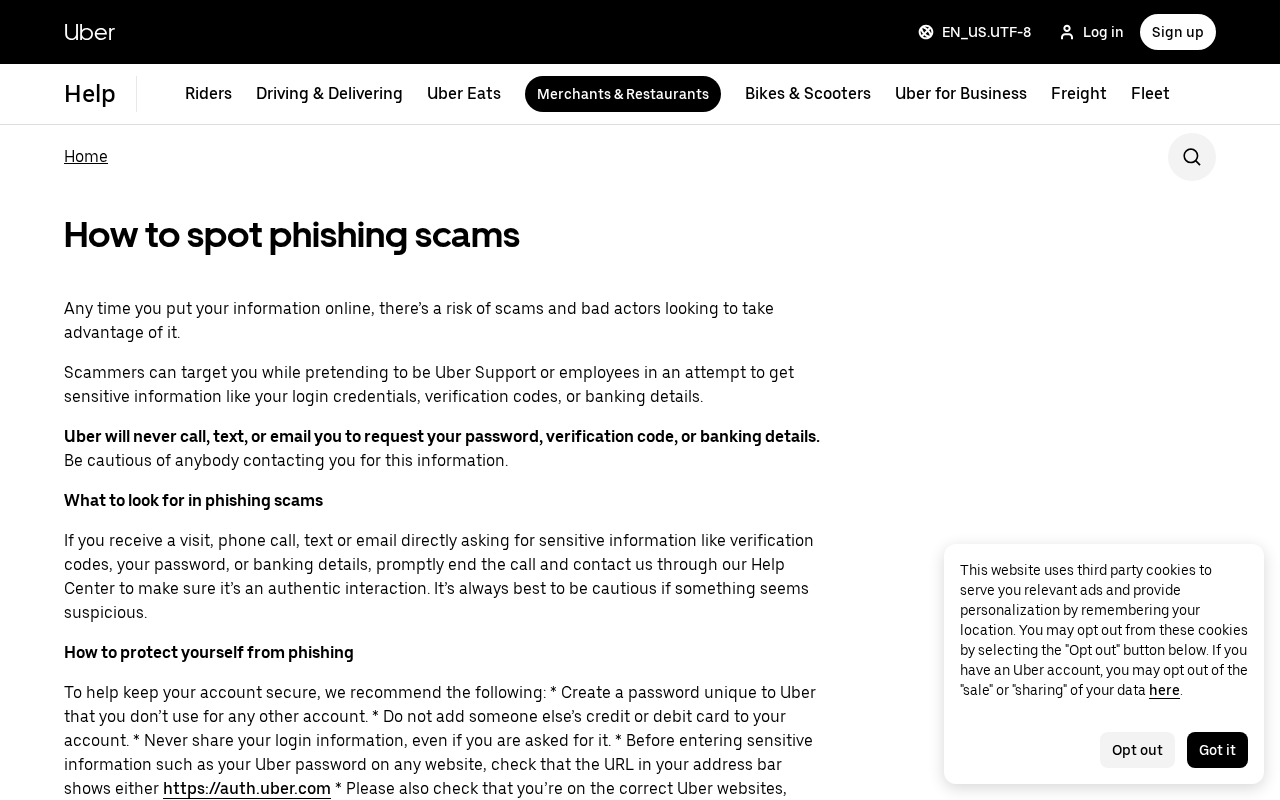
On Uber’s own How to spot phishing scams page, the company says scammers pretend to be Uber Support or employees to get login details, verification codes, or banking information. The next line is the one worth keeping: Uber will never call, text, or email you to request your password, verification code, or banking details. If someone is asking, hang up and go back through the Help Center inside the official app.
That warning is not a slogan. A verification code is a second key. The U.S. Federal Trade Commission explains the same idea on its verification code consumer alert. Your password is one lock. The code that lands on your phone is the other.
Anyone who asks you to hand over that code is trying to open the door as you. The FTC’s instruction is short. Do not engage. Hang up. Block the number. Stop the chat. Then report it at ReportFraud.ftc.gov.
Australia’s Scamwatch uses the same rule for phishing. On its phishing scams page it says never share personal information, card details, passwords, or one-time codes with anyone who contacts you out of the blue, even if they claim to be a company you already use. The story they tell is always the same. They already know a little. They ask for the code to “verify you” or “secure the account.” They are using it to get in.
Uber is not a fake shop. People use it every day for rides, food, and deliveries. That is why the costume works. A code text that looks like Uber can be a real message from Uber’s own systems.
The company sends login codes by SMS when 2-step verification is on, and it can still send a challenge when you change account details. The danger is not “Uber texts are fake.” The danger is a stranger who wants you to repeat the digits.
What they want after the code is not mysterious. Local newsrooms have already printed the aftermath. A Washington-area family told WUSA9 that after a code was shared on the way to the airport, the card on the account took thousands of dollars in Uber Eats charges from Australia.
An Omaha driver told WOWT he lost almost $1,800 after handing over six digits to someone posing as Uber security. The product they steal is the account: saved payment methods, trip history, home and work pins, and the ability to ride or order as you.
How The Scam Works
The curb call that wants your SMS
The version that spread on TikTok in late 2025 starts like a normal trip. You request a ride. A driver accepts. Then a call comes through the app, so the screen says it is the driver. The story is a new Uber policy. Before pickup, the rider has to verify the account. The caller asks for the phone number and email on the profile, then for the verification codes that start arriving on your phone or in your inbox.
WUSA9 and 11Alive both described that pattern after riders posted the calls. The ask sounds small. A code “just for today.” A special check so the driver can find you. One Vancouver rider said the caller called it a special verification they needed for that day. When she refused, the voice got sharp and the trip vanished. Uber replied on that video that the report was concerning and that a specialized team was reviewing it.
In the Washington area, Samantha Delman told local stations what happened to her father on the way to Reagan National Airport. The call came through the Uber app. The voice said they were having trouble finding him and needed to send a code. He confirmed a phone number and email, then shared the verification code. The ride was canceled.
Later the family found thousands of dollars in charges on the card tied to the account. WUSA9 reported those charges as Uber Eats orders in Australia. The family reported it through Uber and said the money came back. About a month later, Delman got a similar in-app call on her own ride. She recognized the script, said so, and the caller hung up. The actual trip was canceled anyway.
That last detail is part of the trap, not proof that your real driver is a criminal. Some of these calls appear to ride on compromised driver accounts, or on people posing as the driver after a trip is accepted.
Newsweek’s write-up of the same wave said the person on the line may impersonate the driver or support staff, then ask for the phone number, email, and codes. Once those are in hand, the account and the payment methods go with them. If you refuse, the ride often disappears. That is annoying. It is cheaper than handing over the SMS.
A driver does not need your login code to pick you up. The app already has your pin, your name, and the trip.
If a voice on an in-app call starts asking for the digits that just arrived, treat it as an account grab, cancel, and report it from Help inside the official app. Do not argue about policy on the curb. There is no rider policy that requires you to read a login code to a stranger so a car can move.
They trigger a real Uber code, then ask you to confirm it
The quieter version does not need a waiting car. Someone already has your phone number, or your email, from a leak, an old signup, or a guess. They start a login on uber.com or in the app. Uber does what it is supposed to do. It texts a verification code to the number on the account. You did not open the app. The code still arrives. That is the moment they call, text, or switch to WhatsApp.
The script is built to make the real code feel like a problem you can fix. “We see a login we need to cancel.” “Confirm this code so we can lock the account.” “Read it back so I can mark the attempt as fraud.” None of those sentences are how Uber support works.
On the phishing help page, Uber says that if a call, text, or email asks for verification codes, a password, or banking details, you should end it and contact the company through the Help Center to check whether the contact was real.
The Federal Trade Commission describes the same move without naming a rideshare brand. In the March 2024 alert, staff writer Alvaro Puig says scammers pretend to be someone you can trust, claim there is a problem or stolen identity, and then ask for the verification code so they can get into the account. The code is only for you to type into a login screen you opened. It is not a phrase you read to a helpful voice.
This is why an unexpected Uber SMS can feel more convincing than a sloppy fake. The sender can look like other Uber texts you already have. The digits are valid for a few minutes. The person on the other end is in a hurry because the code is in a hurry.
That pressure is the tell. A real security check happens when you are the one signing in. It does not arrive as a stranger asking you to narrate the number.
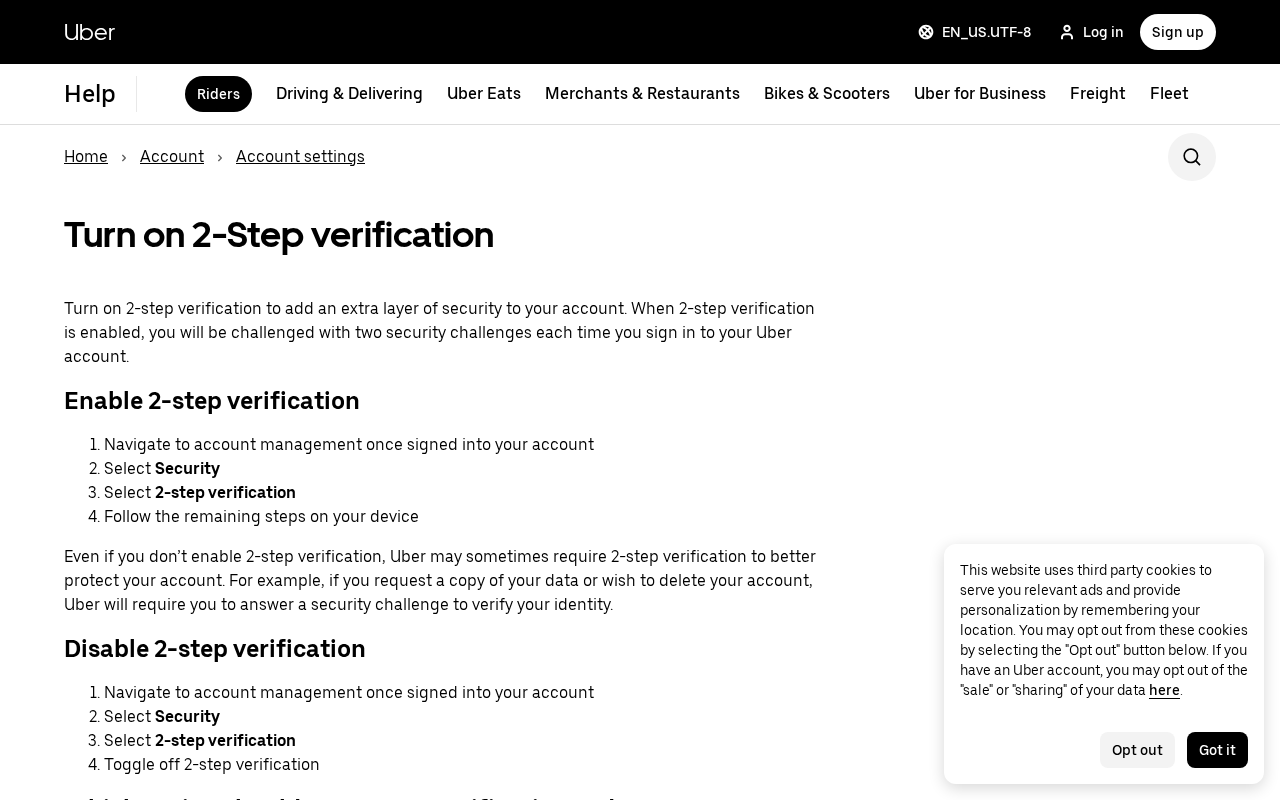
Uber’s rider help page What can I do to protect my account? is clear about where codes come from. With 2-step verification on, you get them by text or from an app such as Duo, Authy, or Google Authenticator. Even if you never switched that setting on, Uber may still send a challenge when you change account details. Those messages are part of the real product. They are not invitations to start a chat with “support” on WhatsApp.
WhatsApp, a second text, or a “support” voice
Not every attempt starts in the ride screen. People also report a WhatsApp message that uses the Uber name, a follow-up SMS that says reply with the code, or a phone call that already knows your city. The costume changes. The ask does not.
They want the one-time code, the password, or a bank detail. Uber’s merchant phishing page says never share a one-time password with anyone claiming to be an Uber employee, because that code can give a scammer the account.
Drivers get a parallel version. WOWT in Omaha interviewed Willis Renshaw, an Uber driver who took a call from people posing as Uber security. He said he was afraid of being kicked off the app. They offered what sounded like a financial apology through an Uber Pro card and had him give six digits to set it up.
Those digits were used to redirect his payments. He said he lost almost $1,800 of earnings. Uber later emailed that the account had been compromised and locked the intruders out. The bank behind the card, he said, denied the fraud claim.
That driver story is not a separate mystery. It is the same key used on a different door. A rider code opens saved cards and trip history. A driver code can open a wallet, a payout method, or a card product tied to earnings.
In both cases the person on the phone needed the victim to complete a real security step. The company statement WOWT printed matches the help pages: riders and drivers should never share passwords, verification codes, or phone numbers, and Uber will not ask for them.
Some messages skip the live voice and go straight to a link. Uber’s rider security page says phishing often uses an unsolicited email or text with a link to a fake login. Employees will not contact you by email or phone to demand account information, including a password or financial details.
If a message wants personal information or sends you anywhere that is not uber.com, do not tap it and do not answer with data. Report the message to Uber from the official app so the security side can look at it.
A link is a second trap sitting next to the code trap. One path wants you to type your password on a page that only looks like Uber. The other path already started a real login and wants the SMS. Either way, open the app yourself.
Type uber.com yourself if you need the website. Do not let a text choose the address bar for you. Uber’s phishing guidance tells people to check that a password page shows auth.uber.com or login.uber.com before anything sensitive goes in.
What the code buys them
Once they have a live code, they are not “verifying” you. They are completing their own login. From there the public reports show a short menu of theft.
They can ride on your payment methods. A saved card or PayPal on an Uber account is enough to move a car or place food orders without holding the plastic. That is what the Delman family described: the airport trip died, and the charges showed up as Uber Eats far from home.
Newsweek put the same risk in plain language. After the phone number, email, and codes are shared, the person on the other end can reach the account and the payment methods.
They can change the locks. Email, phone number, and password are the recovery path. If those move, you may not get back in on the first try. Uber’s own 2-step page is built around the idea that the person who can receive the next code owns the next login. That is why a stranger collecting today’s code is also collecting tomorrow’s access, unless you get there first and change the password from a session you still control.
They can use your name. Home and work addresses, a trip history, and a profile photo make the next victim easier. Some write-ups of the rider wave noted that a taken account can be used to run the same “verify before pickup” call on someone else. You do not need a secret case number to see the logic. A trusted-looking in-app call is more persuasive when it rides on a real profile.
They can empty a driver wallet. The Omaha report is one public example. Other driver complaints describe a support voice, a complaint against the account, then a code that changes payout details. Treat any inbound request for a code, a gift-card number, or a “bonus” PIN the same way.
End the call. Open the official app. Check the wallet and the bank account on file. If money already moved, call the bank from a number on your statement, not from the caller.
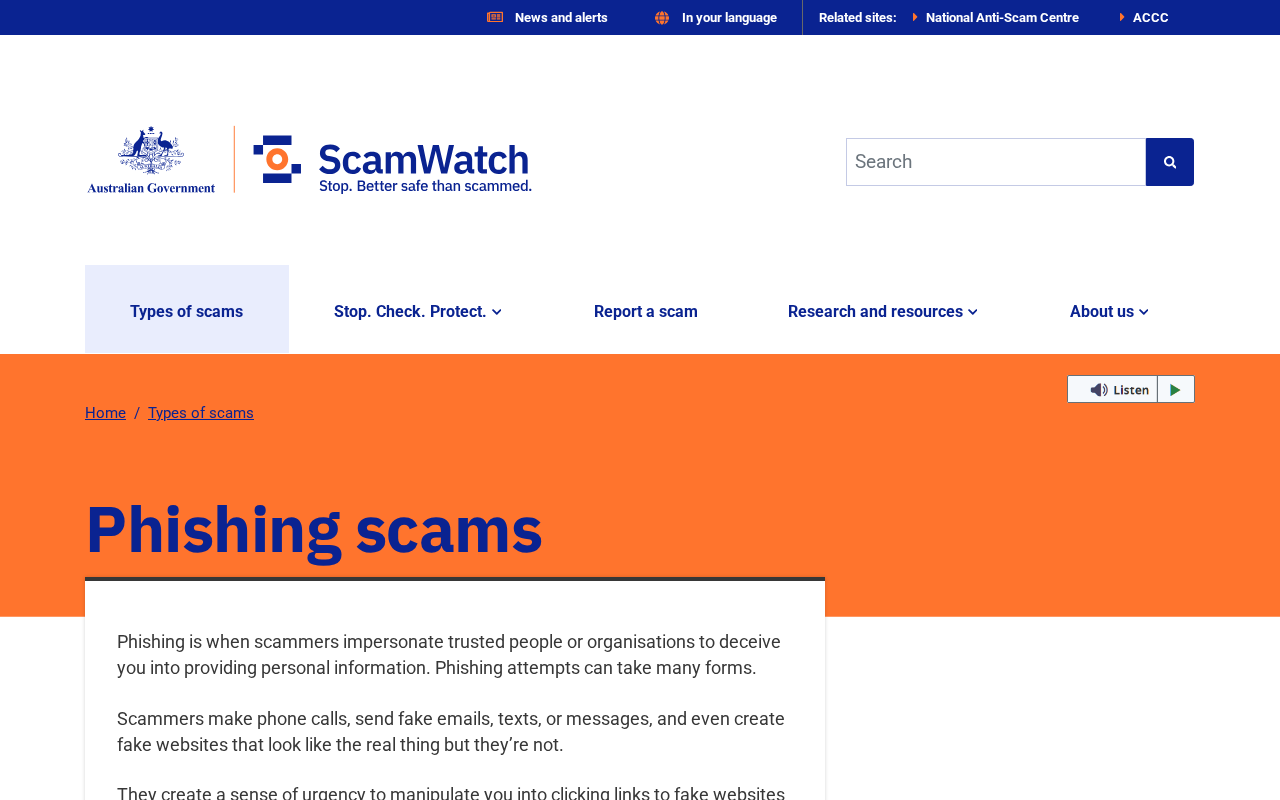
Scamwatch’s phishing advice is useful here because it does not depend on a brand. The contact can look authentic. The sender ID can sit in the same thread as older real messages. The voice can know a fact about you. They will still ask for one more thing: the one-time password or PIN. Slow down. Check the company through an app or a number you found yourself. That is the whole defense.
What To Do If You Already Shared the Code
If the digits already left your mouth, treat the next ten minutes as the job. A one-time code is short-lived, which is why the person who asked is already typing. You are not too late to make their session worthless. You are late enough that waiting until tonight is a bad plan.
Get back into the official app first
Open the Uber app you already have, or type uber.com yourself. Do not use a link from the text or the WhatsApp chat. If you can still sign in, change the password immediately. Uber’s rider help page says the most important protection is a unique password you do not reuse, at least 10 characters, with upper and lower case, a number, and a symbol. Do that now, even if you think the code “only confirmed a ride.”
Then walk the account like someone else just had the keys. Look at payment methods. Remove a card you do not recognize. Watch for a new PayPal, a new bank, or a card that is not yours. Check recent trips and Uber Eats orders.
The Washington-area case showed up as food charges in another country, not as a car sitting in your driveway. Check the email and phone number on the profile. If either one changed, use the in-app Help flow and say the account was accessed by someone else.
Turn on 2-step verification if it is off. Uber’s Turn on 2-Step verification page walks through Account management, then Security, then 2-step verification. Text message codes go to the number you set. A security app can generate codes without waiting on a cell tower. Save the backup codes Uber offers and keep them off the phone you might lose. Backup codes are one-use. They are for you, not for a caller.
If you cannot sign in, that is information. It can mean the password or the recovery email already moved. Use the official “I can’t sign in” path on uber.com or the app store listing you already trust. Do not call a number that arrived in the same thread as the code.
Uber’s phishing page says to contact the company through the Help Center to confirm whether a contact was genuine. That is the door. A voice who already has your code is not the door.
Tell the card and the company
If a saved card was charged, call the bank or card issuer from the number on the back of the card or on a statement you already have. Say the Uber account was taken and ask them to watch or reverse the charges. Do this even if Uber later refunds a trip.
The family in the WUSA9 report said Uber returned the money after they reported the account. That is a good outcome. It is not a reason to skip the bank.
Inside the Uber app, report the incident from Help. If the attempt happened during a requested ride, cancel if the car has not started, then report the trip and the call. Note the time, the city, and what the voice asked for. You do not need an invented ticket number.
The Help flow is what Uber’s public statements keep pointing people toward. The company told local stations it has a specialized team looking at these reports and that it will not ask for passwords or verification codes.
If you are a driver and the code went toward a wallet, a Pro card, or a payout change, check the bank account on file before you take another trip. The Omaha driver learned the six digits had redirected payments.
If your payout destination changed, put it back through the official app and call your bank about any cash-out you did not start. Keep screenshots of the wallet history. Those pictures help a later review more than a remembered phone call.
Then file a fraud report. In the United States, the FTC wants these at ReportFraud.ftc.gov. The same alert that explains verification codes says to hang up, block, stop texting, and report. The FTC will not unwind your Uber trip. The report still feeds the pattern file that other agencies use. If money left a bank account, your bank’s fraud desk is the first call. The FTC page is the second.
In Australia, Scamwatch’s phishing page says to contact the bank or card provider at once, ask them to stop transactions, and change passwords on email and other important accounts. If you shared a code, assume the email on the Uber profile may be next, especially if you reuse passwords. Change the email password from a browser you opened yourself. That is boring. It is how a second takeover gets stopped.
If you did not share the code
An unexpected Uber code is still a signal. Someone tried to sign in, or tried to register your number. Do not reply. Do not forward the digits. Open the official app and look at recent activity.
If everything looks normal, change the password anyway and turn on 2-step verification. Uber’s rider page says phishing texts and emails are how people get tricked into handing over an email, a phone number, or a password. A code you never asked for is the loud version of that attempt.
If a “driver” is on the line right now, hang up. Cancel the trip if you are not already in the car. Request a new ride only after you are sure the first one is gone.
If you are already in a real car with a real driver who is not asking for codes, you can finish that trip and report the earlier call later. The danger is the voice that wants the SMS, not the existence of Uber as a company.
If the contact is on WhatsApp, iMessage, or a second SMS thread, leave it. Block it. Do not be polite. Courtesy is how a five-minute code stays alive. The FTC’s line is the one to keep: anyone who asks for your account verification code is a scammer. Uber’s line matches it. The company will not call, text, or email to collect that number from you.
Save the message if you can do it without tapping a link. A screenshot of the chat, the caller ID, or the in-app call screen is enough for a Help report. You do not need a case number from the caller. Official help pages never ask you to prove you were scammed by reading another code.
The Bottom Line
Uber is a real company at uber.com. Real texts from Uber exist. Real drivers call through the app about a pin or a gate. None of that requires you to read a login code to a stranger. The code is the account. The person who wants it is not trying to start a ride. They are trying to become you on the other side of the app.
If a curb call, a WhatsApp chat, or a “support” voice asks for the SMS, hang up. If a code arrives and you were not signing in, leave it unused and open the official app yourself. If you already shared the digits, change the password, check the cards, check the trips, and report it from Help. Then tell the bank if money moved, and file it at ReportFraud.ftc.gov.
Keep the official rule where you can see it. Uber will not call, text, or email to collect your password, your verification code, or your banking details. The FTC says the code is only for you. Scamwatch says a one-time code is not something you give to an unexpected contact. That is the whole article. The rest is costume.

Join the discussion
0 commentsShare your experience or ask a question about this article.
Discussion
Start the conversation
Have a question or something useful to share? Add the first comment.