


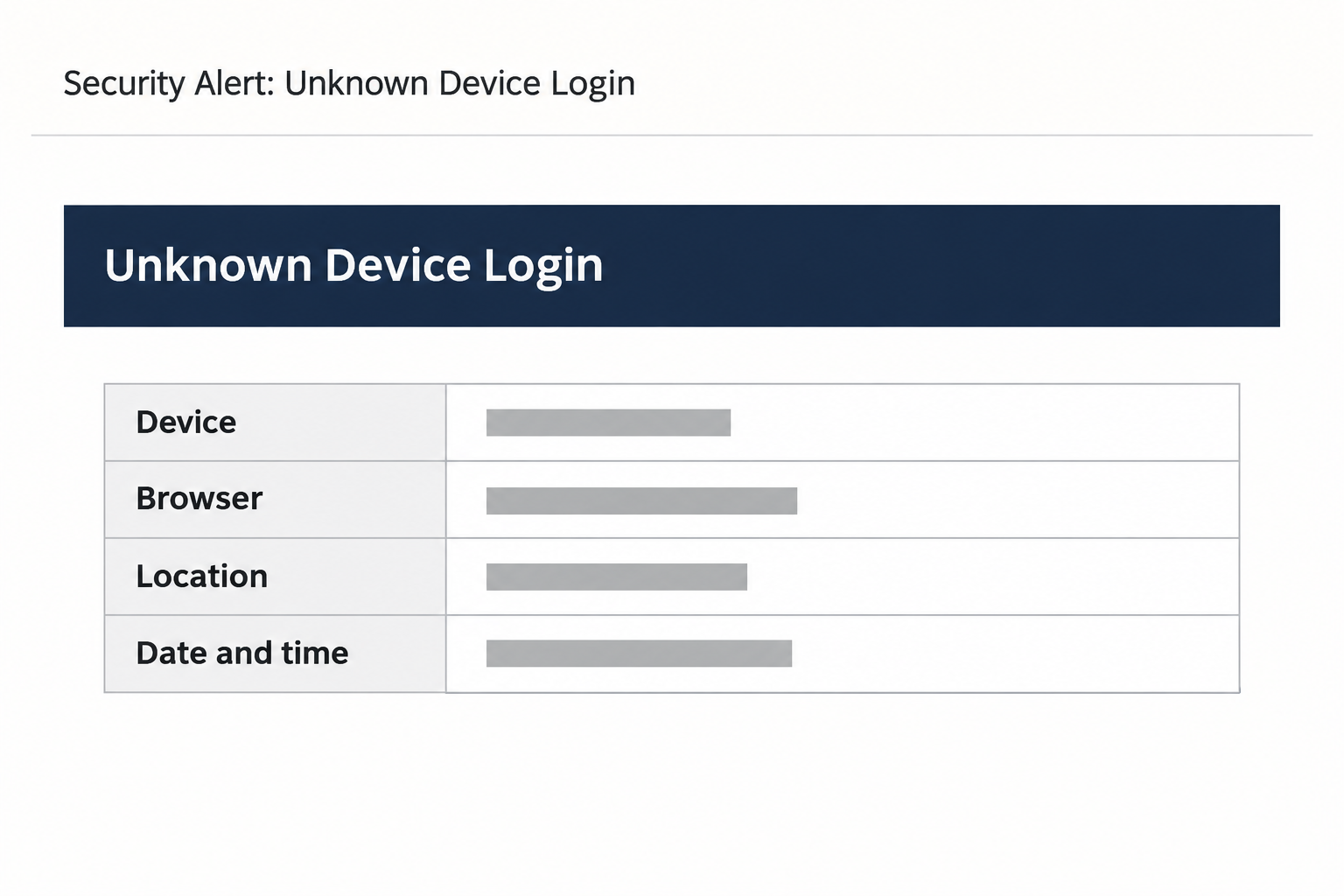
The email knows how a security alert should look. It lists a browser, a location, and a timestamp you can compare against your memory.
Then it offers a quick way to deal with the unfamiliar device. The details make that option worth a closer look before you use it.
Overview
An alert that never names the wallet it claims to protect
The reported message used the subject “Security Alert: Unknown Device Login.” It claimed someone attempted to access a cryptocurrency wallet and said access would be limited pending a check.
It did not identify a specific wallet provider in the visible notice. The sender was displayed as support, which is a role label rather than a verified account identity.
That missing detail matters if you use more than one app. A notice cannot tell you which account to secure if it never tells you which service it represents.
Even if you use only one wallet, do not fill in that blank yourself. The fact that the story could apply to you does not establish that it does.
The log entry is part of the message
The email displayed a Windows device description, Chrome, a network address, a Netherlands location marker, and a timestamp. Those are details people expect a login notice to contain.
None of those details was a record you checked in your actual app. They appeared in the same email as the claim that a login had been attempted.
An unfamiliar location can be alarming. But location estimates are imperfect, and an email can show a completely unrelated location without performing any account check at all.
What matters first is the provenance of the notice. You can investigate genuine activity without relying on the sender’s list or following its proposed method of checking.
One button tries to make you skip independent verification
The documented email offered a “Block Unknown Device” link. It said no action was needed if the attempt was yours, while urging immediate action if you did not recognize it.
The linked destination was unavailable when it was examined. That means no exact login form, request for a recovery phrase, or download was confirmed for this sample.
Apply three different tests to the situation rather than acting on the appearance of the notice:
- Identify the actual exchange, wallet app, or account service you use.
- Check the relevant sign-in or wallet activity through its official route.
- Determine whether you shared a password, approved a request, or exposed a recovery phrase.
These tests are separate because a wallet secret, an exchange password, and a visit to a web page have very different consequences.
How the Unknown Device Wallet Login Scam Works
Step 1: It asks you to react to someone else’s device
The subject presents a threat already in progress. You are not being offered an investment or asked to believe in a reward. You are being asked to protect something.
Most people recognize the format from security notices for email, banking, and shopping accounts. That familiarity can carry over even when the message never names a real provider.
The sender does not need to know your balance. The word “wallet” is enough for a recipient who has one to think of an app or exchange they use.
There is a useful pause between seeing the alert and acting on it. Ask what service sent the message before asking what the supposed device was doing.
Step 2: It lets technical detail stand in for proof
The device information looks precise enough to be convincing. There is a long browser description, a short location marker, and a time that resembles a real system record.
But anyone can write those pieces of text into a message. They are not equivalent to an event you opened inside a provider’s authenticated activity history.
Your job is not to reconstruct who might have been in the Netherlands. The important question is whether your provider independently shows an event corresponding to the claim.
If your real account does show a suspicious event, secure that account through the provider. A real problem, if there is one, still does not authorize the email’s link.
Step 3: The email presents the link as a defensive action
The instruction sounds safer than clicking a generic sign-in button. Blocking a device feels like limiting access rather than granting it.
But selecting the link in the email does not block anything through your wallet. It sends your browser to a destination chosen by the sender.
The archived route did not load during analysis, so it would be misleading to describe a specific second screen as established fact. A later copy could behave differently.
If a site reached this way asks for a password or one-time code, do not provide it. If it tells you to restore a wallet, leave immediately.
Step 4: An account prompt and a wallet recovery prompt pose different risks
An exchange commonly uses an online account. If a copy asks for that account’s password, the danger is unauthorized sign-in and whatever the attacker could access afterward.
A recovery phrase is fundamentally different. Giving it away can let someone control a self-custody wallet, even though a separately hosted exchange account remains secure.
Some modern wallets can be started with an email-linked sign-in. For example, Phantom’s sign-in documentation distinguishes an email wallet from other ways of accessing the app.
That does not make an unsolicited message legitimate. It means advice must account for how a person actually set up their wallet instead of treating every setup as identical.
Step 5: A fake alert can leave people watching the wrong place
Someone who entered an exchange password may watch their on-chain wallet while forgetting to review account sessions. Someone who shared a phrase may only change a browser password.
Neither measure fixes the other exposure. Work out which kind of access you granted before treating the issue as closed.
An unauthorized transfer, if one occurred, gives you a concrete record to preserve. An email full of device information does not, by itself, show an actual transfer.
The original sample did not establish a successful login or theft. The urgency of your response should follow your own recorded activity and what you disclosed.
What to Do if You Have Fallen Victim to This Scam
-
If the email is all you received, stop there. Report it through your inbox and open the real account or wallet separately to check for genuine activity.
Keep a copy if you need to report it to a provider. Do not open the link to supply a more complete screenshot.
-
If you visited but entered nothing, close the page. Note whether anything downloaded, any prompt appeared, or any wallet approval was requested.
An error page does not prove a device was blocked or an account was safe. Review what happened independently, and do not return to see whether the page now loads.
Treat an actual opened download as a separate issue. If it occurred on a work device, report it to the team responsible for that equipment.
-
If you entered an exchange or email password, start with that account. Use the legitimate service to reset it and review security history, recovery details, and active sessions.
Check whether the service supports revoking sessions or unfamiliar access. Tell its fraud or security team if you also entered a code or approved a prompt.
If the exchange offers a temporary account restriction, discuss it through official support if there are withdrawals you do not recognize. Do not use a number from the message.
-
If you connected or signed with a wallet, review the wallet itself. Disconnect the site and look for recent transactions or approvals associated with the account you used.
An ordinary connection and permission to spend are different actions. Check actual authorizations, and use the wallet’s official support if you cannot identify what you confirmed.
-
If you disclosed a recovery phrase or private key, protect any remaining assets. Use a trusted device and a new wallet created with completely different recovery information.
Reinstalling the original app or changing a local password does not replace the exposed secret. See MetaMask’s compromised-wallet guidance for an example of the distinction.
Seek official guidance if funds appear to be leaving after you receive them. Adding more funds to the affected wallet without a plan may increase the loss.
-
If money moved, preserve the records before reporting. Save an on-chain transaction reference or exchange withdrawal record, as applicable, and note the time, amount, and destination.
Notify the relevant service and file a fraud report appropriate to your location. Avoid anyone who contacts you offering to get your money back for a fee.
What “Unknown Device” Means in Different Crypto Accounts
Start with the service where the activity could appear
An exchange and a self-custody wallet can be on the same phone without being one account. An exchange withdrawal may appear first in its account history.
A self-custody wallet can show on-chain activity for the addresses it manages. That history can help you see whether an asset moved, even when there was no ordinary website login.
If your wallet uses an email-linked sign-in, check how that app handles access. The email provider and the wallet do not necessarily have the same security settings.
People sometimes use the same nickname for an exchange account and a separate wallet. Identify both by their real application or service name before contacting support.
Compare facts that you can verify yourself
The email offered to block a device it did not authenticate. Ask the real provider which sessions, devices, or permissions it can identify in its own settings.
Check your own recent activity, including a new browser or reinstall you can explain. A real history entry may only need recognition rather than a claim that a theft occurred.
If you see an alert and no matching history, ask the real provider whether it sent anything. Describe the subject and timing without forwarding secrets or codes.
If official support cannot reverse a confirmed transaction, do not turn to strangers who say they can. Ask the provider what records can still be saved.
Keep security language from doing the work of evidence
Words such as “unknown,” “blocked,” and “limited” sound like conclusions. In this email they were statements made by an unverified party.
The same distinction applies to a green checkmark, a logo, or a detailed event table. A message can show all of them without having access to an actual account.
Give priority to evidence from a service you opened yourself. That still leaves room to act quickly without using a decision presented by the person making the claim.
Compare what a genuine notice can establish
A verified exchange alert may name the service, but the name itself is not a security check. See whether the event exists when you open your account directly.
Record the alert’s timezone before comparing it with a real event. An apparent discrepancy may simply reflect how the official account displays local time.
Check whether the official service saw a failed attempt, a successful session, or a withdrawal. Those are separate events with different consequences for how quickly you respond.
If a genuine service provides an alert without publishing the same details in its account view, reach support from its app. Ask what it can confirm without using the message.
Someone who shares a household or device with you may know why a browser changed. Ask about legitimate activity without circulating the suspicious message or sharing access to the account.
Above all, treat the proposed block as a request, not evidence of a block. Your own account settings are the place to see which access is active.
Frequently Asked Questions
Did someone actually try to log in to my wallet?
The reported email does not establish that. Check activity through the app or exchange you actually use, and contact its support if you find an unfamiliar event.
Does a location in the email identify an attacker?
No reliable identification follows from a location shown in an unverified message. Even a genuine login system can estimate location imperfectly, so treat it as one clue.
Can a real wallet use my email address?
Some wallet products offer an email-linked sign-in option, while others rely on different methods. Verify the setup you originally chose through the software and documentation you already trust.
Does clicking “Block Unknown Device” lock the account?
The link in the recorded specimen led to an unavailable destination. It did not independently demonstrate that any account restriction or device block took effect.
Would changing my wallet app password protect a disclosed phrase?
A local password protects access to the installed app. It does not make a disclosed recovery phrase private again, so use a new wallet if that phrase was exposed.
What can I tell official support without handing over access?
You can usually provide the subject, timing, and relevant account activity or transaction reference. Do not send a password, code, private key, or recovery phrase.
The Bottom Line
Do not try to block an unfamiliar device through this email. Verify the alert in the wallet, exchange, or account service you already use.
If you acted on the message, respond to the specific access you gave away. A shared online password, a signed request, and an exposed recovery phrase need different remedies.

Join the discussion
0 commentsShare your experience or ask a question about this article.
Community experiences
Did this happen to you?
Your experience could help someone recognize the same scam. Submit a private report for our team to review.
I experienced this tooReports are reviewed before publication. Sharing publicly is always your choice.
Discussion
Start the conversation
Have a question or something useful to share? Add the first comment.