

A Y Combinator application invitation arrives through a GitHub notification. For someone building a startup, that combination can look relevant enough to investigate between coding tasks.
The offer mentions a funding batch and a registration process. Before treating it as an opportunity, follow the invitation’s details more carefully than its familiar branding.
Overview
A startup application becomes a wallet-verification pretext
The Y Combinator application scam uses a false funding invitation to bring developers to an imitation application page and persuade them to authorize dangerous wallet activity.
The documented W2026 version refers to EIP-712 and Ethereum Attestation Service, then tries to explain a withdrawal warning as an ordinary signature confirmation.
That explanation should stop the process. A warning about assets leaving your wallet cannot be dismissed merely because an application page calls it verification.
GitHub can deliver a message without endorsing its contents
The campaign reportedly abused GitHub notifications by mentioning users in repository activity. A legitimate delivery platform can carry text written by an unrelated person.
Neither GitHub nor the real Y Combinator becomes responsible for that person’s offer. Notification authenticity and the truth of its contents are separate questions.
The recorded imitation domain, y-comblnator[.]com, resembles ycombinator.com but changes its spelling. Do not use the defanged address as an application route.
What we can verify, and what remains historical
This W2026 lure was documented in September 2025. Our October 9, 2026 check of YC’s real application page showed the Winter 2027 cycle.
The suspect domain did not produce a usable fresh capture. We did not execute its wallet requests or verify a particular victim transaction.
- Reach YC applications through its independently opened official website.
- Treat issue mentions as user-generated conversation, not accelerator approval.
- Reject requests to reinterpret withdrawals as harmless identity checks.
- Review signatures and transactions in the wallet itself.
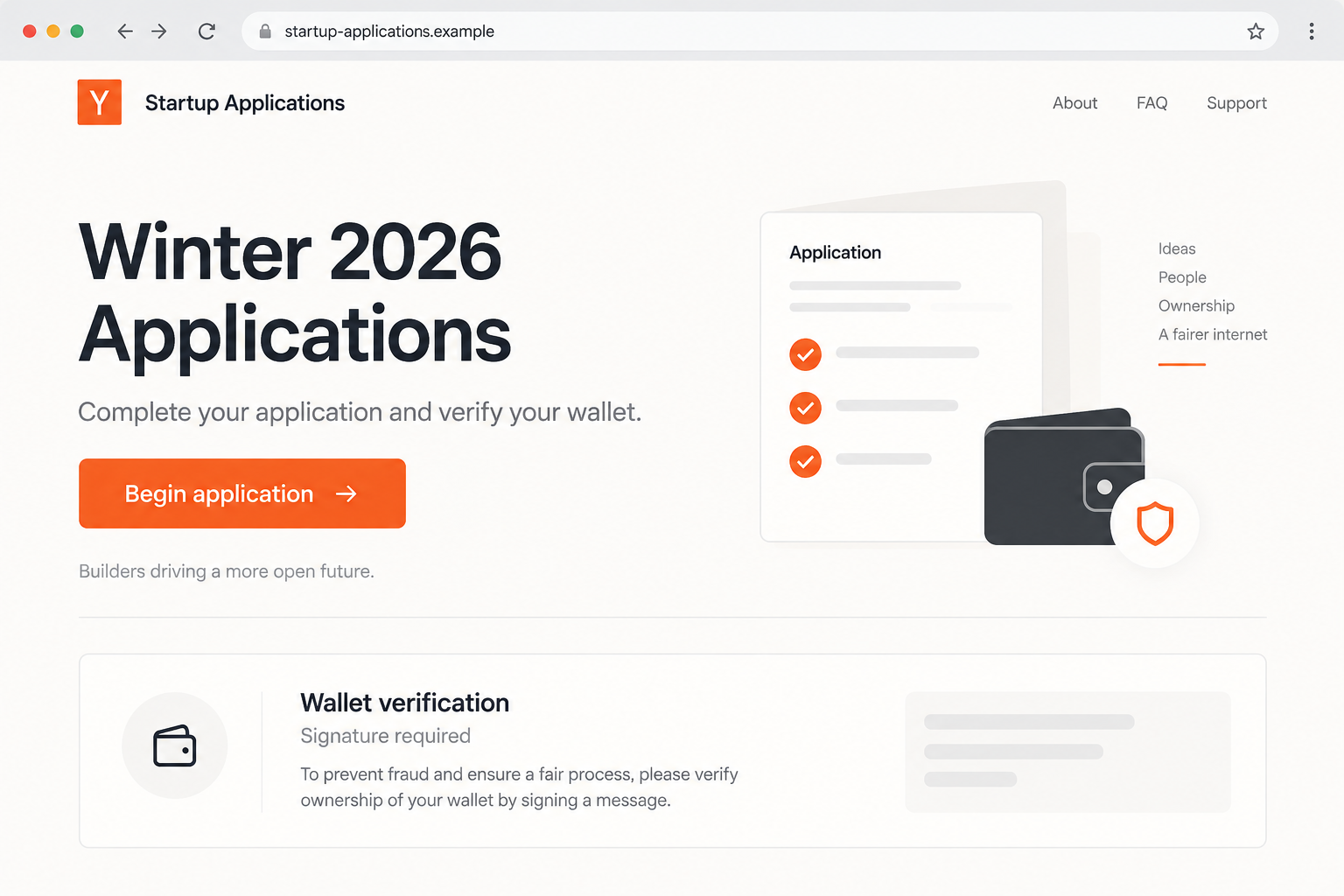
The first image is an original illustration with a fictional address. It explains the application-to-wallet switch without presenting a recreated page as captured evidence.
How an Ordinary Development Notification Becomes Persuasive
Developers receive automated notifications throughout the day. Issues, pull requests, and mentions routinely arrive with links that are useful to their work.
An invitation delivered in that setting benefits from the routine. The recipient may recognize the email infrastructure and spend less time questioning the underlying author.
GitHub’s notification documentation explains that mentions and subscribed activity can trigger updates. These are communication features, not background checks on offers.
Someone does not need to be your investor to mention your username. They also do not need authorization from an accelerator to write its name.
A public repository can reveal enough about your interests to make an unsolicited startup invitation plausible. That relevance does not establish a personal relationship.
The useful distinction is who authored the invitation. A mail service delivers it; a repository hosts it; a particular account supplies its content.
Check those layers separately. Trust in one layer should not automatically extend to an external destination linked from another.
How the Y Combinator Application Scam Works
Step 1: A GitHub mention introduces a funding opportunity
The reported campaign starts by using repository activity to get an invitation in front of people who build software. Its context makes the funding story relevant.
The recipient may see a GitHub-generated email and assume the linked opportunity has been vetted. That assumption gives the attacker a credibility shortcut.
Open your known GitHub notification page independently if you need to inspect the event. Look at the author, repository, and conversation before following external links.
An unexpected mention in a repository you do not recognize deserves scrutiny. A real repository can also contain spam, so ownership alone does not settle it.
Do not reply with company secrets or a pitch deck simply to ask whether the invitation is genuine. Verify the organization through a separate contact route.
Step 2: A lookalike address borrows the accelerator’s identity
The recorded domain inserts a hyphen and uses a lookalike letter. At a glance, a reader can recognize the brand without reading its spelling accurately.
This is particularly easy on a small screen or when a button hides the full address. The visible invitation can say one thing while linking elsewhere.
A polished logo does not repair a mismatched destination. Nor does HTTPS demonstrate that the organization named on a page operates that site.
Rather than memorizing every possible lookalike, begin at YC’s established website. Follow the application link it publishes there.
That method also avoids relying on an old campaign’s domain after it disappears. The spelling may change while the false application story remains recognizable.
Step 3: Registration introduces an unexpected crypto requirement
The imitation page changes the task from describing a startup to verifying a digital wallet. Its technical terms make the extra step appear procedural.
A founder eager to complete an application may interpret an unfamiliar requirement as something the program recently introduced.
Pause when the requested access has no clear relationship to the original task. Being considered for funding does not itself justify authorizing another party to move assets.
If you have a legitimate reason to discuss crypto with an accelerator, confirm that process through its established contacts. The unexpected page cannot validate itself.
You should not need to experiment with a valuable wallet to determine whether an application requirement makes sense.
Step 4: Technical vocabulary is used to dismiss the wallet’s warning
The documented page invokes EIP-712, a real standard for signing structured data. Using its name does not make the data safe to sign.
The EIP-712 specification describes a signing format. It is not a certification program for startup applications or the websites requesting signatures.
Different signed messages have different effects. Some authenticate a session; others can authorize operations that become consequential when submitted to a compatible contract.
The fraud’s particularly concerning move is its attempt to normalize a withdrawal notification. It tells the reader to disregard the meaning of a separate security prompt.
When a webpage’s explanation conflicts with your wallet’s displayed effects, reject the request. Seek clarification through verified channels before signing anything.
Step 5: An authorization can expose assets while the applicant waits
If a person grants a harmful permission or signs a usable transfer authorization, an attacker may be able to move assets covered by that action.
A routine connection is not the same as signing a malicious request. The exact transaction or signature determines what access was granted.
For this historical case, no independently reproduced contract analysis is available here. We therefore do not claim a specific chain, spender, loss amount, or universal outcome.
The practical warning remains firm: reject an imitation application that asks you to explain away withdrawal warnings.
Any follow-up request to deposit more funds for verification should be investigated separately. Do not keep paying to complete a process whose identity is already wrong.
Checking the Real YC Application Route
The official Apply to YC page links to the application system and describes the current process. Start there when assessing an invitation.
On our review date, it described the Winter 2027 batch. That date matters because the fraudulent specimen’s W2026 language belongs to an earlier cycle.
This screenshot shows the real application page, captured directly on October 9, 2026. It is a comparison reference, not the fraudulent invitation.

An old label is not the sole evidence of fraud. Archived legitimate pages also exist. The stronger issues are the imitation identity and dangerous wallet-verification instructions.
Look for consistency across the published process, application address, and contact information. Resolve an unexpected requirement through the organization’s own communication channels.
A legitimate application can involve confidential business information. Verify the destination before uploading financial projections, customer details, unpublished code, or a pitch deck.
Do not paste an application link containing private tokens into a public discussion. Share a redacted domain or ask support privately through the official route.
Reading a Wallet Prompt Without Being Rushed
Check the action instead of the page’s label
The term verification is not a technical guarantee. Read whether the wallet is requesting a connection, signature, spending allowance, or transaction.
If the request concerns token spending, inspect the asset, network, permitted amount, and spender. A broad allowance deserves scrutiny even when no funds move immediately.
Do not equate no gas fee with no risk
Some signatures do not immediately create a paid blockchain transaction. Depending on the protocol, they can still authorize something another party later submits.
Judge the authority being granted, not just whether the wallet displays a gas charge. Free-to-sign is not another name for safe.
Keep business identity separate from signing authority
Owning a repository or applying with a company email does not require exposing a treasury wallet. Treat requests involving organizational funds as a separate approval decision.
If colleagues share financial responsibilities, follow the team’s established signing process. A surprise application deadline should not bypass it.
What to Do if You Have Fallen Victim to This Scam
-
Stop the application flow. Reject any pending wallet requests and leave the imitation site. Record the domain and the GitHub issue or notification that introduced it.
Do not revisit the page to reproduce the request. Screenshots, wallet activity, and existing transaction records are safer evidence than another interaction.
-
Determine what you authorized. Review recent wallet transactions and any saved signature information. Note the network, assets, spender, and transaction hashes where available.
If you only connected without approving anything further, disconnect the site. Avoid treating that limited interaction as proof that your entire wallet was drained.
-
Address harmful permissions. Consult verified wallet guidance or Revoke.cash’s incident guidance to assess exposed approvals and remaining assets.
Some signature risks require different handling from ordinary allowances. Revoking one approval cannot guarantee that every previously signed authorization has become unusable.
-
Replace exposed wallet secrets. If you entered recovery words or private keys during the journey, create a new wallet with a new secret on a trusted device.
Protect assets across all accounts derived from the compromised secret. A new local unlock password does not invalidate another person’s copy of that secret.
-
Protect business information and accounts. If you uploaded private files or entered credentials, notify the appropriate team members and secure the affected services.
Identify exactly which documents were disclosed. That supports a proportionate response to confidential plans or customer information without assuming unrelated systems were accessed.
-
Report the abused notification and any loss. Use GitHub’s reporting tools for the offending content. Include the issue URL and external destination.
For stolen assets, contact any relevant exchange and law enforcement with transaction records. Blockchain visibility can support tracing, but does not guarantee return of funds.
-
Investigate software exposure when applicable. A wallet transaction and a malware infection are different incidents. Check the device if you installed an extension or ran a download.
Malwarebytes can help inspect suspicious software. AdGuard may reduce deceptive advertising, but neither can invalidate a signature or restore assets transferred on-chain.
For Repository Owners and Startup Teams
Public collaboration makes unsolicited contact easy. Have a simple internal route for suspicious funding invitations, especially when messages arrive through developer tools rather than investor contacts.
Avoid reposting the malicious link in issue discussions while warning others. Use a defanged address and report the original content through the platform.
Preserve enough context to explain what happened: the author’s account, issue location, timing, and claimed organization. A deleted notification alone may lose useful details.
Review notification settings for noisy repositories without disabling important security alerts indiscriminately. The goal is to reduce abuse while keeping legitimate development communication useful.
For treasuries, require independent review of unusual signing requests. A person researching an opportunity should not have to make a financial authorization decision in the same browser session.
If a colleague interacted, focus on facts and recovery. Blame makes it harder to establish whether a signature, password, file upload, or transfer actually occurred.
Frequently Asked Questions
Is Y Combinator itself running this scam?
No. The warning concerns an imitation application and unauthorized use of YC’s identity. The legitimate accelerator’s application process should be reached through its official website.
Can a genuine GitHub email contain a scam invitation?
Yes. Notifications can deliver user-written issues or mentions. Authentic platform delivery does not mean GitHub verified an external offer included in that content.
Does mentioning EIP-712 make wallet verification safe?
No. EIP-712 specifies structured signing. Safety depends on the actual message, requested authority, and destination, not the presence of the standard’s name.
Should I ignore a withdrawal warning during registration?
No. Reject a request you do not understand. An application page’s reassurance cannot override the financial effects displayed by your wallet.
Is the W2026 application still the current batch?
The fraudulent specimen used that historical label. On October 9, 2026, YC’s official page advertised Winter 2027; check its current page for later changes.
What if I only visited the fake site?
Close it and report the invitation. Visiting alone does not establish asset loss. Investigate further if you signed, disclosed secrets, granted permissions, or installed something.
The Bottom Line
The Y Combinator application scam turns a promising invitation into a request for wallet authority. A real GitHub notification can deliver that false promise.
Use YC’s official application route and refuse instructions that minimize withdrawal warnings. If you authorized something, investigate the exact action before trusting another proposed fix.

Join the discussion
0 commentsShare your experience or ask a question about this article.
Discussion
Start the conversation
Have a question or something useful to share? Add the first comment.