

A tool promises to find cryptocurrency rewards you forgot to claim. For anyone who has tried several networks, the idea can sound surprisingly practical.
The page offers to do the searching for you. Before treating its results as found money, consider what it asks you to do with your wallet.
Overview
The promise is a search tool, but the risk is authorization
The “Find Unclaimed Airdrops” scam promotes a supposed rewards-discovery service, then uses the claim journey to seek access that can put existing wallet assets at risk.
The documented Alnetos-themed version offers to inspect addresses and identify overlooked allocations. Reported campaign domains include alnetos[.]com, claimdrop[.]world, and earnfiairdrop[.]live.
A read-only search and an authorization to spend tokens are fundamentally different actions. The scam benefits when a reader treats the second as a routine continuation.
What is documented about this particular offer
A published investigation updated in May 2026 described promotion on X and a wallet-draining claim process. We found no dedicated MalwareTips coverage in our preflight search.
A fresh capture of alnetos[.]com failed. We did not independently execute its code, identify a current contract, or reproduce the reported theft mechanism.
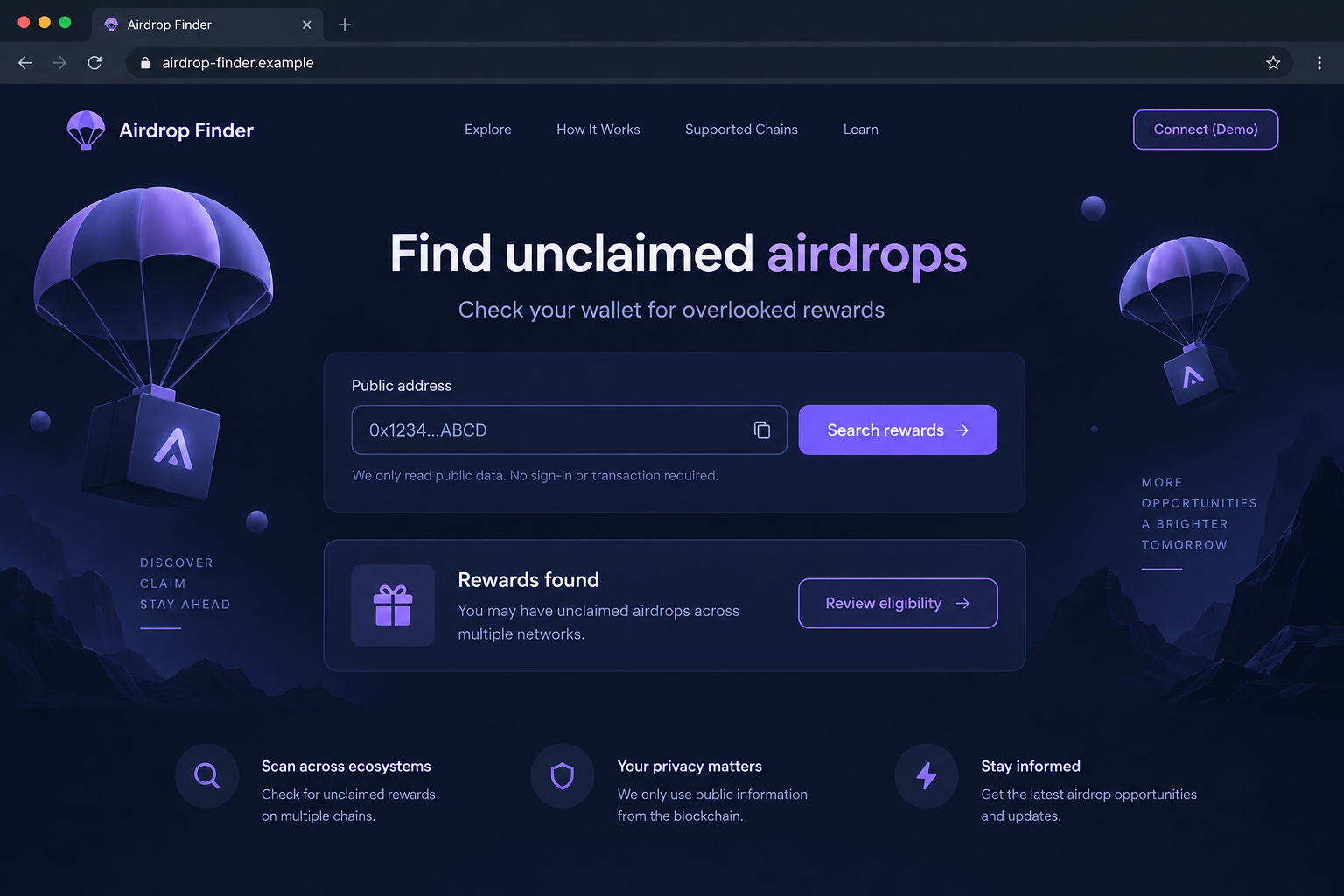
The illustration shows a fictional discovery interface. It demonstrates the appeal of a reward search without implying that its displayed result is an actual entitlement.
Check the reward at its source before signing
Treat a third-party finder as a lead, never as the final authority for a claim. Verify the distribution through the project supposedly providing it.
- A public address lookup should not require spending rights.
- A displayed allocation is not proof that tokens are claimable.
- A wallet connection does not automatically equal a transfer.
- A signature or approval needs its own informed review.
- A recovery phrase never belongs in an airdrop-finder form.
If you cannot identify the project, qualifying rules, and official claim route, there is nothing solid to authorize. Leave the proposed reward unclaimed.
Why “You Already Earned It” Is Such an Effective Hook
An investment pitch asks you to risk money for a future return. An overlooked-reward pitch suggests the return already exists and only needs collecting.
That framing changes the decision. The visitor may worry less about whether an opportunity is real and more about missing something they believe belongs to them.
People with long wallet histories have a plausible reason to be unsure. They may have tested applications, bridged assets, voted, or joined communities years earlier.
A discovery service promises to resolve that uncertainty in one place. The convenience is the attraction, even before any particular token or amount is mentioned.
Scammers can exploit that uncertainty without knowing your whole history. A broad statement about early users can fit many different experiences.
Personalized-looking results do not necessarily require private access either. Public addresses can expose substantial on-chain activity, depending on the network.
A page that displays a familiar asset or transaction may simply be reading public records. Correct information in the interface does not authenticate its proposed next step.
The useful question is therefore narrower: what permission does this tool need to perform the job it claims to perform?
How the Find Unclaimed Airdrops Scam Works
Step 1: A social post offers a shortcut through old activity
The documented campaign used X posts to promote a service for discovering missed rewards. It placed a practical-sounding tool between the reader and a possible payout.
A repost or enthusiastic reply can make such a tool feel familiar before you have examined it. Engagement, however, does not establish that a claim is genuine.
Nor does an account’s earlier history guarantee its current links. Accounts can change hands, be compromised, or promote offers without investigating their permissions.
Those are general delivery risks, not a claim about the ownership of a particular account in this specimen. Judge the destination independently.
Do not connect a wallet merely to settle curiosity created by the post. First identify who operates the service and which distributions it claims to find.
Step 2: A search interface turns uncertainty into apparent opportunity
The finder presents itself as an organizer of information. It offers a single place to check addresses and learn about eligible allocations.
That appearance can conceal an important gap: the visitor has not yet confirmed that any identified project recognizes the displayed reward.
An allocation card, progress bar, or eligibility message is generated by the page. It is not equivalent to a project’s signed announcement or an independently verified contract state.
For example, a page could display a plausible reward beside a real asset name. The name’s existence would not prove the amount can be claimed.
Before moving forward, open the supposed issuer’s established site separately. Check the actual distribution rules rather than using the finder to confirm its own result.
Step 3: The process moves from viewing data to controlling assets
A connection may let a site read a public address and request wallet actions. Any later signature or transaction deserves a new decision.
The dangerous transition occurs when the page asks for authority beyond looking up information. An allowance can let a spender move a specified token within its limit.
Revoke.cash’s explanation of token approvals describes why permissions can matter even before a visible transfer occurs.
Do not assume a button labeled Claim creates an incoming payment. The wallet’s actual request may concern tokens already in your possession.
If the page says a broad permission is necessary for searching, reject it. Searching public information does not require handing over spending rights.
Step 4: An attractive result encourages a rushed signature
By this point, the visitor may feel only one step remains. They have followed the post, found a result, and opened a wallet window.
That investment of attention can make stopping feel wasteful. A large-looking allocation can further shift attention from the permission being requested to the hoped-for reward.
Take the page’s numbers out of the decision. Ask whether you would authorize this exact operation without the promise displayed behind it.
Reject unexplained allowances, transfers to unfamiliar addresses, or signing requests you cannot interpret. A time limit does not make an unclear operation easier to reverse.
We have not established the exact prompts used on every recorded domain. The central warning is the reported claim flow’s misuse of wallet authorization.
Step 5: The stolen value comes from the existing wallet
In a draining attack, the real target is the balance you already hold. The supposed unclaimed reward supplies the reason to request access to it.
The resulting loss depends on the permission, assets, network, and timing. An approval for one token does not automatically describe access to every asset everywhere.
That detail matters during recovery. You need to determine what was exposed, not simply assume the entire wallet is safe or entirely lost.
An unchanged balance immediately afterward is not enough reassurance. A usable authorization can remain relevant after the browser tab closes.
Likewise, disconnecting the page addresses the connection but may leave an on-chain allowance intact. Review the specific action you approved.
What a Safer Rewards Check Looks Like
Identify the distribution before the claim page
Find the project’s name, official announcement, eligibility criteria, and supported network. A general statement that early crypto users qualify does not answer those questions.
If the offer cannot name an issuer, there is no independent source against which to verify its result. A broad finder cannot substitute for that evidence.
Separate public information from wallet authority
A read-only explorer can show many balances and transactions from a public address. Some useful checks therefore require no wallet connection at all.
That does not mean every legitimate claim is read-only. Receiving a distribution may require a transaction, but its purpose and permissions should be independently understood.
Do not flatten those two stages into “the website needs access.” The difference between viewing and spending is precisely where the decision belongs.
Verify assets by contract, not just their ticker
Token names and symbols can be copied. A familiar ticker displayed in a wallet or on a website may represent a different contract.
Use the issuer’s established documentation to identify the contract and network. Do not obtain both the alleged token identity and its verification from the same questionable finder.
Unexpected tokens can also appear without your request. Their presence is not an instruction to visit a website embedded in their name or description.
What to Do if You Have Fallen Victim to This Scam
-
Stop trying to complete the reward. Reject pending requests and close the finder. Do not pay another charge to unlock, validate, or repair the supposed allocation.
Keep the source post, domain, and wallet activity available for review. Avoid clicking the same promotional link again to collect extra screenshots.
-
List the actions you actually took. Separate entering a public address, connecting a wallet, signing a message, granting an allowance, and sending a transaction.
That sequence determines the response. Merely exposing a public address does not give someone the same power as revealing a private key.
-
Inspect and remove unsafe authorizations. Use your wallet’s verified documentation to review spending permissions on each affected network and revoke those you do not trust.
Consult Revoke.cash’s recovery guidance for distinctions between approvals, signatures, and stolen keys. Navigate independently rather than following a stranger’s cleanup link.
Some authorizations require more than a routine revoke. If uncertain, seek verified support before signing another unfamiliar request presented as a fix.
-
Move away from any exposed secret. If you typed a recovery phrase or private key, a permission cleanup is insufficient. Prepare a new wallet securely.
Use a newly generated phrase, not another account derived from the compromised one. Check remaining assets across networks before abandoning the old wallet.
-
Document actual transfers. Record transaction hashes, destination addresses, token contracts, networks, timestamps, and amounts. Distinguish on-chain activity from the finder’s displayed reward balance.
Report theft to relevant exchanges and authorities such as IC3. Public records may assist tracing, but no reporting channel can promise a refund.
-
Check for unwanted software if you installed anything. A fake finder may be encountered without a download. Do not assume malware solely from visiting a page.
If you ran an extension or program, inspect the device with trusted help. Malwarebytes can check for malicious software; AdGuard can reduce some deceptive ad exposure.
Those tools do not revoke token permissions or reverse blockchain transfers. Treat device checks and wallet protection as different parts of the response.
-
Expect recovery pitches after a public report. Scammers may approach people describing losses and offer a private tool, special investigator, or guaranteed asset retrieval.
Do not disclose wallet secrets or pay an advance recovery fee. Share necessary evidence only through independently verified support and reporting channels.
Avoid Turning a Small Reward Into a Large Exposure
A reward’s advertised size says nothing about the amount you could lose through an unsafe permission. Evaluate the assets exposed, not only the proposed payout.
For example, a modest token claim can still request access to a much larger existing holding. Those two amounts need not have any relationship.
Keep high-value holdings apart from experimental activity where practical. That is a containment measure, not an endorsement of unfamiliar reward sites.
A separate wallet also needs genuinely separate signing keys. Simply selecting another account in a wallet does not necessarily separate its underlying recovery secret.
Do not transfer valuable assets into a connected wallet because a page says its balance is too low to qualify. Confirm any participation rules before moving funds.
A history of successful small claims cannot guarantee the next request. Each new destination, contract, and authorization should be assessed on its own terms.
If someone is helping you, let them explain the public transaction details. Assistance should not require remote control of your wallet or a copy of its phrase.
When the available information remains unclear, leaving the reward alone is a complete decision. There is no obligation to solve every offer that appears in your feed.
Frequently Asked Questions
Are all airdrop-finder tools fraudulent?
No. This warning concerns the documented deceptive finder campaign. Assess other tools by their operator, evidence, permissions, and independently confirmed distributions.
Can sharing a public address drain my wallet?
Not by itself under normal wallet operation. It can reveal activity and identity links, but signing authority requires something more, such as a secret or authorization.
Why would a rewards finder need token approval?
A simple search does not need spending rights. Any claim transaction requires separate scrutiny, especially when it asks to spend tokens you already own.
Is a reward shown on the website proof of eligibility?
No. The site controls its display. Verify eligibility using the relevant project’s established announcement and documented process before approving a claim.
Will disconnecting remove everything I approved?
No. It removes the site’s connection, but on-chain approvals or certain signed authorizations can remain relevant. Review and address the specific permissions involved.
What if the old Alnetos domain no longer loads?
An unavailable page does not undo earlier approvals or restore stolen funds. Investigate the wallet’s activity directly instead of waiting for the site to return.
The Bottom Line
The Find Unclaimed Airdrops scam sells the convenience of discovering forgotten rewards. The critical moment is when a search becomes permission over assets you already hold.
Verify each allocation with its actual issuer. Refuse unexplained signing requests, and investigate existing permissions promptly if you followed the deceptive claim process.

Join the discussion
0 commentsShare your experience or ask a question about this article.
Discussion
Start the conversation
Have a question or something useful to share? Add the first comment.